
1. Продукт бүтүп калдыview
The wegear MW16 is a 2.4G wireless optical mouse designed for comfortable and efficient use across various devices. It features 6 buttons, adjustable DPI settings, and an ergonomic design for extended use.
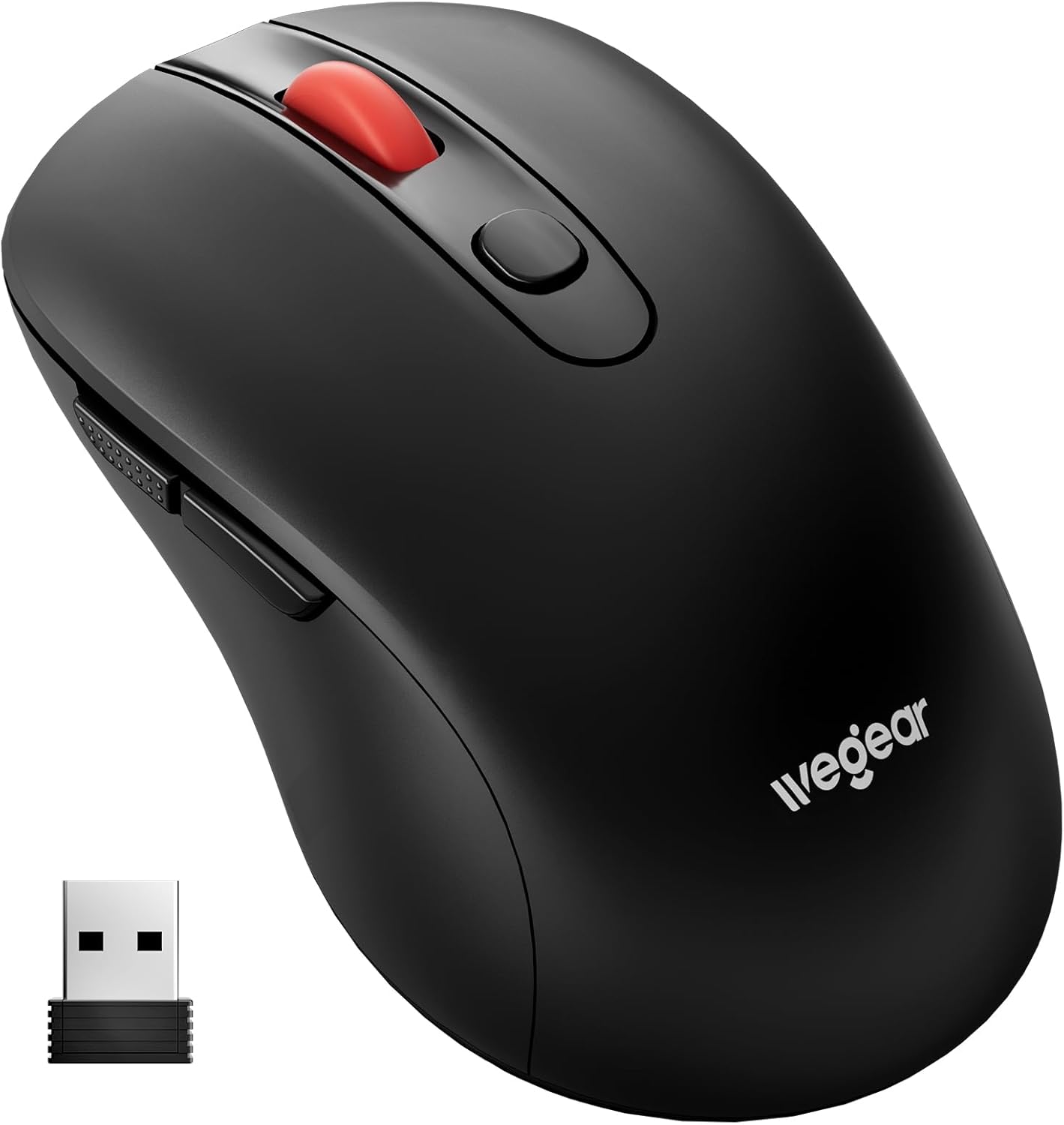
Image 1.1: wegear MW16 Wireless Mouse and USB Receiver.
Пакеттин мазмуну:
- wegear MW16 зымсыз чычкан
- USB Receiver (stored at the bottom of the mouse)
- Instruction Manual
2. Орнотуу колдонмосу
2.1 Батареяны орнотуу
- Чычкандын астыңкы жагындагы батарея бөлүкчөсүн табыңыз.
- Батарея уясынын капкагын ачыңыз.
- Insert one (1) AA battery (not included), ensuring correct polarity (+/-).
- Батарея уясынын капкагын бекем жабыңыз.

Image 2.1: Battery compartment and installation.
2.2 USB кабылдагычты туташтыруу
- Locate the USB receiver, which is stored in a slot on the bottom of the mouse.
- USB кабыл алгычты сактоо уячасынан чыгарыңыз.
- Plug the USB receiver into an available USB port on your computer, laptop, or compatible device.
- The mouse is plug-and-play; no additional drivers are required. It should connect automatically within a few seconds.
The 2.4GHz wireless technology provides a stable connection up to 33 feet (10 meters).

Image 2.2: USB receiver connection and wireless range.
3. Иштөө нускамалары
3.1 Баскыч функциялары
The wegear MW16 mouse features 6 buttons for enhanced productivity:
- Сол баскыч: Стандарттык чыкылдатуу функциясы.
- Оң баскыч: Стандарттык оң баскычты чыкылдатуу функциясы.
- Жылдыруу дөңгөлөгү: Scroll up/down, middle-click.
- DPI баскычы: Курсордун сезгичтигин (DPI) тууралайт.
- Алга баскычы: Алга карай жылдырат web браузерлер же file изилдөөчүлөр.
- Артка баскычы: Артка карай багыт алат web браузерлер же file изилдөөчүлөр.
Эскертүү: The Forward and Back buttons may not be recognized or function on Mac operating systems.

Image 3.1: Mouse button layout and functions.
3.2 Adjusting DPI (Cursor Sensitivity)
The mouse offers 5 adjustable DPI levels (800/1200/1600/2400/4000) to customize cursor speed and precision.
- басыңыз DPI баскычы (located below the scroll wheel) to cycle through the sensitivity levels.
- Each press will change the DPI setting. The red LED below the scroll wheel will flash to indicate the current DPI level:
- 1 жаркылдак: 800 DPI
- 2 жаркылдак: 1200 DPI
- 3 жаркылдак: 1600 DPI
- 4 жаркылдак: 2400 DPI
- 5 жаркылдак: 4000 DPI
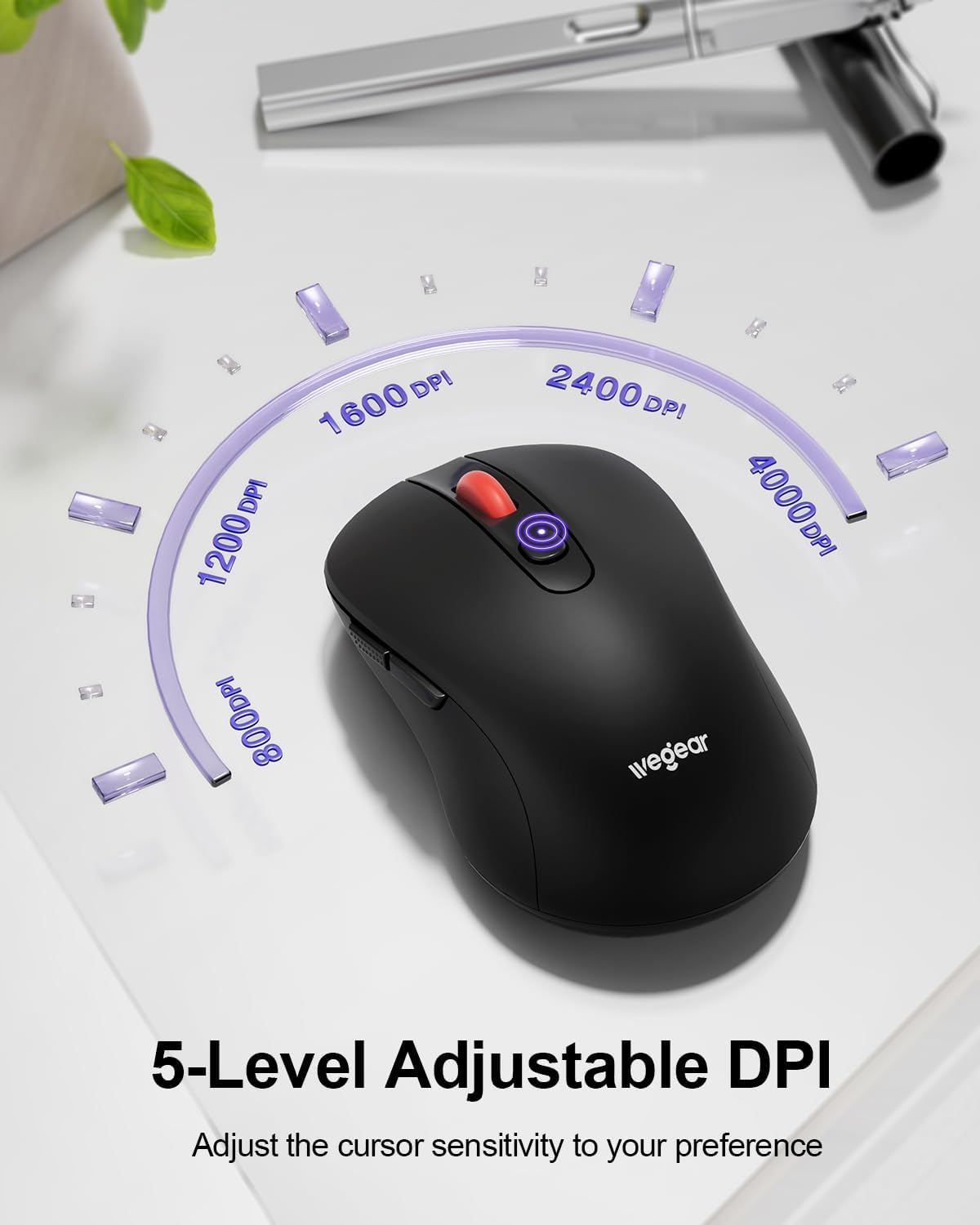
Image 3.2: DPI adjustment and indicator.
3.3 Кубатты үнөмдөө режими
To conserve battery life, the mouse automatically enters sleep mode after 8 minutes of inactivity. To reactivate the mouse, simply click any button.
4. Техникалык тейлөө
4.1 Батареяны алмаштыруу
The mouse is designed for up to 24 months of battery life. When the battery is low, a red light will flash to warn you. Replace the AA battery as described in Section 2.1.
4.2 Тазалоо
To maintain optimal performance, periodically clean the mouse:
- Чычкандын сыртын сүртүү үчүн жумшак, кургак чүпүрөктү колдонуңуз.
- өжөр кир үчүн, бир аз гampчүпүрөктү суу же жумшак тазалоо эритмеси менен жууп салыңыз. Ашыкча нымдуулуктан сактаныңыз.
- Катуу химиялык заттарды же абразивдүү тазалоочу каражаттарды колдонбоңуз.
5. Кыйынчылыктарды
- Чычкан жооп бербей жатат:
- USB кабыл алгычтын иштеген USB портуна бекем сайылганын текшериңиз.
- Check the battery level and replace the AA battery if necessary.
- Move the mouse closer to the USB receiver to ensure it is within the 33ft (10m) range.
- USB ресиверди башка USB портуна сайып көрүңүз.
- Курсордун кечигиши же туруксуз кыймыл:
- Чычкан менен USB кабыл алгычтын ортосунда эч кандай тоскоолдуктар жок экенин текшериңиз.
- Чычканды өтө чагылдыруучу же тунук беттерде колдонуудан алыс болуңуз.
- Эгерде курсор өтө сезгич болсо, DPI жөндөөсүн төмөнкү деңгээлге тууралаңыз.
- Check for potential wireless interference from other 2.4GHz devices.
- Forward/Back buttons not working on Mac:
- This is a known compatibility limitation. These buttons are generally not recognized by macOS without third-party software.
- Батареянын төмөн көрсөткүчү:
- A red light flashing indicates low battery. Replace the AA battery promptly.
6. Техникалык шарттар
| Өзгөчөлүк | Деталь |
|---|---|
| Модель номери | MW16 |
| Байланыш | 2.4G зымсыз (USB кабыл алуучу) |
| Зымсыз диапазон | 33 фут (10 м) чейин |
| DPI деңгээли | 800, 1200, 1600, 2400, 4000 (Adjustable) |
| Buttons | 6 (Сол, Оң, Айдоо дөңгөлөк, DPI, Алга, Артка) |
| Кыймылды аныктоо | Optical (Laser) |
| Батарея түрү | 1 x AA Батарея (киргизилген эмес) |
| Батареянын иштөө мөөнөтү | 24 айга чейин |
| Автоматтык уйку | 8 мүнөт аракетсиздиктен кийин |
| Баскыч басуунун бышыктыгы | 60,000,000 жолу |
| Шайкештик | Windows 98SE/ME/2000/XP/Vista/Win7/Win 10/Win11/Mac10.x |
| Өлчөмдөр | 4.65 x 2.91 x 2.05 дюйм |
| Салмагы | 3.52 унция |
7. Кепилдик жана колдоо
Specific warranty details are not provided in this manual. For warranty information, technical support, or further assistance, please refer to the official wegear webсайтка же түздөн-түз кардарларды тейлөөгө кайрылыңыз.
You can often find support information on the product packaging or by visiting the manufacturer's official webсайт: