
1. Киришүү
This manual provides detailed instructions for the BRUBOSES Military Smart Watch. Please read this manual carefully before using the device to ensure proper operation and to maximize its features. Keep this manual for future reference.
2. Продукт бүтүп калдыview
The BRUBOSES Military Smart Watch is a rugged and versatile device designed for durability and extensive functionality. It features a robust build and a comprehensive suite of health and fitness tracking capabilities.
- Military Grade Standard & 5ATM Waterproof: Constructed from special composite materials and a metal shell, this smartwatch is designed to withstand harsh conditions, including drilling, crushing, hot steam, salt spray, and liquid contamination. It remains functional even in very low temperatures.
- Bluetooth Calls & Message Notification: Equipped with a 5.0 Bluetooth chip, allowing users to make and receive calls, receive text messages, control music playback, and remotely take photos.
- Multifunctional Smart Watch: Includes social media message notifications, AI voice assistant, blood pressure, blood oxygen, dynamic heart rate, sleep monitoring, alarm clock, calculator, breathing exercises, calorie counting, sedentary reminders, stopwatch, remote camera, music control, weather forecast, multi-dial switching, and drink water reminders.
- 530mAh Large Battery Capacity & DIY AMOLED Touch Screen: Features a 400mAh battery with up to 30 days standby time and 7-10 days normal working time. The 1.39'' AMOLED touch screen (360*360 pixels) offers 5 adjustable brightness levels and over 200 customizable UI options.
- Personal Health Assistant: Supports 24-hour heart rate monitoring, real-time blood pressure/blood oxygen detection, and sleep monitoring (deep sleep, light sleep, eye movement mode). Monitoring data is saved for 30 days.
- 120+ Спорт режимдери: Offers over 120 sports modes, including cycling, running, basketball, rugby, skiing, and more. Connects via Bluetooth to an app for additional sports modes. Monitors workout heart rate, distance, speed, and calories in real-time.

Figure 1: The BRUBOSES Military Smart Watch, showcasing its rugged design and included metal and silicone bands.

Figure 2: The smartwatch demonstrating its Bluetooth call and smart notification capabilities, showing incoming calls and various app icons.

3-сүрөт: деталдуу view of the 1.43-inch AMOLED HD display, highlighting its 360x360 pixel resolution and clear visuals.

Figure 4: The smartwatch's built-in flashlight feature in use, providing illumination in a dark outdoor environment.

Figure 5: The smartwatch screen showing its charging status and highlighting its 530mAh extra-long battery life with working and standby times.
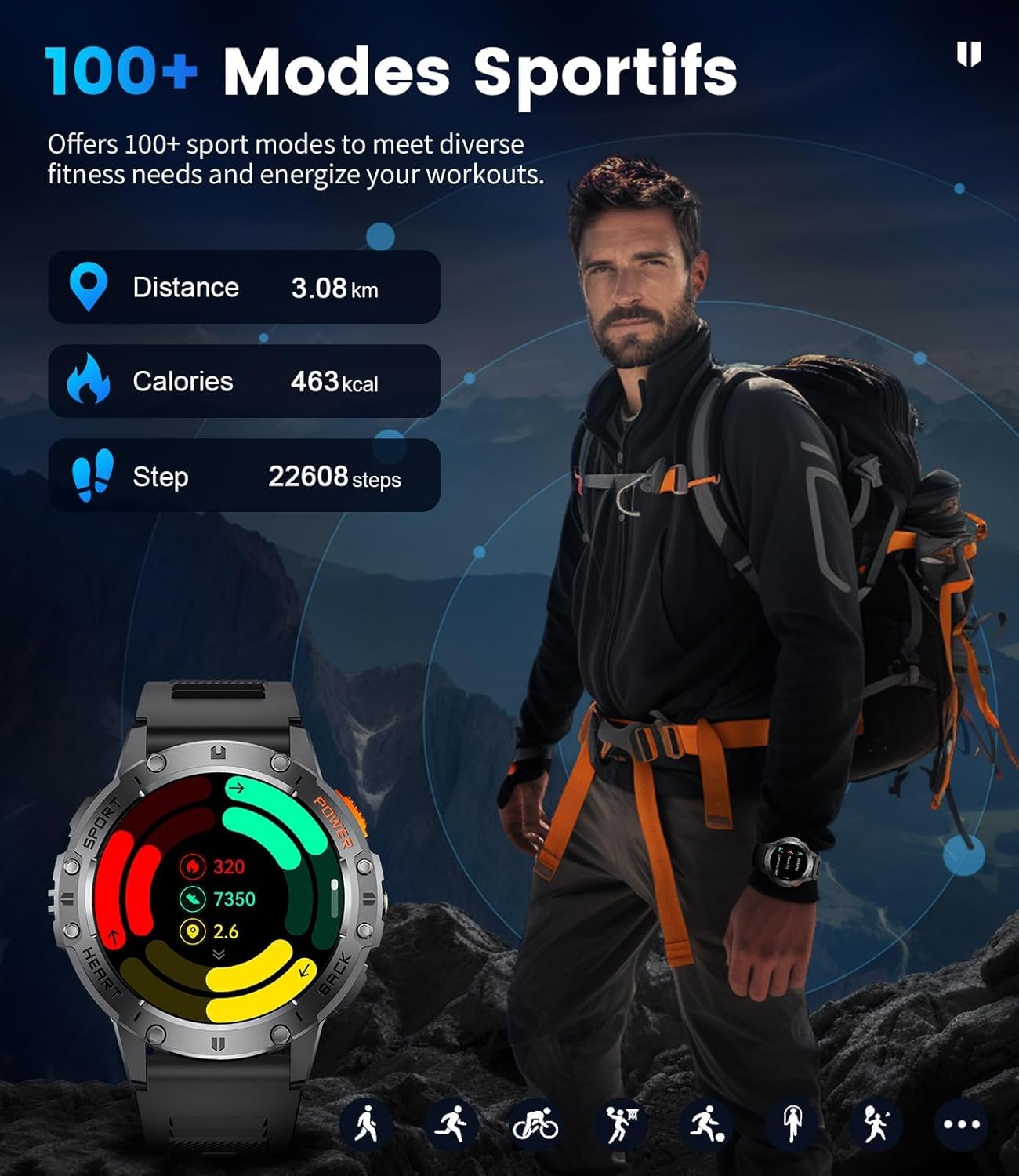
Figure 6: Visual representation of the smartwatch's 24/7 heart rate monitoring and sleep tracking features, showing data for deep sleep, light sleep, and awake time.

Figure 7: The smartwatch interface showing sports activity data, including distance, calories burned, and steps taken, with a background image of a hiker.

Figure 8: An illustration of the smartwatch's military-grade standard, highlighting its anti-impact, dustproof, harsh condition resistance, anti-fluid corrosion, and 5ATM waterproof capabilities.

9-сүрөт: Акылдуу сааттын көргөзмөсүasing its extensive library of over 200 customizable watch faces, along with features like stopwatch, remote photography, music control, and weather forecast.
3. Орнотуу
Follow these steps to set up your BRUBOSES Military Smart Watch:
- Колдонмону жүктөп алыңыз: Scan the QR code provided in the manual or on the product packaging to download the 'FitCloudPro' application. You can also find the app on your device's app store. FitCloudPro колдонмосун жүктөп алыңыз
- Bluetooth иштетүү: On your mobile phone, navigate to your settings and turn on Bluetooth.
- Open FitCloudPro: Launch the 'FitCloudPro' app on your phone and allow it to search for nearby devices.
- Түзмөктү туташтыруу: In the app, find 'K65' or the corresponding device ID and tap 'Connect' to pair your smartwatch.

Figure 10: Visual guide for connecting the smartwatch to your mobile phone via the FitCloudPro app, including scanning the QR code and enabling Bluetooth.
4. Иштөө нускамалары
4.1 Негизги навигация
The smartwatch features a responsive AMOLED touch screen and physical buttons for navigation. Swipe across the screen to access different features and menus. Use the side buttons for quick access to specific functions or to return to the previous screen.
4.2 Bluetooth чалуулары жана эскертмелери
Once paired with your phone, you can make and receive calls directly from your watch. Incoming call alerts will display on the screen. Message notifications from various social media apps will also be displayed, allowing you to preview content without taking out your phone.
4.3 Ден соолуктун мониторинги
Саат сиздин ден соолугуңуз тууралуу маалыматтарды тынымсыз көзөмөлдөйт:
- Жүрөктүн кагышы: Жүрөктүн кагышын 24 саат бою көзөмөлдөөнү камсыз кылат.
- Кандагы кычкылтек (SpO2): Real-time SpO2 detection.
- Кан басымы: Real-time blood pressure monitoring.
- Уйкунун мониторинги: Records sleep time and detects sleep status (deep sleep, light sleep, eye movement mode). Data is saved for 30 days in the app.
4.4 Sport Modes & GPS Tracking
Select from over 120 sports modes to track your activities. For outdoor activities, the watch utilizes built-in GPS to monitor critical data such as workout heart rate, distance traveled, movement speed, and calories burned. To start a workout:
- Navigate to the 'Workout' section on your watch.
- Select your desired sport mode (e.g., Outdoor Run, Outdoor Walk).
- Wait for GPS to acquire a signal (if applicable) or tap 'Start Now'.
- The watch will begin tracking your activity. To end a workout, press and hold the designated button on the watch face until the workout ends.
4.5 Фонар
Activate the built-in LED flashlight feature for convenient illumination in dark environments. This feature is useful for outdoor adventures or navigating in low-light conditions.
4.6 Музыкалык башкаруу
Туташтырылган смартфонуңуздагы музыканы ойнотууну түздөн-түз акылдуу саатыңыздан башкарыңыз. Тректерди ойнотуп, тындырып, өткөрүп жиберип жана үндү тууралай аласыз.
4.7 Жасалма интеллект үн жардамчысы
Utilize the AI voice assistant for hands-free control and information retrieval. Simply activate the voice assistant and speak your commands or questions.
5. Техникалык тейлөө
Акылдуу саатыңыздын узак мөөнөттүү иштешин жана оптималдуу иштешин камсыз кылуу үчүн, төмөнкү техникалык тейлөө көрсөтмөлөрүн аткарыңыз:
- Тазалоо: Саатты жана боону жумшак, кургак чүпүрөк менен үзгүлтүксүз тазалап туруңуз. Өтө кир болсо, бир азamp кездеме жана жумшак самын, андан кийин жакшылап жууп, кургатуу.
- Заряддоо: Берилген заряддоо кабелин гана колдонуңуз. Заряддоодон мурун сааттын жана кабельдеги заряддоо контакттары таза жана кургак экенин текшериңиз.
- Суу каршылык: The watch is 5ATM waterproof, suitable for swimming and showering. However, avoid hot water, steam, or prolonged submersion in deep water. Do not operate buttons underwater.
- Экстремалдуу шарттарды болтурбоо: Do not expose the watch to extreme temperatures (hot or cold), direct sunlight for extended periods, or corrosive chemicals.
- Сактагыч: Саатты көпкө чейин колдонбогон учурда, салкын, кургак жерде сактаңыз.
6. Кыйынчылыктарды
Эгерде сиз акылдуу саатыңыз менен көйгөйлөргө туш болсоңуз, төмөнкү кеңири таралган чечимдерди караңыз:
- Күйгүзүлбөй жаткан саат: Сааттын толук заряддалганын текшериңиз. Аны кубаттагычка туташтырып, күйгүзүүдөн мурун бир нече мүнөт күтө туруңуз.
- Телефон менен жупташтыруу мүмкүн эмес:
- Телефонуңузда жана саатыңызда Bluetooth иштетилгенин текшериңиз.
- Саат телефонуңуздун Bluetooth диапазонунда экенин текшериңиз.
- Телефонуңузду да, саатыңызды да өчүрүп күйгүзүңүз.
- Телефонуңуздагы Bluetooth кэшин тазалап (эгер бар болсо), кайра аракет кылып көрүңүз.
- Туура эмес ден соолук маалыматтары:
- Саат өтө тар же өтө бош эмес, билегиңизге бекем тагылганын текшериңиз.
- Сааттын артындагы сенсорду тазалаңыз.
- Өлчөө учурунда ашыкча кыймылдан качыңыз.
- Эскертмелер көрүнбөй жатат:
- Check app permissions in your phone settings to ensure 'FitCloudPro' has access to notifications.
- Verify that notifications are enabled within the 'FitCloudPro' app for specific applications.
- Саат Bluetooth аркылуу туташып турганын текшериңиз.
- Батарейканын кыска мөөнөтү:
- Экран жарыктыгын азайтыңыз.
- Disable continuous heart rate monitoring or other background features if not needed.
- Активдүү эскертмелердин санын чектөө.
7. Техникалык шарттар
| Өзгөчөлүк | Спецификация |
|---|---|
| Продукциянын өлчөмдөрү | 6 x 2 x 3 дюйм |
| Элемент Салмагы | 10.2 унция |
| ASIN | B0DHRN1MLX |
| Элемент моделинин номери | f830a45f-977a-46ae-8e2e-fd026154c8cd |
| Батареялар | 1 литий-иондук батарейкалар талап кылынат (кошулган) |
| Дата биринчи жеткиликтүү | 13-октябрь, 2024-жыл |
| Өндүрүүчү | Брубоздор |
| Туруктуу экран дисплей өлчөмү | 1.43 дюйм |
| Эстутум сактоо сыйымдуулугу | 128 MB |
| Операция системасы | Android Wear 2.9 |
| Батарея сыйымдуулугу | 520 Amp Саат |
| Байланыш технологиясы | Bluetooth |
| Зымсыз байланыш стандарты | Bluetooth |
| Батарея клеткасынын курамы | Литий ион |
| GPS | GPS жок |
| Форма | Тегерек |
| Screen Size | 1.43 дюйм |
8. Кепилдик жана колдоо
The D65 Military Smartwatch comes with a 12-month warranty. If you encounter any issues with your watch, including accessories, quality problems, operation, or charging, please contact BRUBOSES customer service. We are committed to providing a solution within 24 hours.
Шайкештик: This smartwatch is compatible with Android 4.4 and above, and iOS 8.0 and above.