
1. Киришүү
This manual provides comprehensive instructions for the safe and effective operation, maintenance, and troubleshooting of your Uharbour Digital Torque Wrench, Model UHXM011. Please read this manual thoroughly before using the tool to ensure proper function and to prevent damage or injury. Keep this manual for future reference.
2. Коопсуздук маалыматы
Always observe basic safety precautions when using power tools to reduce the risk of personal injury. Failure to follow these instructions may result in electric shock, fire, and/or serious injury.
- Бардык нускамаларды окуңуз: Familiarize yourself with the tool's functions and operating procedures.
- Тийиштүү коопсуздук каражаттарын кийиңиз: Always wear eye protection. Gloves are recommended.
- Жумуш ордун таза жана жарыктандырыңыз: Башаламан же караңгы жерлер кырсыкка чакырат.
- аша чаап албаңыз: Ар дайым туура бутту жана тең салмактуулукту сактаңыз.
- Коопсуз жумуш бөлүгү: Always secure the item you are working on to prevent movement.
- Куралды мажбурлабаңыз: Use the correct tool for the application.
- Бош турган куралдарды сактоо: Колдонулбаган учурда, шаймандарды кургак, бийик же жабык жерде, балдар жетпеген жерде сактоо керек.
- Этияттык менен куралдарды сактоо: Жакшыраак жана коопсуз иштөө үчүн куралдарды таза кармаңыз. Майлоо жана аксессуарларды алмаштыруу боюнча нускамаларды аткарыңыз.
- Бузулган бөлүктөрүн текшериңиз: Аспапты андан ары колдонуудан мурун, анын туура иштешин жана өз милдетин аткарарын аныктоо үчүн бузулган коргоочу же башка бөлүгү кылдаттык менен текшерилиши керек.
3. Пакеттин мазмуну
Төмөндө тизмеленген нерселердин баары пакетиңизге камтылганын текшериңиз:
- 1 x Uharbour Digital Torque Wrench (Model UHXM011)
- 1 х Коргоочу сактоочу куту
- 1 х калибрлөө сертификаты
- 1 x Instruction Manual
- 3 x AAA батареялары
4. Продукт бүтүп калдыview
The Uharbour Digital Torque Wrench is designed for precise torque measurement and application. It features a clear digital display, multiple measurement units, and various operational modes.
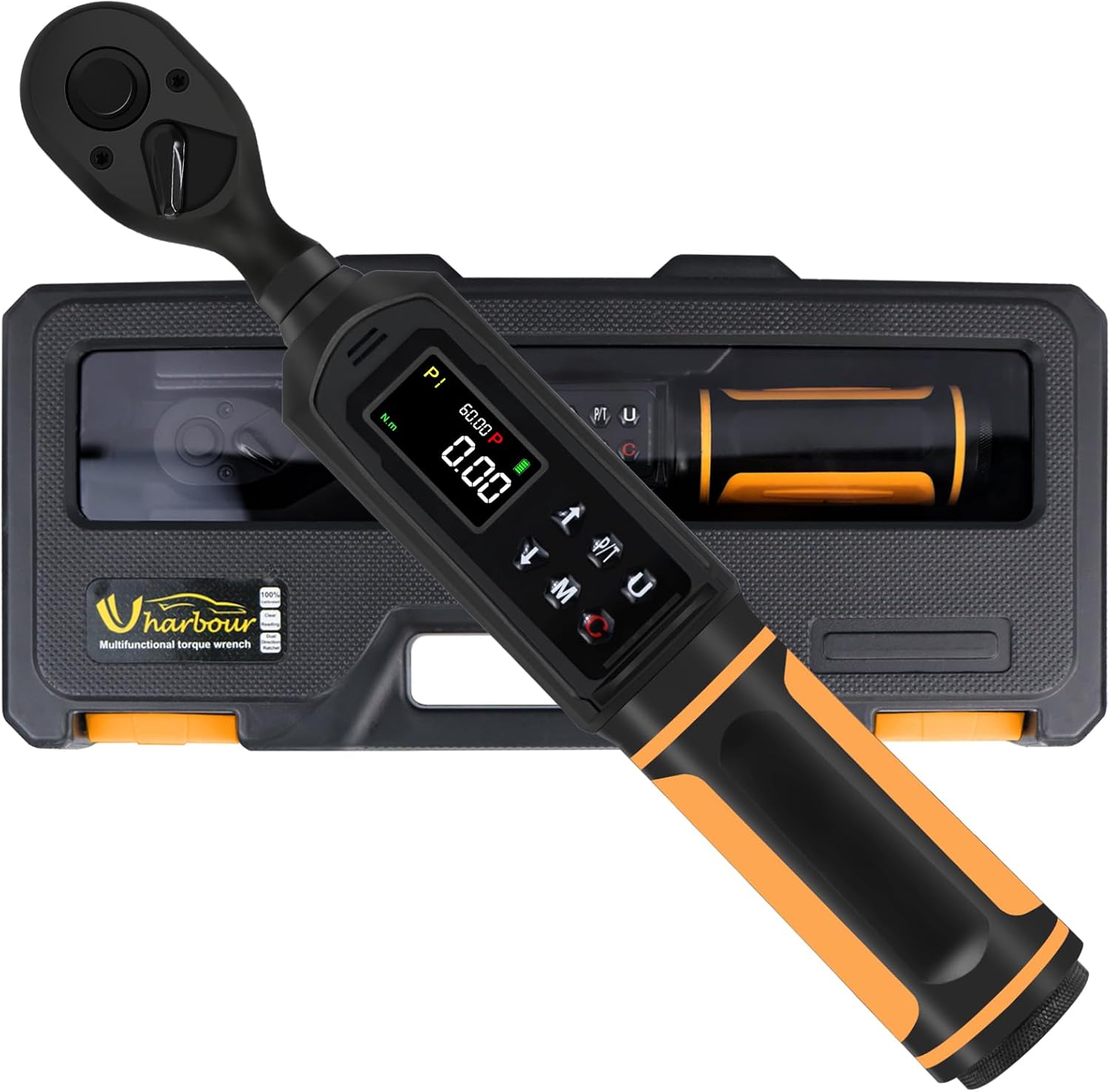
The Uharbour Digital Torque Wrench, model UHXM011, is presented in its durable protective case, ready for storage or transport.

А деталдуу view of the wrench's display panel, pointing out the clear LCD screen, the audible buzzer, the sequential LED indicators for approaching target torque, and the four selectable measurement units (in.lb, ft.lb, N.m, kg.cm).
Негизги компоненттер:
- Храповик башы: Dual-direction for clockwise and counter-clockwise operation.
- LCD экран: High-definition display with backlight for clear readings.
- Башкаруу баскычтары: For power, mode selection, unit selection, and value adjustment.
- LED көрсөткүчтөрү: Visual alerts that light up as target torque is approached and reached.
- Коңгуроо: Audible alert that sounds with increasing frequency as target torque is approached and becomes constant when reached.
- Батарея бөлүмү: Located at the base of the handle.
5. Орнотуу
5.1 Батареяны орнотуу
- Unscrew the battery cap at the bottom of the wrench handle.
- Туура полярдуулукту (+/-) камсыз кылуу менен үч (3) AAA батарейкасын салыңыз.
- Replace the battery cap and tighten securely.
5.2 Баштапкы күйгүзүү
Press and hold the Power button (usually marked with Ⓘ) for a few seconds until the LCD screen illuminates. The wrench will perform a self-test and display the current settings.
6. Иштөө нускамалары

This image illustrates the three operational modes of the digital torque wrench: Track mode for real-time torque display, Peak mode for setting a target torque with alerts, and Torque Memory for reviewing past measurements.
6.1 Күйгүзүү/өчүрүү
- Күйгүзүү үчүн: Press and hold the Power button (Ⓘ) until the display lights up.
- Өчүрүү үчүн: Press and hold the Power button (Ⓘ) until the display turns off. The wrench will automatically power off after a period of inactivity to conserve battery life.
6.2 Бирдикти тандоо
Press the 'U' button to cycle through the available measurement units: N-m (Newton-meters), kgf-cm (kilogram-force centimeters), lb-ft (pound-feet), and lb-in (pound-inches). Select the desired unit for your application.
6.3 Режимди тандоо
Press the 'M' button to switch between the two primary operating modes:
- Track Mode (T): Displays the real-time torque value as it is being applied. This mode is suitable for continuous monitoring of torque.
- Чоку режими (P): Allows you to set a target torque value. When this value is reached, the wrench will provide visual, audible, and vibratory alerts. The display will hold the peak torque value achieved.
6.4 Setting Target Torque (Peak Mode)
In Peak Mode:
- Ensure the wrench is in Peak Mode (P).
- Use the Up (▲) and Down (▼) arrow buttons to adjust the target torque value. Press and hold for faster adjustment.
- The display will show the set target value.
6.5 Моментти колдонуу
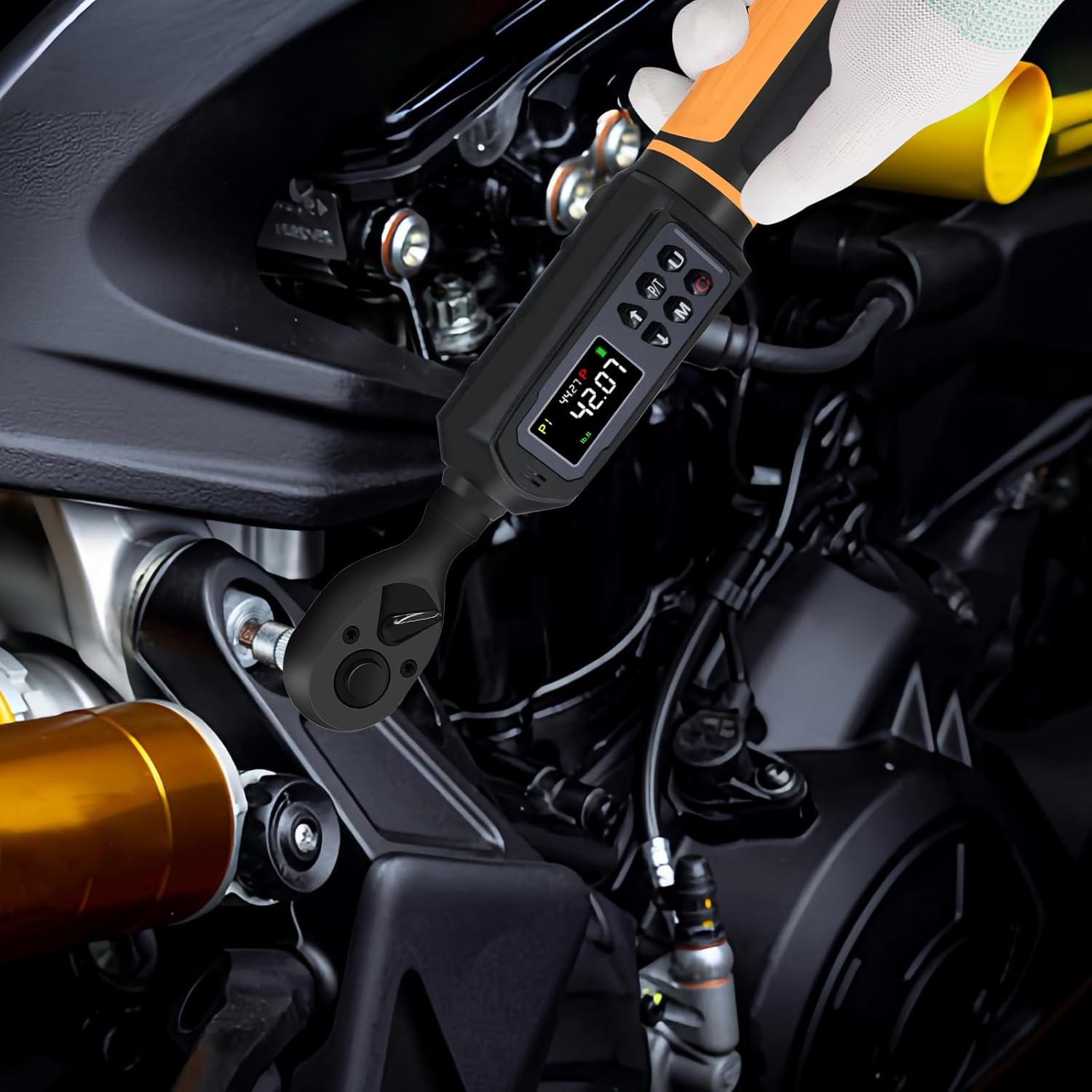
The digital torque wrench in active use, demonstrating its application for precise tightening of fasteners on mechanical components.
- Attach the appropriate socket or bit to the 3/8" drive ratchet head.
- Розетканы бекиткичке салыңыз.
- Apply steady, smooth force to the wrench handle.
- Observe the LCD display and LED indicators. In Peak Mode, stop applying force when the target torque is reached and the alerts activate.
- The dual-direction ratchet allows for both tightening (clockwise) and loosening (counter-clockwise) operations.
6.6 Alerts (Vibration, Buzzer, LED)
When operating in Peak Mode, the wrench provides multi-sensory feedback:
- LED көрсөткүчтөрү: Lights will illuminate sequentially as you approach the target torque. All LEDs will light up when the target is reached.
- Коңгуроо: An audible beep will increase in frequency as you get closer to the target torque. It will become a continuous tone when the target is achieved.
- Дирилдөө: The handle will vibrate when the target torque is reached, providing tactile feedback.
6.7 Torque Memory
The wrench can store multiple torque values (P1-P9) for quick recall. Refer to the on-screen prompts or the full instruction manual for detailed steps on how to save and recall these presets.
7. Техникалык тейлөө
7.1 Тазалоо
- Wipe the wrench clean with a soft, dry cloth after each use.
- Do not use abrasive cleaners or solvents, as these can damage the finish and electronic components.
- Ensure no liquids enter the display or button areas.
7.2 Сактоо
- Колдонулбаган учурда момент ачкычын коргоочу кутучасында сактаңыз.
- Эгерде ачкыч көпкө чейин колдонулбаса, агып кетүүнүн алдын алуу үчүн батарейкаларды алып салыңыз.
- Store in a dry environment, away from direct sunlight and extreme temperatures.
7.3 Калибрлөө

The Uharbour Digital Torque Wrench is shown alongside its calibration certificate, confirming its accuracy and providing details for verification.
Your Uharbour Digital Torque Wrench comes with a calibration certificate, confirming its accuracy at the time of manufacture. For continued precision, it is recommended to verify the torque wrench after working for 12 months or after 5000 cycles, whichever comes first. Contact Uharbour customer service for calibration services.
8. Кыйынчылыктарды
If you encounter issues with your digital torque wrench, refer to the following common problems and solutions:
| Көйгөй | Мүмкүн себеп | Чечим |
|---|---|---|
| Ачкыч күйбөйт | Өлүк же туура эмес орнотулган батарейкалар | Батареянын полярдуулугун текшерүү; жаңы AAA батарейкалары менен алмаштырыңыз. |
| Так эмес окуулар | Wrench needs recalibration; improper usage | Refer to Section 7.3 for calibration. Ensure steady, smooth force is applied. |
| Alerts (buzzer/LED/vibration) not working | Not in Peak Mode; low battery | Ensure wrench is in Peak Mode. Replace batteries. |
| Дисплей күңүрт же бүлбүлдөп турат | Батареянын кубаттуулугу төмөн | Батареяларды алмаштырыңыз. |
9. Техникалык шарттар
| Өзгөчөлүк | Деталь |
|---|---|
| Бренд | Ухарбор |
| Модель номери | UHXM011 |
| Drive Size | 3/8 дюйм |
| Момент диапазону | 0.66-44.29 фут-лб (0.9-60 Нм) |
| Тактык | ±1% |
| Өлчөө бирдиктери | Nm, kgf-cm, lb-ft, lb-in |
| Баш стили | Square Drive |
| Материал | Alloy Aluminum, Chrome Vanadium Steel, Plastic, Rubber |
| Элемент Салмагы | 2.2 фунт (1 килограмм) |
| Power Source | 3 x AAA Alkaline Batteries (Included) |
| Аяктоо түрү | боёлгон |
| Пакеттин өлчөмдөрү | 12.95 x 5.63 x 2.24 дюйм |
| UPC | 721545190833 |
10. Кепилдик жана колдоо
Your Uharbour Digital Torque Wrench comes with a warranty. The calibration certificate included with your product may specify a warranty extension of up to two years. For detailed warranty terms, calibration services, or technical support, please contact Uharbour directly.
- Официалдуу Webсайт: www.uharbour.net
- Кардарларды тейлөө электрондук почтасы: support@uharbour.net