
1. Киришүү
This manual provides detailed instructions for the proper use and maintenance of your Uharbour 1/2 Drive Digital Torque Wrench (Model UHXM013). This precision instrument is designed for accurate torque application, featuring a range of 3.8-250.8 Ft.lb, digital display, and multiple alert systems. Adhering to these instructions will ensure optimal performance and longevity of the tool.
2. Коопсуздук маалыматы
Always observe the following safety precautions when operating the digital torque wrench:
- Колдонуудан мурун бардык нускамаларды окуп, түшүнүңүз.
- Коопсуздук көз айнегин кошо алганда, тиешелүү жеке коргонуу каражаттарын кийиңиз.
- Ачкычтын максималдуу момент сыйымдуулугунан ашпаңыз.
- Ensure the socket or attachment is correctly seated on the drive.
- Keep the wrench clean and free from oil or grease to maintain a secure grip.
- Ачкычты зыян келтирбөө үчүн колдонулбаган учурда коргоочу кутусунда сактаңыз.
- Do not use the wrench as a pry bar or hammer.
- Балдар жетпеген жерде сактаңыз.
3. Пакеттин мазмуну
Пакетте бардык буюмдар бар экенин текшериңиз:
- 1 x Uharbour Digital Torque Wrench
- 1 х Коргоочу сактоочу куту
- 3 x AAA батареялары
- 1 х Колдонуучунун колдонмосу (бул документ)
- 1 x Certificate of Calibration
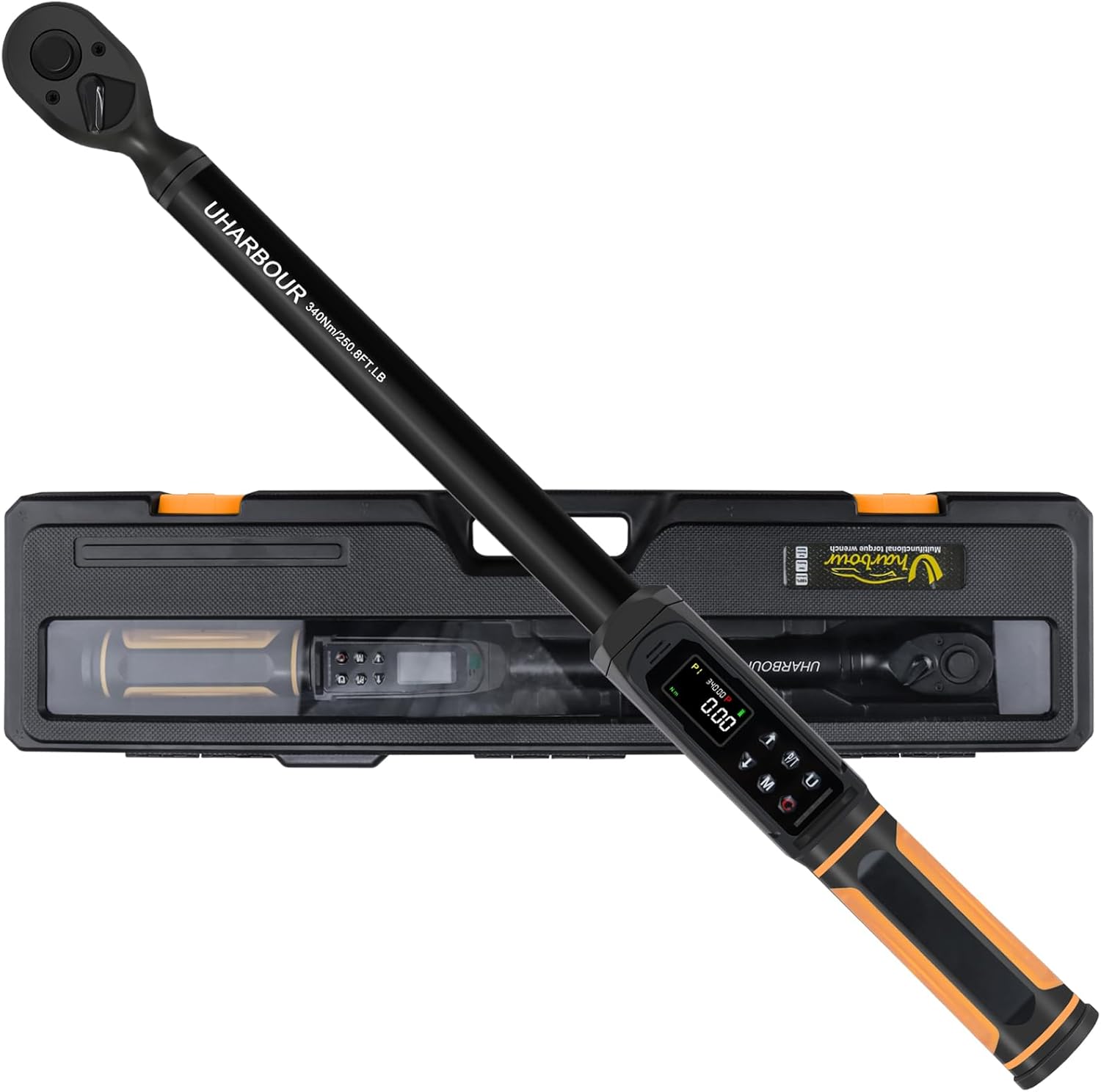
Image 3.1: The Uharbour Digital Torque Wrench shown with its included protective storage case.
4. Продукт бүтүп калдыview
The Uharbour Digital Torque Wrench features a robust design with advanced functionalities for precise torque measurement and application.
4.1 Негизги компоненттер
- 1/2" Drive Head: Compatible with standard 1/2-inch sockets.
- Digital Display (LCD Screen): High-definition screen with backlight for clear torque readings.
- Башкаруу баскычтары: For power, unit selection, mode selection, and value adjustment.
- LED көрсөткүчтөрү: Visual alerts for approaching and reaching target torque.
- Коңгуроо: Audible alerts for approaching and reaching target torque.
- Дирилдөө эскертүүсү: Tactile feedback when target torque is reached.
- Dual-Direction Ratchet: Allows for both clockwise and counterclockwise torque application.
- Ыкчам чыгаруу баскычы: For easy and secure socket attachment and removal.

Сүрөт 4.1: Детальдуу view of the digital display, control buttons, LED indicators, and buzzer location on the torque wrench.

Image 4.2: The wrench in use, highlighting the dual-direction ratchet head and the quick release button for sockets.
5. Орнотуу
5.1 Батареяны орнотуу
The Uharbour Digital Torque Wrench requires three (3) AAA batteries for operation. To install or replace batteries:
- Батарея бөлүмүнүн капкагын, адатта, тутканын түбүнөн табыңыз.
- Капкакты белгилерине ылайык бурап же жылдырып ачыңыз.
- Бөлүмдүн ичинде көрсөтүлгөндөй, туура полярдуулукту (+/-) текшерип, үч AAA батарейкасын салыңыз.
- Батарея уясынын капкагын бекем жабыңыз.
The wrench is now ready for initial power-on.
6. Иштөө нускамалары
6.1 Күйгүзүү/өчүрүү
- Күйгүзүү: Press and hold the power button (usually marked 'C' or power symbol) for a few seconds until the display illuminates.
- Өчүрүү: Press and hold the power button until the display turns off. The wrench will automatically power off after a period of inactivity to conserve battery life.
6.2 Бирдикти тандоо
The wrench supports multiple measurement units. To change units:
- Press the 'U' button (Unit button) to cycle through available units: N-m, kgf-cm, lb-ft, and lb-in.
- Select the desired unit for your application.
6.3 Mode Selection (Peak & Track)
The wrench offers two primary operating modes:
- Track Mode: Displays the real-time torque value as it is applied. This is useful for monitoring torque during continuous application.
- Чоку режими: Captures and displays the maximum torque value applied during an operation. In this mode, you can set a target torque value, and the wrench will provide alerts (vibration, buzzer, LED) when the target is approached and reached.
Press the 'P/T' button to switch between Track and Peak modes.

Image 6.1: Illustration of the three reading modes: Track mode for real-time display, Peak mode for target setting with alerts, and Torque memory for storing historical values.
6.4 Setting Target Torque (Peak Mode)
To set a target torque value in Peak mode:
- Ensure the wrench is in Peak mode (indicated on the display).
- Press the 'M' button (Memory/Set button) to enter the setting interface.
- Use the Up (▲) and Down (▼) arrow buttons to adjust the target torque value.
- Press the 'M' button again to confirm and save the setting.
6.5 Моментти колдонуу
Once the target torque is set (or in Track mode):
- Attach the appropriate 1/2" drive socket to the wrench head.
- Розетканы бекиткичке салыңыз.
- Apply steady, smooth force to the wrench handle.
- In Peak mode, observe the LED indicators, listen for the buzzer, and feel for vibration as you approach and reach the target torque. Stop applying force immediately upon receiving the final alert.
- In Track mode, monitor the real-time display to achieve the desired torque.

Image 6.2: The digital display providing instant and accurate torque readings, eliminating guesswork.
6.6 Torque Memory
The wrench can store torque value histories for future reference. Consult the specific instructions in the included printed manual for details on accessing and managing stored memory slots (P1-P9).
7. Техникалык тейлөө
7.1 Тазалоо
- Wipe the wrench clean with a soft, dry cloth after each use.
- Абразивдүү тазалагычтарды же эриткичтерди колдонбоңуз, анткени алар финишке же электрондук компоненттерге зыян келтириши мүмкүн.
7.2 Сактоо
- Store the torque wrench in its protective case in a dry, clean environment.
- Эгерде ачкыч көпкө чейин колдонулбаса, агып кетүүнүн алдын алуу үчүн батарейкаларды алып салыңыз.
7.3 Калибрлөө
Digital torque wrenches require periodic calibration to maintain accuracy. The included Certificate of Calibration provides details on the initial calibration. It is recommended to verify calibration every 12 months or after 5000 cycles of use, whichever comes first. Contact Uharbour customer service for calibration services.

Image 7.1: The Uharbour Digital Torque Wrench is supplied with a calibration certificate, ensuring initial accuracy.
8. Кыйынчылыктарды
If you encounter issues with your Uharbour Digital Torque Wrench, refer to the following common problems and solutions:
| Көйгөй | Мүмкүн себеп | Чечим |
|---|---|---|
| Ачкыч күйбөйт. | Өлүк же туура эмес орнотулган батарейкалар. | Батареянын полярдуулугун текшериңиз. Жаңы AAA батарейкалары менен алмаштырыңыз. |
| Туура эмес момент окуулары. | Wrench needs calibration; improper technique. | Ensure smooth, steady pull. Refer to calibration section. Contact customer service for recalibration. |
| Alerts (buzzer, LED, vibration) not functioning. | Low battery; alert settings disabled. | Replace batteries. Check user manual for alert setting adjustments. |
| Дисплей күңүрт же бүлбүлдөп турат. | Батарея аз. | Жаңы AAA батарейкалары менен алмаштырыңыз. |
9. Техникалык шарттар
| Өзгөчөлүк | Деталь |
|---|---|
| Модель номери | UHXM013 |
| Drive Size | 1/2 дюйм |
| Момент диапазону | 3.8-250.8 Ft.lb (5-340 N.m) |
| Тактык | ±1% |
| Өлчөө бирдиктери | Nm, kgf-cm, lb-ft, lb-in |
| Иштөө режимдери | Чоку, Трек |
| Alerts | Vibration, Buzzer, LED Indicators |
| Ratchet Head | Dual-Direction (Clockwise/Counterclockwise) |
| Power Source | 3 x AAA батареялары |
| Материал | Alloy Aluminum, Chrome Vanadium Steel, Plastic, Rubber |
| Элемент Салмагы | 2.45 килограмм (5.39 фунт) |
| Өлчөмдөр | Болжол менен 23 x 6 x 3 дюйм (Таңгак) |
10. Кепилдик жана колдоо
The Uharbour Digital Torque Wrench typically comes with a two-year warranty from the date of purchase. Please refer to your Certificate of Calibration and the warranty information included in your package for specific terms and conditions.
For technical support, calibration services, or warranty claims, please contact Uharbour customer service through their official webсайт же продукт документациясында көрсөтүлгөн байланыш маалыматы.
Официалдуу Webсайт: www.uharbour.net
Кардарларды тейлөө электрондук почтасы: support@uharbour.net