
BOROFONE BQ36 / 20000170
Borofone BQ36 Juniper Ultra-Thin Wireless Desktop Fast Charger User Manual
Model: BQ36 / 20000170
1. Киришүү
Thank you for choosing the Borofone BQ36 Juniper Ultra-Thin Wireless Desktop Fast Charger. This manual provides essential information for the safe and efficient operation of your new wireless charger. Please read this manual thoroughly before use and retain it for future reference.

Image 1.1: The Borofone BQ36 Juniper Ultra-Thin Wireless Desktop Fast Charger, showcasing its sleek, black, circular design with a wireless charging symbol.
2. Продукциянын өзгөчөлүктөрү
- Ультра жука дизайн: Анын slim profile ensures it occupies minimal desktop space.
- Өркүндөтүлгөн коопсуздук чаралары: Equipped with built-in over-charging, over-heating, and short-circuit protection for safe charging.
- Hands Free Функциясы: Unique design allows for full hands-free use of your device while it charges.
- Optimized for Home/Office: Provides a convenient, fast, and innovative charging solution for various environments.
- Көп функциялуу кубаттуулук: Supports 5W, 7.5W, 10W, and 15W charging outputs (15W specifically for some LG phones).
- Премиум материалдар: Constructed from durable Acrylic and Aluminum Alloy.
3. Техникалык шарттар
| Өзгөчөлүк | Деталь |
|---|---|
| Модель номери | BQ36 / 20000170 |
| Бренд | БОРОФОН |
| Киргизүү (Type-C) | 5V/3A, 9V/2A |
| Заряддоо чыгышы | 5W / 7.5W / 10W / 15W (15W for select LG phones) |
| Материал | Acrylic + Aluminum Alloy |
| Түс | Кара |
| Продукциянын өлчөмдөрү | 8.5 x 8.5 x 6 см |
| Элемент Салмагы | 45 грамм |
| Зарыл заряддагыч | PD/QC charger (not included) |
| Сертификация | CE |
4. Пакеттин мазмуну
Пакетти ачкандан кийин, бардык буюмдардын бар экенине жана жакшы абалда экенине ынаныңыз:
- 1 x Borofone BQ36 Juniper Ultra-Thin Wireless Desktop Fast Charger
- 1 х USB-C кубаттоо кабели
- 1 х Колдонуучунун колдонмосу (бул документ)
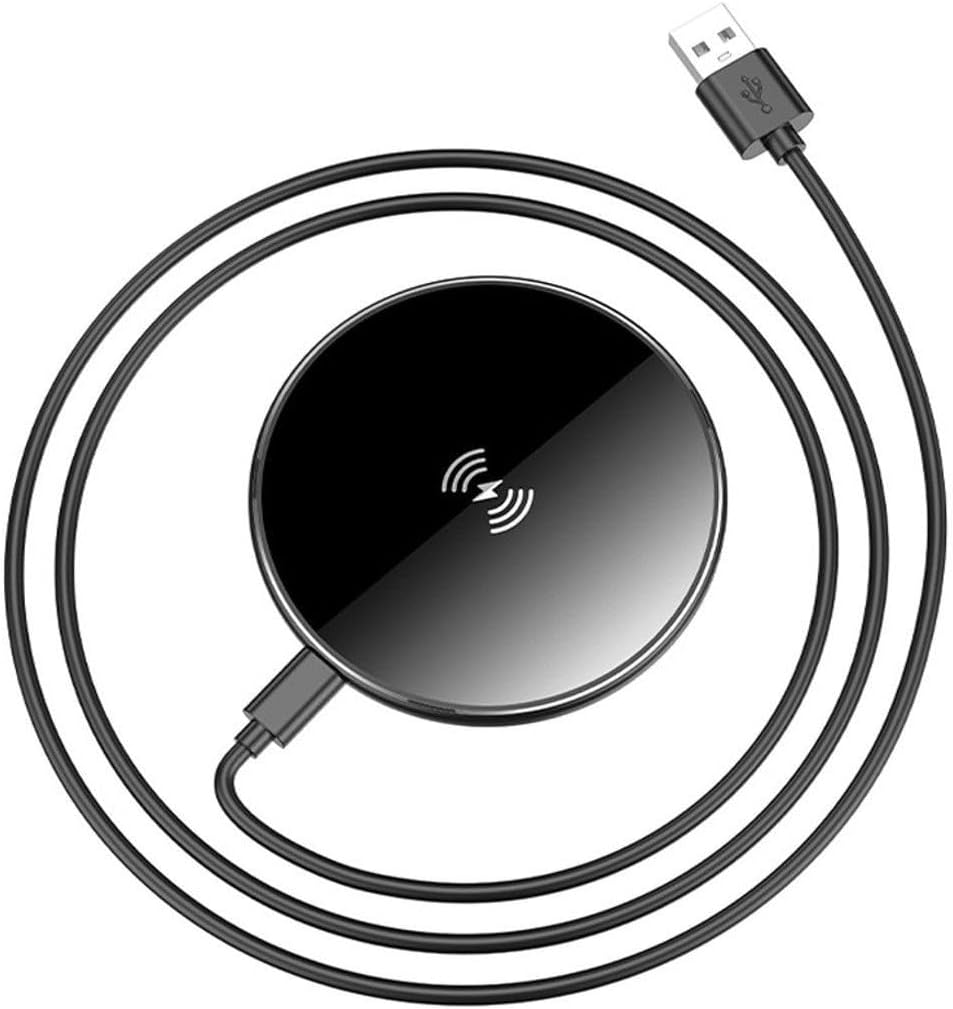
Image 4.1: The Borofone BQ36 wireless charger shown with its accompanying USB-C charging cable.
5. Орнотуу нускамалары
- Кубат адаптерин туташтыруу: Connect the USB-C end of the provided charging cable to the Type-C input port on the Borofone BQ36 wireless charger.
- Кубат Булагына туташуу: Connect the USB-A end of the charging cable to a compatible PD/QC power adapter (not included). Ensure the power adapter meets the input requirements of 5V/3A or 9V/2A for optimal performance.
- Place Charger: Place the wireless charger on a flat, stable surface, such as a desk or nightstand.
6. Иштөө нускамалары
- Күйгүзүү: Once connected to a power source, the charger is ready for use. There is no power button.
- Жайгашкан түзмөк: Carefully place your Qi-compatible smartphone or other wireless charging device onto the center of the Borofone BQ36 wireless charger. Ensure the device is centered over the charging coil for efficient charging.
- Кубаттоону ырастоо: Your device should indicate that it is charging (e.g., a charging icon on the screen, a notification sound).
- Оптималдуу заряддоо: For best results, remove any thick phone cases or metallic objects from your device before placing it on the charger, as these can interfere with wireless charging.
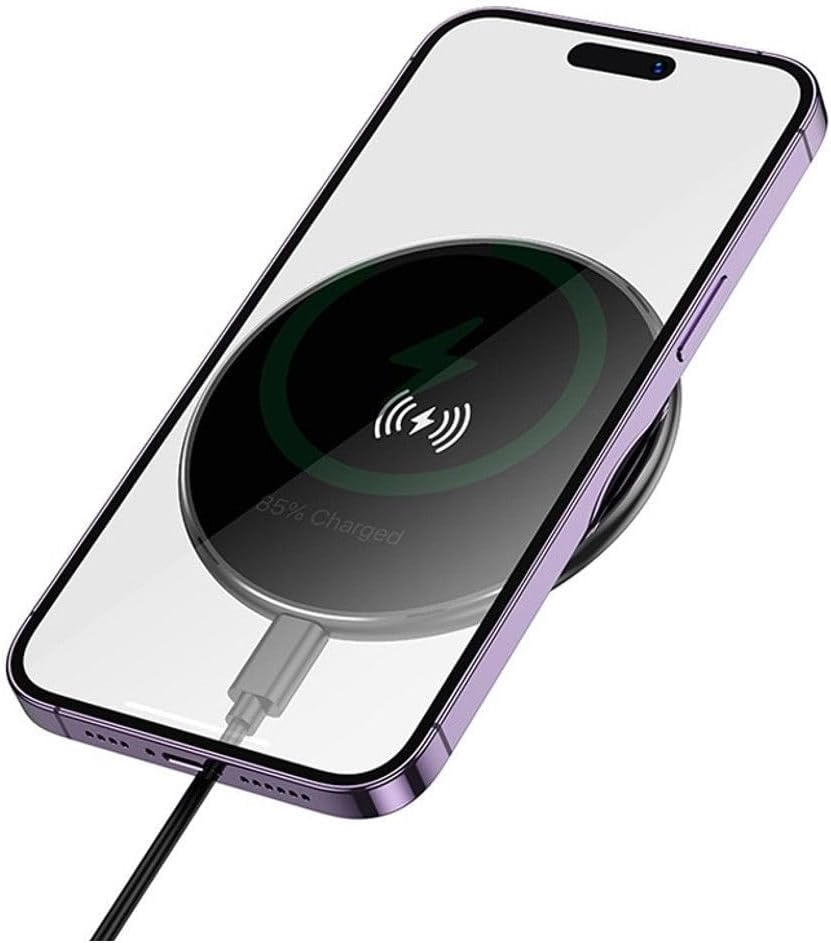
Image 6.1: A smartphone placed on the Borofone BQ36 wireless charger, indicating active charging with a battery percentage дисплей.

Image 6.2: The Borofone BQ36 wireless charger in use, with a smartphone charging on its surface, positioned on a wooden desk.
7. Техникалык тейлөө жана кам көрүү
- Тазалоо: Тазалоодон мурун кубаттагычты кубат булагынан ажыратыңыз. Кубаттагычтын бетин аарчуу үчүн жумшак, кургак, мамыксыз чүпүрөктү колдонуңуз. Абразивдүү тазалоочу каражаттарды, эриткичтерди же химиялык заттарды колдонбоңуз.
- Сактагыч: Колдонулбаганда, заряддагычты түз күн нурунан жана өтө температурадан алыс салкын, кургак жерде сактаңыз.
- Колдонуу: Avoid dropping or subjecting the charger to strong impacts, as this may damage internal components.
- Суюктук таасири: Keep the charger away from water and other liquids. If it comes into contact with liquid, disconnect it immediately and allow it to dry completely before reuse.
8. Кыйынчылыктарды
| Көйгөй | Мүмкүн себеп | Чечим |
|---|---|---|
| Түзмөк заряддалбай жатат. |
|
|
| Жай кубаттоо. |
|
|
| Charger getting hot. |
|
|
9. Кепилдик жана колдоо
The Borofone BQ36 Juniper Ultra-Thin Wireless Desktop Fast Charger comes with a 540 күндүк кепилдик сатып алынган күндөн тартып. Бул кепилдик өндүрүштүк кемчиликтерди жана нормалдуу колдонуудагы бузулууларды камтыйт.
For warranty claims, technical support, or any inquiries regarding your product, please contact your retailer or the official Borofone support channel. Please retain your proof of purchase for warranty validation.

Image 9.1: Product packaging highlighting the "540 DAYS WARRANTY" for the Borofone BQ36 charger.
Ask a question about this manual
Ask about setup, troubleshooting, compatibility, parts, safety, or missing instructions. Manuals+ will review the question and use this page’s manual context to help answer it.