
Introduction
This manual provides detailed instructions for the installation, operation, and maintenance of your EDYELL C9 Motorcycle Bluetooth Headset. Please read this manual thoroughly before using the product to ensure proper function and safety.
Пакеттин мазмуну
Төмөндө тизмеленген нерселердин баары пакетиңизге камтылганын текшериңиз:
- EDYELL C9 Motorcycle Bluetooth Headset (1 unit)
- Replaceable Hard Mic and Soft Mic Speakers (1 set)
- Clamping Base (1 unit)
- Microphone Velcro Tape (2 pieces)
- Speaker Velcro (2 pieces)
- Booster Sticker (2 pieces)
- Stand Velcro Tape (1 piece)
- Thick Double Sided Tape (1 piece)
- Колдонуучунун колдонмосу (1 бирдик)
- Кубаттоочу кабель (1 даана)

Figure 1: Package Contents. This image displays the EDYELL C9 Bluetooth headset, speakers with microphone, clamping base, various adhesive tapes, charging cable, and user manual.
Продукт өзгөчөлүктөрү
- Жогорку сапаттагы аудио: Equipped with 50MM speakers for enhanced volume and bass.
- Long-Range Intercom: Connects two riders up to 600 meters apart.
- Узартылган батареянын иштөө мөөнөтү: 1000mAh battery provides up to 65 hours of music, 50 hours of calls, and over 60 days of standby time. Fully charges in approximately 1.5 hours.
- Музыка бөлүшүү: Share audio with another EDYELL C9 user.
- Үн менен башкаруу: Access voice assistants like Siri for hands-free operation.
- Туруктуу дизайн: IPX6 waterproof rating for use in various weather conditions.
- Колдонуучуга ыңгайлуу: Large buttons for easy operation, even with gloves.
- Ыңгайлаштырылган көрүнүш: Includes 3 colors of optional decorative accessories.

Figure 2: EDYELL C9 Headset. The main unit of the EDYELL C9 Bluetooth headset, showcasing its design and interchangeable decorative shells.
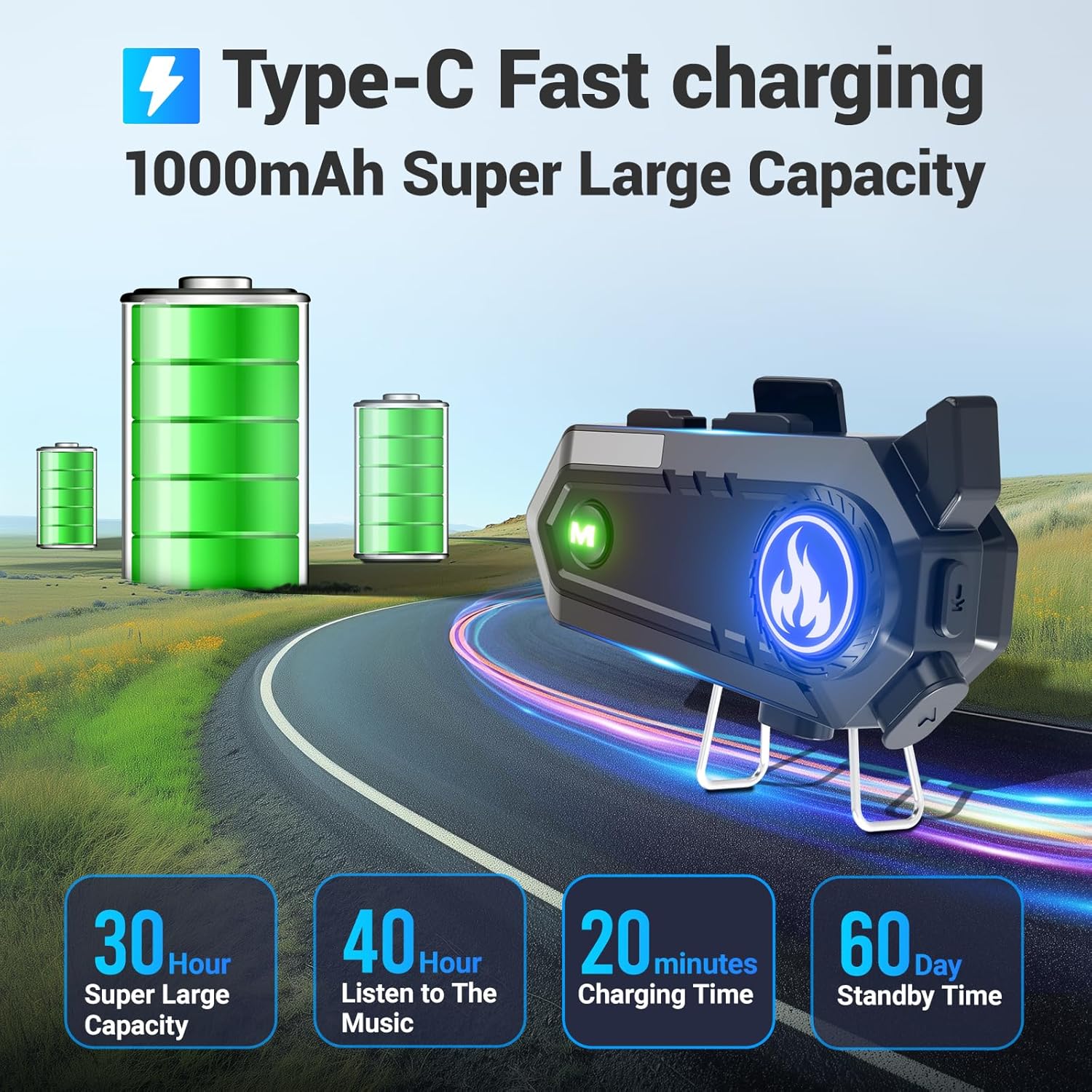
Figure 3: Battery Life and Charging. This image highlights the 1000mAh battery, 30 hours of super large capacity, 40 hours of music listening, 20 minutes charging time (likely for quick charge, full charge is 1.5 hours), and 60 days standby time.
Орнотуу боюнча колдонмо
Follow these steps to properly install the EDYELL C9 headset on your helmet.
1. Clampбазасы
- Choose a suitable location on the left side of your helmet, ensuring it does not obstruct your vision or helmet functionality.
- clamping base to the helmet edge. Ensure it is firmly attached. Alternatively, use the provided thick double-sided tape for helmets without suitable edges for clamping.
2. Динамиктерди жана микрофонду орнотуу
- Attach the speaker Velcro pads inside the helmet, aligning them with your ears.
- Place the speakers onto the Velcro pads. Ensure the speakers are positioned directly over your ears for optimal audio quality.
- Attach the microphone Velcro tape inside the helmet, near your mouth.
- Connect the microphone to the headset unit and position it so it is close to your mouth, minimizing wind noise. Use either the hard mic (for open-face helmets) or soft mic (for full-face helmets) as appropriate.
- Route all cables neatly under the helmet padding to avoid interference and ensure comfort.
3. Mounting the Headset Unit
- Slide the EDYELL C9 main unit onto the installed clamping base until it clicks securely into place.
- Connect the speaker/microphone cable to the designated port on the headset unit.

Figure 4: Headset Installation and Controls. This image illustrates the EDYELL C9 headset's compatibility with different helmet types and labels its control buttons.
Иштөө нускамалары
1. Күйгүзүү/өчүрүү
- Күйгүзүү: Press and hold the Power On/Off button (labeled 3 in Figure 4) for approximately 3 seconds until the indicator light illuminates.
- Өчүрүү: Күйгүзүү/өчүрүү баскычын индикатор жарыгы өчкөнгө чейин болжол менен 3 секунд басып туруңуз.
2. Bluetooth Жупташтыруу
- Гарнитура өчүрүлгөнүн текшериңиз.
- Press and hold the Power On/Off button for approximately 5-7 seconds until the indicator light flashes red and blue alternately, indicating pairing mode.
- On your mobile device, enable Bluetooth and search for "EDYELL C9".
- Select "EDYELL C9" from the list of available devices to connect. Once paired, the indicator light will flash blue slowly.
3. Intercom Function (Connecting 2 Riders)
The EDYELL C9 supports intercom communication between two units up to 600 meters.
- Ensure both EDYELL C9 units are powered on and not connected to any other Bluetooth devices.
- On one unit, press and hold the Intercom Switch Keypad (labeled 7 in Figure 4) for approximately 5 seconds until the indicator light flashes rapidly.
- Repeat the same step on the second unit.
- The units will automatically search and pair with each other. Once connected, the indicator lights will flash blue slowly, and you will hear a confirmation tone.
- To end intercom, briefly press the Intercom Switch Keypad on either unit.

Figure 5: 600m Communication Range. This image visually represents the 600-meter Bluetooth communication distance between two EDYELL C9 headsets.
4. Музыка ойнотуу жана бөлүшүү
- Ойнотуу/тындыруу: Briefly press the Power On/Off button (labeled 3 in Figure 4).
- Кийинки трек: Briefly press the Volume Up / Next Track button (labeled 2 in Figure 4).
- Мурунку трек: Briefly press the Volume Down / Previous Track button (labeled 1 in Figure 4).
- Үндү тууралоо: Long press the Volume Up / Next Track button to increase volume, and long press the Volume Down / Previous Track button to decrease volume.
- Музыка бөлүшүү: While music is playing, long-press the Music Sharing/AI Assistant button (labeled 4 in Figure 4) to enter music sharing mode. The other paired EDYELL C9 unit will then receive the shared audio.

Figure 6: Music Sharing Feature. This image depicts two motorcyclists sharing music wirelessly between their EDYELL C9 headsets.
5. Телефон чалуулар
- Чакырууга жооп берүү: Briefly press the Power On/Off button when an incoming call is received.
- Чакырууну аяктоо: Briefly press the Power On/Off button during a call.
- Чакырууну четке кагуу: Press and hold the Power On/Off button for 2 seconds when an incoming call is received.
- Акыркы номерди кайра терүү: Double-press the Power On/Off button.
6. Үн жардамчысы
- Үн Жардамчысын жандыруу: Briefly press the Music Sharing/AI Assistant button (labeled 4 in Figure 4) to activate your smartphone's voice assistant (e.g., Siri, Google Assistant).

Figure 7: Voice Assistant Control. This image illustrates how to use the voice assistant feature for hands-free commands.
Аппаратты заряддоо
To charge your EDYELL C9 headset:
- Connect the provided USB charging cable to the Charging Port (labeled 5 in Figure 4) on the headset.
- USB кабелинин экинчи учун стандарттуу USB кубат адаптерине (кошумча эмес) же компьютердин USB портуна туташтырыңыз.
- The indicator light will show red during charging and turn blue when fully charged.
- Толук кубаттоо болжол менен 1.5 саатты талап кылат.

Figure 8: Charging the Headset. This image illustrates the charging process and reiterates the battery capacity and usage times.
Техникалык тейлөө
- Keep the device dry. Do not expose it to extreme temperatures.
- Clean the headset with a soft, damp кездеме. Катуу химиялык заттарды же абразивдүү тазалагычтарды колдонуудан алыс болуңуз.
- Ensure the charging port cover is securely closed when not charging to maintain IPX6 waterproof integrity.
- Гарнитураны узак убакыт бою колдонбогон учурда салкын, кургак жерде сактаңыз.

Figure 9: IPX6 Waterproof Design. This image demonstrates the headset's ability to withstand rain, emphasizing its waterproof feature.
Проблемаларды чечүү
| Көйгөй | Мүмкүн себеп | Чечим |
|---|---|---|
| Түзмөк күйбөйт. | Батарея аз. | Аппаратты кеминде 1.5 саатка заряддаңыз. |
| Телефон менен жупташтыруу мүмкүн эмес. | Түзмөк жупташтыруу режиминде эмес; телефондо Bluetooth өчүк; жупташтырылган түзмөктөр өтө көп. | Ensure headset is in pairing mode (flashing red/blue). Turn on phone's Bluetooth. Clear old Bluetooth connections on phone. |
| Домофон туташпай жатат. | Units too far apart; one unit already connected to phone; not in intercom pairing mode. | Ensure units are within 600m. Disconnect from phone before intercom pairing. Ensure both units are in intercom pairing mode. |
| Аудио деңгээли төмөн же үн сапаты начар. | Speakers not positioned correctly; volume too low; external noise. | Adjust speaker position to align with ears. Increase volume on headset and phone. Ensure microphone is correctly positioned. |
| Чалуу учурунда микрофон иштебейт. | Microphone not connected properly; mic port obstructed. | Check microphone connection to the headset unit. Ensure mic is positioned correctly near mouth. |
Техникалык шарттар
| Өзгөчөлүк | Деталь |
|---|---|
| Модель аты | EDYELL-C9 |
| Bluetooth версиясы | 5.3 |
| Домофон диапазону | Up to 600 meters (between 2 riders) |
| Динамик өлчөмү | 50MM |
| Батарея сыйымдуулугу | 1000mAh литий-ион |
| Заряддоо убактысы | Болжол менен 1.5 саат |
| Музыканы ойнотуу убактысы | 65 саатка чейин |
| Чалуу убактысы | 50 саатка чейин |
| Күтүү убактысы | 60 күндөн ашык |
| Суу каршылык | IPX6 суу өткөрбөйт |
| Элемент Салмагы | 150 грамм |
| Продукциянын өлчөмдөрү | 12 x 5 x 2 см |
| Башкаруу ыкмасы | Баскычтар, Үн |
| Шайкеш каскалар | All helmet types |
Кепилдик жана колдоо
The EDYELL C9 Motorcycle Bluetooth Headset comes with a 12 Months EDYELL India Warranty.
For any quality problems or support inquiries, please contact EDYELL India Customer Care:
- Электрондук почта: support@fenman.in
- Телефон: +91 8882786235
Кепилдик дооматтары үчүн сатып алуу дүмүрчөгүңүздү сактап коюңуз.