
1. Продукт бүтүп калдыview
The MRSCOZ White Noise Machine & Alarm Clock (Model TCR-001) is designed to assist children and adults with sleep and wake-up routines. It combines a white noise machine, an alarm clock with sleep training features, and a night light, all in a compact, cat-shaped design. This device aims to help users establish healthy sleep habits through visual and auditory cues.

Image 1.1: The MRSCOZ White Noise Machine and Alarm Clock showcasing its multi-color night light capabilities.
2. Пакеттин мазмуну
- MRSCOZ White Noise Machine & Alarm Clock (Model TCR-001)
- USB заряддоо кабели (Type-C)
- User Manual
3. Орнотуу
3.1 Күйгүзүү жана заряддоо
The device is powered by a built-in rechargeable battery. Before first use, fully charge the device using the provided USB Type-C cable. Connect the cable to the charging port on the device and a compatible USB power adapter (not included).
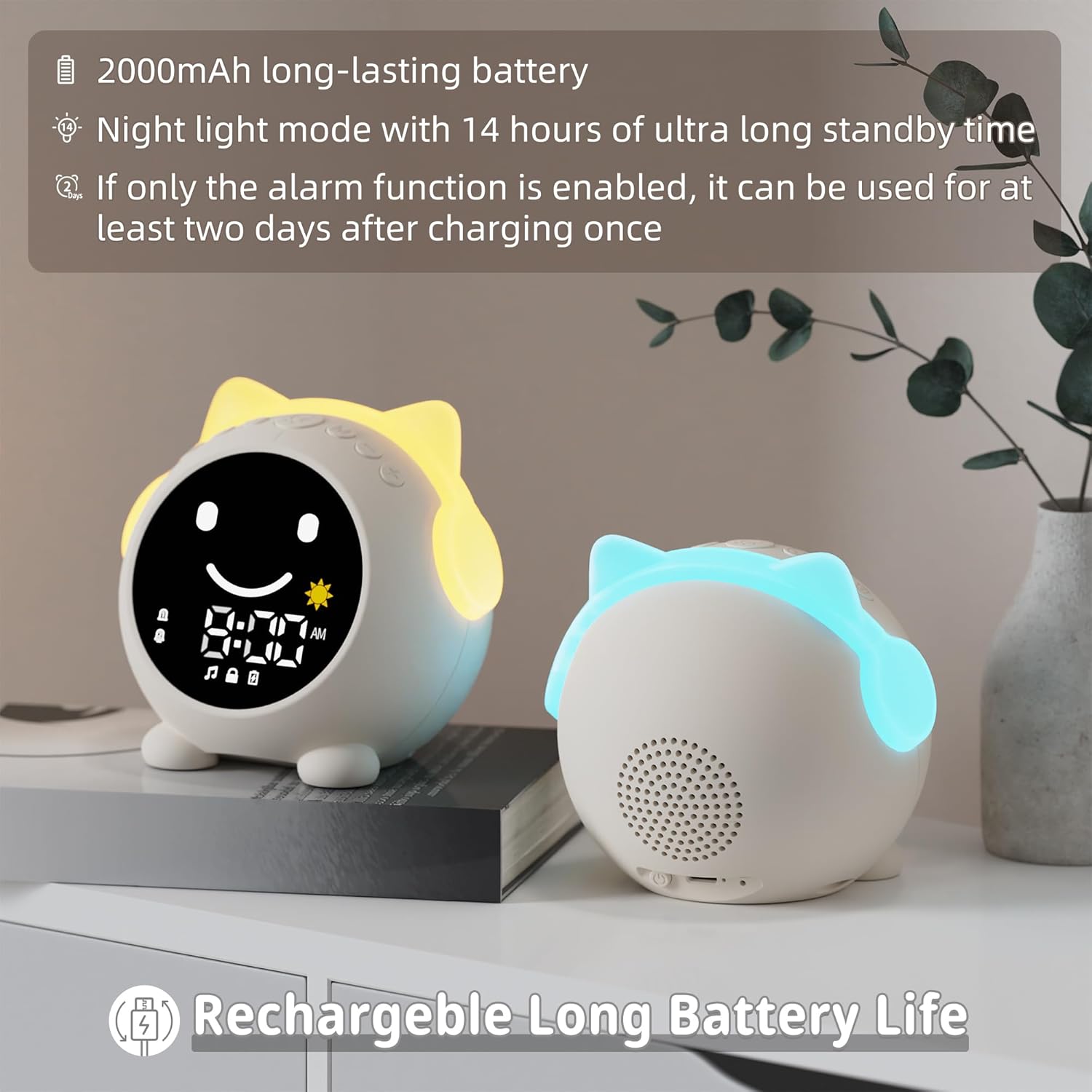
Image 3.1: Information regarding the 2000mAh long-lasting rechargeable battery.
A full charge provides approximately 14 hours of standby time in night light mode. If only the alarm function is enabled, the device can operate for at least two days on a single charge.
3.2 Убакытты коюу
To set the current time, connect the device to your phone via Bluetooth. The time will automatically synchronize with your phone's time.
- көпкө басыңыз M (Bluetooth) button to enter Bluetooth pairing mode. The alarm screen will display a pairing indicator.
- On your phone, search for the device named "C1" and connect.
- Once connected, the time will synchronize.
To switch between 12-hour (AM/PM) and 24-hour formats, double-click the M (Bluetooth) баскычы.
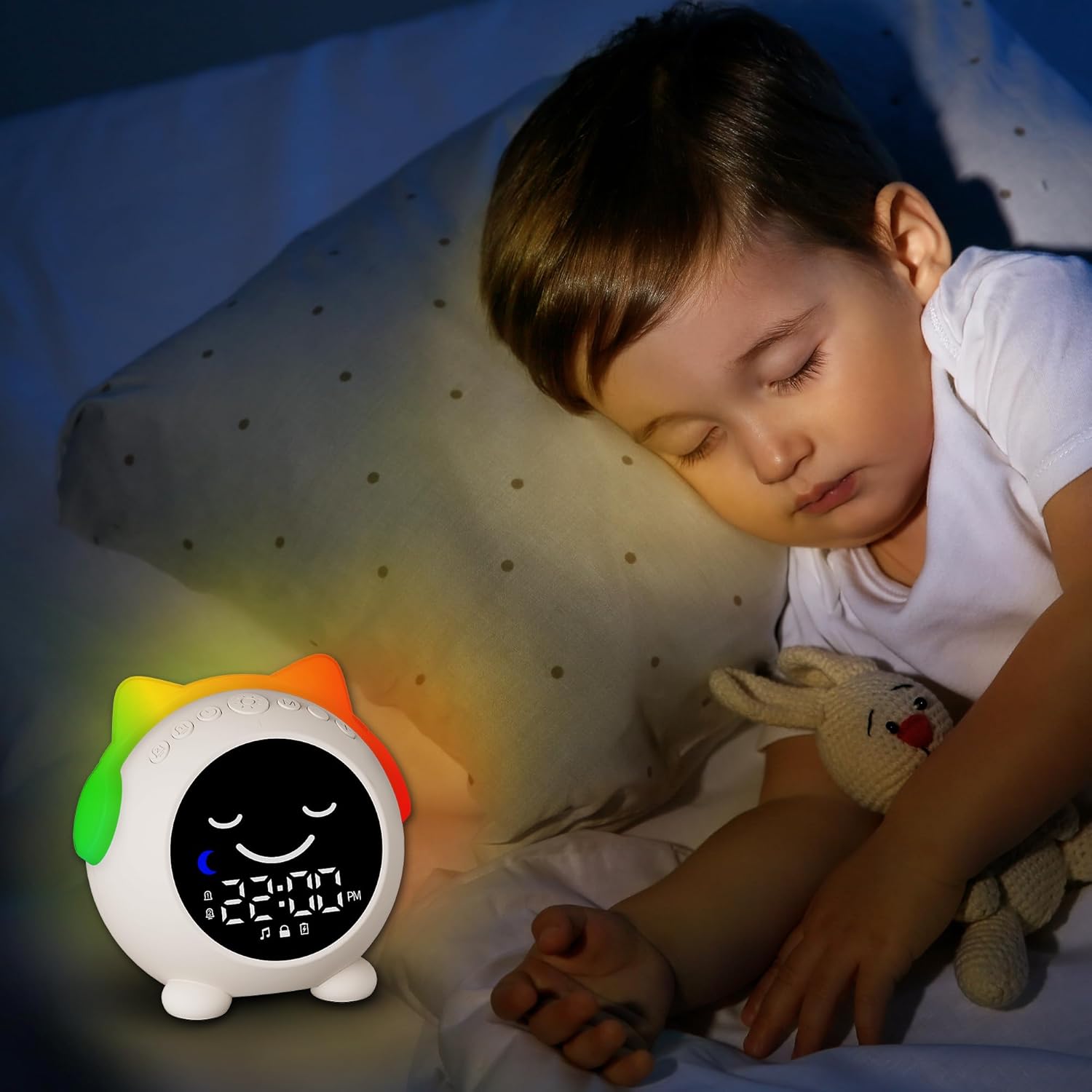
Image 3.2: Visual guide for setting time and customizing sleep/wake periods.
4. Иштөө нускамалары
4.1 Sleep Training Function (Time to Wake Up / Time to Sleep)
This feature uses visual cues to help distinguish between day and night, guiding users to wake up and sleep independently.
- Time to Wake Up: Indicated by a yellow light and an open-eye icon (simulating the sun).
- Time to Sleep: Indicated by a blue light and a closed-eye icon (simulating the moon).
To customize the sleep time period:
- көпкө басыңыз Саат button to enter custom time slot settings.
- For the wake-up time (daytime period), long press the Sun icon to enter the 'hour' setting, then click the Sun icon again to enter the 'minute' setting.
- For the sleep time (nighttime period), long press the Ай icon to enter the 'hour' setting, then click the Ай icon again to enter the 'minute' setting.
- After setting the desired time period, click the Саат button again to finish the setting.

Image 4.1: 'Time to Wake Up' indication.

Image 4.2: 'Time to Sleep' indication.
4.2 Dual Alarm Clock & Snooze Function
The device features two independent alarm modes, allowing for different wake-up times for weekdays and weekends.
- Сигнал 1: Typically set for school days or weekdays.
- Сигнал 2: Can be set for weekends or a secondary wake-up time.
When an alarm sounds, you can activate the snooze function. The alarm will ring again after 9 minutes. This can be repeated up to 3 times.
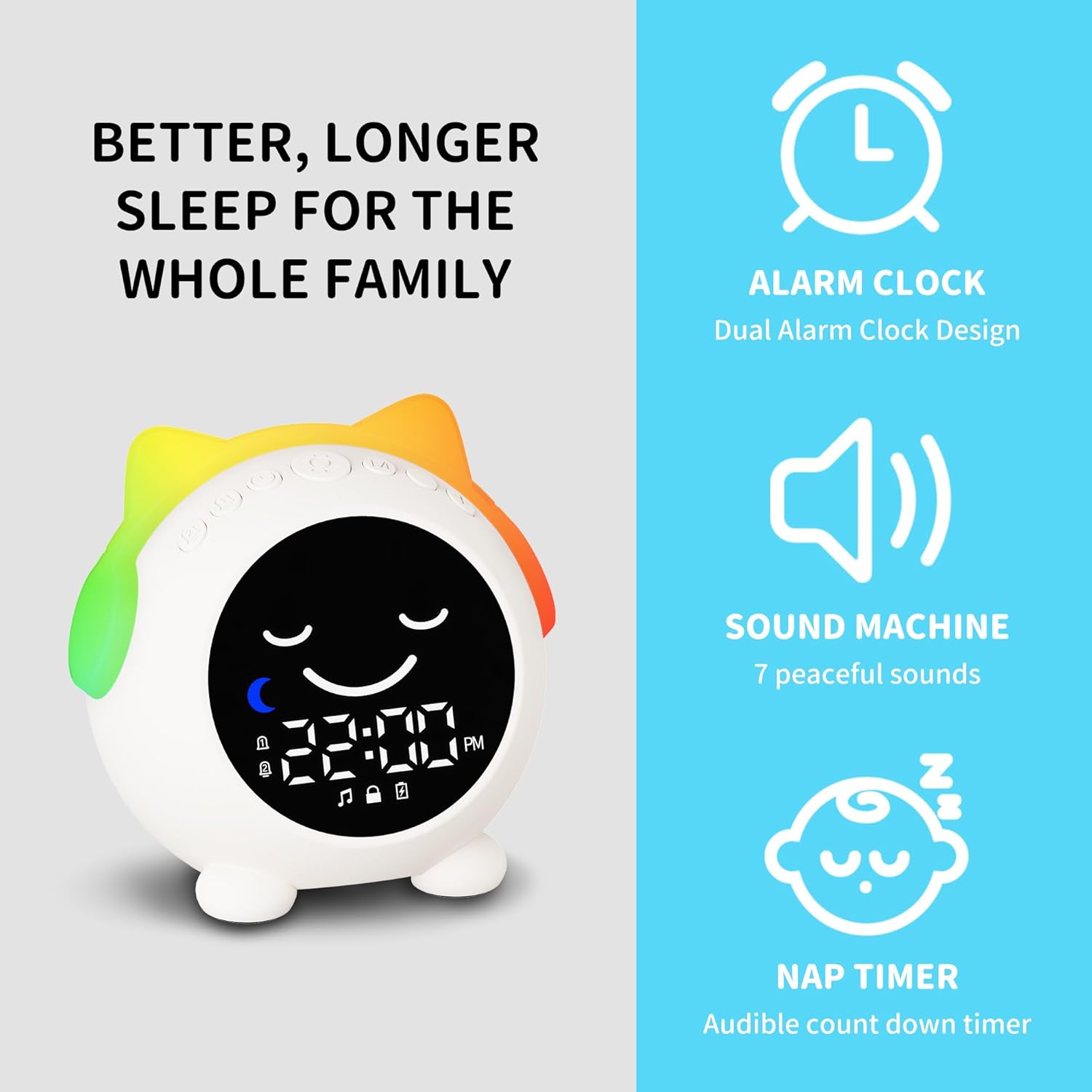
Image 4.3: Illustration of the dual alarm clock design.
4.3 түнкү жарык режимдери
The alarm clock offers 9 different night light colors and 4 adjustable brightness levels. To change the night light color, press the top button. Each color has adjustable brightness levels to create a suitable sleep environment.
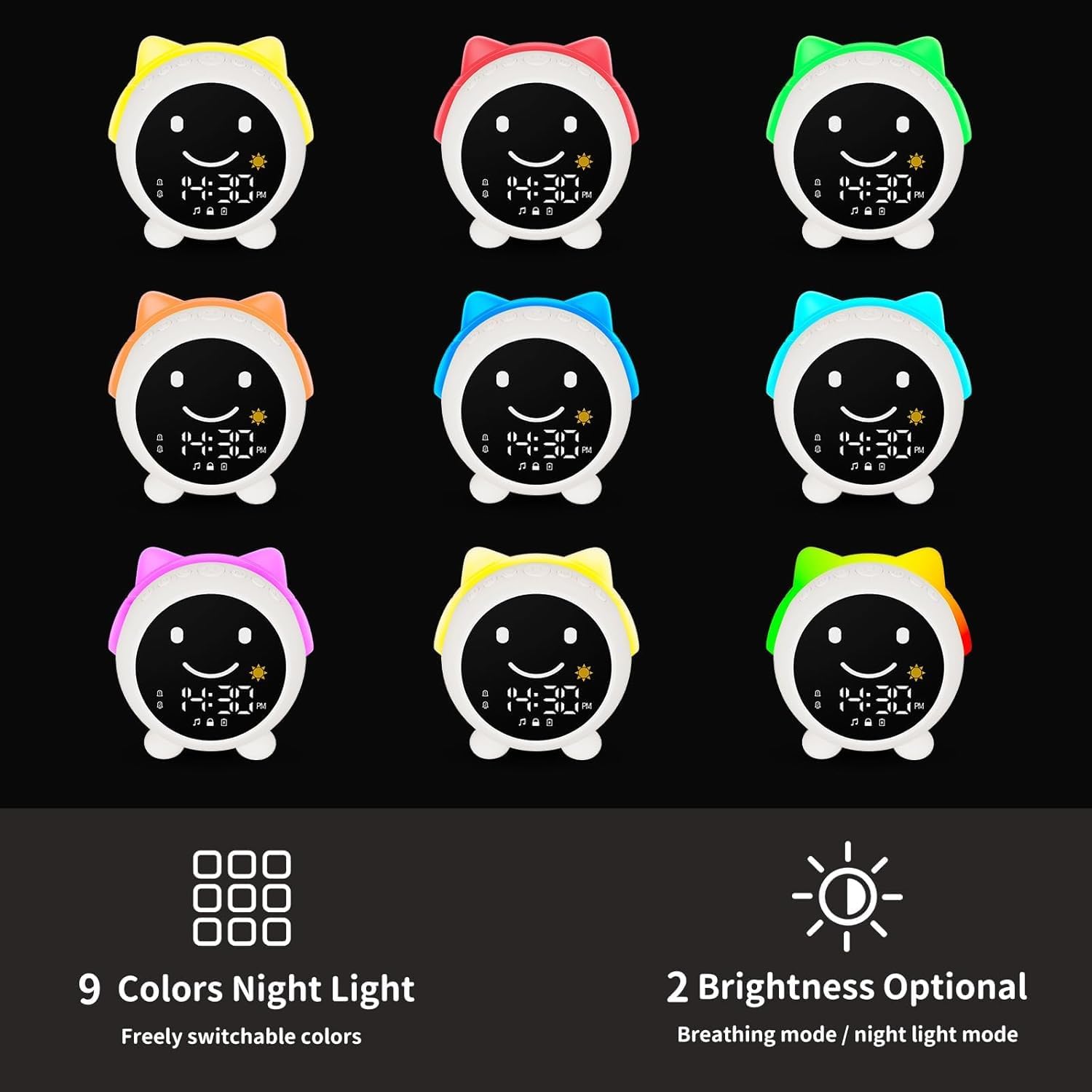
Сүрөт 4.4: Бүттүview of the 9 night light colors and brightness options.
4.4 Sound Machine & Bluetooth Speaker
The device includes 7 built-in sleep sounds, such as lullabies and natural sounds, to aid relaxation. It also functions as a Bluetooth speaker, allowing you to play your preferred music or white noise from a connected device.
- To turn white noise ON/OFF, press the M (Bluetooth) button briefly.
- Үнүн тууралоо үчүн, колдонуңуз + жана - баскычтар.
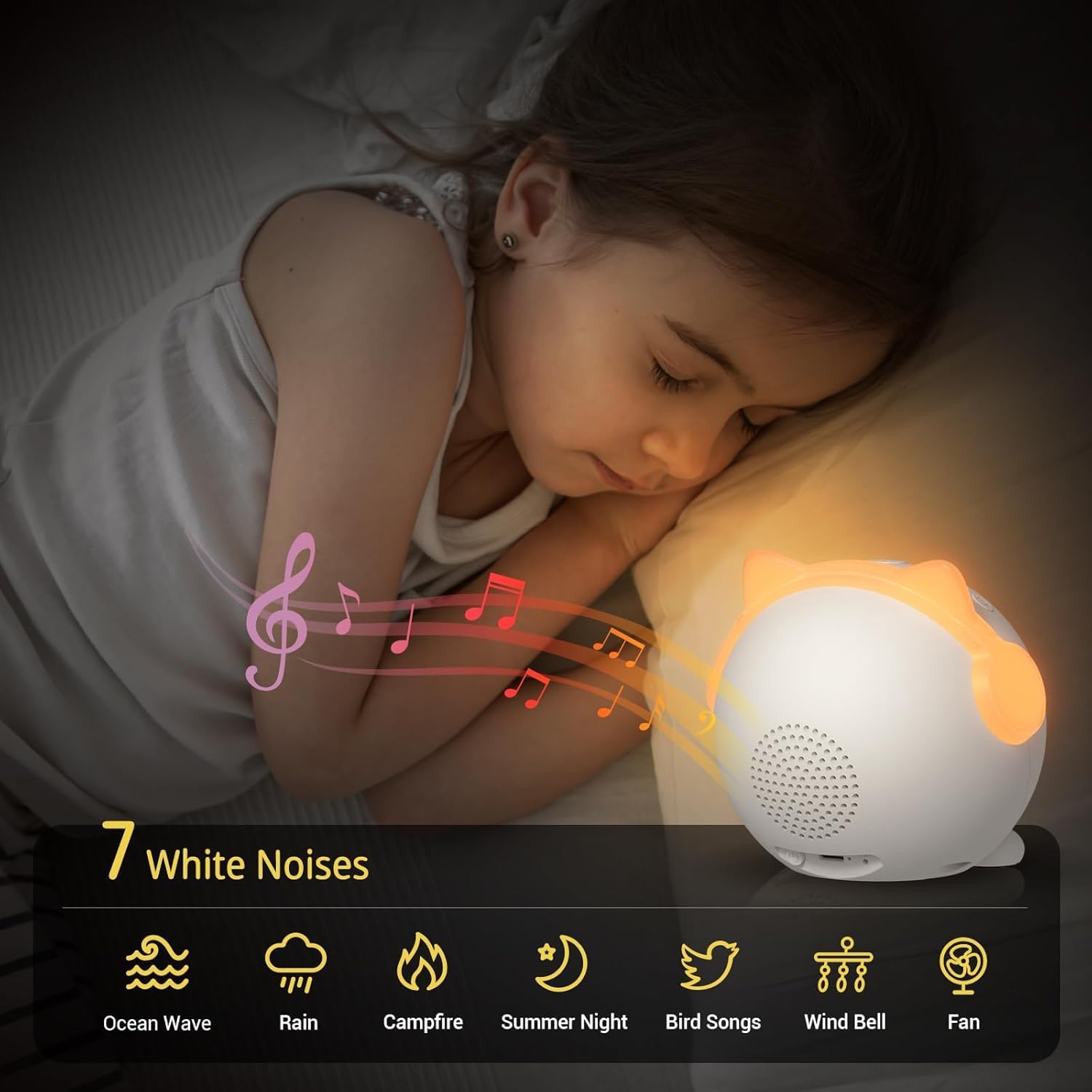
Image 4.5: The 7 available white noise options for relaxation.
For Bluetooth music playback, follow the pairing instructions in Section 3.2.
5. Техникалык тейлөө
To ensure the longevity and proper functioning of your MRSCOZ White Noise Machine & Alarm Clock, follow these maintenance guidelines:
- Тазалоо: Түзмөктү жумшак, кургак чүпүрөк менен сүртүңүз. Абразивдүү тазалоочу каражаттарды, эриткичтерди колдонбоңуз же түзмөктү сууга салбаңыз.
- Сактагыч: Түзмөктү узак убакыт бою колдонбогон учурда, аны салкын, кургак жерде, күндүн түз нурунан жана өтө жогорку температурадан алыс сактаңыз.
- Батареяга кам көрүү: Батареянын иштөө мөөнөтүн сактоо үчүн, батареяны тез-тез толук зарядсыздандырбаңыз. Түзмөктү үзгүлтүксүз кубаттап туруңуз, ал тургай тынымсыз колдонулбаса да.
6. Кыйынчылыктарды
| Көйгөй | Мүмкүн себеп | Чечим |
|---|---|---|
| Display shows 24-hour format, cannot switch to 12-hour (AM/PM). | Incorrect time format setting. | эки жолу чыкылдатыңыз M (Bluetooth) button to toggle between 12-hour and 24-hour formats. |
| Display is not working or partially visible. | Low battery, software glitch, or hardware issue. |
|
| Difficulty connecting via Bluetooth. | Device not in pairing mode, incorrect device name, or interference. |
|
| Батареянын иштөө мөөнөтү күтүлгөндөн кыскараак көрүнөт. | Frequent use of night light or sound machine, or high brightness/volume settings. |
|
7. Техникалык шарттар
| Өзгөчөлүк | Деталь |
|---|---|
| Бренд | MRSCOZ |
| Модель номери | TCR-001 |
| Дисплей түрү | Санарип |
| Power Source | Батарея менен иштейт (кайра заряддалуучу) |
| Батарея түрү | 1 x 12V battery (built-in) |
| Материал | Акрилонитрил бутадиен стирол (ABS) |
| Продукциянын өлчөмдөрү | 3.94"W x 3.94"H |
| Элемент Салмагы | 320 грамм (11.3 унция) |
| Өзгөчөлүктөр | Built-in Bluetooth for music playback, Dynamic LED lights and time-responsive UI interface, Sleep training function, Dual alarms, 9 Night light colors with 4 brightness levels, 7 Soothing sounds. |
| Ички/тышкы колдонуу | Indoor |
8. Кепилдик жана колдоо
8.1 Кепилдик маалыматы
The MRSCOZ White Noise Machine & Alarm Clock comes with a 24-month limited product service warranty сатып алынган күндөн тартып. Бул кепилдик өндүрүш кемчиликтерин жана нормалдуу колдонуудан келип чыккан маселелерди камтыйт. Бул туура эмес пайдалануу, кырсыктар, уруксатсыз өзгөртүүлөр же туура эмес тейлөөдөн улам келтирилген зыянды камтыбайт.
Кепилдик дооматтары үчүн сатып алганыңыздын далилин сактап коюңуз.
8.2 Кардарларды колдоо
For any questions, technical assistance, or warranty claims, please contact MRSCOZ customer support through the retailer where you purchased the product or visit the official MRSCOZ brand store online.
MRSCOZ Brand Store: Visit MRSCOZ Store on Amazon