
1. Киришүү
This manual provides essential information for the safe and efficient operation of your YCKJNB 55 inch 4K Touch-Screen Digital Signage. Please read it thoroughly before installation and use, and retain it for future reference.
2. Продукт бүтүп калдыview
The YCKJNB 55 inch 4K Touch-Screen Digital Signage is a floor-standing interactive display designed for various indoor commercial applications. It features a 4K IPS touchscreen, Android OS, and multiple input options for dynamic content display.
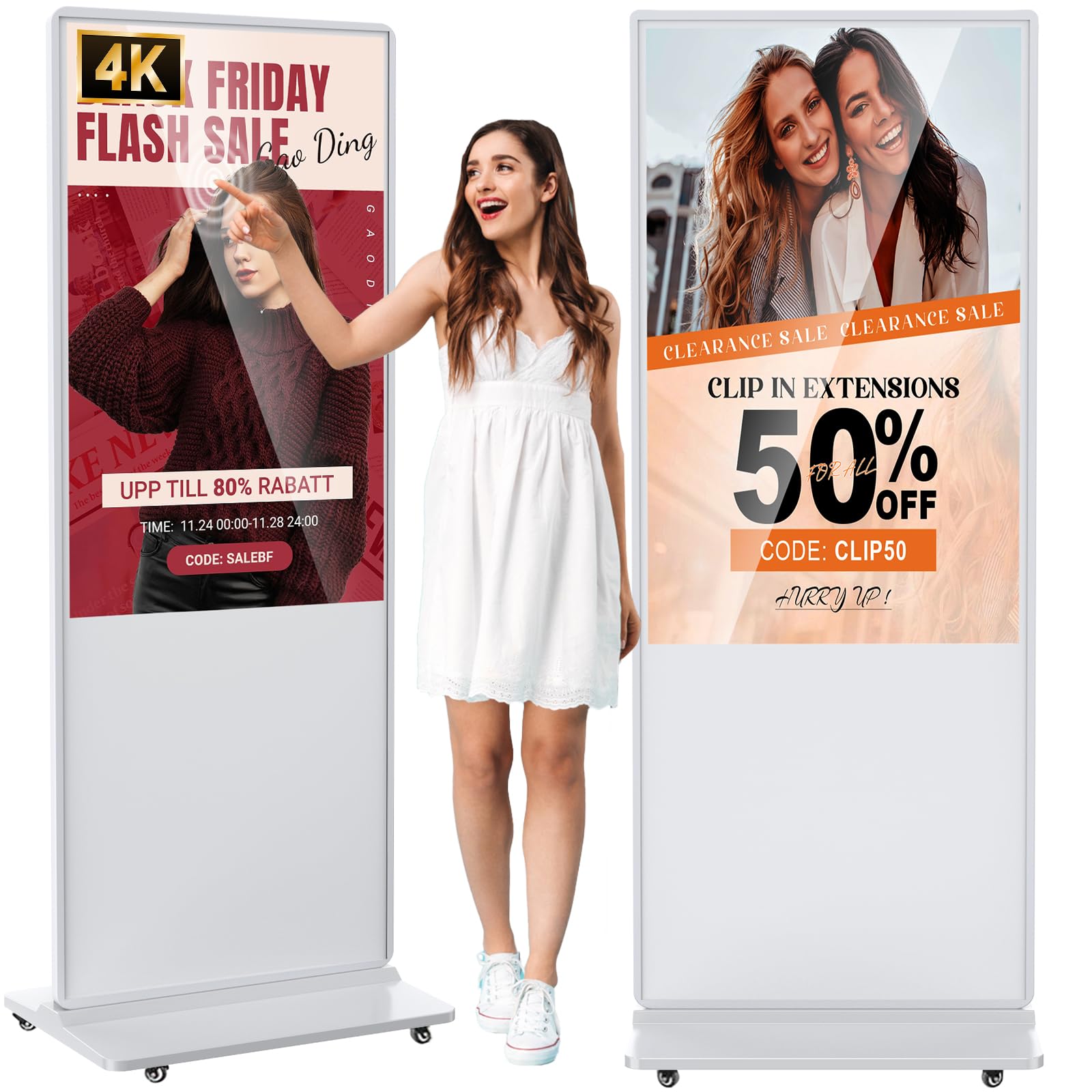
Сүрөт: алдыңкы view of the YCKJNB 55 inch 4K Touch-Screen Digital Signage.
Негизги өзгөчөлүктөрү:
- Dynamic Multi-Screen Design: Supports simultaneous display of pictures and videos with intelligent split-screen functionality.
- Жогорку Viewбурч: 4K IPS display screen with 178° ultra-wide viewing angle for clear graphics.
- Көп функциялуу: Android OS, dual 8Ω 5W speakers, USB plug-and-play, software installation, multimedia auto-playback, remote control, and timing on/off.
- Бир нече киргизүү: Supports HDMI, USB, Wi-Fi, and Ethernet cable input.
3. Кутуда эмне бар
Кутучаны кылдаттык менен ачып, бардык буюмдардын бар экенин текшериңиз:

Сүрөт: Продукциянын таңгагына кирген бардык буюмдардын визуалдык көрүнүшү.
- Digital Signage Body (LCD screen part)
- База
- Электр кабели
- Remote Controller (with AAA battery)
- 16 ГБ USB диск
- Instruction Manual
- Дөңгөлөктөр (4 даана)
- Cross Screwdriver
- Аллен Wrench
- M8 Screws (6 pieces)
- M6 Screws (16 pieces)
- Keys (2 pieces)
4. Орнотуу нускамалары
4.1. Base and Wheel Installation
- Carefully remove the digital signage body and base from the packaging.
- Attach the four wheels to the bottom of the base using the provided screws and screwdriver. Ensure they are securely fastened.
- Align the digital signage body with the base and secure it using the appropriate screws and Allen wrench.
Video: Visual guide for assembling the base and wheels of the digital signage.
4.2. Connecting External Player Box (Optional)
The digital signage includes an internal compartment for an external player box. This allows for flexible content management.
- Unlock and open the back door of the digital signage.
- Locate the player holder and power plug inside the compartment.
- Place your external player box into the holder.
- Connect the player box to the internal power plug and connect an HDMI cable from the player box to the motherboard's HDMI input.
- Arrange cables neatly and close the back door, securing it with the keys.
Video: Demonstration of installing an external player box and connecting an HDMI cable inside the digital signage.
5. Иштөө нускамалары
5.1. USB Plug-and-Play Auto AD Player
The digital signage supports automatic playback of media content directly from a USB flash disk.
- Prepare your media content (pictures, videos) and copy them to the root directory of a USB flash disk.
- Plug the USB flash disk into the designated USB port on the digital signage.
- The digital signage will automatically detect and play the media content.

Image: Illustration of the USB plug-and-play feature for automatic content playback.
Video: Tutorial on using the USB plug-and-play auto AD player function.
5.2. Multi-Screen Display and Settings
The digital signage supports intelligent split-screen functionality, allowing for creative content layouts. The default display is full screen (9:16 ratio).
- If your media content is not in a 9:16 vertical ratio (e.g., 16:9 landscape), you can adjust the display mode.
- Use the remote controller to navigate to the settings menu.
- Select the 'Screen Direction' option and choose 'Vertical Screen Mode'.
- From the 'Setting Mode' options, select a multi-screen display layout that suits your content (e.g., picture on top, video on bottom; three individual screens).
- Submit your selection and click 'Play'.

Сүрөт: Мисamples of upgraded intelligent split-screen layouts for video and image display.
Video: Tutorial on setting up intelligent split-screen display modes.
5.3. HDMI Input Source Selection
If you are using an external player box, you need to select the HDMI input source.
- After installing your player box and connecting the HDMI cable, power on the digital signage.
- Use the remote controller to click the 'Source' button.
- Select 'HDMI' from the input source options to display content from your external player.
- To enable automatic HDMI input display on power-on, navigate to 'Auto Start Settings' and select 'HDMI Input'.
5.4. Контентти башкаруу системасы (CMS)
The digital signage supports CMS for effortless content publishing and management. This allows for real-time updates and remote control.
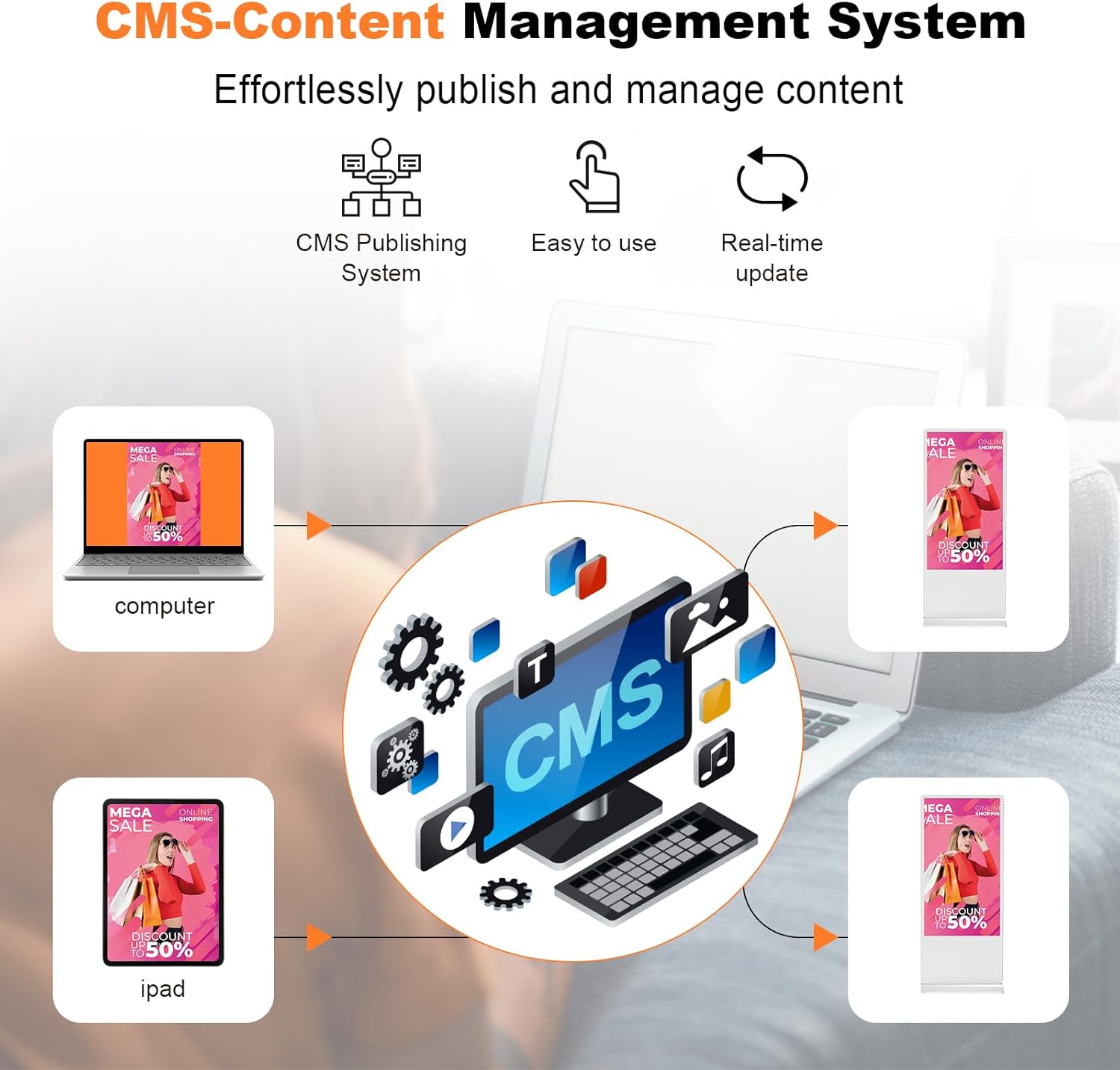
Image: Diagram illustrating the Content Management System for publishing and managing content.
5.5. Timed Power On/Off Settings
You can schedule the digital signage to turn on and off at specific times.

Сүрөт: Мисample of timed power on/off settings for the digital signage.
6. Техникалык тейлөө
- Тазалоо: Экранды жана сыртын тазалоо үчүн жумшак, кургак чүпүрөктү колдонуңуз. Абразивдүү тазалагычтардан же эриткичтерден качыңыз.
- Вентиляция: Ашыкча ысып кетүүнүн алдын алуу үчүн түзмөктүн айланасында жетиштүү аба айланышын камсыз кылыңыз. Желдетүүчү тешиктерди жаппаңыз.
- Күч: Always disconnect the power cord before cleaning or performing any maintenance.
7. Кыйынчылыктарды
| Көйгөй | Мүмкүн себеп | Чечим |
|---|---|---|
| Дисплей жок/Өчүрүү | Power cord disconnected, power switch off. | Check power connections, ensure power switch is on. |
| No content playing from USB | USB not properly inserted, incorrect file format, no media in root directory. | Ensure USB is fully inserted, check file formats (MP4, JPG, etc.), place media in the root directory. |
| No display from HDMI input | HDMI cable loose, incorrect input source selected. | Check HDMI cable connection, use remote to select correct HDMI input source. |
| Сенсордук экран жооп бербейт | Temporary software glitch, screen dirty. | Restart the device. Clean the screen with a soft cloth. |
8. Техникалык шарттар
- Туруктуу экран дисплей өлчөмү: 55 дюйм
- Экрандын чечилиши: 3840x2160 (4K UHD 2160p)
- Макс экрандын чечилиши: 1920 x 1080 Pixels (Note: This might refer to a specific mode or content scaling, the native panel resolution is 4K)
- USB 2.0 порттарынын саны: 2
- Сериялар: FDSALL
- Элемент Салмагы: 109.8 фунт
- Продукциянын өлчөмдөрү: 24.04 x 17.72 x 71.27 дюйм
- Түсү: Ак
- Процессорлордун саны: 1
- Батареялар: 1 C batteries required (included for remote)
- Аспект катышы: 16:9
- Screen Surface Description: Жылтырак
9. Кепилдик жана колдоо
YCKJNB provides a 3-year after-sales warranty service to ensure the normal operation of your product. For any questions or support needs, please contact YCKJNB Direct through Amazon.