
1. Киришүү
This manual provides detailed instructions for the Zopsc 5K Digital Camera, a versatile device designed for photography and vlogging. It features a 48MP ultra-high resolution sensor, 16X digital zoom, a 3.5-inch display, and various flash modes. The camera is equipped with autofocus and six-axis stabilization for clear images and videos, along with built-in wireless connectivity for easy sharing.
2. Пакеттин мазмуну
Сураныч, бардык буюмдар бар экенин текшерүү үчүн пакетти текшериңиз:
- 1 x санариптик камера
- 1 x Battery (NP60 1050mAh)
- 1 x UV Filter
- 1 x Линза капкагы
- 1 x USB кабели
- 1 x Multimedia Cable
- 1 x Тазалоочу чүпүрөк
- 1 x Кол боо
- 1 x Ташуу сумкасы
- 1 x User Manual

Image: All items included in the Zopsc 5K Digital Camera package.
3. Продукт бүтүп калдыview
The Zopsc 5K Digital Camera features a compact design with a 3.5-inch IPS display on the rear for clear viewing and menu navigation. The front houses the lens with 16X powerful zoom capabilities and a built-in flash. A hot shoe mount is located on top for external accessories like microphones or additional lighting.

Сүрөт: алдыңкы жана арткы views of the Zopsc 5K Digital Camera, highlighting the display and lens.
4. Орнотуу
4.1 Батареяны орнотуу
- Камеранын ылдый жагындагы батарея уясынын капкагын табыңыз.
- Капкакты ачуу үчүн бекиткичти жылдырыңыз.
- Insert the provided NP60 1050mAh lithium battery, ensuring the correct orientation according to the diagram inside the compartment.
- Close the battery compartment cover until it clicks securely.
4.2 Эстутум картасын орнотуу
The camera supports storage cards from 4GB to 256GB. A C10/U1 or higher speed card is recommended for optimal performance.
- Эстутум картасынын уячасын, адатта, батарея бөлүмүнүн жанына же камеранын капталына жайгаштырыңыз.
- Эстутум картасын контакттары туура багытка каратып, ордуна чыкылдаган үн чыкканча салыңыз.
- Алып салуу үчүн, картаны ал чыгып кеткенче акырын басыңыз.
4.3 Баштапкы күйгүзүү
After installing the battery and memory card, press and hold the power button (usually located on the top of the camera) to turn on the device. The 3.5-inch display will illuminate.
5. Иштөө нускамалары
5.1 Негизги операция
- Күйгүзүү/өчүрүү: Кубат баскычын басып, кармап туруңуз.
- Меню навигациясы: Use the directional buttons (up, down, left, right) and the 'OK' button to navigate through the camera's menu on the 3.5-inch display.
- Терүү режими: Rotate the function dial to switch between different modes such as photo taking, video recording, continuous shooting, time lapse, loop recording, and slow motion.
5.2 Photography Features
- Автофокус: The camera features automatic focus to quickly lock onto your subject, ensuring clear images.
- Flash режимдери: Select from three flash modes (e.g., Auto, Fill-in, Red-eye Reduction) to suit different lighting conditions, whether indoors or outdoors.
- 16X Digital Zoom: Use the zoom controls to magnify distant subjects up to 16 times.

Image: Demonstration of the 16X digital zoom capability, focusing on a distant object.
5.3 Видео жаздыруу
- 5K жаздыруу: Record high-resolution videos at 5K 30FPS for detailed footage.
- Цикл жаздыруу: Эң эскилеринин үстүнөн жазып, видеону тынымсыз жаздыруу fileэстутум картасы толгондо.
- Жай кыймыл: Capture dynamic scenes in slow motion for dramatic effects.
5.4 Өркүндөтүлгөн функциялар
- Six-Axis Stabilization: This feature reduces blur from camera shake, ensuring stable images and videos even when handheld or in low light.

Image: Visual representation of the 6-axis physical stabilization system, showing its effect on motion shots.
- Wireless Connectivity (Fidelity): Utilize the built-in wireless function to transfer images and videos to your smart devices for quick sharing and editing via a mobile application.
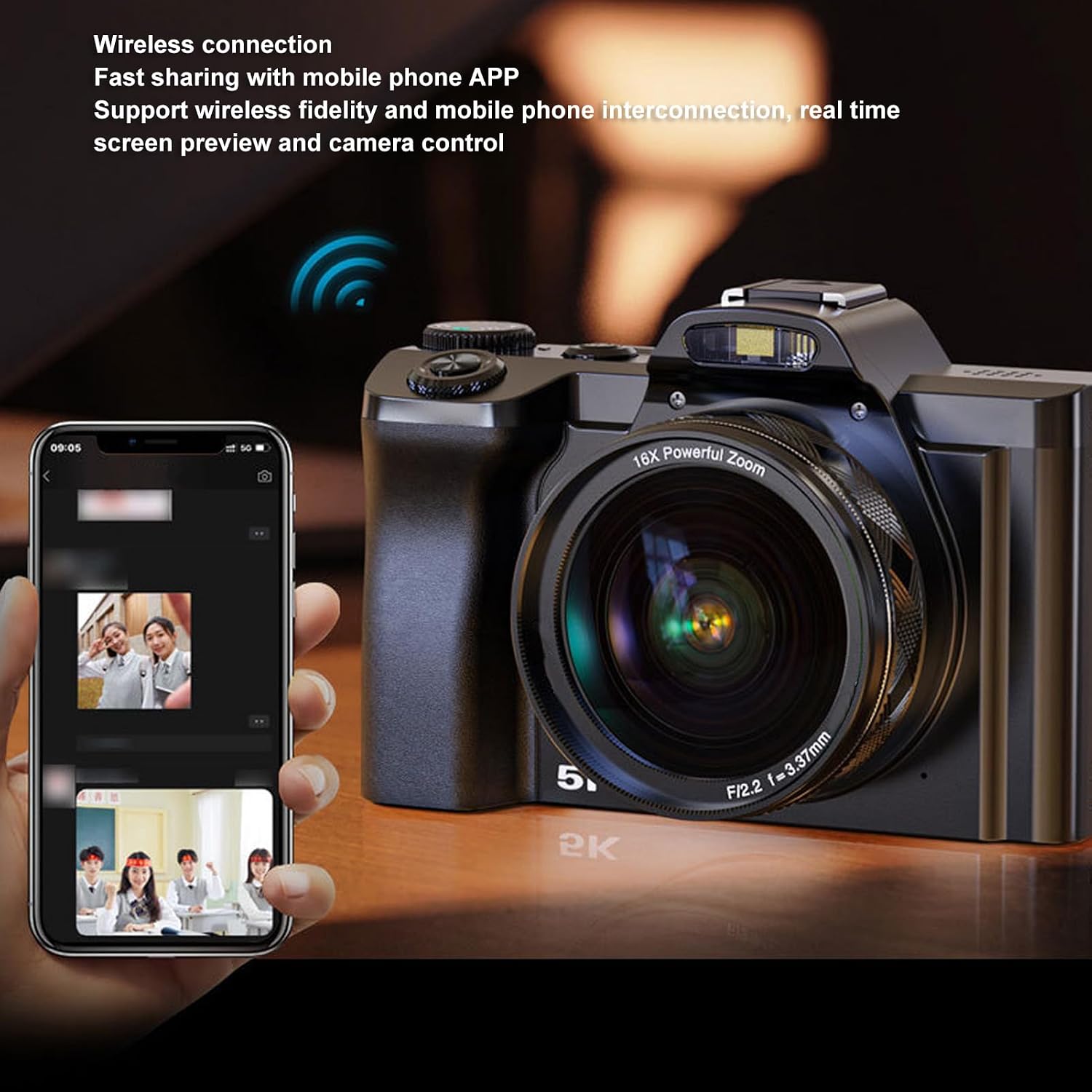
Image: The camera demonstrating wireless connection with a mobile phone application for real-time preview жана контролдоо.
- External Hot Shoe: The camera features a professional hot shoe mount, allowing connection of external accessories such as noise-canceling microphones or additional flash units for enhanced audio and lighting.

Image: The camera with various external accessories like a microphone and LED light attached to its hot shoe mount.
6. Техникалык тейлөө
- Тазалоо: Use the provided cleaning cloth to gently wipe the lens and screen. For stubborn smudges, use a specialized lens cleaning solution. Avoid harsh chemicals.
- Сактагыч: When not in use, store the camera in the carrying bag in a cool, dry place away from direct sunlight and extreme temperatures. Remove the battery if storing for extended periods.
- Батареяга кам көрүү: Charge the battery fully before first use. Avoid completely draining the battery frequently to prolong its lifespan.
7. Кыйынчылыктарды
If you encounter issues with your camera, please refer to the table below for common problems and solutions.
| Көйгөй | Мүмкүн себеп | Чечим |
|---|---|---|
| Камера күйбөйт. | Батарея аз же туура салынган эмес. | Charge the battery or re-insert it correctly. Ensure the battery compartment is closed. |
| Сүрөттөр бүдөмүк. | Автофокус ишке ашпай калды, камеранын титиреп же кир линзасы. | Ensure autofocus is engaged. Hold the camera steady or use the 6-axis stabilization. Clean the lens. |
| Мобилдик тиркемеге туташа албай жатат. | Wireless function is off, incorrect app settings, or distance too far. | Enable wireless connectivity on the camera. Check app settings and ensure camera and phone are close. |
| Эстутум картасынын катасы. | Карта толгон, бузулган же шайкеш келбейт. | Жок кылуу files, format the card (this will erase all data), or try a different compatible card (C10/U1 or higher). |
8. Техникалык шарттар
Detailed technical specifications for the Zopsc 5K Digital Camera:
| Өзгөчөлүк | Спецификация |
|---|---|
| Screen Size | 3.5 inches (IPS display) |
| Аспект катышы | 16:9 |
| Сүрөттүн максималдуу чечилиши | 48 МП (8000x6000) |
| Видеонун максималдуу чечилиши | 5K 30 FPS |
| Digital Zoom | 16x |
| Image Stabilization | Yes (6-axis physical stabilization) |
| Автофокус | Ооба |
| Байланыш технологиясы | Wireless (Fidelity), USB, Multimedia Cable |
| Supported Storage Card | 4GB to 256GB (C10/U1 recommended) |
| Батарея түрү | Lithium battery NP60 1050mAh |
| File Формат | JPG, MP4 |
| Модель аты | Zopsce54dh2mif9 |
| Бренд | Zopsc |
9. Кепилдик жана колдоо
Your Zopsc 5K Digital Camera is covered by a manufacturer's warranty. For specific warranty terms, duration, and to register your product, please refer to the warranty card included in your package or visit the official Zopsc website. For technical support, troubleshooting assistance beyond this manual, or service inquiries, please contact Zopsc customer support through the contact information provided on their official webсайт же сатып алуу платформаңыз.