
Introduction
Thank you for choosing the SUNITEC BH880 Wireless Headset. This manual provides detailed instructions for setting up, operating, and maintaining your headset to ensure optimal performance and longevity. The BH880 headset is designed for clear communication and comfortable use in various environments, featuring advanced noise-cancelling technology and multiple connectivity options.

Image: SUNITEC BH880 Wireless Headset, showcasing its design with an adjustable microphone boom.
Кутуда эмне бар
Пакетте бардык буюмдар бар экенин текшериңиз:
- 1 x SUNITEC BH880 Bluetooth Computer Headset with Microphone
- 1 x Type-C заряддоо кабели
- 1 x Bluetooth Audio USB-A Dongle Adapter
- 1 x 3.5 мм аудио кабель
- 1 х Колдонуучунун колдонмосу (бул документ)

Image: The SUNITEC BH880 headset, USB-C charging cable, USB-A dongle, and 3.5mm audio cable, illustrating the package contents.
Продукт бүттүview
Familiarize yourself with the components and controls of your SUNITEC BH880 headset.
Негизги өзгөчөлүктөрү:
- Жөнөкөй интеллект менен иштеген ызы-чууну жокко чыгаруучу микрофон: Blocks 99% of ambient noise for clear voice transmission.
- Qualcomm QCC3034 Chipset: Provides stable and fast Bluetooth transmission with aptX HD and aptX LL support.
- Ыңгайлуу дизайн: Soft dual ear pads and an adjustable headband for extended wear.
- 270° Rotatable Boom Microphone: Can be positioned on either the left or right side.
- Батареянын узак иштөө мөөнөтү: Бир кубаттоо менен 45 саатка чейин сүйлөшүү убактысы.
- Көп туташуу: Bluetooth, USB Dongle, and 3.5mm wired connection.

Image: Close-up of the memory foam earpads, highlighting the comfort feature of the headset.

Image: Detail of the individual mute button located on the microphone boom.

Сүрөт: ички view highlighting the Qualcomm QCC3034 chipset, responsible for stable and fast connections.
Жайгашуу
1. Гарнитураны заряддоо
Before first use, fully charge the headset. Connect the Type-C charging cable to the headset's charging port and the other end to a USB power source (e.g., computer USB port, wall adapter). The LED indicator will show charging status. A full charge takes approximately 2 hours and provides up to 45 hours of talk time or 400 hours of standby time.
2. Күйгүзүү/өчүрүү
- Күйгүзүү: LED индикатору күйгөнгө чейин Кубат баскычын бир нече секунд басып туруңуз.
- Өчүрүү: LED индикатору өчкөнгө чейин Кубат баскычын бир нече секунд басып туруңуз.
3. Байланыш параметрлери
The SUNITEC BH880 offers three ways to connect to your devices:
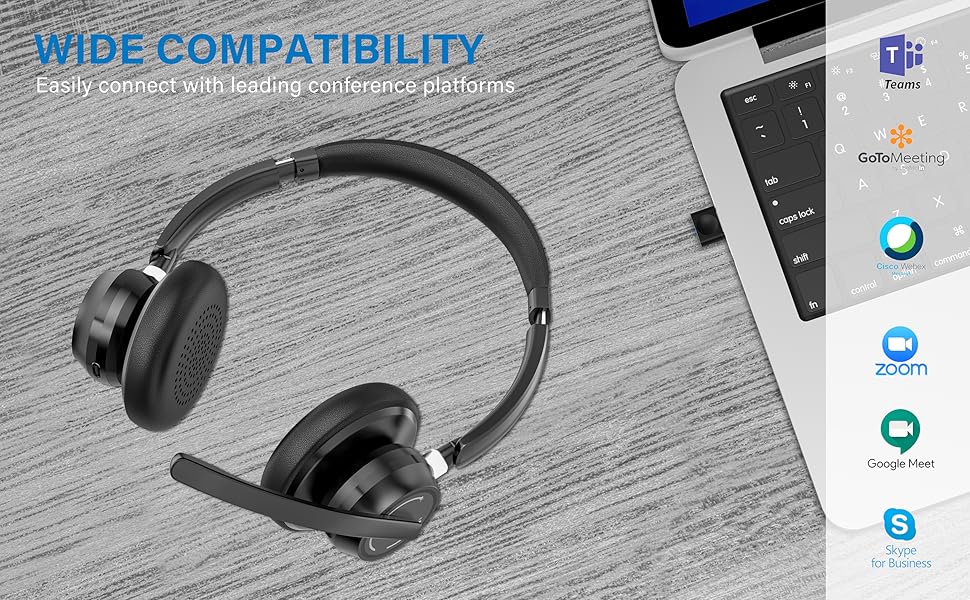
Image: Visual representation of Bluetooth, USB Dongle, and Wired connection methods for the headset.
Bluetooth байланыш:
- Гарнитура өчүрүлгөнүн текшериңиз.
- Күйгүзүү баскычын LED индикатору кезектешип көк жана кызыл түстө күйүп-өчкөнгө чейин басып туруңуз, бул жупташтыруу режимин көрсөтөт.
- Түзмөгүңүздө (смартфон, планшет, компьютер) Bluetooth иштетип, жаңы түзмөктөрдү издеңиз.
- Select "SUNITEC BH880" from the list of available devices.
- Туташтырылгандан кийин, LED индикатору акырындык менен көк болуп жанат.
USB Dongle туташуу:
This method is ideal for computers without built-in Bluetooth or for a more stable connection.
- Plug the USB-A Dongle Adapter into an available USB port on your computer.
- Power on the SUNITEC BH880 headset. It will automatically attempt to connect to the dongle.
- The LED indicator on the dongle and headset will show a solid blue light once connected.
- You may need to select the "SUNITEC BH880" as the audio input/output device in your computer's sound settings.

Image: A USB dongle being inserted into a laptop's USB port, demonstrating the dongle connection method.
Зымдуу туташуу:
Use the included 3.5mm audio cable to connect the headset directly to devices with a 3.5mm audio jack. Note that the microphone function is not available when using the 3.5mm wired connection; the headset will function as headphones only.

Image: The headset shown with logos of popular communication platforms like Teams, Zoom, Google Meet, and Skype, indicating wide compatibility.
Иштөө нускамалары
Негизги функциялар:
- Үнүн жогорулатуу/төмөндөтүү: Кулакчындагы атайын үн баскычтарын колдонуңуз.
- Ойнотуу/тындыруу: Көп функциялуу баскычты бир жолу басыңыз.
- Кийинки трек: Үнүн жогорулатуу баскычын басып, кармап туруңуз.
- Мурунку трек: Үндү азайтуу баскычын басып, кармап туруңуз.
Чалуу функциялары:
- Чалууга жооп берүү/аяктоо: Көп функциялуу баскычты бир жолу басыңыз.
- Чакырууну четке кагуу: Көп функциялуу баскычты 2 секунд басып туруңуз.
- Акыркы номерди кайра терүү: Көп функциялуу баскычты эки жолу басыңыз.
Микрофондун үнүн басуу функциясы:
The headset features an individual mute button on the microphone boom for quick privacy control.
- Үнсүз/Ачуу: Press the mute button on the microphone boom. The LED indicator on the microphone will show red when muted.
- Эскертүү: For PC platforms, microphone mute functionality may also be controlled via the software application (e.g., Zoom, Teams).
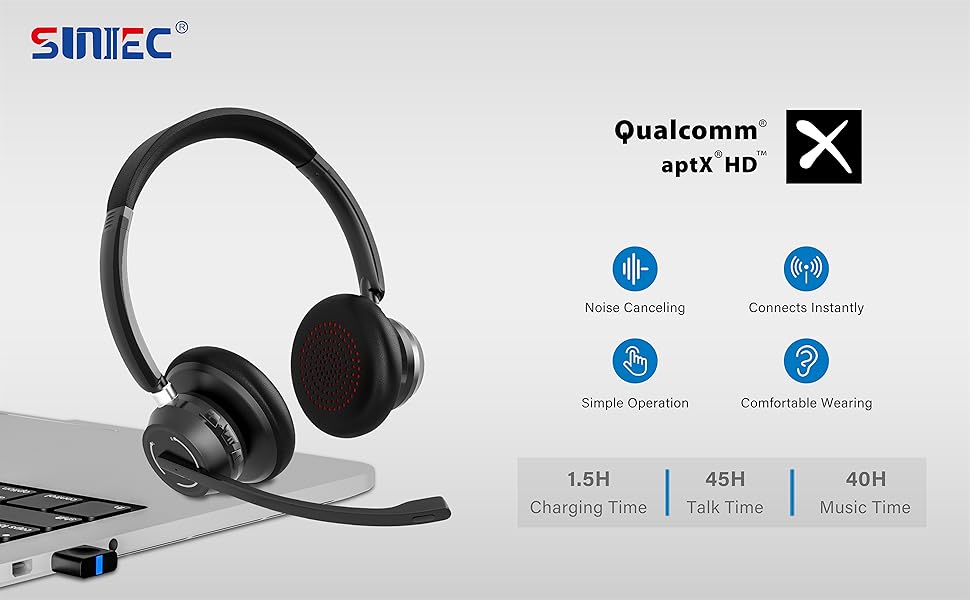
Image: A graphic demonstrating how the noise-cancelling microphone filters out background noise for clearer audio output.
Техникалык тейлөө
Proper care ensures the longevity of your SUNITEC BH880 headset.
- Тазалоо: Гарнитураны тазалоо үчүн жумшак, кургак чүпүрөктү колдонуңуз. Абразивдүү тазалагычтарды же эриткичтерди колдонбоңуз.
- Сактагыч: Гарнитураны күн нурунан жана экстремалдык температурадан алыс салкын, кургак жерде сактаңыз.
- Батареяга кам көрүү: Батареянын кубатын сактоо үчүн, гарнитуранын тез-тез толук зарядын жоготпоңуз. Аны көпкө чейин колдонбосоңуз да, үзгүлтүксүз кубаттап туруңуз.
- Нымдуулуктан качыңыз: The headset is not water-resistant. Keep it away from liquids and high humidity.
Проблемаларды чечүү
If you encounter issues with your SUNITEC BH880 headset, refer to the following common solutions:
| Көйгөй | Чечим |
|---|---|
| Гарнитура күйбөйт. | Ensure the headset is charged. Connect it to a power source using the Type-C cable. |
| Bluetooth аркылуу жупташтыруу мүмкүн эмес. |
|
| Үн жок же үн сапаты начар. |
|
| Микрофон иштебей жатат. |
|
| USB Dongle not connecting. |
|
Техникалык шарттар
| Өзгөчөлүк | Деталь |
|---|---|
| Модель аты | BH880 |
| Байланыш технологиясы | Wireless (Bluetooth), Wired (3.5mm), USB Dongle |
| Зымсыз байланыш технологиясы | Bluetooth 5.1 |
| Bluetooth диапазону | 15 метрге чейин (49 фут) |
| Noise Control | Adaptive Noise Cancellation (Microphone) |
| Аудио драйверинин өлчөмү | 40 миллиметр |
| Аудио драйвер түрү | Динамикалык драйвер |
| Импеданс | 32 Ом |
| Наушник формасы | Ашыкча кулак |
| Батареянын иштөө мөөнөтү (сүйлөшүү убактысы) | 45 саатка чейин |
| Заряддоо убактысы | Approximately 2 Hours (Type-C) |
| Элемент Салмагы | 280 грамм (9.9 унция) |
| Продукциянын өлчөмдөрү | 5.91 x 3.94 x 1.96 дюйм |
| Материал | Пластик |
| Шайкеш түзмөктөр | Computers, Communication Software (Skype, Zoom, MS Teams, Google Meet) |
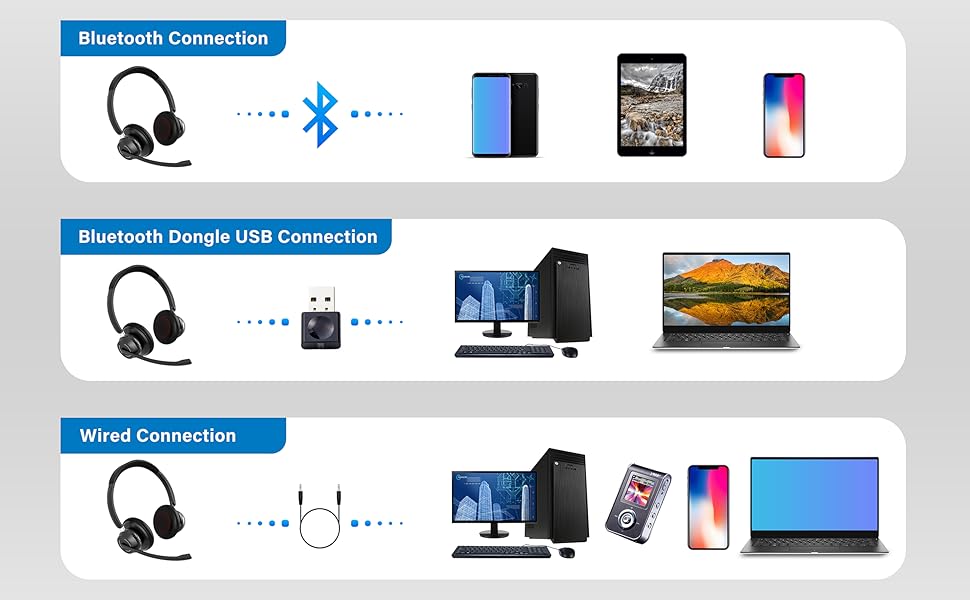
Image: An illustration highlighting the headset's battery performance, indicating up to 45 hours of wireless talk time.
Кепилдик жана колдоо
SUNITEC products are designed for reliability and performance. For warranty information or technical support, please refer to the contact details provided with your purchase or visit the official SUNITEC webсайт. Сатып алуу квитанциясын кепилдик дооматтары үчүн сатып алуунун далили катары сактаңыз.
For further assistance, you may contact SUNITEC customer service through their official channels.