
1. Киришүү
This manual provides detailed instructions for the installation, setup, and operation of your XFOX Tuya Zigbee Door and Window Sensor. This wireless mini contact sensor is designed to monitor the open/closed status of doors and windows. It requires a compatible Tuya Zigbee hub for functionality and integrates with the Tuya Smart Life ecosystem, as well as voice assistants like Alexa and Google Assistant.
Түзмөктү колдонуудан мурун, туура орнотууну жана оптималдуу иштөөнү камсыз кылуу үчүн, бул колдонмону кылдат окуп чыгыңыз.
2. Продукт бүтүп калдыview
2.1 Пакеттин мазмуну
- XFOX Tuya Zigbee Door and Window Sensor (Main Unit)
- Магниттик компонент
- Adhesive Pads / Mounting Screws (may vary by package)
- Колдонуучунун Колдонмосу (бул документ)
Эскертүү: 2x AAA батарейкалары талап кылынат жана пакетке кирбейт.
2.2 Негизги өзгөчөлүктөрү
- Wireless Intelligent Connection: Utilizes Tuya Zigbee 3.0 technology for easy integration with a Tuya smart home system (requires Tuya Zigbee gateway).
- Real-time Alarm Push: Monitors door/window status and sends instant notifications to your mobile application upon detecting abnormal movement.
- Үн менен башкаруу шайкештиги: Supports status queries via Alexa and Google Assistant, enabling automated security scenes with other smart devices.
- Төмөн тейлөө: Designed for low power consumption, offering extended battery life with 2x AAA batteries.
- Invisible and Slim Design: Compact form factor with dual mounting options (3M adhesive sticker/screws) for discreet placement.

Figure 1: XFOX Tuya Zigbee Door and Window Sensors with App Interface
3. Орнотуу
3.1 Батареяны орнотуу
- Locate the main unit of the sensor.
- Gently slide the back cover of the main unit downwards to open the battery compartment.
- Туура полярдуулукту (+/-) камсыз кылып, эки (2) AAA батарейкасын салыңыз.
- Slide the back cover upwards until it clicks into place, securing the battery compartment.
Маанилүү: Ensure batteries are inserted correctly. Incorrect insertion may damage the device.
3.2 Pairing with Tuya Zigbee Hub
This sensor requires a Tuya Zigbee hub (sold separately) to function. Ensure your hub is powered on and connected to your network.
- жүктөп алыңыз Туя Smart Life смартфонуңуздун колдонмолор дүкөнүнөн (iOS же Android) тиркеме.
- Register or log in to your Tuya Smart Life account.
- Add your Tuya Zigbee hub to the app if you haven't already.
- In the Tuya Smart Life app, navigate to your Zigbee hub and select "Add sub-device" or "Add device".
- Follow the on-screen instructions in the app to put the hub into pairing mode.
- On the sensor, press and hold the reset button (usually a small pinhole button) for approximately 5 seconds until the indicator light flashes rapidly, indicating it is in pairing mode.
- The app should detect the sensor. Once detected, confirm the addition and assign it a name and location.
Эскертүү: For optimal pairing, ensure the sensor is within close proximity (approximately 3-5 feet) of the Zigbee hub during the pairing process. Once paired, the sensor can operate at a greater distance within the Zigbee network range.

Figure 2: Tuya Zigbee Hub Requirement for Sensor Operation
4. Орнотуу
The sensor consists of two parts: a main unit and a magnet component. These two parts must be installed on a door or window and its frame, ensuring they are aligned and within the specified gap when the door/window is closed.
4.1 Монтаждалуучу жер
- Choose a clean, dry, and flat surface on your door/window frame and the corresponding moving part (door/window).
- The main unit should be installed on the fixed frame, and the magnet component on the moving part.
- Ensure the alignment marks on both parts face each other when the door/window is closed.
4.2 Орнотуу ыкмалары
The sensor supports two mounting methods: adhesive pads or screws.
- Клей монтаждоо:
- Орнотуу бетин кылдаттык менен тазалаңыз.
- Peel off the protective film from the adhesive pads and firmly attach one pad to the back of the main unit and the other to the back of the magnet component.
- Press the sensor parts onto the desired locations for at least 30 seconds.
- Бурама орнотуу:
- Open the back covers of both the main unit and the magnet component.
- Use the provided screws to secure the back covers to the door/window frame and the moving part.
- Snap the main unit and magnet component onto their respective secured back covers.
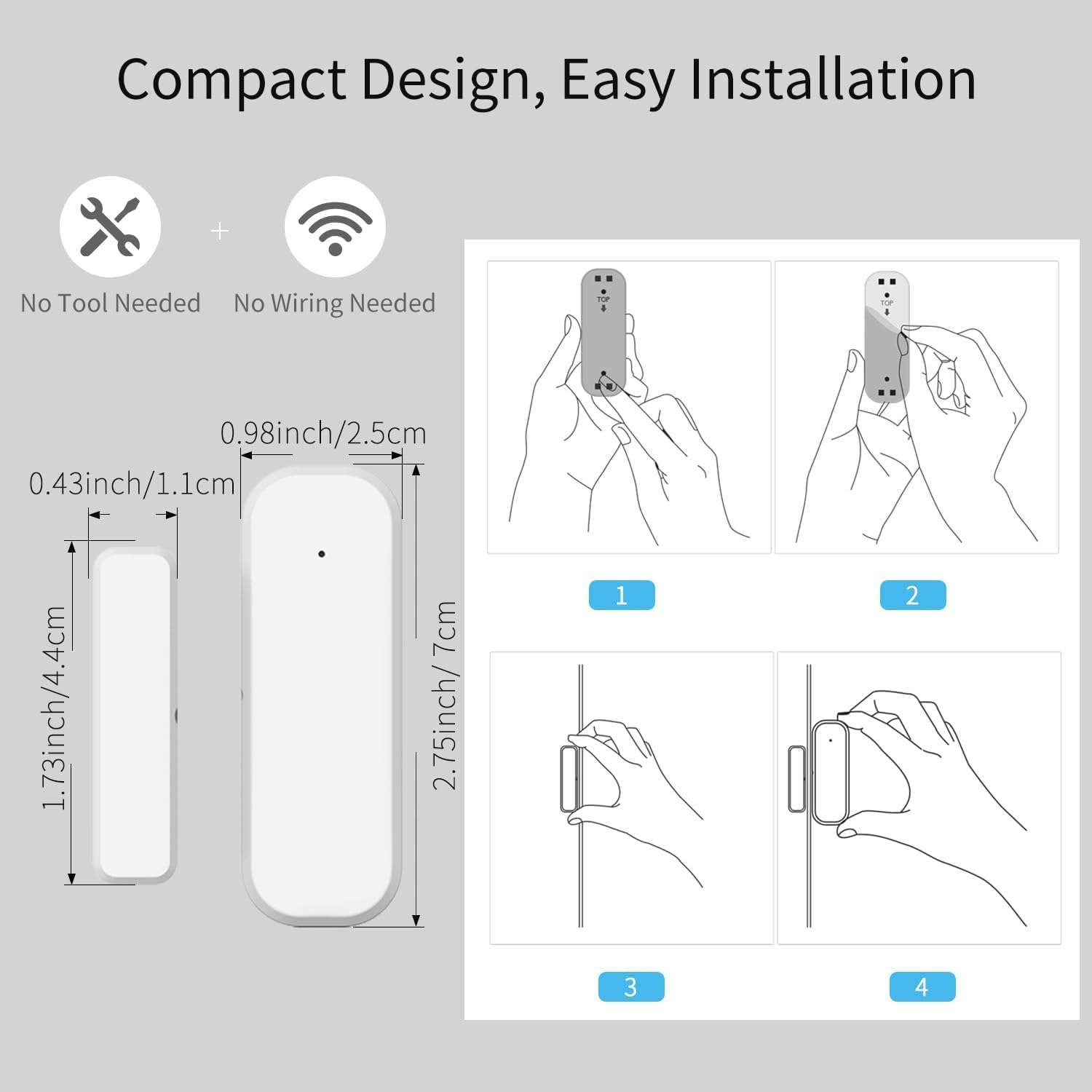
Figure 3: Sensor Dimensions and Installation Steps
4.3 Gap Requirement
For accurate detection, the gap between the main unit and the magnet component must be no more than 0.86 inches (approximately 2.2 cm) when the door or window is closed.
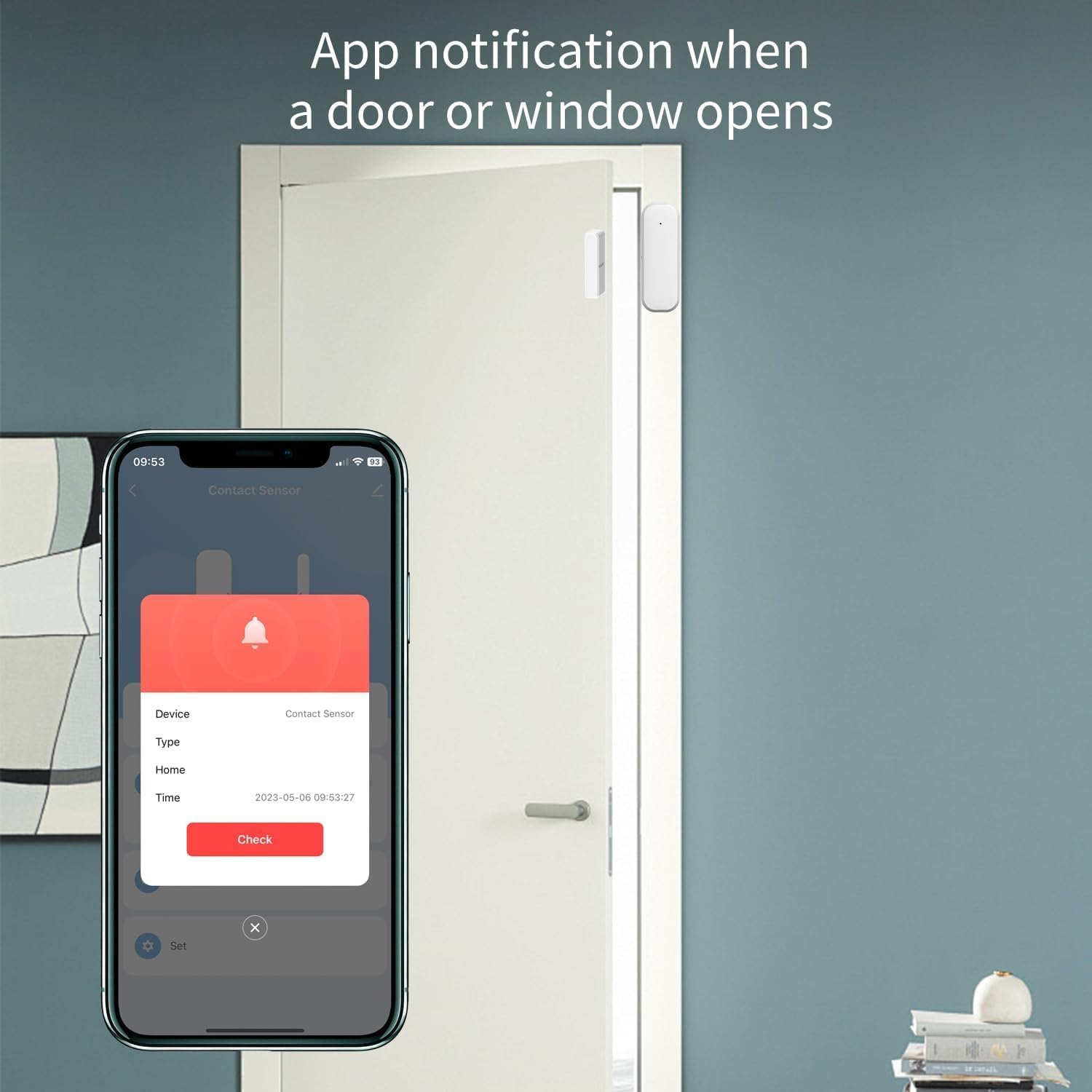
Figure 4: Maximum Allowed Gap for Sensor Operation
5. Иштөө нускамалары
5.1 Monitoring with Tuya Smart Life App
Once the sensor is successfully paired and installed, you can monitor its status through the Tuya Smart Life application:
- Смартфонуңуздан Tuya Smart Life тиркемесин ачыңыз.
- Navigate to the specific sensor device.
- The app will display the current status (open or closed) of the door or window.
- You will receive real-time push notifications on your phone if the door or window opens unexpectedly, based on your configured settings.
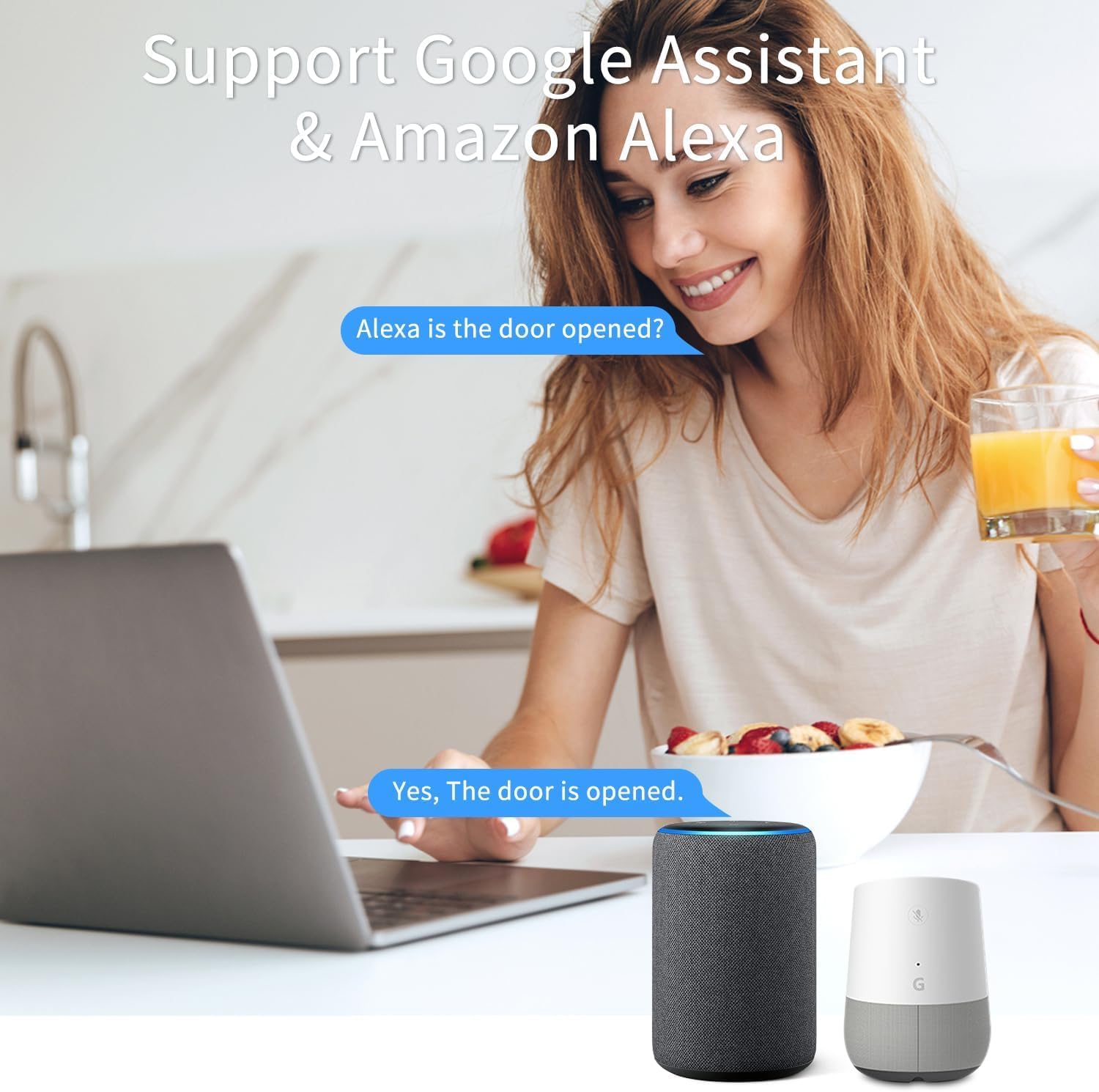
Figure 5: App Notification for Door/Window Opening
5.2 Alexa жана Google Жардамчысы менен үн менен башкаруу
The XFOX Tuya Zigbee Door and Window Sensor is compatible with Amazon Alexa and Google Assistant. To enable voice control:
- Ensure your Tuya Smart Life account is linked to your Alexa or Google Home account through their respective applications.
- Once linked, you can use voice commands to check the status of your sensor.
Example Commands:
- "Alexa, is the front door open?"
- "Hey Google, what's the status of the living room window?"

Figure 6: Voice Control Integration with Alexa and Google Assistant
6. Техникалык тейлөө
6.1 Батареяны алмаштыруу
The sensor is designed for low power consumption, providing extended battery life. When the battery level is low, you may receive a notification through the Tuya Smart Life app. Replace the batteries as follows:
- Gently slide the back cover of the main unit downwards to open the battery compartment.
- Эски AAA батарейкаларын алып салыңыз.
- Туура полярдуулукту (+/-) камсыз кылып, эки жаңы AAA батарейкасын салыңыз.
- Slide the back cover upwards until it clicks into place.
Колдонулган батарейкаларды жергиликтүү эрежелерге ылайык жок кылыңыз.
7. Кыйынчылыктарды
- Сенсор хаб менен жупташпай жатат:
- Ensure the sensor is within 3-5 feet of the Tuya Zigbee hub during the pairing process.
- Verify that the hub is powered on and connected to your network.
- Check if the sensor's indicator light is flashing rapidly, indicating pairing mode. If not, re-initiate pairing mode.
- Confirm that you are using a compatible Tuya Zigbee hub.
- Sensor not detecting open/closed status reliably:
- Check the gap between the main unit and the magnet component. It must be no more than 0.86 inches when closed.
- Ensure both parts are securely mounted and aligned correctly.
- Батареялар аз болсо, аларды алмаштырыңыз.
- Verify the sensor's connection to the Zigbee hub in the Tuya Smart Life app.
- Билдирмелер алынган жок:
- Check your smartphone's notification settings for the Tuya Smart Life app.
- Ensure the sensor is online and communicating with the hub.
- Verify that notification rules are correctly set up within the Tuya Smart Life app.
8. Техникалык шарттар
| Модель номери | F-SD01Z |
| Бренд | XFOX |
| Байланыш | Tuya Zigbee 3.0 |
| Power Source | 2x AAA батарейкалар (киргизилген эмес) |
| Тtage | 3 вольт |
| Башкаруу ыкмасы | Колдонмо, пульт, үн |
| Монтаж түрү | Door Mount |
| Sensor Technology | Байланыш |
| Продукциянын өлчөмдөрү | 0.96 x 0.73 x 2.76 дюйм (Негизги бирдик) |
| Элемент Салмагы | 2.39 унция |
| Шайкеш түзмөктөр | Tuya Smart Life, Amazon Alexa, Google Assistant |
| UPC | 704256108403 |
9. Кепилдик жана колдоо
Information regarding product warranty is not provided in this manual. For warranty details or technical support, please contact the manufacturer, XFOX, or your point of purchase. Please have your model number (F-SD01Z) and purchase information ready when contacting support.