
1. Киришүү
Thank you for choosing the Baishun Smart Video Doorbell D9. This device enhances your home security by providing real-time video monitoring, two-way audio communication, and instant notifications directly to your smartphone. Please read this manual carefully before installation and operation to ensure proper use and optimal performance.
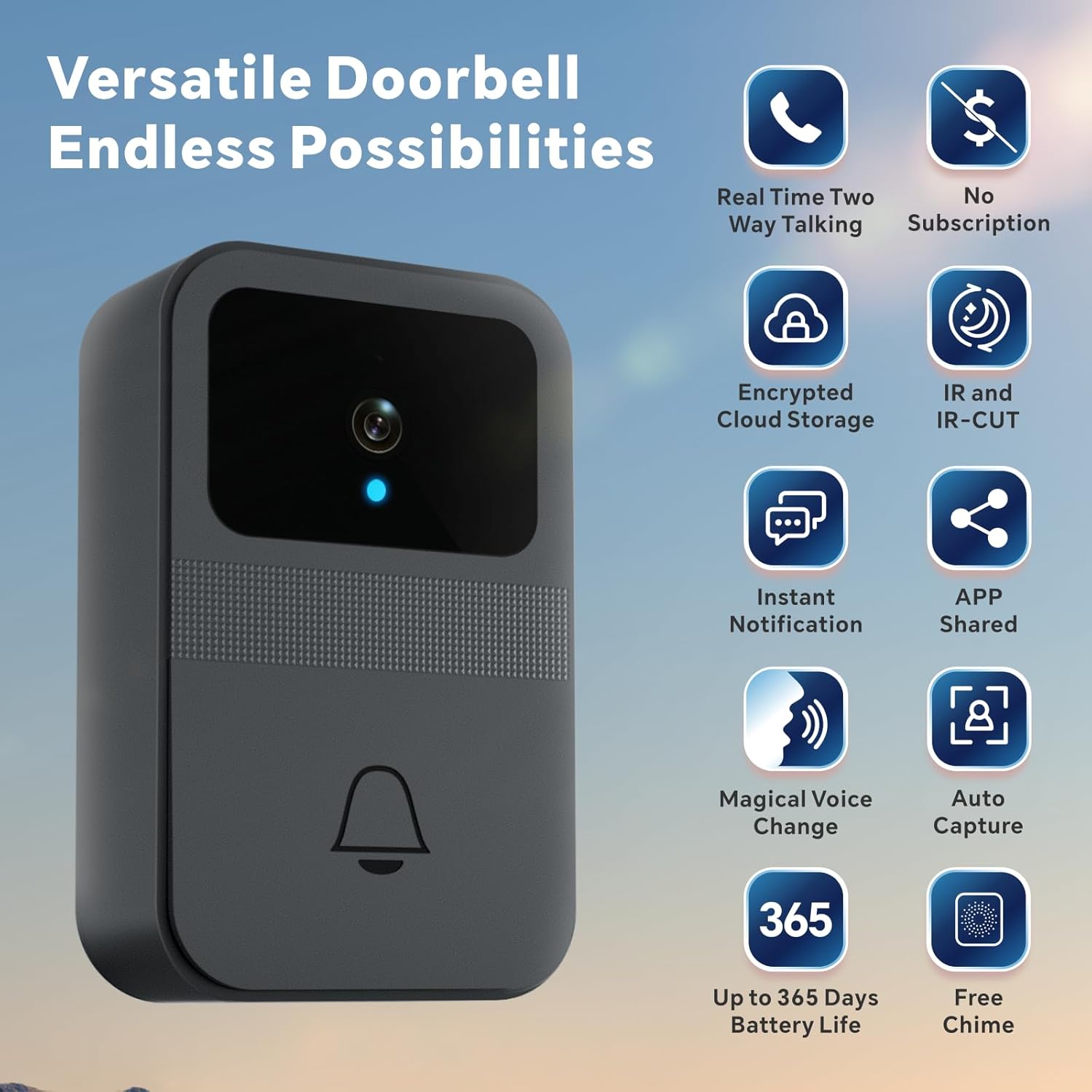
Сүрөт 1.1: Бүттүview of Baishun Smart Video Doorbell D9 features.
2. Пакеттин мазмуну
Пакетте бардык буюмдар бар экенин текшериңиз:
- Baishun Smart Video Doorbell D9
- Зымсыз коңгуроо блогу
- Strong Adhesive Pad
- Монтаждоо бурамдары жана дубал анкерлери
- User Manual
- Кичинекей отвертка (батарея бөлүмү үчүн)
Note: 3xAA batteries are required for the doorbell and are not included in the package.

Image 2.1: Package contents and dimensions of the Baishun Smart Video Doorbell D9.
3. Продукциянын өзгөчөлүктөрү
- Real-time Two-Way Talk & Night Vision: The doorbell camera provides clear video and audio. Engage in real-time conversations with visitors or delivery personnel from anywhere. Integrated infrared lamps and smart IR technology enable automatic night mode for clear visibility even in darkness.
- Voice Change Function & Free Chime: Maintain privacy and security with the unique voice change feature, allowing you to disguise your voice during two-way audio conversations. The package includes a wireless chime with multiple ringtones, which can be placed up to 30 meters from the doorbell for instant alerts throughout your home.
- Оңой орнотуу жана узак батареянын иштөө мөөнөтү: This wireless doorbell operates on 2.4GHz Wi-Fi, eliminating the need for complex wiring. Installation takes approximately five minutes using the strong adhesive pad or included screws. Powered by 3xAA batteries (not included), the doorbell offers up to 90 days of normal use and up to 365 days in standby mode.
- Free Encrypted Cloud Storage & App Sharing: Enjoy free encrypted cloud storage with a continuous 3-day loop recording. No monthly subscription fees are required. The X Smart Home app allows you and up to 10 family members to view real-time activity at your door.

Image 3.1: Real-time two-way communication and voice change feature.

Image 3.2: IR Night Vision capability of the doorbell.

Image 3.3: The wireless chime provides alerts throughout the home.

Image 3.4: Encrypted cloud storage and app sharing capabilities.
4. Орнотуу жана орнотуу
4.1 Батареяны орнотуу
- Locate the battery compartment on the back of the doorbell unit.
- Use the provided screwdriver to open the battery compartment cover.
- Insert 3xAA batteries, ensuring correct polarity (+/-).
- Батарея уясынын капкагын жаап, аны бурама менен бекитиңиз.
4.2 Колдонмону жүктөп алуу жана жупташтыруу
- Download the "X Smart Home" app from Google Play Store (for Android) or Apple App Store (for iOS).
- Колдонмонун ичинде каттоо эсебиңизге катталыңыз же кириңиз.
- Follow the in-app instructions to add a new device. The quick start guide included in the package provides step-by-step pairing instructions.
- Ensure your smartphone is connected to a 2.4GHz Wi-Fi network during the pairing process. The doorbell does not support 5GHz Wi-Fi.
4.3 Doorbell Mounting
Эшиктин жанындагы ыңгайлуу жерди тандап, ачык-айкындуулукту камсыз кылыңыз view жана жакшы Wi-Fi сигналы.
- Желим орнотуу: Peel off the protective film from the strong adhesive pad and firmly press the doorbell onto the desired surface.
- Бурама орнотуу: Mark the drilling points using the doorbell as a template. Drill holes, insert wall anchors, and secure the doorbell with the provided screws.
4.4 Chime Setup
Plug the wireless chime into a power outlet in a central location within your home, such as the kitchen, dining room, or bedroom. The chime will automatically pair with the doorbell. You can select your preferred ringtone through the chime unit's controls.
5. Иштөө нускамалары
5.1 Receiving Notifications
When a visitor presses the doorbell, you will receive an instant notification on your smartphone via the X Smart Home app. The doorbell camera will automatically capture an image of the visitor.
5.2 Эки тараптуу байланыш
Upon receiving a notification, open the app to view the live video feed. Tap the microphone icon to initiate two-way audio communication with the visitor at your door.
5.3 Voice Change Function
During a two-way conversation, activate the voice change feature within the app to alter your voice for added privacy and security. This is particularly useful for children, seniors, or individuals living alone.
5.4 Колдонмолорду бөлүшүү
You can share access to your doorbell's live feed and notifications with up to 10 family members through the X Smart Home app. This allows multiple users to monitor and interact with visitors.
5.5 Түнкү көрүнүш
The doorbell automatically switches to night vision mode in low-light conditions, ensuring clear video surveillance around the clock.
6. Техникалык тейлөө
6.1 Батареяны алмаштыруу
When the doorbell's battery is low, you will receive a notification via the app. Replace the 3xAA batteries as described in Section 4.1. Ensure to use fresh, high-quality batteries for optimal performance and battery life.
6.2 Тазалоо
Эшиктин коңгуроосунун сыртын жумшак, d менен сүртүңүзamp cloth to remove dust and dirt. Do not use harsh chemicals or abrasive cleaners, as these may damage the device. Ensure the camera lens is clean for clear video quality.
6.3 Микропрограмма жаңыртуулары
Periodically check the X Smart Home app for available firmware updates. Keeping your doorbell's firmware updated ensures you have the latest features and security enhancements.
7. Кыйынчылыктарды
| Көйгөй | Мүмкүн себеп | Чечим |
|---|---|---|
| Эшиктин коңгуроосу Wi-Fi'га туташпай жатат | Туура эмес Wi-Fi сырсөзү; 5 ГГц Wi-Fi тармагы; алсыз сигнал. | Ensure correct 2.4GHz Wi-Fi password. Move doorbell closer to router. Restart router. |
| No notifications on phone | App permissions denied; phone in Do Not Disturb mode; doorbell in standby. | Check app notification settings. Disable Do Not Disturb. The camera wakes up when the doorbell is pressed. |
| Видеонун сапаты начар | Dirty camera lens; weak Wi-Fi signal. | Clean the camera lens. Improve Wi-Fi signal strength. |
| Коңгуроо кагылбай жатат | Chime unplugged; out of range; not paired. | Ensure chime is plugged in. Move chime closer to doorbell (within 30m). Re-pair if necessary (refer to app instructions). |
| Батареянын иштөө мөөнөтү кыска | Frequent activity; low-quality batteries. | Use high-quality alkaline batteries. Reduce motion detection sensitivity if applicable (check app settings). |
8. Техникалык шарттар
- Бренд: Байшун
- Байланыш технологиясы: Зымсыз
- Өзгөчөлүктөр: Night Vision, Two-Way Audio, Voice Changer, Cloud Storage
- Ички/тышкы колдонуу: Сыртта
- Шайкеш түзмөктөр: Смартфон (iOS жана Android)
- Кубат булагы: Батарея менен иштейт (3xAA, камтылган эмес)
- Байланыш протоколу: Wi-Fi (2.4 ГГц гана)
- Контроллердин түрү: iOS, Android App
- Монтаж түрү: Дубалга бекиткич (желим же бурамалар)
- Видео тартуу токтому: 480p
9. Кепилдик жана колдоо
Baishun is committed to providing quality products and excellent after-sales service. For any issues, questions, or support needs regarding your Smart Video Doorbell D9, please refer to the contact information provided on the product packaging or the official Baishun webсайт. Кепилдик дооматтары үчүн сатып алуу дүмүрчөгүңүздү сактаңыз.
While specific warranty details are not provided here, standard manufacturer warranties typically cover defects in materials and workmanship for a limited period from the date of purchase. Please consult your retailer or Baishun's customer service for detailed warranty terms.