
1. Киришүү
This manual provides detailed instructions for the installation, operation, and maintenance of the Axis M3126-LVE Network Surveillance System. Please read this manual thoroughly before using the product to ensure proper functionality and safety. The Axis M3126-LVE is an outdoor-rated, vandal-proof, and weather-resistant network camera designed for reliable surveillance.
2. Коопсуздук маалыматы
Буюмга зыян келтирбөө жана колдонуучунун коопсуздугун камсыз кылуу үчүн төмөнкү коопсуздук чараларын сактаңыз:
- Орнотуу: Орнотуу бардык жергиликтүү кодекстерге жана эрежелерге ылайык квалификациялуу адистер тарабынан аткарылышы керек.
- Кубат булагы: Use only the specified Power over Ethernet (PoE) source. Do not use unauthorized power adapters.
- Курчап турган чөйрө: Although the camera is weather-resistant, avoid direct exposure to extreme conditions beyond its operating specifications.
- Тазалоо: Тазалоодон мурун электр кубатынан ажыратыңыз. Жумшак, кургак чүпүрөктү колдонуңуз. Суюк же аэрозольдук тазалагычтарды колдонбоңуз.
- Тейлөө: Бул продуктту өзүңүз тейлөөгө аракет кылбаңыз. Бардык тейлөөнү квалификациялуу тейлөө кызматкерлерине тапшырыңыз.
3. Пакеттин мазмуну
Пакетте бардык буюмдар бар экенин текшериңиз:
- Axis M3126-LVE тармактык байкоо камерасы
- Орнотуу боюнча колдонмо
- Монтаждоочу аксессуарлар
- Бургулоо шаблону
- Resistorx T20 tool
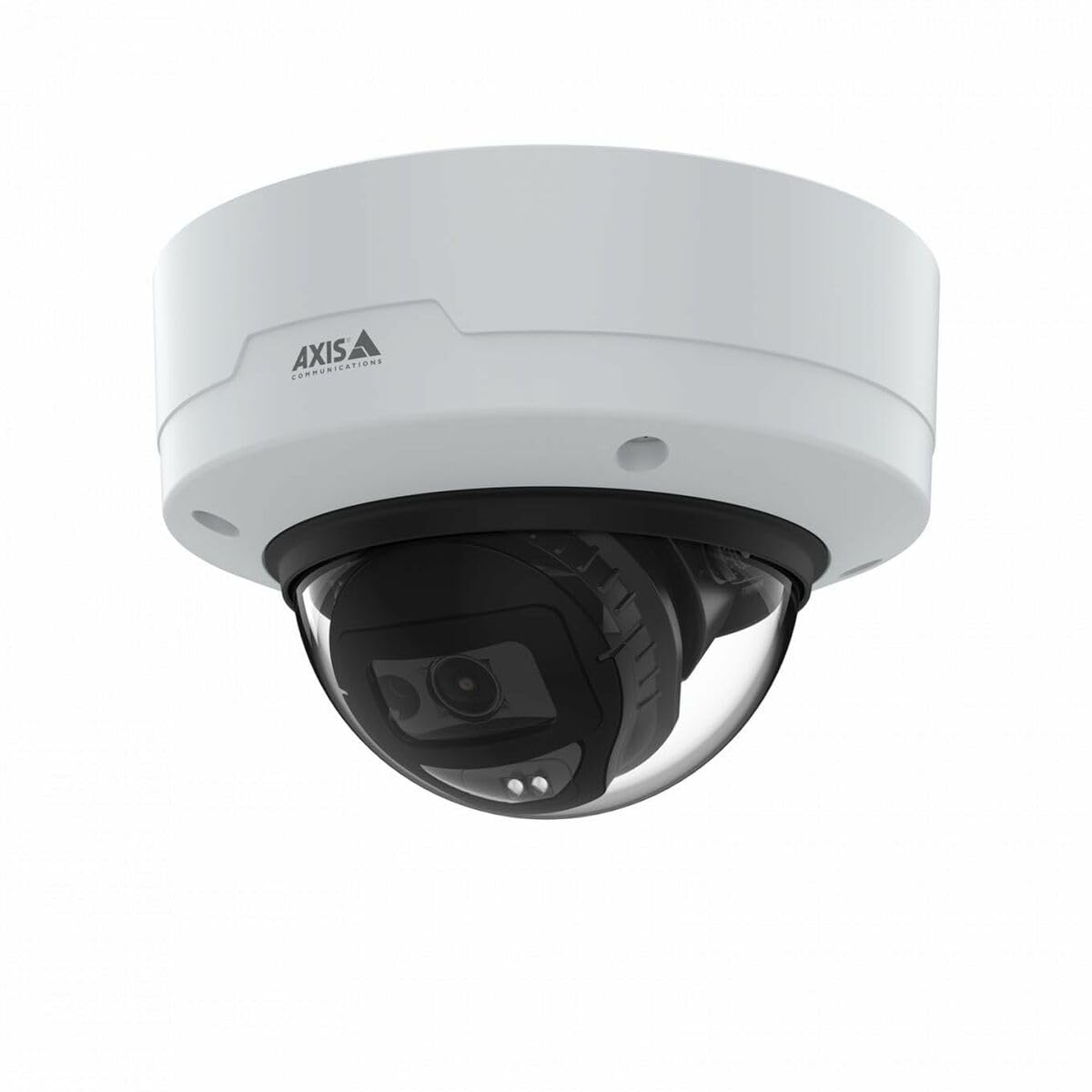
Image: The Axis M3126-LVE Network Surveillance System, a white dome camera, shown with its included mounting accessories.
4. Орнотуу жана орнотуу
4.1 Камераны орнотуу
The Axis M3126-LVE is designed for ceiling mount installation in outdoor environments. Ensure the mounting surface is strong enough to support the camera's weight (approximately 1.1 kg / 2.42 lbs).
- Жайгашкан жерди тандоо: Choose a suitable outdoor location for optimal surveillance coverage, considering power and network cable access.
- Бетти даярдоо: Use the provided drill template to mark and drill holes for mounting screws and cable routing.
- Коопсуз тоо: Attach the camera's mounting base securely to the ceiling using appropriate screws and anchors.
- Кабелдерди туташтыруу: Route the Ethernet cable through the designated opening. Connect the Ethernet cable to the camera's M12 connection port. This camera supports Power over Ethernet (PoE) for both power and data transmission.
- Камера корпусун бекитүү: Secure the camera body to the mounting base. Ensure all seals are properly seated to maintain weather resistance.
4.2 Network Connection and Initial Configuration
The camera connects to your network via a wired PoE Ethernet connection.
- Күйгүзүү: Once connected to a PoE-enabled network switch or injector, the camera will power on automatically.
- Камераны табуу: Use the Axis IP Utility or Axis Device Manager software (available on the Axis Communications webсайт) тармагыңыздагы камераны табуу үчүн.
- IP дарегин дайындоо: Assign a static IP address or configure DHCP settings as required by your network infrastructure.
- Мүмкүнчүлүк Web Интерфейс: ачуу а web браузерге кирип, камерага кирүү үчүн анын IP дарегин киргизиңиз web интерфейс.
- Баштапкы Кирүү: Follow the on-screen prompts to set a strong password for the administrator account.
- Негизги Орнотуулар: Configure essential settings such as date, time, and video resolution (up to 4 MP, 2688 x 1512).
5. Камераны иштетүү
The Axis M3126-LVE offers advanced surveillance capabilities. Access the camera's web interface for full control and configuration.
5.1 Live View жана Жаздыруу
- Live View: From web interface, navigate to the "Live View" section to see real-time video feed.
- Видеонун сапаты: Adjust video stream settings (resolution, frame rate, compression using MJPEG, H.264, H.265, Zipstream) to optimize for network bandwidth and storage.
- Жаздыруу: Configure recording schedules, motion detection triggers, and storage locations (e.g., network-attached storage, SD card if supported).
5.2 Өркүндөтүлгөн функциялар
- IR Түнкү Көрүнүшү: The camera automatically switches to infrared (IR) night vision in low-light conditions, providing clear black and white video.
- Кең динамикалык диапазон (WDR): WDR technology ensures clear images even in scenes with both very bright and very dark areas.
- Аудио: The camera supports audio input for surveillance with sound. Configure audio settings in the web интерфейс.
- Иш-чараларды башкаруу: Set up event triggers (e.g., motion detection, tampering alarm) and corresponding actions (e.g., send email, start recording, upload video).
6. Техникалык тейлөө
Үзгүлтүксүз техникалык тейлөө сиздин байкоо системаңыздын оптималдуу иштешин жана узак мөөнөттүү иштешин камсыз кылат.
- Линзаны тазалоо: Periodically clean the camera lens with a soft, lint-free cloth. For stubborn dirt, use a mild lens cleaning solution. Do not use abrasive materials.
- Программалык камсыздоонун жаңыртуулары: Axis Communications компаниясын үзгүлтүксүз текшерип туруңуз webмикропрограммалык камсыздоону жаңыртуу сайты. Микропрограмманы жаңыртып туруу эң акыркы функцияларга, коопсуздук жаңыртууларына жана иштин натыйжалуулугун жакшыртууларга мүмкүнчүлүк берет.
- Кабелдик текшерүү: Бардык кабелдерди, айрыкча сырткы орнотмолордо, эскирүүнүн же бузулуунун белгилерин мезгил-мезгили менен текшерип туруңуз.
- Монтаждоо коопсуздугу: Verify that the camera remains securely mounted and that all screws are tight.
7. Кыйынчылыктарды
This section addresses common issues you might encounter with the Axis M3126-LVE.
| Көйгөй | Мүмкүн себеп | Чечим |
|---|---|---|
| Видео түрмөгү жок | күч жок; Тармак кабели ажыратылды; Туура эмес IP дареги. | Check PoE connection; Verify network cable is securely connected; Confirm IP address and network settings. |
| Сүрөттүн сапаты начар | Dirty lens; Incorrect video settings; Insufficient lighting. | Clean the camera lens; Adjust resolution, compression, and WDR settings; Ensure IR night vision is active in low light. |
| Кирүү мүмкүн эмес web интерфейс | туура эмес IP дареги; Тармакка туташуу маселеси; Брандмауэр кирүүгө бөгөт коюуда. | Verify IP address; Check network cable and switch; Temporarily disable firewall for testing; Use Axis IP Utility to find camera. |
| Camera offline intermittently | Unstable network connection; Faulty PoE injector/switch; Loose cable connection. | Check network infrastructure; Test PoE equipment; Secure all cable connections. |
8. Техникалык шарттар
Key technical specifications for the Axis M3126-LVE Network Surveillance System:
- Модель аты: AXIS M3126-LVE
- Бөлүмдүн номери: 02918-001
- Ички/тышкы колдонуу: Сыртта
- Туташуу протоколу: Ethernet
- Монтаж түрү: Шыпка орнотуу
- Түсү: Ак
- Элемент Салмагы: 1.1 килограмм (2.42 фунт)
- Видео тартуу форматы: MPEG-4, H.264, H.265, MJPEG
- Өндүрүүчү: Axis Communications
- Өзгөчөлүктөр: 4 MP HD, IR night vision, WDR (Wide Dynamic Range), Zipstream, rugged weather/vandal resistance
- Байланыш технологиясы: Wired PoE Ethernet, extensive network protocol support
- Чечим: Up to 2688 x 1512 (4 MP)
- Камтылган компоненттер: Camera, Mounting Accessories
- Батареялар талап кылынат: Жок
- Сунушталган колдонуулар: Outdoor/indoor security, wide-area monitoring, day/night surveillance, smart detection
9. Кепилдик жана колдоо
Кепилдик жөнүндө кененирээк маалымат алуу үчүн, Axis Communications компаниясынын расмий сайтына кайрылыңыз website or the warranty card included with your product. Axis Communications provides technical support and resources for their products.
Онлайн колдоо: Visit the official Axis Communications support portal for FAQs, documentation, and software downloads.
Колдоо кызматы менен байланышуу: For direct assistance, contact Axis Communications customer support through their webсайт же продукт документациясында көрсөтүлгөн байланыш маалыматы.
Эскертүү: Protection plans may be available from third-party providers. These are separate from the manufacturer's warranty.