
1. Киришүү
This manual provides comprehensive instructions for the operation and maintenance of your Aiandcc M5 MP3 Player. Please read this manual carefully before using the device to ensure proper function and to maximize your user experience. Keep this manual for future reference.
2. Пакеттин мазмуну
Пакетте бардык буюмдар бар экенин текшериңиз:
- Aiandcc M5 MP3 Player
- Зымдуу наушниктер
- C түрүндөгү кубаттоочу кабель
- User Manual

Image: The Aiandcc M5 MP3 Player shown alongside its wired earphones, Type-C charging cable, and user manual. The image also illustrates the device's dimensions and button layout.
3. Түзмөк бүттүview
The Aiandcc M5 is a compact MP3 player featuring Bluetooth 5.3, FM radio, and a 1.8-inch screen. It includes 32GB of internal storage, expandable via a TF card slot.
Негизги өзгөчөлүктөрү:
- Сактагыч: 32GB internal, expandable up to 128GB with a TF card (not included).
- Байланыш: Зымсыз аудио үчүн Bluetooth 5.3.
- Аудионун сапаты: HiFi Sound reproduction.
- Функциялары: Music player, FM radio.
- Батареянын иштөө мөөнөтү: Up to 48 hours of music playback on a full charge.
- Заряддоо: Type-C USB, approximately 3 hours for a full charge.
- Башкаруу каражаттары: Push-button interface with a dedicated volume control.
- Дизайн: Mini, lightweight (29g) with a 1.8-inch screen.

Сүрөт: алдыңкы жана арткы view of the Aiandcc M5 MP3 Player. The front screen displays music playback information, while the back shows the model number and regulatory marks.
4. Баштоо
4.1. Аппаратты заряддоо
Before first use, fully charge the MP3 player. Connect the included Type-C charging cable to the device's USB-C port and the other end to a USB power adapter (not included) or a computer's USB port. The device will fully charge in approximately 3 hours.

Image: The Aiandcc M5 MP3 Player shown with a large '48 H' graphic, indicating its extended battery life of up to 48 hours of music playback.
4.2. Музыканы өткөрүп берүү Files
To transfer music, connect the MP3 player to your computer using the Type-C cable. The device will appear as a removable disk. Drag and drop your audio files (MP3, WMA, APE, FLAC, WAV, DRM, ACELP) into the player's storage. Note that the device cannot be paired with a smartphone or laptop for direct file transfer via Bluetooth.
4.3. TF картасын салуу
The device supports TF (Micro SD) cards up to 128GB for expanded storage. Locate the TF card slot on the side of the player. Gently insert the TF card until it clicks into place. To remove, push the card inward until it springs out.

Image: The Aiandcc M5 MP3 Player with a Micro SD card, illustrating its memory expansion capability up to 128GB. Icons for battery life, TF card support, song capacity, and Bluetooth compatibility are also shown.
5. Негизги операция
5.1. Күйгүзүү/өчүрүү
To power on the device, press and hold the power button until the screen illuminates. To power off, press and hold the power button until the device shuts down. If left idle, the MP3 player will automatically turn off after 3 minutes (this duration can be adjusted in settings).
5.2. Навигация
Use the directional buttons (Up, Down, Left, Right) to navigate through menus and select options. The 'Return' button typically takes you back to the previous screen.
5.3. Үндү башкаруу
The device features a separate volume control button. Press the '+' button to increase volume and the '-' button to decrease volume.
6. Музыканы ойнотуу
From the main menu, select 'Music' to access your audio files. You can browse by 'All Songs', 'Artists', 'Albums', 'Genres', or 'Update Playlist'.
6.1. Музыка ойноо
Select a song from your library to begin playback. Use the play/pause button to control playback. The forward and backward buttons allow you to skip tracks.
6.2. Ойнотуу режимдери
The player supports various playback modes including 'Repeat All', 'Single Repeat', 'Shuffle', and 'A-B Repeat'. These options can typically be found within the music playback interface or settings.

Image: A person wearing headphones, listening to music with the Aiandcc M5 MP3 Player. The image emphasizes the HiFi Sound Quality feature.
7. Bluetooth байланышы
The Aiandcc M5 MP3 Player features Bluetooth 5.3 for connecting to compatible wireless audio devices.
7.1. Bluetooth түзмөктөрү менен жупташуу
- Ensure your Bluetooth headphones, speaker, or car Bluetooth system is in pairing mode.
- MP3 ойноткучта "Bluetooth" менюсуна өтүңүз.
- тандоо 'Издөө Devices' or similar option.
- Once your device appears in the list, select it to initiate pairing.
- Суралса, жупташтырууну ырастаңыз.
7.2. Connecting to Paired Devices
After successful pairing, your device will typically connect automatically when both the MP3 player and the Bluetooth audio device are turned on and within range. You can also manually connect from the 'Bluetooth' menu.
Important Note: This MP3 player cannot pair with smartphones or laptops via Bluetooth.
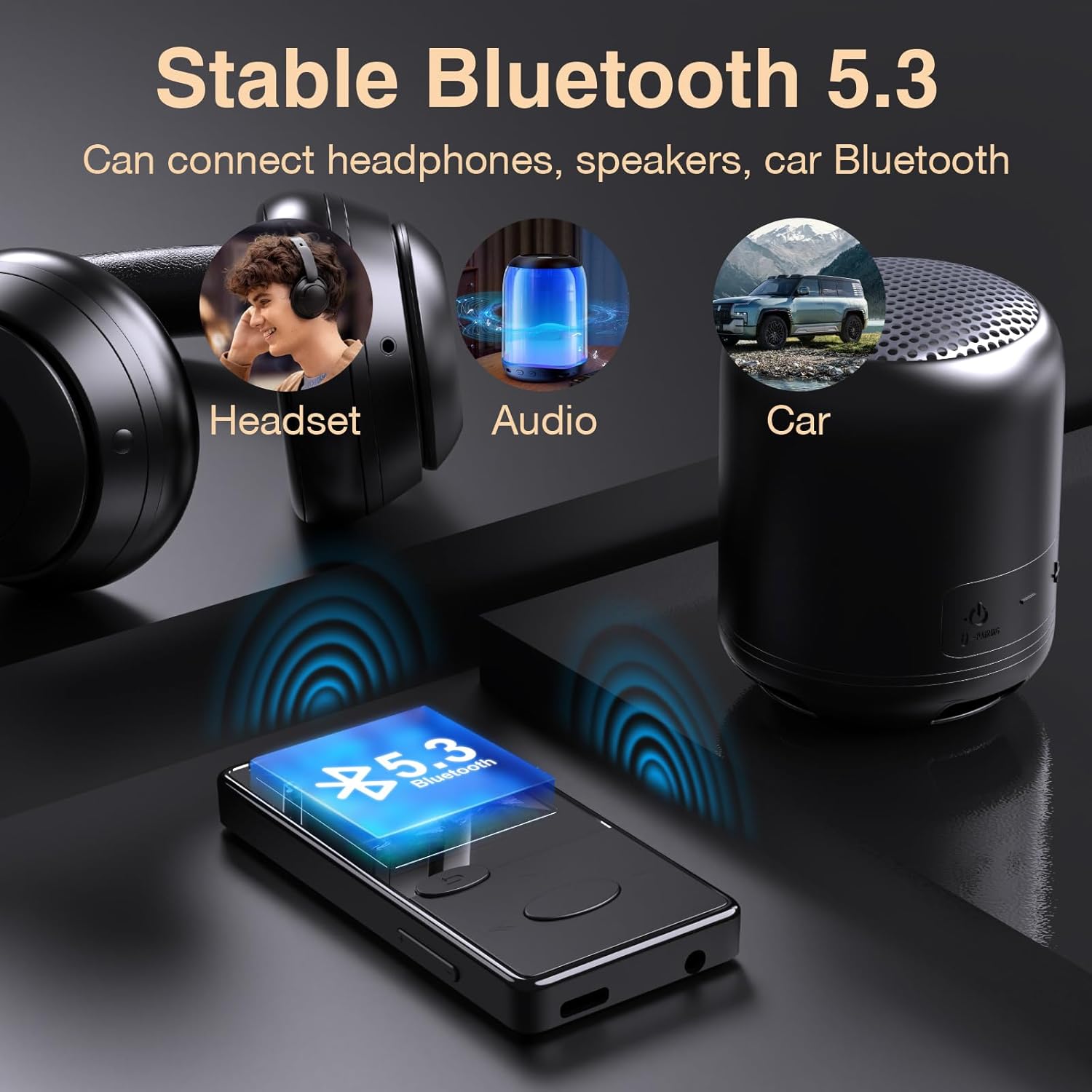
Image: The Aiandcc M5 MP3 Player demonstrating stable Bluetooth 5.3 connectivity to a headset, a portable speaker, and a car's Bluetooth system.
8. FM радиосу
The Aiandcc M5 includes an FM radio function.
8.1. Activating FM Radio
To use the FM radio, you must plug in the wired earphones, as they serve as the antenna.
Негизги менюдан "FM радио" бөлүмүнө өтүңүз.
8.2. Scanning Channels
Once in the FM Radio interface, select the option to 'Auto Search' or 'Manual Search' for radio stations. Auto search will scan and save available stations.
8.3. FM радиосун угуу
Use the navigation buttons to select a saved station or manually tune to a frequency. Adjust the volume using the dedicated volume buttons.
9. Орнотуулар менюсу
The 'Settings' menu allows you to customize various aspects of your MP3 player.
- Тил: Change the device's display language (supports English, French, Italian, Dutch, Portuguese, Chinese, Japanese, Turkish, and more).
- Авто өчүрүү: Adjust or disable the automatic power-off duration.
- Дисплейдин жөндөөлөрү: Adjust brightness or backlight time.
- Система маалыматы: View device details and firmware version.
10. Техникалык тейлөө
10.1. Тазалоо
Wipe the device with a soft, dry cloth. Avoid using liquid cleaners or abrasive materials, as they may damage the screen or casing.
10.2. Сактоо
Store the MP3 player in a cool, dry place away from direct sunlight and extreme temperatures. If storing for an extended period, ensure the battery has some charge to prevent deep discharge.
11. Кыйынчылыктарды
11.1. Түзмөк жооп бербей жатат
If the MP3 player becomes unresponsive due to multiple tasks or prolonged use, perform a manual restart. Press and hold the power button for 8 seconds to quickly restart the device. Ensure the MP3 player has sufficient power before attempting a restart.

Image: The Aiandcc M5 MP3 Player with an overlay indicating to press and hold the power button for 8 seconds to perform a manual restart if the device becomes unresponsive.
11.2. Data Transfer Failure
If data transmission fails when connected to a computer, try replacing the data cable with another Type-C cable and attempt the transfer again. Ensure the cable is securely connected to both the player and the computer.
11.3. Үн жок
Ensure headphones are properly plugged in or Bluetooth headphones are correctly paired and connected. Check the volume level on the device.
12. Техникалык шарттар
| Өзгөчөлүк | Деталь |
|---|---|
| Модель аты | M5 |
| Ички сактагыч | 32 ГБ |
| Memory Expansion | Micro SD (TF Card) up to 128 GB |
| Bluetooth версиясы | 5.3 |
| Screen Size | 1.8 дюйм |
| Батарея сыйымдуулугу | 300 мАч |
| Музыканы ойнотуу убактысы | 48 саатка чейин |
| Заряддоо убактысы | Болжол менен 3 саат |
| Заряддоо порту | C түрүндөгү USB |
| Колдоого алынган аудио форматтары | MP3, WMA, APE, FLAC, WAV, DRM, ACELP |
| Өлчөмдөрү (L x W x T) | 8.2 CM x 4.0 CM x 0.95 CM (3.23 x 1.57 x 0.37 inches) |
| Элемент Салмагы | 29г (1.02 унция) |
| Өндүрүүчү | Shenzhen Lepai Digital Technology Co.,LTD |
13. Маанилүү эскертүүлөр
- The device does not have built-in speakers; earphones are required for audio output.
- Spotify and similar streaming services are not supported.
- Bluetooth pairing with smartphones or laptops is not supported.
- Wired earphones must be connected to function as an antenna for FM radio.
14. Кепилдик жана колдоо
Кепилдик маалыматы жана техникалык колдоо үчүн, сатып алуу учурунда берилген документтерди караңыз же сатуучуга кайрылыңыз. Сатып алганыңыздын далили катары сатып алуу дүмүрчөгүңүздү сактаңыз.