
Продукт бүттүview
The GGSTOPWATER XG99 Open Ear Headphones are designed for comfort and performance, featuring an innovative open-ear design that allows you to stay aware of your surroundings while enjoying high-quality audio. These wireless earbuds are equipped with Bluetooth 5.4 for stable connectivity and offer extended battery life, making them ideal for sports, workouts, and daily use.
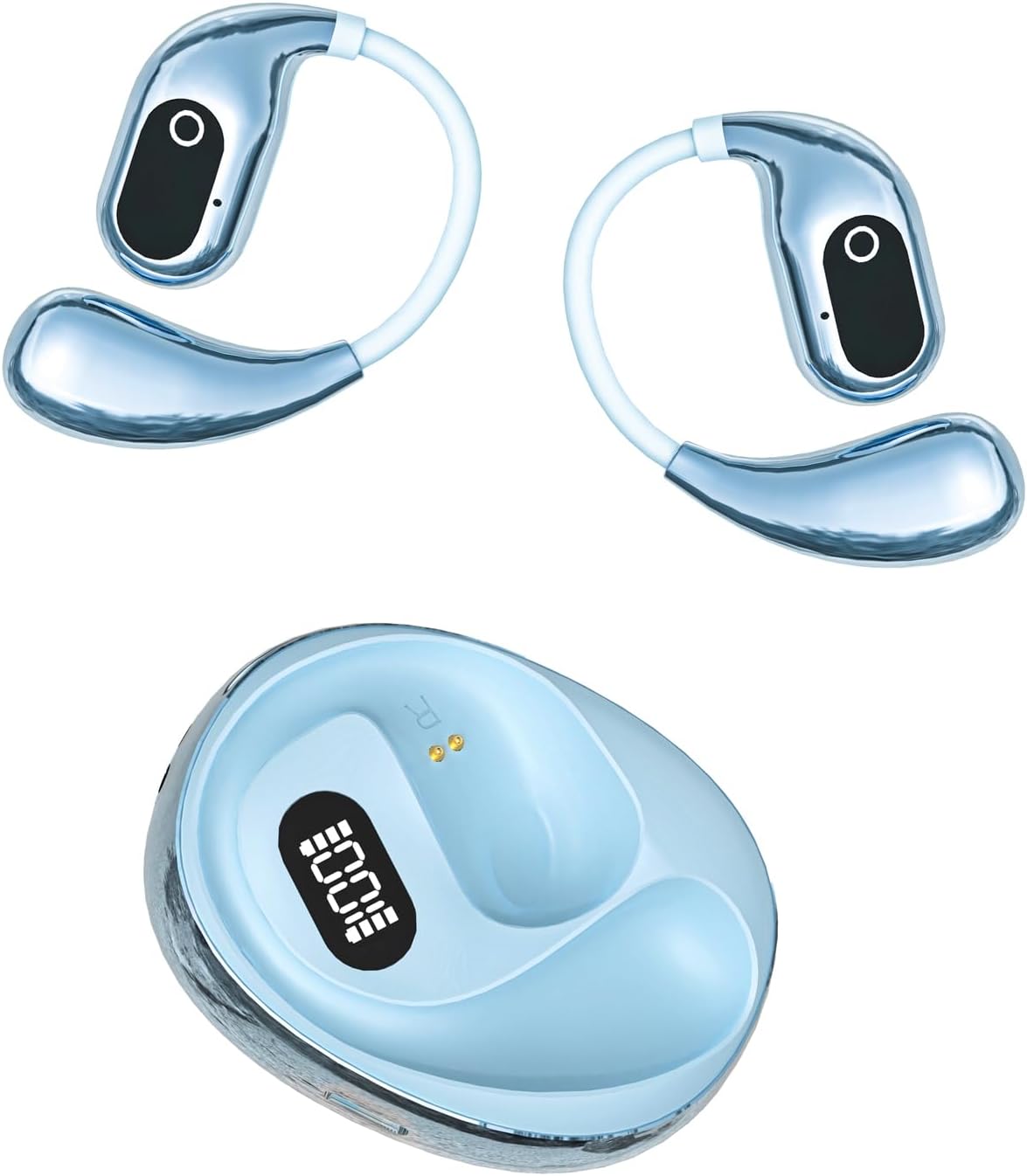
Image: The GGSTOPWATER XG99 open ear headphones, showing both earbuds with earhooks and the compact charging case with a digital battery indicator. The earbuds are blue, matching the blue charging case.
- Туруктуу Bluetooth 5.4: Ensures a strong and continuous connection within a 30ft range with low latency.
- Comfort for Sports: Flexible and soft ear hooks provide a secure fit for extended wear during workouts.
- IPX5 Sweat-Resistant: Designed to withstand water splashes and sweat, suitable for fitness activities.
- Узартылган ойноо убактысы: Up to 8 hours of playback on a single charge, with the charging case providing an additional 7 full charges for a total of 64 hours.
- Smart Charging Case: Features a digital battery indicator for real-time power monitoring.
- Бир кадам жупташтыруу: Automatically connects to the last paired device upon opening the charging case.
- Сенсордук башкаруу: Intuitive controls for managing calls, music playback, volume, and other functions.
- Компакт жана Ыңгайлуу: Lightweight design with an included silicone lanyard for portability.
Пакеттин мазмуну
Пакетте бардык буюмдар бар экенин текшериңиз:
- True Wireless Bluetooth Headphones (2 earbuds)
- Headset Charging Compartment (1)
- Type-C заряддоо кабели (1)
- Колдонуучунун колдонмосу (1)
- Силикон тилкеси (1)
Орнотуу колдонмосу
1. Кулакчындарды жана кутуну кубаттоо
Before first use, fully charge the earbuds and the charging case. The digital battery indicator on the case will show the charging status.
- Кулакчындарды заряддоо кутусуна салыңыз. Алардын туура отурганын текшериңиз.
- Type-C кубаттоо кабелин корпустагы кубаттоо портуна туташтырыңыз жана экинчи учун USB кубат булагына сайыңыз (мисалы, дубал адаптери, компьютердин USB порту).
- Заряддоо кутучасындагы санарип дисплей батареянын пайызын көрсөтөтtage.
- A full charge provides up to 8 hours of listening time for the earbuds, and the case can provide an additional 7 full charges, totaling 64 hours.
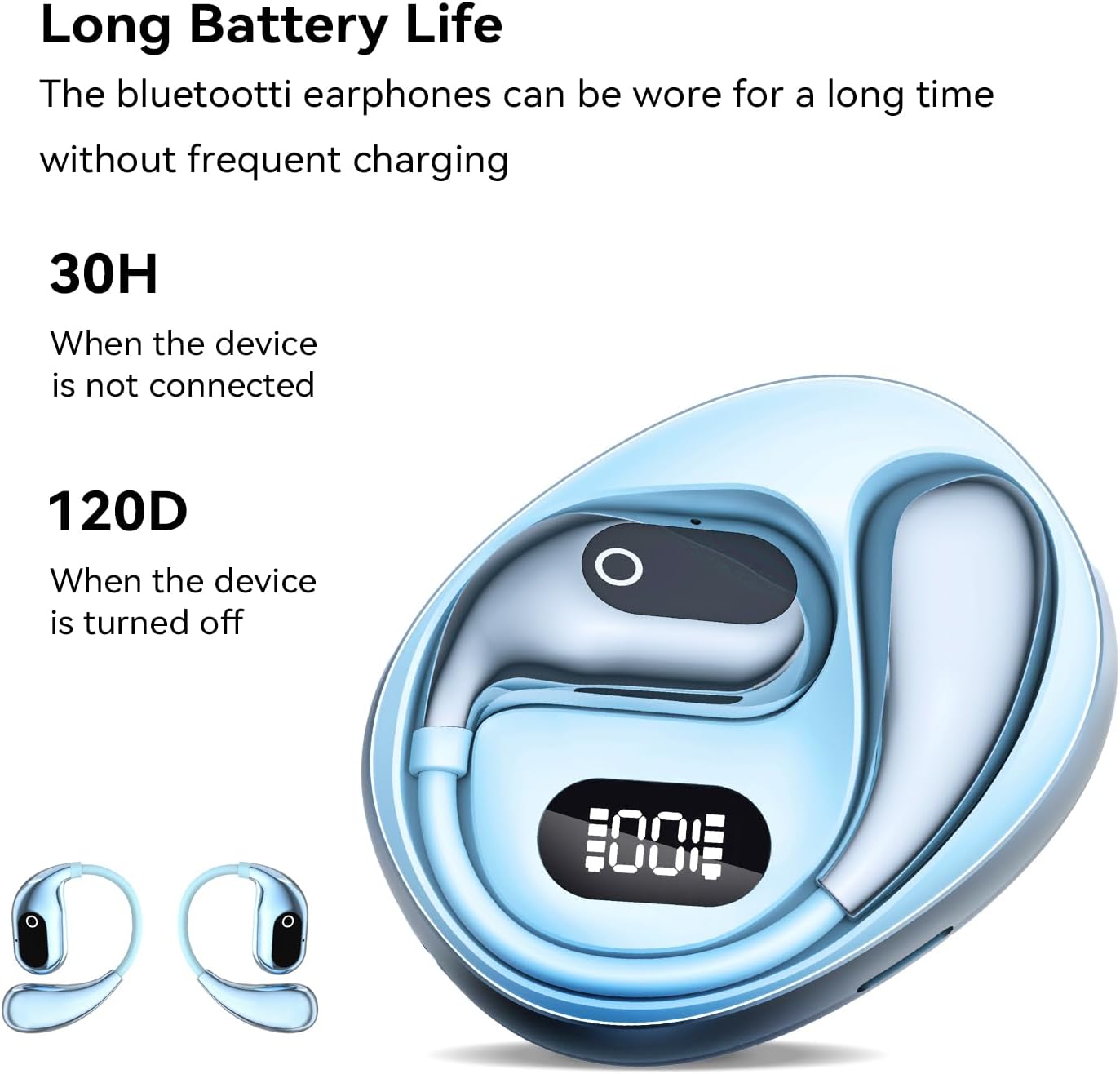
Image: The GGSTOPWATER XG99 charging case displaying a digital battery percentage, with the earbuds nestled inside. This illustrates the charging process and battery life indication.
2. Түзмөгүңүз менен жупташтыруу
Ыңгайлуулук үчүн кулакчындар бир баскычтуу жупташтыруу функциясына ээ.
- Ensure Bluetooth is enabled on your smartphone, tablet, TV, or computer.
- Заряддоо кутусунун капкагын ачыңыз. Кулакчындар автоматтык түрдө күйүп, жупташтыруу режимине өтөт.
- On your device, search for Bluetooth devices and select "XG99" (or similar name) from the list.
- Once connected, the earbuds will indicate successful pairing, and they will automatically reconnect to this device in the future when taken out of the case.
Иштөө нускамалары
Кулакчын тагынуу
The XG99 headphones feature an open-ear design with flexible earhooks for a secure and comfortable fit, allowing for situational awareness.
- Gently place the earbud over your ear, ensuring the earhook wraps securely around the back of your ear.
- Adjust the earbud until it rests comfortably and securely, with the speaker positioned near your ear canal without entering it.

Image: A person wearing the GGSTOPWATER XG99 open ear headphones during a workout, demonstrating the secure fit of the earhooks. This highlights the comfort and stability for active use.
Touch Controls
The earbuds are equipped with touch-sensitive controls for easy management of audio and calls. The specific touch areas are located on the outer surface of each earbud.

Image: A diagram illustrating the touch control functions of the GGSTOPWATER XG99 earbuds. Icons represent actions such as Play/Pause, Voice Assistant, Answer/Hang up, Reject Call, Previous/Next Track, Volume +/- and Game/Music Mode.
| Акция | Control |
|---|---|
| Музыканы ойнотуу/тындыруу | Кулакчындарды бир жолу таптаңыз |
| Кийинки трек | Оң кулакчынды эки жолу таптаңыз |
| Мурунку трек | Сол кулакчынды эки жолу таптаңыз |
| Үндү көтөрүү | Оң кулакчынды үч жолу басыңыз |
| Үндү төмөндөтүү | Сол кулакчынды үч жолу басыңыз |
| Чалууга жооп берүү/аяктоо | Кулакчындарды бир жолу таптаңыз |
| Чакырууну четке кагуу | Ар бир кулакчынды (2 секунд) көпкө басыңыз |
| Үн жардамчысын жандырыңыз | Long press (2 seconds) on either earbud (when not on a call) |
| Оюн/Музыка режимин алмаштыруу | Quadruple tap on either earbud (This is an inference based on the image and common patterns, as specific instructions were not provided in the product details.) |
Note: For optimal performance, ensure your device's Bluetooth is active and the earbuds are within range.
Техникалык тейлөө
Туура тейлөө гарнитураңыздын узак мөөнөттүү жана оптималдуу иштешин камсыз кылат.
- Тазалоо: Кулакчындарды жана кубаттоочу кутуну тазалоо үчүн жумшак, кургак, түксүз чүпүрөктү колдонуңуз. Абразивдүү тазалагычтарды же эриткичтерди колдонбоңуз.
- Суу каршылык: The earbuds are IPX5 sweat-resistant. This means they can withstand splashes of water and sweat. Do not submerge them in water or expose them to heavy rain. Dry them thoroughly before placing them back in the charging case.
- Сактагыч: Store the headphones in their charging case when not in use to protect them from dust and damage. Store in a cool, dry place away from extreme temperatures.
- Батареяга кам көрүү: To preserve battery life, avoid fully discharging the battery frequently. Charge the case and earbuds regularly, even if not in constant use.
Проблемаларды чечүү
If you encounter issues with your GGSTOPWATER XG99 headphones, please refer to the following common solutions:
| Көйгөй | Мүмкүн чечим |
|---|---|
| Кулакчындар жупташтырылбай жатат/туташтырылбай жатат |
|
| Үн жок же үнү төмөн |
|
| Кулакчындар заряддалбай жатат |
|
| Audio latency/delay (e.g., with video) |
|
Техникалык шарттар
| Өзгөчөлүк | Деталь |
|---|---|
| Модель аты | XG99 |
| Бренд | GGSTOPWATER |
| Байланыш технологиясы | Зымсыз (Bluetooth) |
| Bluetooth версиясы | 5.4 |
| Bluetooth диапазону | 30 фут (9 метр) чейин |
| Наушник формасы | Ачык кулак |
| Башкаруу ыкмасы | тийүү |
| Батареянын иштөө мөөнөтү (наушник) | 8 саатка чейин (бир кубаттоо) |
| Жалпы ойноо убактысы (капка менен) | 64 саатка чейин |
| Сууга туруктуулук рейтинги | IPX5 (Sweat-resistant) |
| Аудио кечигүү | 15 Миллисекунд |
| Жыштык диапазону | 20 Гц - 20 000 Гц |
| Импеданс | 40 Ом |
| Элемент Салмагы | 2.89 унция (81.9 грамм) |
| Пакеттин өлчөмдөрү | 4.61 x 4.13 x 1.42 дюйм |
Кепилдик жана колдоо
For warranty information and customer support, please refer to the documentation included with your purchase or visit the official GGSTOPWATER brand store. Keep your proof of purchase for any warranty claims.
Official GGSTOPWATER Store: Дүкөнгө кириңиз