
FINGERTIME Roam
FINGERTIME Retro Headphones
User Manual
Модел: Roam
Introduction
Thank you for choosing FINGERTIME Retro Headphones. These on-ear headphones combine a classic aesthetic with modern technology, featuring Hybrid Active Noise Cancelling, Bluetooth V5.4 connectivity, and an impressive battery life of up to 60 hours. Designed for comfort and superior audio, they include a built-in microphone for seamless calls and support multi-device connection. This manual provides detailed instructions to help you get the most out of your new headphones.

Image: The FINGERTIME Retro Headphones, showcasing their on-ear design and blue color.
Кутуда эмне бар
Your FINGERTIME Retro Headphones package includes the following items:
- FINGERTIME Retro Headphones (Roam)
- Заряддоо кабели
- User Manual
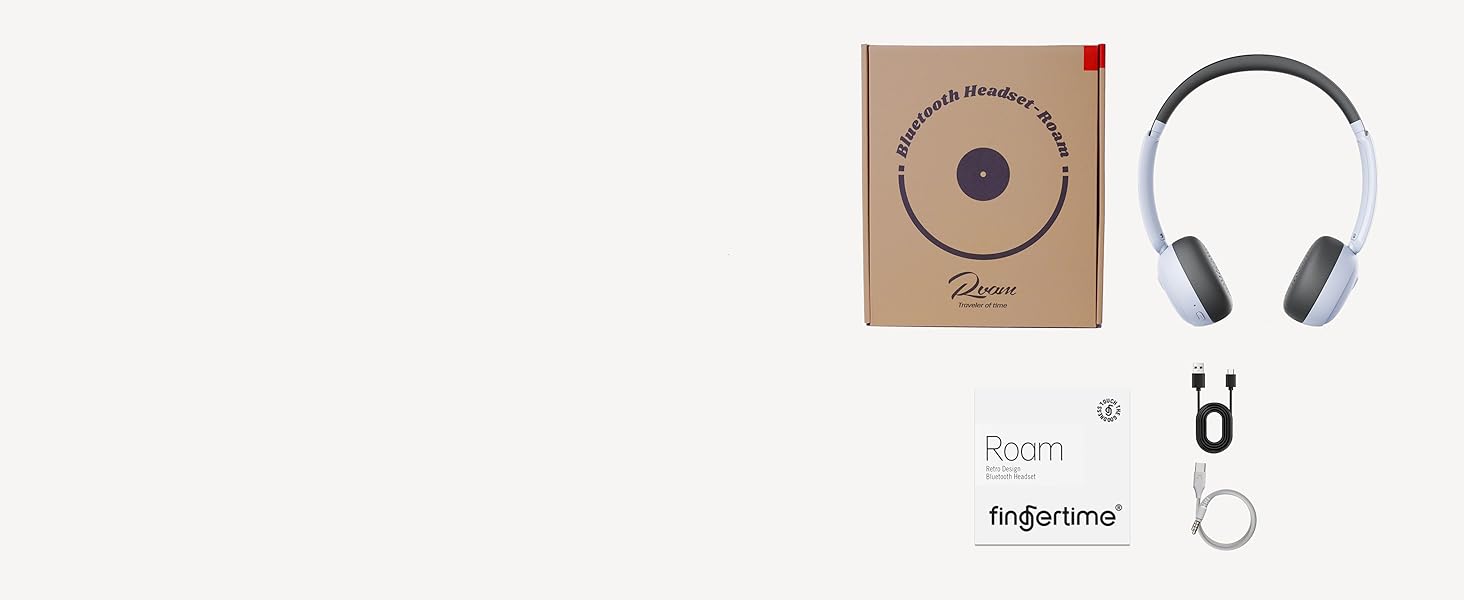
Image: A visual representation of the items included in the product packaging: the headphones, a charging cable, and the user manual.
Продукт бүттүview
Familiarize yourself with the various components and controls of your headphones:
- Кулакчындар: Ultra-soft protein leather earcups for comfort.
- Баш боосу: Adjustable for different head shapes.
- Айлануучу кулакчындар: Multi-angle rotation for a customized fit.
- Башкаруу баскычтары: Located on the earcups for power, volume, and noise reduction.
- Заряддоо порту: Ички батареяны кайра заряддоо үчүн.
- Микрофон: Built-in for calls.
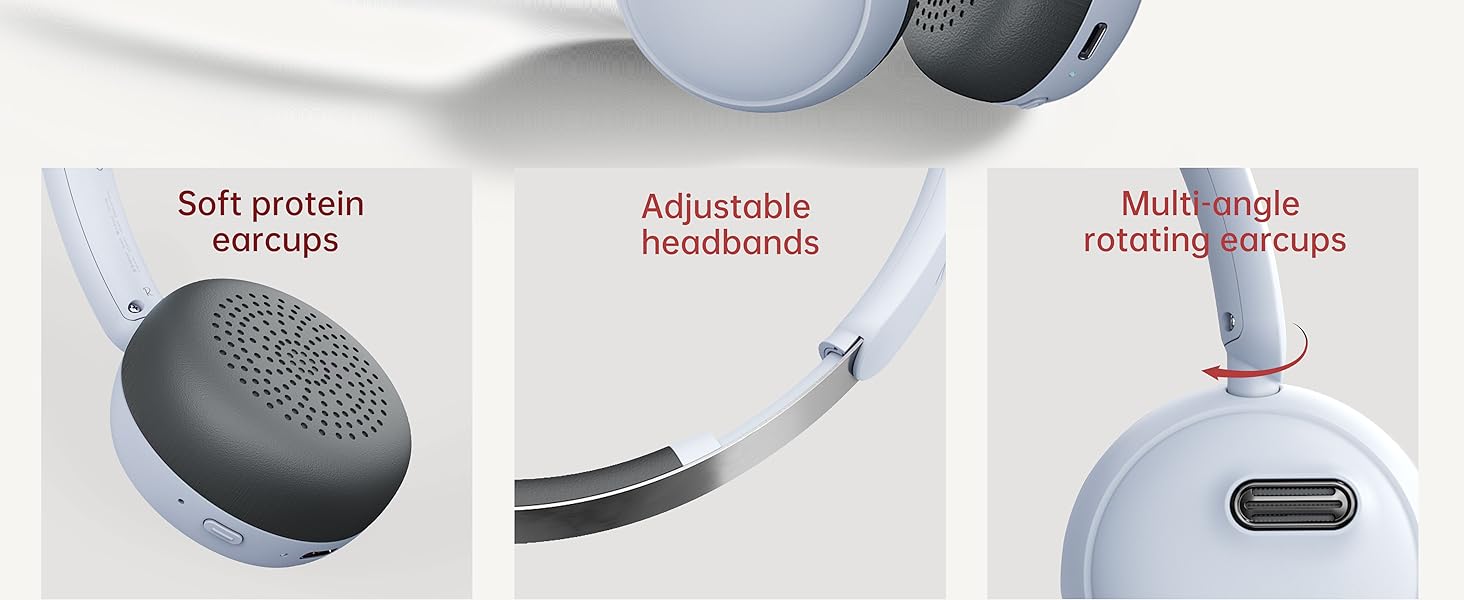
Сүрөт: деталдуу view of the headphone's comfort features, including soft earcups, adjustable headband, and rotating earcups.
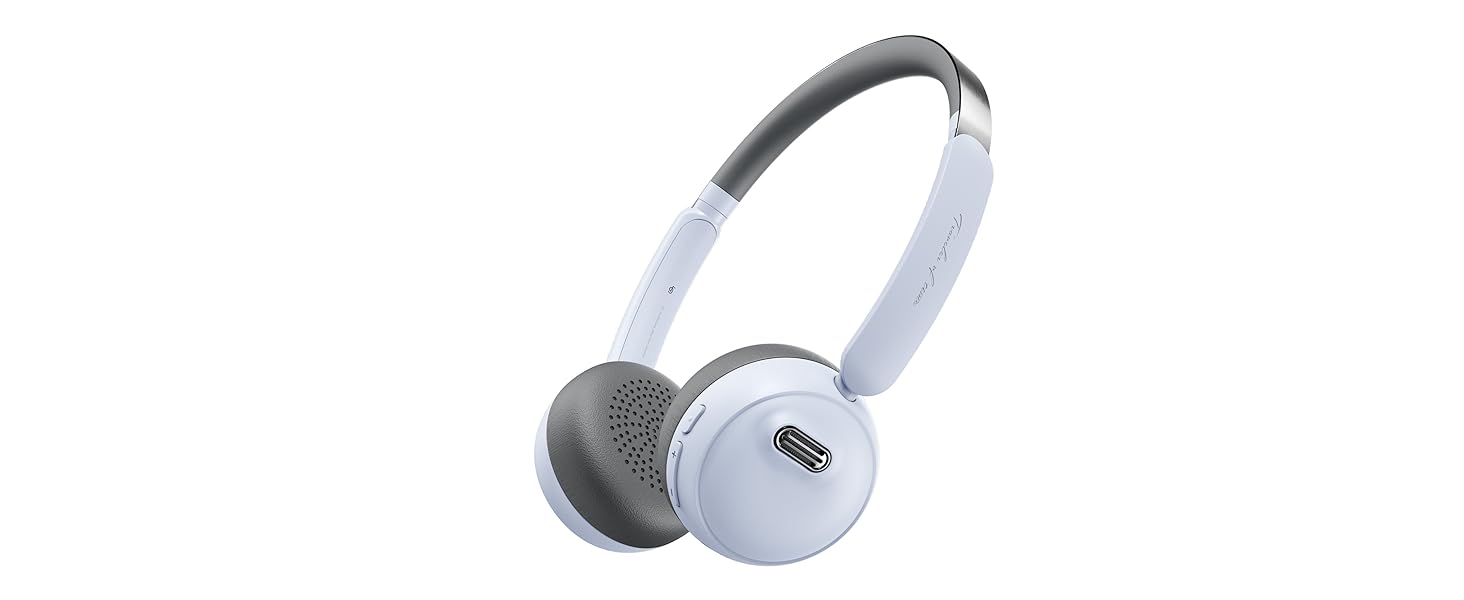
Image: An illustration detailing the functions of the power, volume, and noise reduction buttons on the headphones.
Жайгашуу
Наушниктерди заряддоо
Before first use, fully charge your headphones. Connect the provided charging cable to the charging port on the headphones and the other end to a USB power source. The indicator light will show charging status and turn off when fully charged. A full charge provides up to 60 hours of playtime.
Bluetooth Жупташтыруу
- Наушниктердин өчүрүлгөнүн текшериңиз.
- Press and hold the Power button for 3 seconds until the indicator light flashes, indicating pairing mode.
- Түзмөгүңүздө (смартфон, планшет, компьютер) Bluetooth иштетип, жеткиликтүү түзмөктөрдү издеңиз.
- Select "FINGERTIME Roam" from the list of devices.
- Туташтырылгандан кийин, индикатор жарыгы күйүп-өчүп токтойт.
The headphones utilize Bluetooth V5.4 technology for a stable and efficient connection.
Көп чекиттүү туташуу
Your FINGERTIME Retro Headphones can connect to two devices simultaneously. After pairing with the first device, disable Bluetooth on that device. Then, pair with the second device. Once the second device is paired, re-enable Bluetooth on the first device. The headphones will automatically connect to both, allowing seamless switching between audio sources.
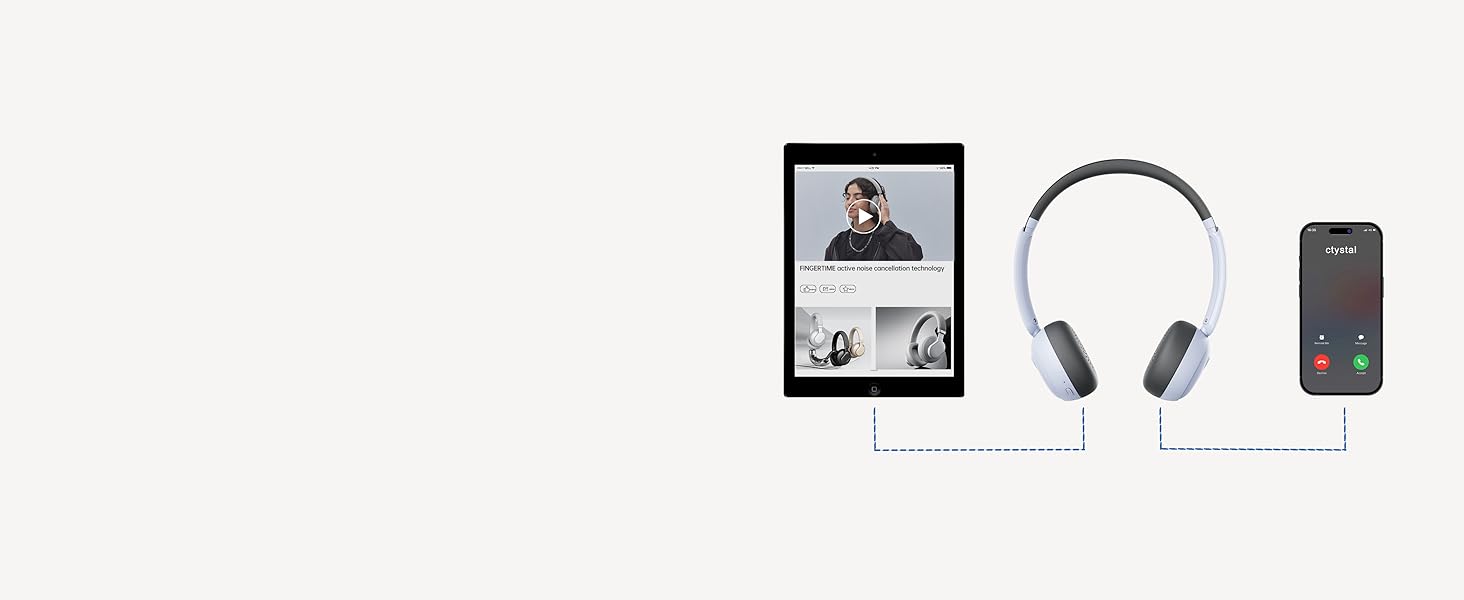
Image: A visual guide demonstrating how the headphones can maintain a connection with two devices, such as a tablet and a smartphone, simultaneously.
Иштеп жатат
Негизги башкаруу элементтери
- Кубат баскычы:
- Click: Pause/Play audio
- Double click: Answer/Hang up calls
- Triple click: Wake up voice assistant
- Long press for 3s: Switch on and off
- Үн баскычтары (+/-):
- Click: Adjust volume up/down
- Long press "+": Next track
- Long press "-": Previous track
- Шууну азайтуу баскычы:
- Click: Turn on/off ANC mode
Активдүү Шумду Жоюу (ANC)
The Hybrid Active Noise Cancelling feature reduces ambient noise, providing a purer listening experience. Press the Noise Reduction button to toggle ANC on or off. This allows you to immerse yourself in your music or calls without distractions.

Image: A user demonstrating the comfortable fit and noise-cancelling capability of the headphones.
Fingertime App Integration
Enhance your audio experience by connecting your headphones to the Fingertime App. The app allows you to:
- Select different noise cancellation modes.
- Choose from 7 EQ presets or customize your own sound profile.
- Relax with various white noise sounds.
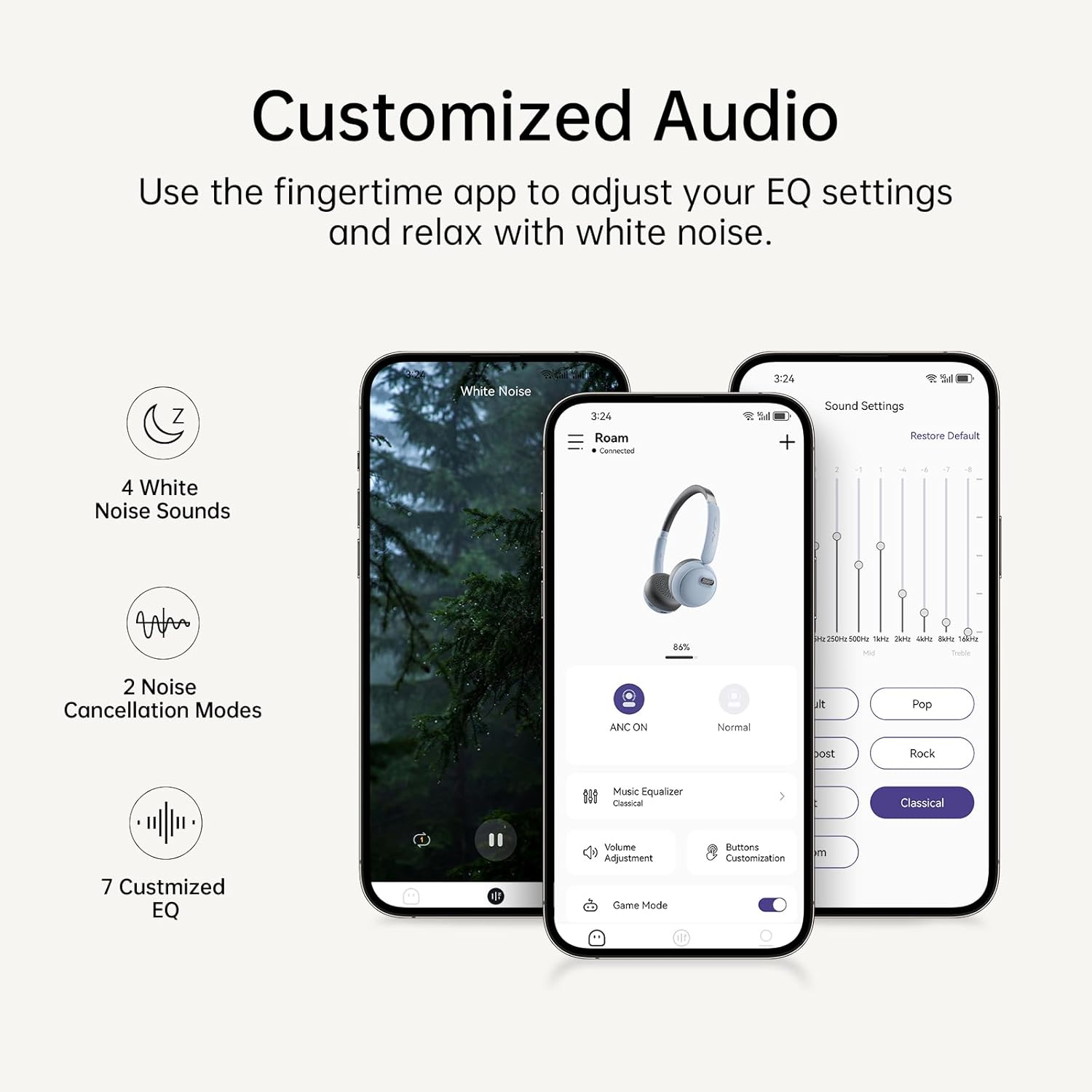
Image: The Fingertime app interface, displaying options for white noise, noise cancellation modes, and customizable EQ settings.
Техникалык тейлөө
To ensure the longevity and optimal performance of your FINGERTIME Retro Headphones, follow these maintenance guidelines:
- Тазалоо: Use a soft, dry cloth to wipe the headphones. For the earcups, a slightly damp cloth can be used, but ensure no moisture enters the speaker grilles or charging port. Avoid harsh chemicals or abrasive materials.
- Сактагыч: Store the headphones in a cool, dry place away from direct sunlight and extreme temperatures. When not in use for extended periods, ensure they are fully charged to preserve battery health.
- Колдонуу: Handle the headphones gently. Avoid dropping them or exposing them to excessive force, which can damage internal components or the retro design elements.
Проблемаларды чечүү
Эгерде сиз кулакчындарыңыз менен кандайдыр бир көйгөйлөргө туш болсоңуз, төмөнкү кеңири таралган көйгөйлөрдү жана чечимдерди караңыз:
| Көйгөй | Мүмкүн себеп | Чечим |
|---|---|---|
| Кулакчындар күйбөйт | Батарея аз | Наушниктерди толук заряддаңыз. |
| Түзмөк менен жупташтыруу мүмкүн эмес | Кулакчындар жупташтыруу режиминде эмес; Түзмөктүн Bluetooth өчүк; Интерференция | Ensure headphones are in pairing mode (flashing light). Turn Bluetooth off/on on your device. Move closer to the device. Forget previous pairings on your device and try again. |
| Үн жок же үнү төмөн | Үн өтө төмөн; Туташтырылган эмес; Аудио чыгышы туура эмес | Increase volume on both headphones and device. Ensure headphones are properly connected. Check device's audio output settings. |
| АНК эффективдүү иштебей жатат | ANC is off; Improper fit | Press the Noise Reduction button to activate ANC. Adjust headphones for a snug fit over your ears. |
| Headphones slide off head | Туура эмес тууралоо | Adjust the headband for a tighter fit. Ensure earcups are rotated correctly for your ear shape. |
Техникалык шарттар
| Өзгөчөлүк | Деталь |
|---|---|
| Модель аты | Roam |
| Бренд | FINGERTIME |
| Түс | Көк |
| Байланыш технологиясы | Зымсыз (Bluetooth V5.4) |
| Noise Control | Активдүү ызы-чууну жокко чыгаруу |
| Кулак жайгаштыруу | On Ear |
| Форма фактору | On Ear |
| Оюн убактысы | 60 саатка чейин |
| Микрофон | Камтылган |
| Башкаруу түрү | Volume Control, Play/Pause, Call Management, ANC Toggle |
| Элемент Салмагы | 0.27 килограмм (9.6 унция) |
| Батареялар | 1 литий-иондук батарейка (кошулган) |
| Материал | Plastic (Carrying Case Material) |
| Сууга туруктуулук деңгээли | Сууга чыдамдуу эмес |
Кепилдик жана колдоо
FINGERTIME products are designed for reliability and performance. For any warranty claims, technical support, or further assistance, please refer to the contact information provided with your purchase or visit the official FINGERTIME webсайт. Кепилдик үчүн сатып алуу далилиңизди сактаңыз.
Ask a question about this manual
Ask about setup, troubleshooting, compatibility, parts, safety, or missing instructions. Manuals+ will review the question and use this page’s manual context to help answer it.