
Cleer ARC
Cleer ARC ачык кулакчындары үчүн колдонуучу колдонмосу
Brand: Cleer | Model: ARC
1. Киришүү
The Cleer ARC Open Ear Headphones are designed to provide a unique audio experience that allows you to enjoy your music while remaining aware of your surroundings. Featuring an open-ear design, comfortable fit, and dynamic sound, these true wireless earbuds are ideal for various activities, from daily commutes to outdoor sports.
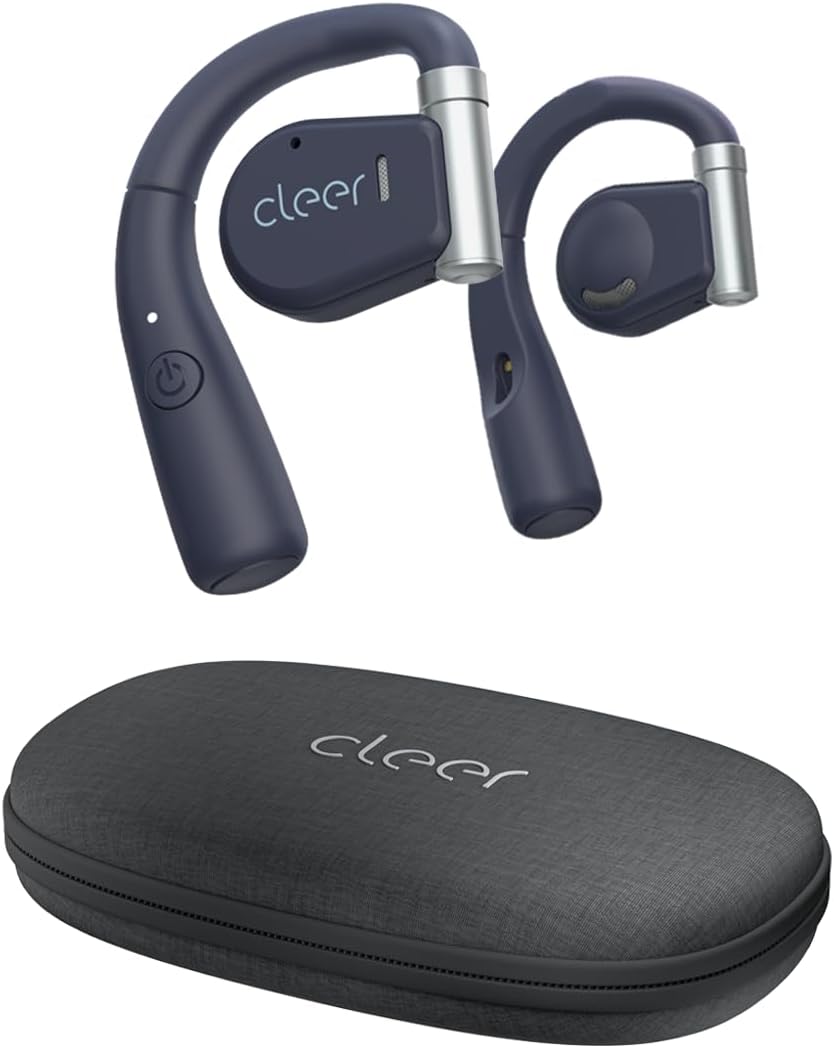
Image: Cleer ARC Open Ear Headphones and their compact charging case.
2. Кутуда эмне бар
- Cleer ARC Open Ear Headphones (Left and Right)
- Charging Case with integrated charging cable
3. Орнотуу жана биринчи колдонуу
3.1 Наушниктерди заряддоо
Before first use, fully charge your Cleer ARC headphones. The charging case has an integrated charging cable. Connect the case to a USB power source. The indicator light on the headphones will show charging status.
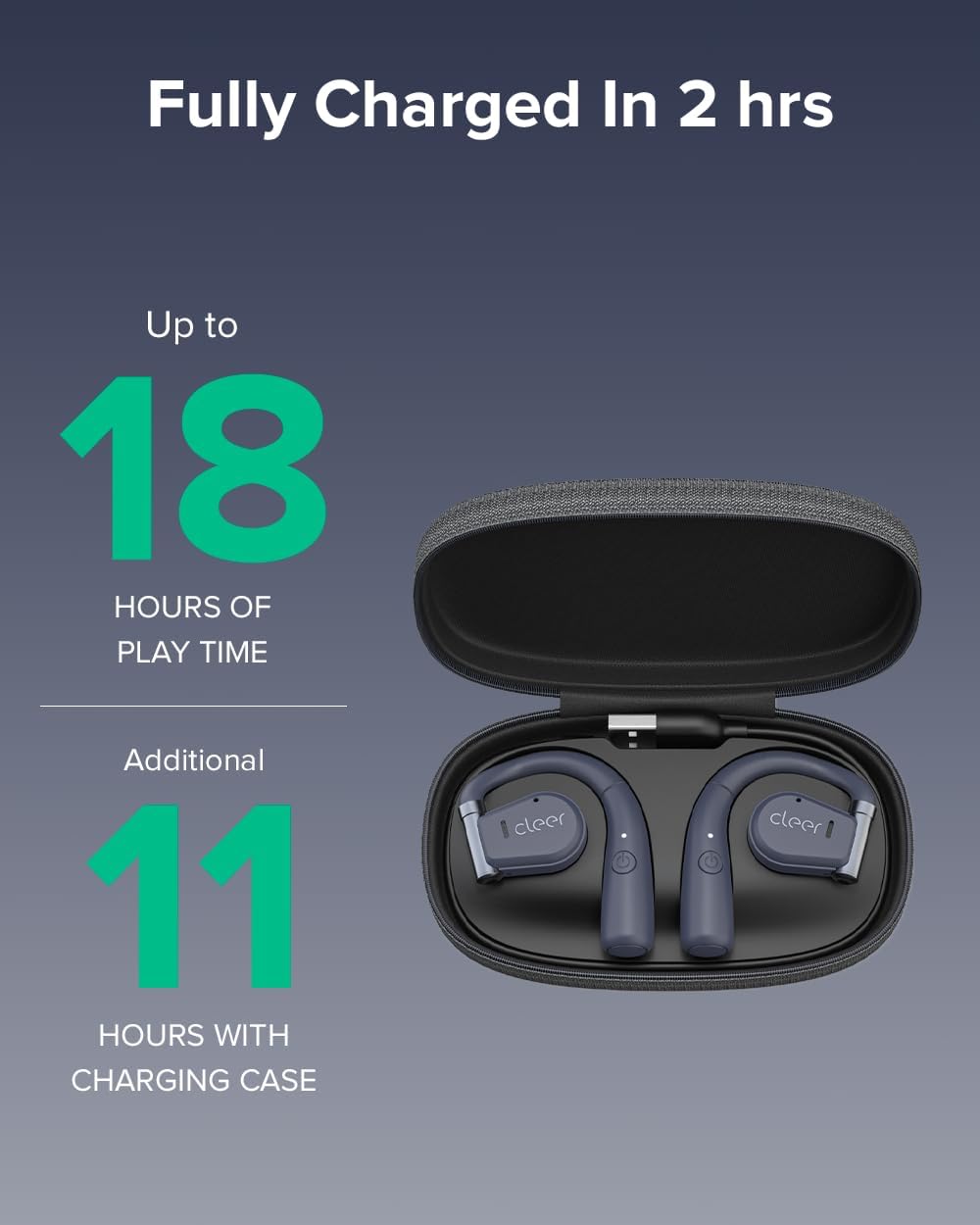
Image: Cleer ARC headphones in their charging case. The headphones provide up to 18 hours of playtime, with an additional 11 hours provided by the charging case.
A full charge takes approximately 2 hours. The headphones offer up to 18 hours of playtime on a single charge, with the charging case providing an additional 11 hours of battery life.
3.2 Bluetooth жупташтыруу
- Ensure the headphones are properly charged.
- Open the charging case. The headphones will automatically enter pairing mode, indicated by a flashing LED light.
- On your mobile device (smartphone, tablet, or computer), go to Bluetooth settings.
- Select "Cleer ARC" from the list of available devices.
- Once connected, the LED indicator on the headphones will stop flashing.
The ARC headphones utilize Bluetooth 5.0 for a stable and extended connection range.
3.3 Cleer+ App Installation
For enhanced functionality and customization, download the free Cleer+ App from your device's app store (iOS or Android). The app allows you to personalize EQ settings, customize touch controls, and receive firmware updates.

Image: The Cleer+ App provides personalized EQ settings and customizable device controls.
4. Иштөө нускамалары
4.1 Наушник тагынуу
The ARC Open Ear headphones are designed to fit securely by twisting onto your ear without entering the ear canal. The flexible hinge design helps keep each bud in place comfortably.

Image: Proper wearing of Cleer ARC Open Ear Headphones for ergonomic comfort and situational awareness.
4.2 Smart Touch Controls
The Cleer ARC headphones feature intuitive touch controls on the earbud surface:
- 1x Single Tap: Музыканы ойнотуу/тындыруу.
- 2x Double Tap: Next track / Answer/End calls.
- 3x Triple Tap: Мурунку трек.
- Узак басуу: Activate voice assistant (customizable via Cleer+ App).

Image: Visual guide to the smart touch controls on the Cleer ARC headphones.
4.3 Audio Quality and EQ Settings
Experience dynamic, rich, and detailed audio thanks to the Arc's 16.2mm neodymium drivers. These drivers beam audio towards your ears, providing clear sound without sacrificing volume or bass. You can further personalize your listening experience by adjusting the EQ settings within the Cleer+ App.

Image: Internal components of the Cleer ARC headphone, showcasing the 16.2mm precision Hi-Fi driver and dynamic EQ technology.
4.4 Чакыруу функциялары
The ARC headphones support hands-free communication with enhanced call quality and improved voice pickup. Use the touch controls to answer or end calls.

Image: A user demonstrating the crystal clear call capabilities of the Cleer ARC headphones.
4.5 Кырдаалды аңдоо
The open-ear design allows you to enjoy your audio content while still hearing your surroundings naturally. This feature is particularly useful for outdoor activities or when you need to remain aware of your environment, such as in an office or home setting.

Image: The open-ear design of Cleer ARC headphones allows for situational awareness, ideal for multitasking.
4.6 Расмий продукт Video
Watch this official video from Cleer for an overview of the ARC headphones' key features and benefits:
Video: Cleer Audio ARC talking points, provided by Cleer inc.
5. Техникалык тейлөө
5.1 Тазалоо
Gently wipe the headphones and charging case with a soft, dry, lint-free cloth. Do not use harsh chemicals or abrasive materials. Avoid getting moisture into any openings.
5.2 Сактоо
When not in use, always store your Cleer ARC headphones securely in their provided carrying case. This protects them from dust, damage, and helps maintain their condition.
6. Кыйынчылыктарды
6.1 Үн жок / Үндүн деңгээли төмөн
- Ensure headphones are properly paired and connected to your device.
- Check the volume levels on both the headphones (via touch controls) and your connected device.
- Наушниктердин заряддалганын текшериңиз.
6.2 Жупташтыруу маселелери
- Түзмөгүңүздө Bluetooth иштетилгенин текшериңиз.
- Ensure the headphones are in pairing mode (flashing LED).
- Телефонуңуздун Bluetooth жөндөөлөрүнөн түзмөктү унутуп, кайра жупташтырып көрүңүз.
- Bluetooth диапазонунда экениңизди камсыздоо үчүн түзмөгүңүзгө жакыныраак жылыңыз.
6.3 Ыңгайсыз абалда
- Adjust the flexible hinge to find the most comfortable and secure position on your ear.
- Ensure the headphones are correctly oriented for left and right ears.
7. Техникалык шарттар
| Өзгөчөлүк | Деталь |
|---|---|
| Модель аты | ARC |
| Байланыш технологиясы | Зымсыз (Bluetooth 5.0) |
| Кулак жайгаштыруу | Ачык кулак |
| Аудио драйверинин өлчөмү | 16.2 мм |
| Жыштык диапазону | 20 - 20,000 Гц |
| Батареянын иштөө мөөнөтү (наушник) | 18 саатка чейин |
| Батареянын иштөө мөөнөтү (заряддоо кутусу менен) | Кошумча 11 саат |
| Заряддоо убактысы | Болжол менен 2 саат |
| Башкаруу түрү | Тийүү, Колдонмо |
| Сууга туруктуулук деңгээли | Сууга чыдамдуу |
| Элемент Салмагы | 3.36 унция |
| Продукциянын өлчөмдөрү | 6.61 x 3.31 x 7.6 дюйм |
8. Кепилдик жана колдоо
Cleer products are designed and manufactured to the highest quality standards. For detailed warranty information, please refer to the official Cleer webсайтка же продуктуңузга кошулган кепилдик картасы.
For further assistance, troubleshooting, or to access the full user manual in PDF format, please visit the official Cleer support page or refer to the provided PDF document: Cleer ARC User Manual (PDF).
You can also visit the official Cleer Store on Amazon for more product information and support: Cleer Store.
Ask a question about this manual
Ask about setup, troubleshooting, compatibility, parts, safety, or missing instructions. Manuals+ will review the question and use this page’s manual context to help answer it.