
1. Киришүү
This manual provides comprehensive instructions for the setup, operation, and maintenance of your LongPlus 2K Battery Powered Wireless Outdoor Security Camera (Model X84). This camera is designed to provide reliable home security with features such as 2K QHD resolution, AI motion detection, two-way talk, and versatile storage options. Please read this manual carefully before using the product to ensure proper functionality and safety.

Image: The LongPlus security camera shown alongside a smartphone displaying its live video feed.
2. Кутуда эмне бар
Сиздин пакетте бардык компоненттер бар экенин текшериңиз:
- Security Camera with Bracket
- Pack of Screws (for mounting)
- Ийени кайра коюу
- USB кабели (заряддоо үчүн)
- Quick Start Guide
3. Техникалык шарттар
| Өзгөчөлүк | Деталь |
|---|---|
| Модель аты | Battery Security Camera (X84) |
| Резолюция | 2K QHD (1440p Video Capture, 3 MP Effective Still Resolution) |
| Байланыш | Зымсыз (2.4 ГГц Wi-Fi гана) |
| Power Source | Батарея менен иштейт (1 литий-иондук батарейка камтылган) |
| Түнкү көрүнүш | Color Night Vision, Infrared Night Vision (up to 33ft) |
| Motion Detection | PIR Motion Detection with AI Analysis Recognition (People, Vehicles, Pets, Packages) |
| Аудио | Two-Way Talk (Built-in microphone and speaker) |
| Сактагыч параметрлери | Micro SD Card (up to 128GB, not included), Cloud Storage (3-day rolling free trial) |
| Аба ырайына каршылык | IP65 суу өткөрбөйт |
| Viewбурч | 130 градус |
| Шайкеш түзмөктөр | Смартфон, Amazon Alexa |
| Өлчөмдөр | 4 x 2 x 5 дюйм |
| Салмагы | 12.6 унция |
4. Орнотуу колдонмосу
4.1 Алгачкы заряддоо
Before first use, fully charge the camera using the provided USB cable. Connect the USB cable to the camera's charging port and a standard 5V USB power adapter (not included). The charging indicator light will show the charging status.
4.2 Колдонмону жүктөп алуу жана каттоо эсебин түзүү
- жүктөп алыңыз Vicohome смартфонуңуздун колдонмолор дүкөнүнөн (iOS App Store же Google Play Store) колдонмону жүктөп алыңыз.
- Колдонмону ачып, жаңы каттоо эсебин түзүү үчүн экрандагы нускамаларды аткарыңыз же сизде мурунтан эле бар болсо кириңиз.
4.3 Camera Pairing and Wi-Fi Connection
- Power on the camera. The indicator light will begin to flash, indicating it's ready for pairing.
- In the Vicohome app, tap the "Add Device" or "+" icon.
- Тизмеден камераңыздын моделин тандаңыз.
- Камераны телефонуңузга туташтыруу үчүн колдонмонун көрсөтмөлөрүн аткарыңыз 2.4GHz Wi-Fi тармагы. Ensure your smartphone is also connected to the same 2.4GHz network during setup. Note: This camera exclusively supports 2.4GHz Wi-Fi.
- Scan the QR code displayed on your phone screen with the camera lens. You will hear a confirmation sound once connected.
4.4 Камераны орнотуу
The camera can be mounted on a wall, ceiling, or placed freestanding on a flat surface. Choose a location that provides the desired viewбурчта жана Wi-Fi сигналыңыздын диапазонунда.
- Дубалга/Шыпка орнотуу: Use the provided bracket and screws to securely attach the camera to a suitable surface. Adjust the camera angle as needed.
- Өз алдынча: Камераны туруктуу, жалпак бетке коюңуз.

Image: Camera mounted on a wall, illustrating installation flexibility.

Image: Camera on a table, showing its compact design for versatile placement.
5. Иштөө нускамалары
5.1 Live View жана видеонун сапаты
Open the Vicohome app to access the live feed from your camera. The camera provides 2K QHD resolution for clear and detailed video monitoring.

Image: Illustrates the 2K+ Full HD image quality captured by the camera.
5.2 Кыймылды аныктоо жана эскертүүлөр
The camera features advanced PIR motion detection with AI analysis to recognize people, vehicles, pets, and packages. When motion is detected, you will receive real-time notifications on your smartphone via the Vicohome app.

Image: Demonstrates PIR motion detection and real-time alerts.
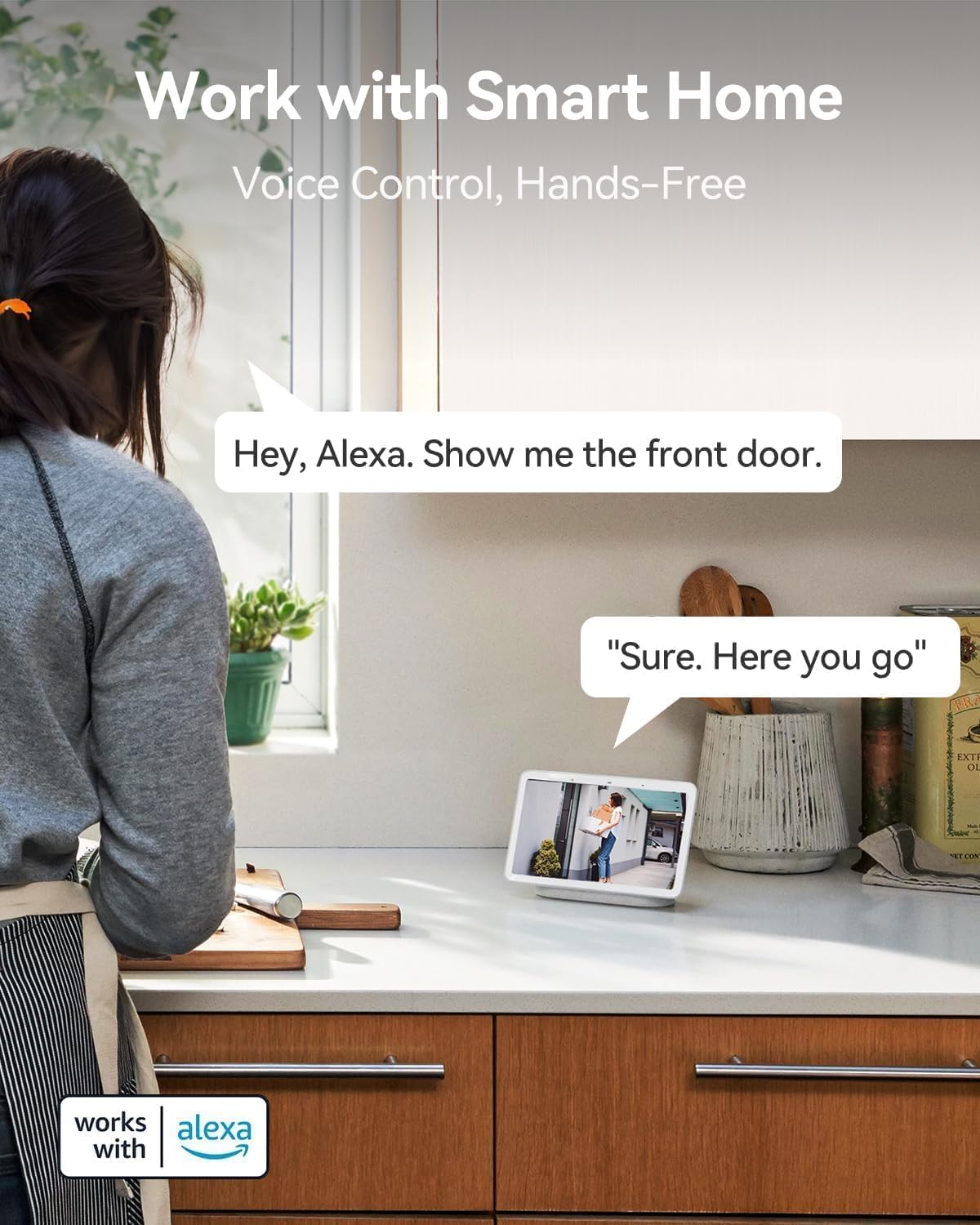
Image: Visual representation of AI detection analysis and intelligent push alerts.
5.3 Эки тараптуу сүйлөшүү
Utilize the built-in microphone and speaker for real-time two-way communication. This allows you to warn off intruders, speak with visitors, or communicate with family members through the camera.

Image: Demonstrates the two-way talk feature for interacting with visitors.
5.4 Түнкү көрүнүш
The camera offers both full-color night vision and infrared night vision options, providing clear visibility up to 33 feet in low-light conditions or complete darkness.

Image: Shows the camera's color night vision capability for enhanced visibility.
5.5 Сактоо параметрлери
Recordings can be stored locally on a Micro SD card (up to 128GB, not included) or via cloud storage. A complimentary 3-day rolling cloud storage is included without subscription. Advanced cloud features are available with a subscription after a 30-day free trial.

Image: Illustrates both SD card and cloud storage options for video recordings.
5.6 Smart Home Integration (Works with Alexa)
The LongPlus camera is compatible with Amazon Alexa, allowing for voice control and hands-free monitoring. You can ask Alexa to show you the camera's live feed on compatible smart displays.

Image: Demonstrates voice control with Amazon Alexa for viewкамеранын каналдарын алуу.
6. Өркүндөтүлгөн функциялар
6.1 Узартылган батареянын иштөө мөөнөтү
The rechargeable battery provides 1 to 5 months of use on a single charge, depending on usage and settings, minimizing the need for frequent recharging.

Image: Highlights the camera's extended battery life for prolonged usage.
6.2 IP65 Аба ырайына туруктуу дизайн
With an IP65 rating, the camera is designed to withstand various weather conditions, making it suitable for outdoor installation.

Image: Shows the camera's IP65 weatherproof rating, suitable for outdoor use.
6.3 Customizable Alert Zones
Камеранын ичинде белгилүү бир аймактарды аныктаңыз view to focus motion detection and reduce false alerts, ensuring you only receive notifications for relevant activity.

Image: Illustrates the ability to set custom alert zones for targeted monitoring.
7. Техникалык тейлөө
- Батареяны заряддоо: Recharge the camera battery when the app indicates low power. The battery can last 1-5 months depending on usage.
- Линзаны тазалоо: Gently wipe the camera lens with a soft, dry cloth to ensure clear image quality. Avoid abrasive cleaners.
- Программалык камсыздоонун жаңыртуулары: Periodically check the Vicohome app for available firmware updates. Keeping your camera's firmware updated ensures optimal performance and security.
- Экологиялык эске алуулар: While IP65 rated, avoid prolonged exposure to extreme conditions beyond the specified operating temperature range (-20°C to +60°C) to maximize product lifespan.
8. Кыйынчылыктарды
| Көйгөй | Мүмкүн болгон себеп / Чечим |
|---|---|
| Камера күйбөйт. | Battery may be depleted. Charge the camera fully. Ensure the USB cable and power adapter are working correctly. |
| Wi-Fi'га туташуу мүмкүн эмес. |
|
| Кыймыл жөнүндө эскертүүлөр өтө тез-тез/сейрек берилет. |
|
| Видеонун сапаты начар. |
|
| Two-way talk audio is unclear. |
|
For more detailed troubleshooting, refer to the help section within the Vicohome app or contact customer support.
9. Кепилдик жана колдоо
LongPlus provides a 2 жылдык кепилдик for this product. Additionally, lifetime technical support is available to assist you with any inquiries or issues you may encounter.
For technical assistance or warranty claims, please contact LongPlus customer support through the contact information provided in the Vicohome app or on the official LongPlus webсайт.