
EBTOOLS EBTOOLSs1gq2a4o5t-12
EBTOOLS Body Camera User Manual
Model: EBTOOLSs1gq2a4o5t-12
1. Киришүү
This manual provides comprehensive instructions for the operation and maintenance of your EBTOOLS Body Camera, Model EBTOOLSs1gq2a4o5t-12. This portable, body-mounted camcorder is designed for various recording needs, including law enforcement, security, and outdoor activities, offering 1080P HD video recording, night vision capabilities, and a wide-angle lens.
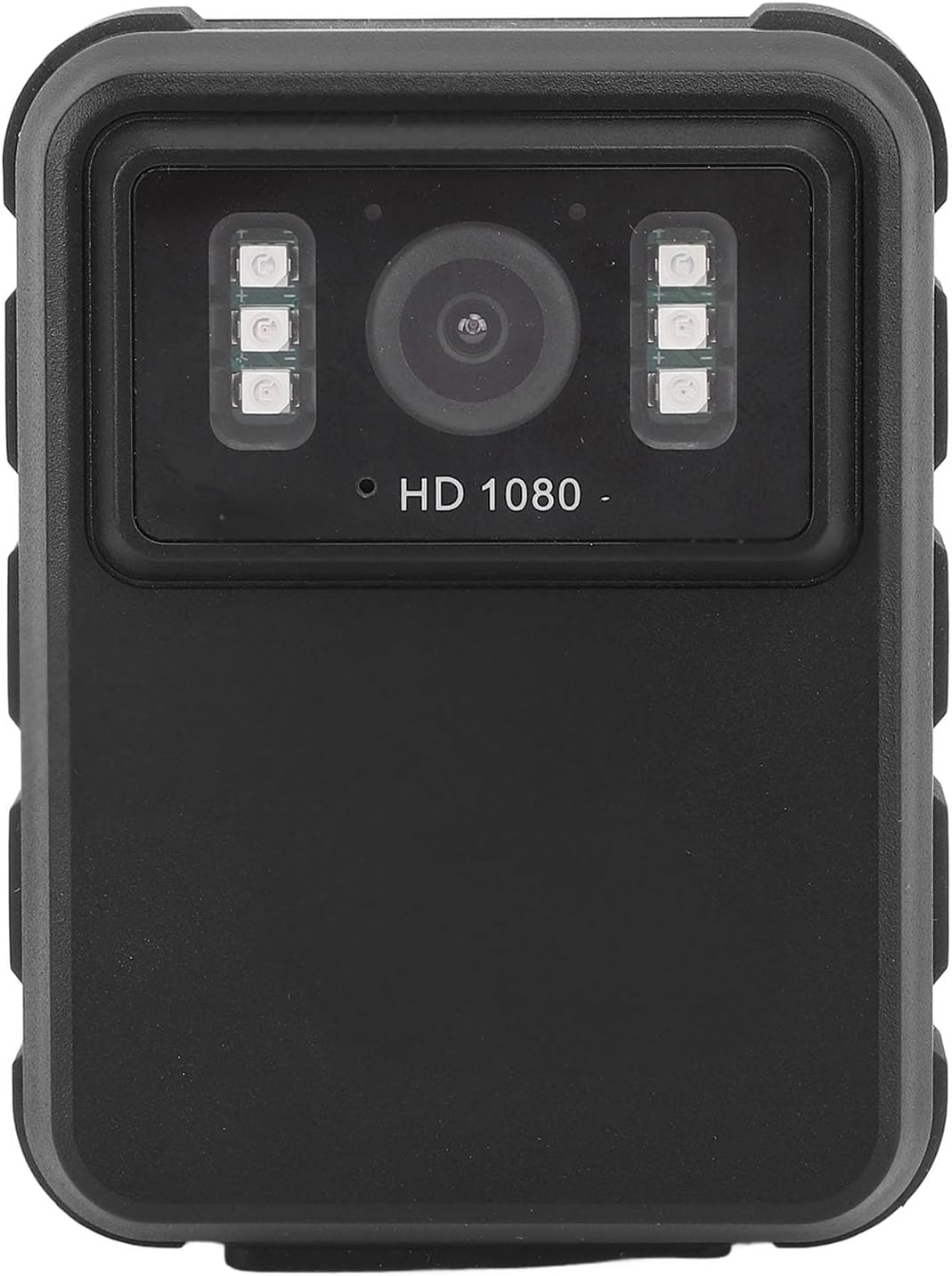
1-сүрөт: Фронт view of the EBTOOLS Body Camera, showing the lens and infrared LEDs.
2. Продукт бүтүп калдыview
2.1 Негизги өзгөчөлүктөрү
- 1080P HD видео жаздыруу: Captures high-definition video for clear footage.
- Түнкү көрүнүш: Equipped with 6 infrared LEDs for clear recording up to 33 feet in low-light or dark conditions, with manual and automatic activation modes.
- 130° кең бурчтуу объектив: Provides a broader field of view to capture more of the surroundings.
- Цикл жаздыруу: Эң эски тамак-ашты автоматтык түрдө кайра жазатtage when storage is full, ensuring continuous recording.
- 2.0 дюймдук IPS дисплей: Allows for immediate video playback and photo viewing directly on the device.
- Ар тараптуу орнотуу параметрлери: Can be clipped to clothing, mounted on a motorcycle, or used as a dash cam.
- Батареянын узак иштөө мөөнөтү: Built-in 1800mAh lithium battery supports approximately 8 hours of continuous recording.

2-сүрөт: Illustration of the 130° wide-angle lens and the 2.0-inch IPS display for clear viewing.

3-сүрөт: The camera's built-in infrared lights for night vision and its robust design suitable for various conditions.
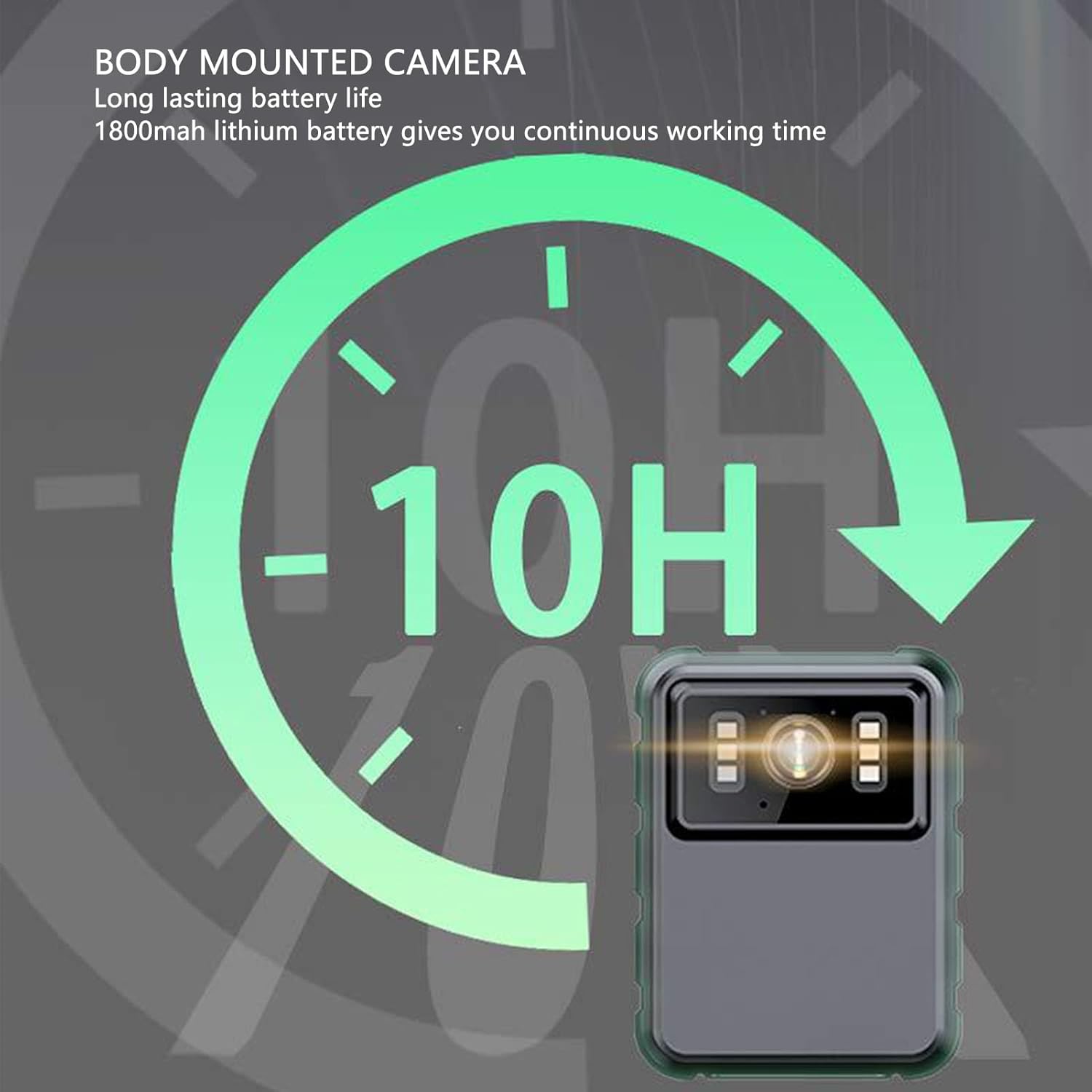
4-сүрөт: The camera features a long-lasting 1800mAh lithium battery, providing extended operational time.
2.2 Пакеттин мазмуну
Пакетте бардык буюмдар бар экенин текшериңиз:
- 1 x EBTOOLS Body Camera
- 2 х Монтаждык кашаа
- 1 х адаптер
- 1 x заряддоо кабели (USB)
- 1 х Колдонуучунун колдонмосу (бул документ)
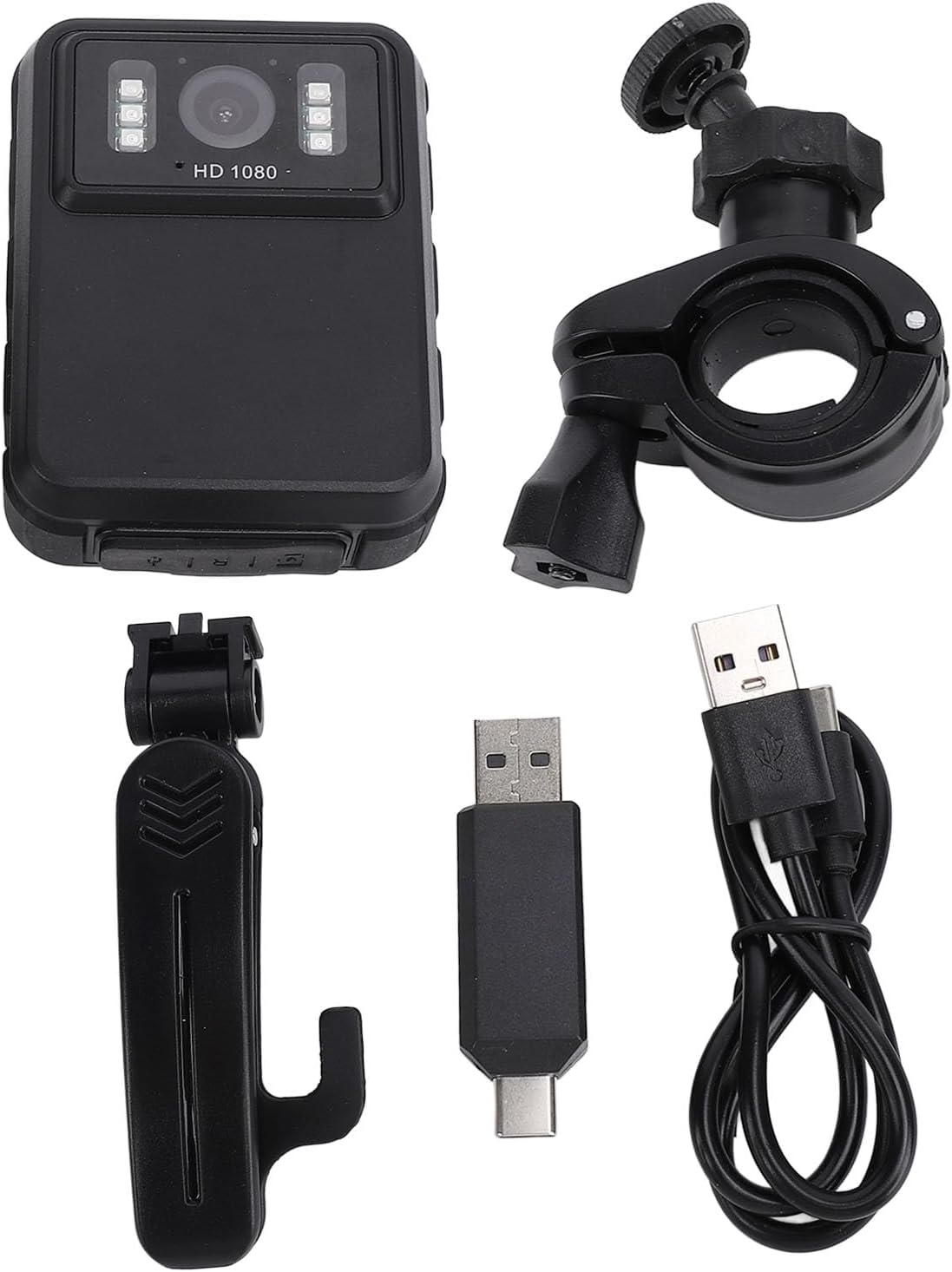
5-сүрөт: All components included in the EBTOOLS Body Camera package.
3. Орнотуу
3.1 Алгачкы заряддоо
- Connect the provided charging cable to the camera's USB port.
- Connect the other end of the charging cable to the adapter, then plug the adapter into a standard power outlet.
- Allow the camera to charge fully before first use. The charging indicator light will typically change color or turn off when charging is complete.
3.2 Күйгүзүү/өчүрүү
- Күйгүзүү үчүн: Press and hold the Power button (usually located on the side or top) for a few seconds until the screen illuminates.
- Өчүрүү үчүн: Түзмөк өчкөнгө чейин Кубат баскычын кайра басып, кармап туруңуз.
3.3 Кронштейндерди бекитүү
The camera comes with two types of brackets for versatile mounting:
- Clip Bracket: For attaching to clothing, pockets, or straps. Slide the camera onto the clip until it securely locks.
- Universal Mount Bracket: For motorcycle handlebars, dashboards, or other surfaces. Attach the camera to the bracket's screw mount, then secure the bracket to the desired location.

6-сүрөт: Detail of the camera's universal mounting screw thread.
4. Иштөө нускамалары
4.1 Видеону жаздыруу
- Камера күйгүзүлгөнүн текшериңиз.
- Press the dedicated Record button (often marked with a red dot or camera icon) to start video recording. A recording indicator (e.g., a flashing red light or icon on the screen) will appear.
- Видео жаздырууну токтотуу үчүн "Жаздыруу" баскычын кайра басыңыз. file автоматтык түрдө сакталат.
- The camera supports 1080P and 2K resolution. Refer to the on-screen menu for resolution selection.

7-сүрөт: The camera supports both 2K and 1080P video recording resolutions.
4.2 Сүрөт тартуу
- With the camera powered on, switch to photo mode (if applicable, via a mode button or menu).
- Press the Shutter button (often the same as the Record button, or a separate button) to capture a still image.
4.3 Night Vision Activation
The camera features both automatic and manual night vision modes:
- Автоматтык режим: The camera will detect low light conditions and automatically activate the infrared LEDs.
- Кол режими: Access the camera's menu settings to manually turn night vision on or off.
4.4 Цикл жаздыруу
When the storage capacity is full, the camera will automatically overwrite the oldest video files to continue recording. This feature ensures continuous operation without manual intervention to clear space.
4.5 Ойнотуу жана File Башкаруу
- Түзмөктө ойнотуу: Use the 2.0-inch IPS display and navigation buttons to browse and play recorded videos or view photos directly on the camera.
- Компьютерге туташуу: Камераны USB кабели аркылуу компьютерге туташтырып, өткөрүп бериңиз files for backup or viewing on a larger screen. The camera will appear as a removable disk drive.

8-сүрөт: The camera's display and control buttons for navigation and playback.

9-сүрөт: Examples of the camera's versatile applications, such as for delivery personnel or motorcycle riders.
5. Техникалык тейлөө
- Тазалоо: Камера корпусун тазалоо үчүн жумшак, кургак чүпүрөктү колдонуңуз. Линза үчүн, чийилип калбашы үчүн линзаны тазалоочу атайын чүпүрөктү жана эритмени колдонуңуз. Күчтүү химиялык заттарды колдонбоңуз.
- Сактагыч: Камераны салкын, кургак жерде күндүн тике тийген нурунан жана экстремалдык температурадан алыс сактаңыз.
- Батареяга кам көрүү: Батареянын иштөө мөөнөтүн узартуу үчүн, батареянын тез-тез толук зарядын жоготуп алуудан алыс болуңуз. Батареянын иштөө мөөнөтүн сактоо үчүн, колдонулбаса да, камераны үзгүлтүксүз кубаттап туруңуз.
- Программалык камсыздоонун жаңыртуулары: Өндүрүүчүнү текшериңиз webоптималдуу иштешин жана жаңы мүмкүнчүлүктөрдү камсыз кылуу үчүн бардык жеткиликтүү микропрограммаларды жаңыртуу үчүн сайтка мезгил-мезгили менен.
6. Кыйынчылыктарды
6.1 Камера күйбөй жатат
- Ensure the battery is sufficiently charged. Connect the camera to a power source and allow it to charge for at least 30 minutes before attempting to power on again.
- Verify that the power button is being pressed and held for the required duration (typically 3-5 seconds).
6.2 Recording Issues (e.g., not saving, corrupted files)
- Check available storage space. If the storage is full and loop recording is not enabled or functioning correctly, new recordings may not save.
- Ensure the camera's internal storage is not corrupted. If issues persist, consider formatting the storage via the camera's settings menu (this will erase all data).
6.3 Night Vision Not Activating
- Verify that night vision is enabled in the camera's settings, either in automatic or manual mode.
- Ensure there are no obstructions blocking the infrared LEDs on the front of the camera.
6.4 Computer Not Recognizing Camera
- Компьютериңиздеги башка USB портун колдонуп көрүңүз.
- USB кабелинин камерага да, компьютерге да бекем туташтырылганын текшериңиз.
- Restart both the camera and the computer.
7. Техникалык шарттар
| Өзгөчөлүк | Деталь |
|---|---|
| Бренд | EBTOOLS |
| Модель аты | EBTOOLSs1gq2a4o5t-12 |
| Экранды көрсөтүү | 2.0 inch IPS Screen (Resolution: 320x240) |
| Объектив Viewбурч | 100° (Wide Angle) |
| Камеранын чечилиши | 3840x2160p (2K), 2560x1440p, 1920x1080p (1080P) |
| Аудио ылдамдыгы | WAV (512KBPS) |
| Infrared Night Vision | Support, Built-in 6 Enhanced Energy Saving Infrared Lights |
| Infrared Switching Mode | Off, Auto, Manual Adjustment |
| Микрофон | Omnidirectional Built-in Capacitor MIC |
| Камтылган батарея | Литий батареясы 1800 мАч |
| Recording Working Time | Болжол менен 8 саат |
| Үзгүлтүксүз жаздыруу убактысы | Болжол менен 8 саат |
| Longest Photo Time | Approximately 10 hours (1080p 30fps High Grade Video) |
| Байланыш технологиясы | USB |
| Элемент Салмагы | 10.9 унция |
| Пакеттин өлчөмдөрү | 5.91 x 5.12 x 2.36 дюйм |
8. Кепилдик жана колдоо
For warranty information, technical support, or service inquiries, please refer to the official EBTOOLS webсайтка же кардарларды тейлөө бөлүмүнө кайрылыңыз. Сатып алуу квитанциясын кепилдик дооматтары үчүн сатып алуунун далили катары сактаңыз.
Адатта, колдоо кызматынын байланыш маалыматтарын өндүрүүчүнүн сайтынан таба аласыз. webсайт же продукт сатылып алынган сатуучу аркылуу.
Ask a question about this manual
Ask about setup, troubleshooting, compatibility, parts, safety, or missing instructions. Manuals+ will review the question and use this page’s manual context to help answer it.