
Introduction
This manual provides detailed instructions for the installation, operation, and maintenance of your Defender AI Powered Sentinel 4K Wired Security Camera System. This system offers advanced surveillance features including 360° PTZ cameras, AI tracking, smart human detection, blue-red light deterrence, and color night vision.
Эмне камтылган
Сиздин пакетте бардык компоненттер бар экенин текшериңиз:
- 1x 8-Channel PoE NVR with 1TB HDD
- 4x 4K UHD SMART AI PTZ Cameras
- 1x NVR Power Supply
- 1x NVR USB Mouse
- 4x Ethernet Cables (60 ft)
- 1x Ethernet Cable (6.5 ft)
- 1x HDMI Cable (6 ft)
- 4x Mounting Hardware sets
- 4x Waterproof Caps
- 4x Drill Templates
- 1x Window Warning Sticker
- 1x Ыкчам Баштоо Көрсөтмөсү
- 1x Warranty Insert
- Акысыз өмүр бою колдоо

Image: All components included in the Defender AI Powered Sentinel 4K Wired Security Camera System, including the NVR, four PTZ cameras, cables, and accessories.
Орнотуу жана орнотуу
Follow these steps for a successful installation of your security system.
- Камераны жайгаштыруунун планы: Identify optimal locations for your 4K UHD PTZ cameras to ensure maximum coverage and minimize blind spots. Consider areas prone to activity and entry points. The cameras offer 360° pan and 90° tilt for comprehensive surveillance.
- Орнотуу камералары: Use the provided drill templates and mounting hardware to securely attach each camera. Ensure the camera is positioned to capture the desired area. The cameras are IP65 weather-rated for outdoor use.
- Connect Cameras to NVR (Power over Ethernet - PoE): Connect each camera to the NVR using the provided Ethernet cables. PoE technology simplifies installation by providing both power and data through a single cable.
- NVRди дисплейге туташтырыңыз: Use the HDMI cable to connect the NVR to a monitor or TV for local viewing and initial setup.
- Күйгүзүү: Connect the NVR power supply and power on the system.
- Баштапкы конфигурация: Follow the on-screen instructions to set up the NVR, including network settings, date/time, and user accounts.
- Мобилдик колдонмону орнотуу: Download the Defender Empower app (available on iOS/Android). Register your NVR and cameras to enable remote viewing, two-way audio, and receive mobile alerts.
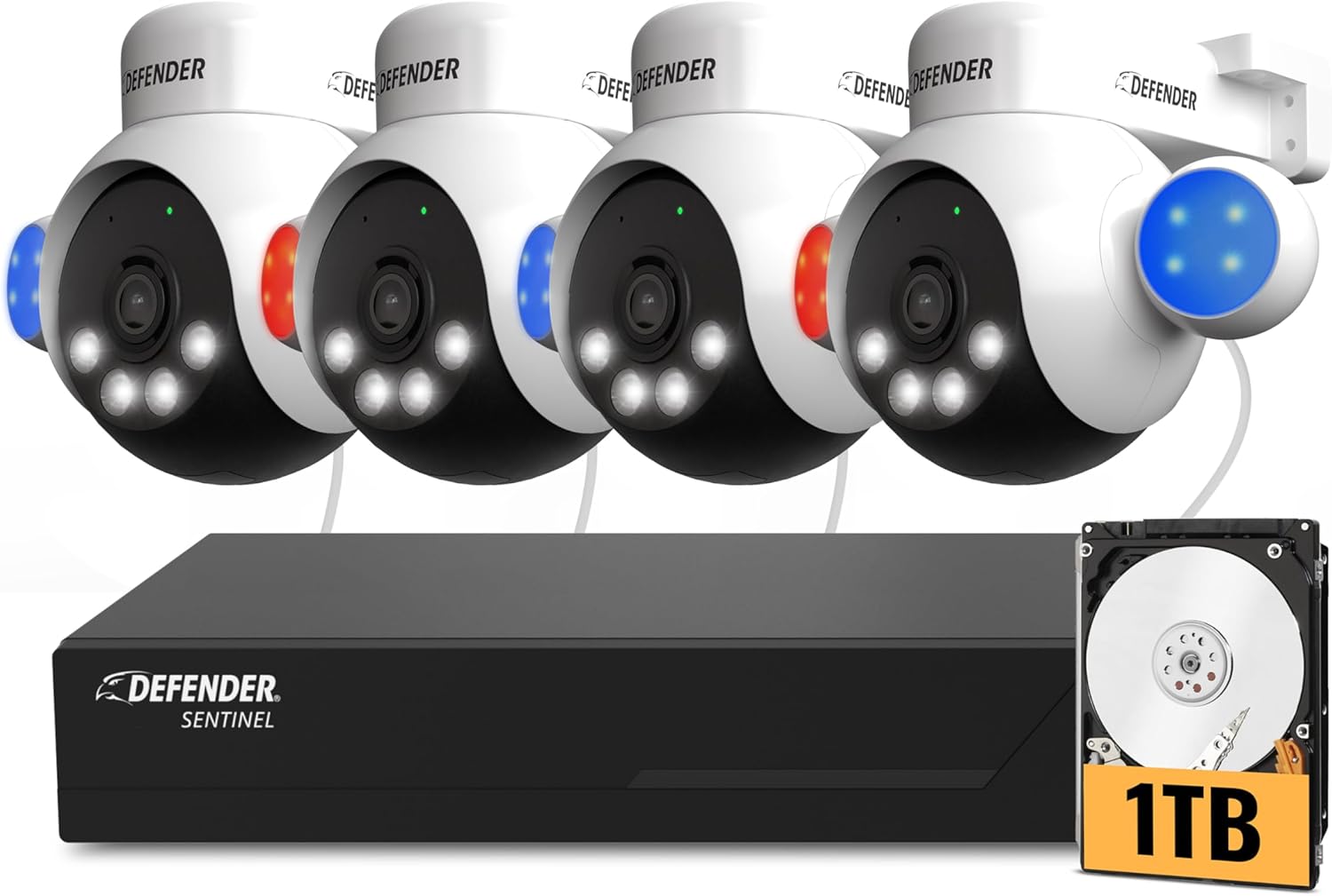
Image: A Defender PTZ camera mounted under an eave, demonstrating its outdoor installation capability.

Image: Close-up of an Ethernet cable, representing the Power over Ethernet (PoE) connection for the cameras.

Image: A mobile phone screen showing the Defender Empower app, used for live viewing and system control.
Иштөө нускамалары
AI Auto-Tracking and PTZ Control
Your cameras feature 360° pan and 90° tilt capabilities. Through the Defender Empower app or NVR interface, you can manually control the camera's direction. The AI auto-tracking function automatically follows detected movement, ensuring continuous surveillance of subjects.

Image: A visual representation of the AI auto-tracking feature, showing the camera following a person's movement.
Видео: расмий продукт бүттүview demonstrating the AI Powered 4K Wired Security Camera System's features, including PTZ and AI tracking.
Smart AI Human Detection
The system utilizes AI to differentiate human movement from other objects, reducing false alarms. When human movement is detected, you will receive real-time alerts on your mobile device.

Image: A person receiving a package, with the AI human detection highlighting the individual and showing two-way audio communication.
Эки тараптуу аудио
Engage in real-time conversations through the camera using the two-way audio feature via the mobile app. This allows you to communicate with visitors or deter intruders.
Blue-Red Flashing Light and Siren Deterrence
For active deterrence, the cameras are equipped with high-intensity blue-red flashing lights, an LED spotlight, and a built-in siren. These can be activated manually via the app or configured to trigger automatically upon detection of suspicious activity.

Image: Multiple Defender cameras with blue and red flashing lights activated, demonstrating the deterrence feature.
4K ClearVu and Color Night Vision
The system records in stunning 4K UHD resolution, providing clear and detailed footage. Advanced spotlight illumination enables vibrant true color night vision up to 100 feet, ensuring visibility even in complete darkness.

Image: A side-by-side comparison showing the superior clarity of 4K Ultra HD footage versus 1080p.

Image: A split image demonstrating the camera's color night vision, showing a clear, vivid view аз жарык шарттарында.
Жаздыруу жана сактоо
The 1TB NVR provides local storage for continuous recording. The system supports motion detection recording to optimize storage space. No monthly fees are required for local recording.
Техникалык тейлөө
- үзгүлтүксүз тазалоо: Камера линзаларын мезгил-мезгили менен жумшак, d чүпүрөк менен тазалап туруңузamp cloth to ensure optimal image clarity.
- Программалык камсыздоонун жаңыртуулары: Check the Defender Empower app or Defender webсистемаңызда эң акыркы функциялар жана коопсуздук жакшыртуулары бар экенине ынануу үчүн жеткиликтүү микропрограмма жаңыртуулары үчүн сайт.
- Кабелдик текшерүү: Inspect all Ethernet cables for any signs of wear or damage, especially for outdoor installations.
- NVR жайгаштыруусу: Ensure the NVR is placed in a well-ventilated area, away from direct sunlight and excessive heat, to prevent overheating.
Проблемаларды чечүү
| Көйгөй | Мүмкүн себеп | Чечим |
|---|---|---|
| Камерадан видео берилбейт | Loose cable connection, no power, camera malfunction. | Check Ethernet cable connections at both the camera and NVR. Ensure NVR is powered on. Restart the NVR. |
| Сүрөттүн сапаты начар | Dirty lens, low light conditions, network issues. | Clean the camera lens. Ensure adequate lighting or verify color night vision is active. Check network connection stability. |
| Мобилдик эскертмелер жок | App notification settings, network connectivity, incorrect detection settings. | Verify notification settings in the Defender Empower app and on your phone. Ensure NVR has internet access. Check AI human detection settings. |
| PTZ башкаруусу жооп бербей жатат | Network delay, camera unresponsive. | Check network connection. Restart the camera or NVR. |
Техникалык шарттар
- Бренд: коргоочу
- Модель номери: NS8B4PTZ-1T
- Байланыш технологиясы: Wired (Power over Ethernet - PoE)
- Видео тартуу токтому: 4K(3840×2160)
- Өзгөчөлүктөр: 360° PTZ, AI-Powered, Color Night Vision, PoE, Audio/Video Streaming, Mobile Alerts
- Каналдардын саны: 8 (NVR 8ге чейин камераны колдойт)
- Эстутум сактоо сыйымдуулугу: 1 TB (HDD included)
- Кубат булагы: Ethernet аркылуу кубат
- Операциялык системанын шайкештиги: iOS/Android (for mobile app)
- Сигнал форматы: Санарип
- Түнкү көрүнүш: Yes (IR and Color Night Vision)
- Түнкү көрүү диапазону: 100 Фут
- Кадр ылдамдыгы: 20 FPS
- Жаздыруу режими: Motion Detection
- Оптикалык сенсор технологиясы: 1/2.7 ”CMOS сенсору
- Жалпы USB порттору: 2
- Аппараттык интерфейс: Ethernet
- Линзанын түрү: Zoom/Varifocal
- Video Input: RJ45
- Viewбурч: 360 Degrees (PTZ capability)
- Аба ырайы рейтинги: IP65
- Элемент Салмагы: 11.8 Pounds (System total)
Кепилдик жана колдоо
The Defender AI Powered Sentinel 4K Wired Security Camera System comes with a 3-year warranty, providing peace of mind for your investment. Defender also offers free lifetime support for this product. For technical assistance, warranty claims, or further inquiries, please visit the official Defender webсайтка же кардарларды тейлөөгө кайрылыңыз.