
Introduction
Thank you for choosing the wegear TW6 Wireless Earbuds. This manual provides essential information for setting up, operating, maintaining, and troubleshooting your earbuds to ensure optimal performance and longevity. Please read this manual carefully before use.
Пакеттин мазмуну
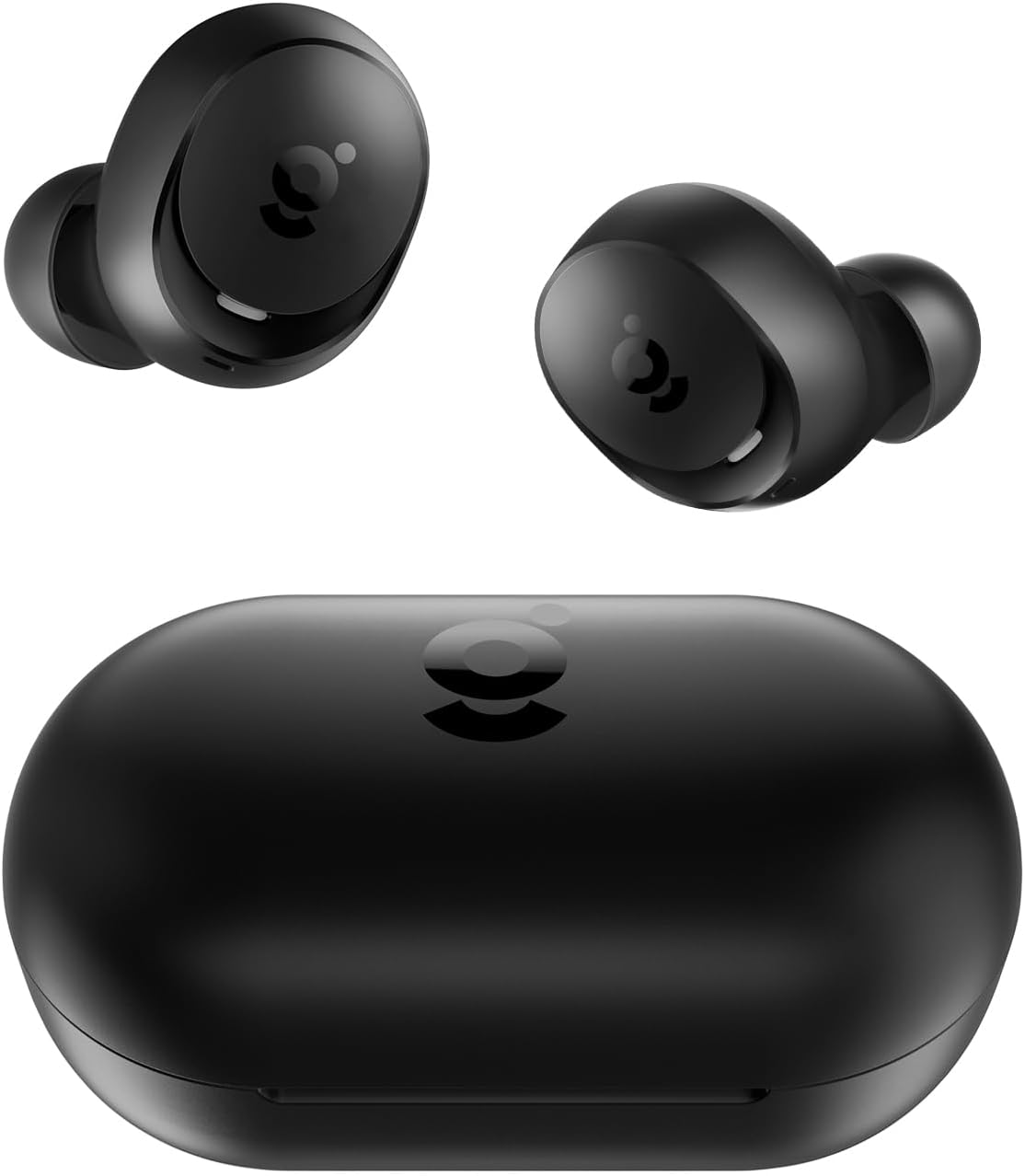
- wegear TW6 Wireless Earbuds (L/R)
- Заряддоо кутусу
- USB заряддоо кабели
- Кулактын учтары (S, M, L өлчөмдөрү)
- User Manual
Жайгашуу
1. Кулакчындарды жана кутуну кубаттоо
Биринчи колдонуудан мурун, кулакчындарды жана заряддоо кутучасын толук заряддаңыз.
- Кулакчындарды заряддоо кутусуна салыңыз. Алардын туура отурганын текшериңиз.
- USB кубаттоочу кабелди корпустагы кубаттоочу портко жана кубат булагына (мисалы, USB дубал адаптери, компьютердин USB порту) туташтырыңыз.
- Кубаттоочу кутучадагы индикатор жарыктары заряддоо абалын көрсөтөт. Толук заряддалгандан кийин, жарыктар заряддоо аяктаганын же өчүп калганын билдирет.
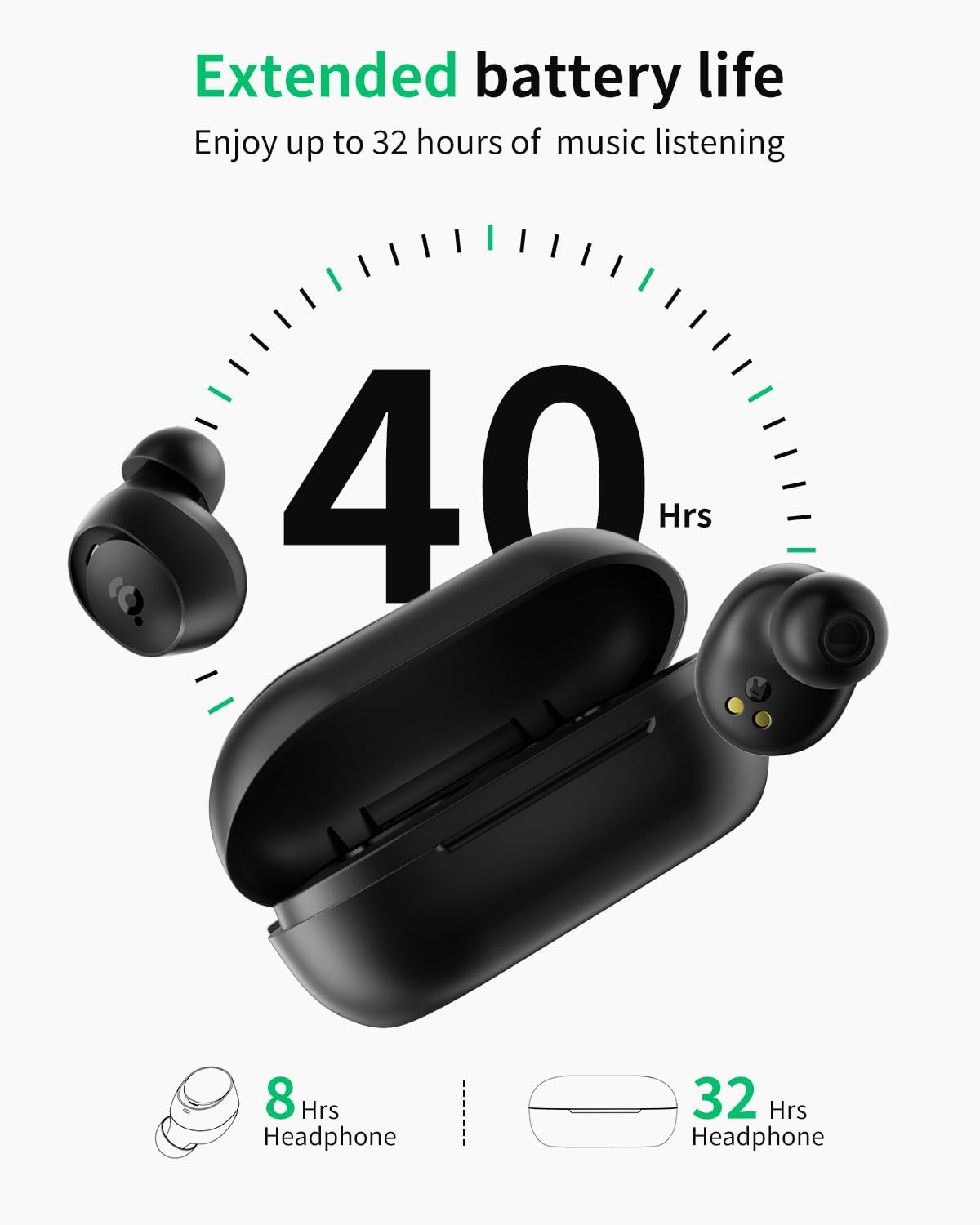
A full charge provides approximately 8 hours of playtime for the earbuds and an additional 32 hours from the charging case, totaling 40 hours.
2. Түзмөгүңүз менен жупташтыруу
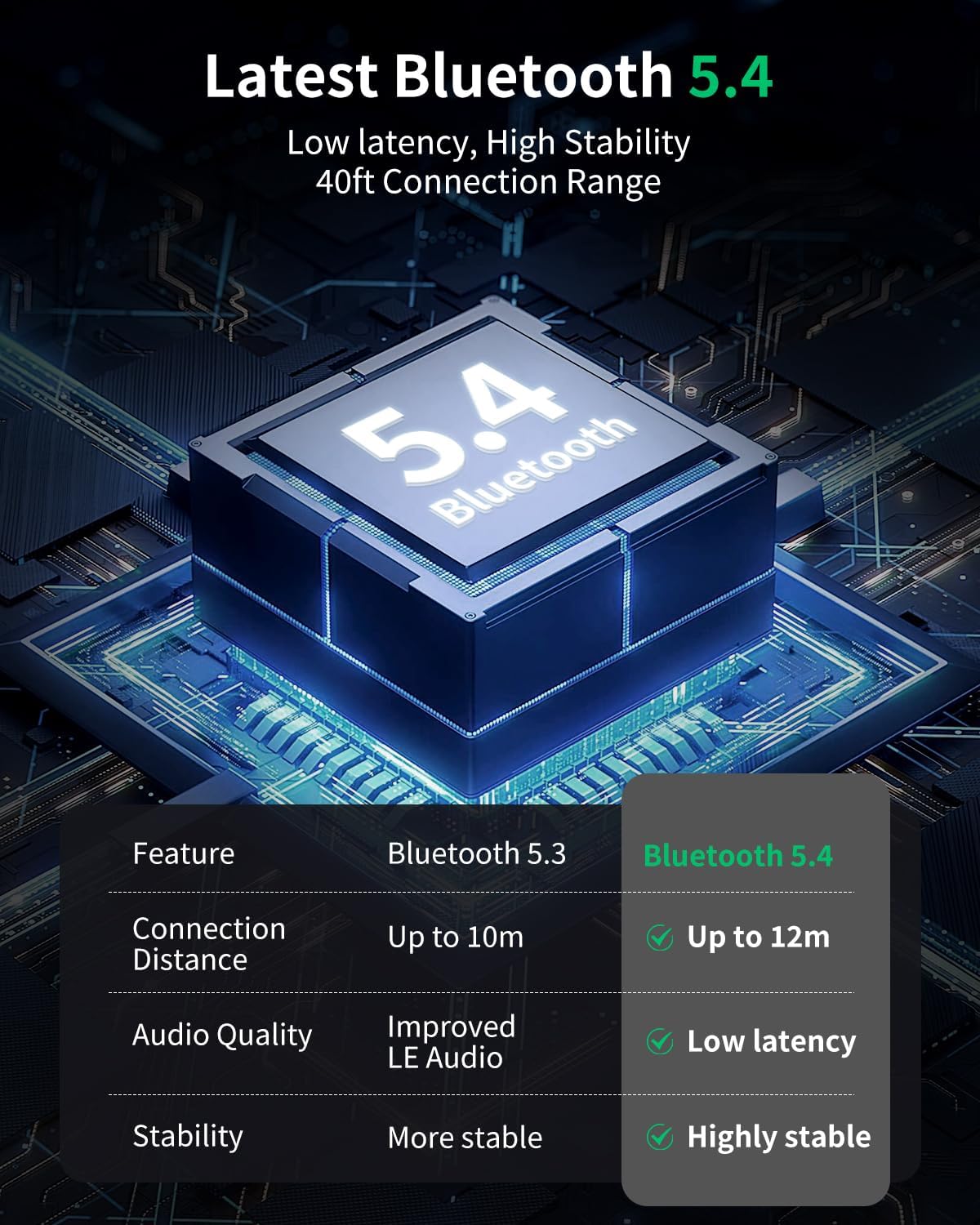
The wegear TW6 earbuds feature Bluetooth 5.4 for stable and efficient connections.
- Баштапкы жупташтыруу: Заряддоо кутучасын ачыңыз. Кулакчындар жупташтыруу режимине автоматтык түрдө кирет.
- Түзмөгүңүздө (смартфон, планшет ж.б.) Bluetooth иштетиңиз.
- Издөө available Bluetooth devices and select "wegear TW6" from the list.
- Туташкандан кийин аудио сигналын угасыз жана кулакчындар колдонууга даяр болот.
Түзмөктө Bluetooth иштетилген болсо, кулакчындар кутудан чыгарылганда акыркы жупташтырылган түзмөккө автоматтык түрдө кайра туташат.

3. Кулакчын тагынуу
Үндүн оптималдуу сапаты жана жайлуулугу үчүн, кулактын учу туура өлчөмүн тандап, бекем орнотуңуз.
- Select the ear tips (S, M, L) that best fit your ears. A snug fit helps with sound isolation and bass response.
- Ар бир кулакчынды кулак каналыңызга акырын киргизиңиз.
- Кулакчын коопсуз жана ыңгайлуу сезилгенге чейин аны бир аз буруңуз.
Кулакчындарды иштетүү
Touch Controls
The wegear TW6 earbuds feature intuitive touch controls on each earbud.
| Функция | Акция |
|---|---|
| Ойнотуу/Тыныгуу | (Сол/Оң кулакчын) эки жолу таптоо |
| Кийинки трек | Long press (R earbud) for 1.5 seconds |
| Мурунку трек | Long press (L earbud) for 1.5 seconds |
| Чалууга жооп берүү/аяктоо | (Сол/Оң кулакчын) эки жолу таптоо |
| Чакырууну четке кагуу | Long press (L/R earbud) for 1.5 seconds |
| Үн жардамчысы | Сол кулакчын менен үч жолу таптоо |
| Төмөн күтүү режими | Оң кулакчын үчүн үч жолу таптоо |
| Калыбына келтирүү | Place both earbuds back in the charging case and simultaneously tap both touch areas 5 times until the earbuds flash white 5 times. |

Чалууларды тазалоо
The wegear TW6 earbuds are equipped with two built-in microphones and advanced AI-enhanced algorithms. This technology works to reduce environmental background noise, ensuring your voice remains clear during calls, even in noisy surroundings.

Immersive стерео үн
Experience high-quality audio with the wegear TW6 earbuds. Featuring 6mm dynamic drivers, they deliver deep bass and bright highs for an immersive stereo sound experience.

Суу өткөрбөйт дизайн
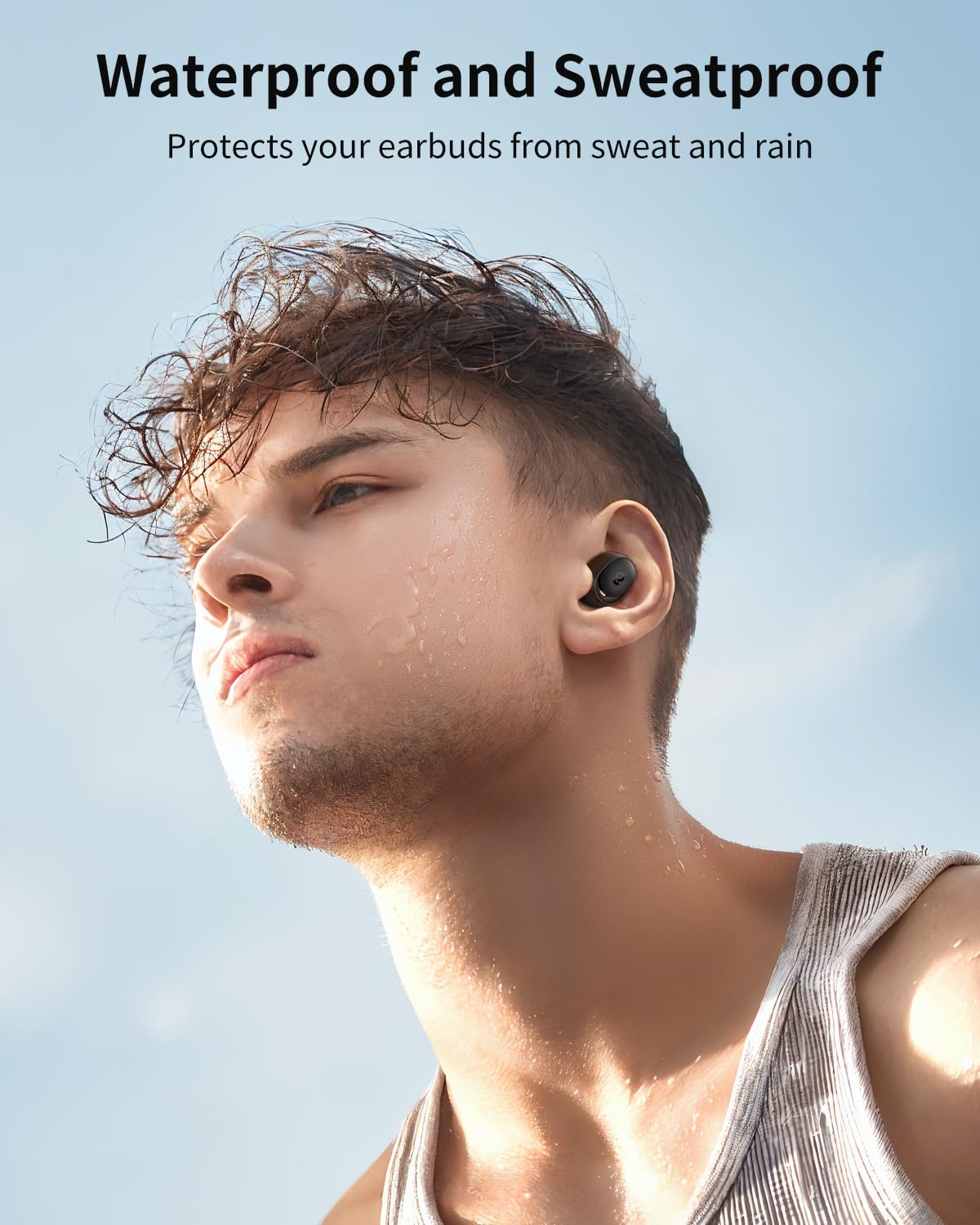
The wegear TW6 earbuds are designed with a waterproof rating, protecting them from sweat and rain. This makes them suitable for sports and outdoor activities.
Техникалык тейлөө
Тазалоо
- Кулакчындарды, кулакчындардын учтарын жана кубаттоочу контакттарды жумшак, кургак, мамыксыз чүпүрөк менен үзгүлтүксүз тазалап туруңуз.
- Катуу химиялык заттарды же абразивдүү материалдарды колдонбоңуз.
- Ensure the charging port on the case is free of dust and debris.
Сактагыч
- Колдонулбаганда, кулакчындарды коргоо жана кубаттоо үчүн кубаттоочу кутучага сактаңыз.
- Кургак, салкын жерде, өтө жогорку температурадан алыс сактаңыз.
Проблемаларды чечүү
Жалпы маселелер жана чечимдер
- Кулакчындар жупташкан жок:
- Кулакчындардын кубатталганын жана кутудан чыгып калганын текшериңиз.
- Түзмөгүңүздөгү Bluetooth'ду өчүрүп, күйгүзүңүз.
- Forget "wegear TW6" from your device's Bluetooth list and try pairing again.
- Бир гана кулакчын иштейт:
- Эки гарнитураны тең заряддоо кутусуна салып, капкагын жаап, кайра ачыңыз.
- Perform a factory reset (see touch controls table for instructions).
- Кулакчындар кубатталбай жатат:
- Заряддоо кабели корпуска да, кубат булагына да бекем туташтырылганын текшериңиз.
- Наушниктеги жана корпустун ичиндеги заряддоо контакттарын тазалаңыз.
- Башка заряддоо кабелин же кубат адаптерин колдонуп көрүңүз.
- Үн сапаты начар:
- Ensure ear tips provide a good seal in your ear. Try different sizes.
- Кулакчын түтүктөрүндөгү калдыктарды тазалаңыз.
- Ensure your device's volume is appropriately set.
Эскертүү: These earbuds do not have a custom EQ feature. If you require EQ adjustments, please use a media player that supports this function.
Техникалык шарттар
| Өзгөчөлүк | Деталь |
|---|---|
| Модель аты | wegear TW6 |
| Bluetooth версиясы | 5.4 |
| Bluetooth диапазону | 39 фут (12 метр) чейин |
| Наушниктин батареясынын иштөө мөөнөтү | 8 саатка чейин |
| Жалпы ойноо убактысы (капка менен) | 40 саатка чейин |
| Заряддоо корпусунун батареясынын сыйымдуулугу | 380 мАч |
| Аудио драйвер түрү | 6мм динамикалык драйвер |
| Noise Control | Passive Noise Cancellation, AI-enhanced algorithms for calls |
| Сууга туруктуулук деңгээли | Суу өткөрбөйт |
| Башкаруу ыкмасы | Touch Control |
| Буюмдун салмагы (ар бир кулакчын) | Болжол менен 4 г |
| Жыштык диапазону | 20 Гц - 20 000 Гц |
| Импеданс | 50 Ом |

Кепилдик жана колдоо
wegear products are designed for reliability and performance. For warranty information and customer support, please refer to the warranty card included in your package or visit the official wegear brand store.
wegear Brand Store: Visit the wegear Store