
cellularline BTIONWATCHPRORK
Cellularline ION PRO ROUND Smartwatch User Manual
Model: BTIONWATCHPRORK
1. Киришүү
The Cellularline ION PRO ROUND Smartwatch is designed to integrate seamlessly into your daily routine, offering advanced features for communication, health monitoring, and fitness tracking. This manual provides detailed instructions to help you set up, operate, and maintain your smartwatch effectively.

Image 1.1: Cellularline ION PRO ROUND Smartwatch
2. Кутуда эмне бар
Upon unpacking your Cellularline ION PRO ROUND Smartwatch, please ensure all the following components are present:
- Cellularline ION PRO ROUND Smartwatch
- Заряддоо кабели
- Instruction Manual
3. Орнотуу
3.1. Баштапкы заряддоо
Before first use, fully charge your smartwatch. Connect the provided charging cable to the charging port on the back of the smartwatch and plug the USB end into a compatible power adapter (not included) or a computer's USB port. A full charge typically takes approximately 3 hours.

Image 3.1: Smartwatch displaying charging status, indicating long-lasting battery life.
3.2. Колдонмону орнотуу
To unlock the full functionality of your smartwatch, download and install the Cellularline ION app on your smartphone. The app is compatible with both iOS and Android devices. You can find the app by scanning the QR code provided on the product packaging or by searching for "Cellularline ION" in your device's app store.
3.3. Түзмөктү жупташтыруу
- Акылдуу саатыңыздын кубатталганын жана күйүп турганын текшериңиз.
- Смартфонуңузда Bluetooth'ду иштетиңиз.
- Open the Cellularline ION app and follow the on-screen instructions to add a new device.
- Select your ION PRO ROUND Smartwatch from the list of available Bluetooth devices.
- Суралган учурда смартфонуңузда жана акылдуу саатыңызда жупташтыруу өтүнүчүн ырастаңыз.
4. Иштөө нускамалары
4.1. Негизги навигация
The smartwatch features a 1.38-inch TFT Full Touch display. Swipe left, right, up, or down to navigate through menus, notifications, and widgets. Tap to select items or confirm actions. The side button typically serves as a home button or to wake/sleep the screen.

Image 4.1: High-definition 1.38-inch display of the smartwatch.
4.2. Чалууларды башкаруу
With Bluetooth connectivity, you can answer calls directly from your smartwatch. When a call comes in, the smartwatch will display the caller ID. Tap the green icon to answer or the red icon to reject the call. You can also initiate calls through the app.
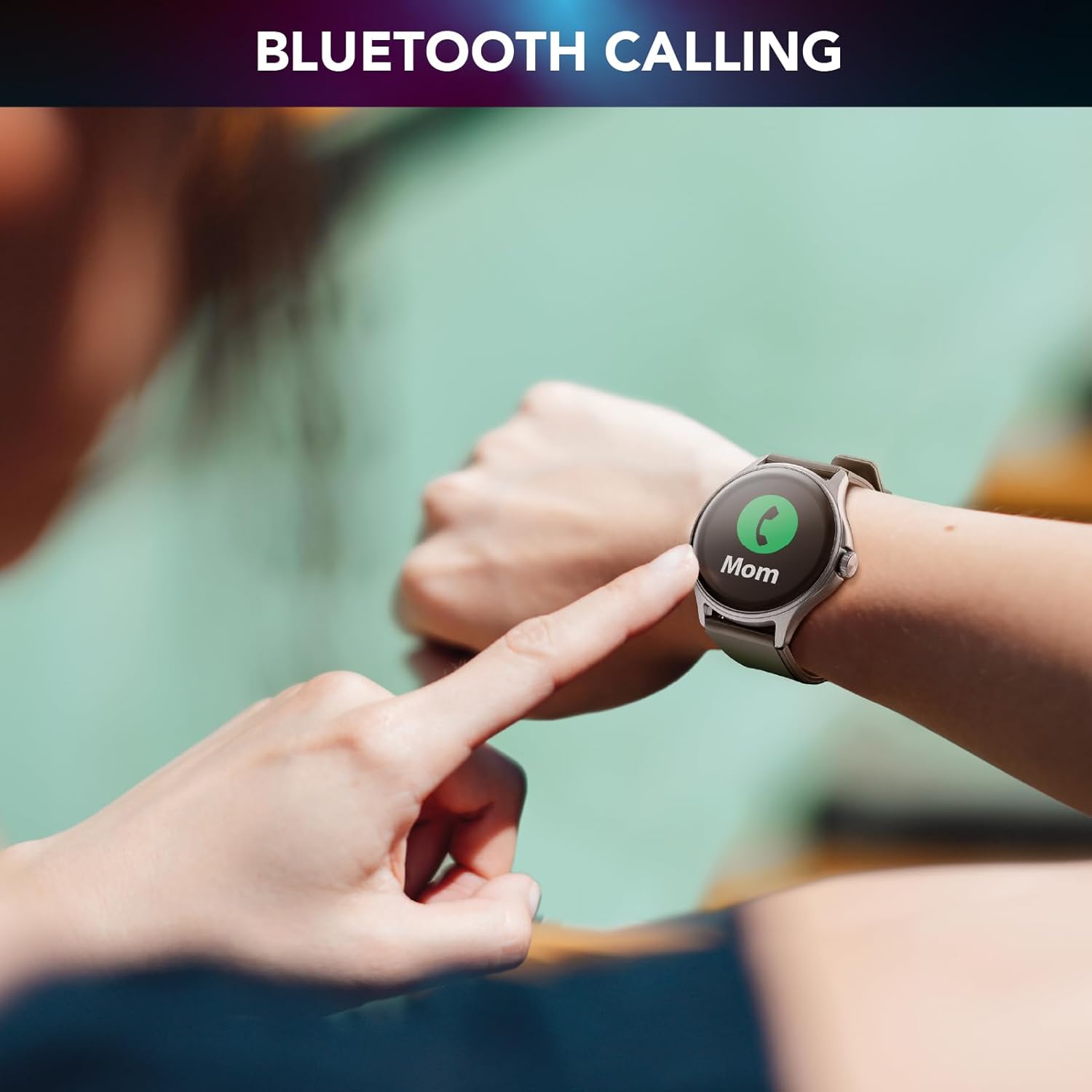
Image 4.2: Bluetooth calling feature in use.
4.3. Activity and Wellness Monitoring
The smartwatch continuously monitors various health and fitness metrics:
- жөө: Күнүмдүк кадамдарыңызды көзөмөлдөйт.
- Жүрөктүн кагышы: Күн бою жүрөктүн кагышын көзөмөлдөйт.
- Кан басымы: Кан басымыңыздын болжолдуу көрсөткүчтөрүн берет.
- Кандагы кычкылтек (SpO2): Кандагы кычкылтектин деңгээлин өлчөйт.
- Уйкуга көз салуу: Уйкуңуздун үлгүсүн жана сапатын талдайт.
- Стресс мониторинги: Helps track your stress levels.
- Калориялар: Иштин негизинде күйгөн калорияларды эсептейт.

Image 4.3: Heart rate and sleep monitoring features.
4.4. Fitness Modes
The smartwatch supports various fitness modes to track specific activities, including walking, running, climbing, and general fitness exercises. Select the appropriate mode before starting your workout for accurate data collection.

Image 4.4: Smartwatch displaying various fitness modes.
4.5. Эскертмелер
Once paired with your smartphone, the smartwatch will display real-time notifications for calls, messages, and app alerts. Swipe down from the top of the screen to view сиздин эскертме таржымалы.
4.6. Менин телефонумду тап
If your paired smartphone is misplaced, use the "Find My Phone" feature on your smartwatch to make your phone ring, helping you locate it quickly.
5. Техникалык тейлөө
5.1. Тазалоо
To clean your smartwatch, gently wipe the screen and body with a soft, dry, lint-free cloth. For stubborn smudges, slightly dampкездемени суу менен сүртүңүз. Катуу химиялык заттарды же абразивдүү материалдарды колдонуудан алыс болуңуз, анткени алар түзмөккө зыян келтириши мүмкүн.
5.2. Суу жана чаңга туруктуулук
The Cellularline ION PRO ROUND Smartwatch is certified IP67, meaning it is resistant to dust and can withstand immersion in water up to 1 meter for 30 minutes. While it is suitable for daily wear and light water exposure (e.g., hand washing, rain), it is not recommended for swimming, showering, or diving.

Image 5.1: Smartwatch demonstrating IP67 waterproof and dustproof capabilities.
6. Кыйынчылыктарды
Эгерде сиз акылдуу саатыңызда көйгөйлөргө туш болсоңуз, төмөнкү кеңири таралган көйгөйлөрдү жана чечимдерди караңыз:
- Түзмөк күйбөй жатат: Ensure the smartwatch is fully charged. Connect it to the charger and wait a few minutes before attempting to power it on again.
- Смартфон менен жупташтыруу мүмкүн эмес: Make sure Bluetooth is enabled on your phone and the smartwatch is within range. Restart both devices and try pairing again through the Cellularline ION app.
- Туура эмес ден соолук маалыматтары: Ensure the smartwatch is worn snugly on your wrist, not too tight or too loose. Clean the sensor on the back of the device. Note that health monitoring features are for reference only and not for medical diagnosis.
- Эскертмелер көрүнбөй жатат: Check app permissions on your smartphone to ensure the Cellularline ION app has access to notifications. Verify that notifications are enabled within the smartwatch settings and the app.
- Батарейканын кыска мөөнөтү: Экран жарыктыгын азайтыңыз, керексиз функцияларды өчүрүңүз жана телефонуңузда фондук колдонмону колдонуу оптималдаштырылсын.
If problems persist, consult the Cellularline support webсайтка же кошумча жардам алуу үчүн кардарларды тейлөөгө кайрылыңыз.
7. Техникалык шарттар
| Өзгөчөлүк | Деталь |
|---|---|
| Модель аты | BTIONWATCHPRORK |
| Дисплей | 1.38-inch TFT Full Touch |
| Байланыш | Bluetooth |
| Операция системасы | Wear OS (compatible with iOS and Android app) |
| Батарея сыйымдуулугу | 300 мАч литий полимери |
| Батареянын иштөө мөөнөтү | 7 күнгө чейин |
| Заряддоо убактысы | Болжол менен 3 саат |
| Суу жана чаңга туруктуулук | IP67 |
| Сенсорлор | Жүрөктүн кагышы, кан басымы, кандагы кычкылтек |
| Салмагы | 100 г |
| Өлчөмдөр | 16.3 x 9 x 3.2 см (таңгактоо) |
8. Кепилдик жана колдоо
For information regarding the product warranty, please refer to the warranty card included in your product packaging or visit the official Cellularline website. For technical support, frequently asked questions, or to contact customer service, please visit the Cellularline support page:
Ask a question about this manual
Ask about setup, troubleshooting, compatibility, parts, safety, or missing instructions. Manuals+ will review the question and use this page’s manual context to help answer it.