
Introduction
Thank you for choosing the KDD 7-in-1 Clamp-on Desk Pegboard. This versatile desk organizer is designed to help you maintain a tidy and efficient workspace without the need for drilling. It offers multiple storage options for various items, including phones, pens, headphones, and gaming controllers. Please read this manual carefully to ensure proper setup and optimal use of your new desk pegboard.
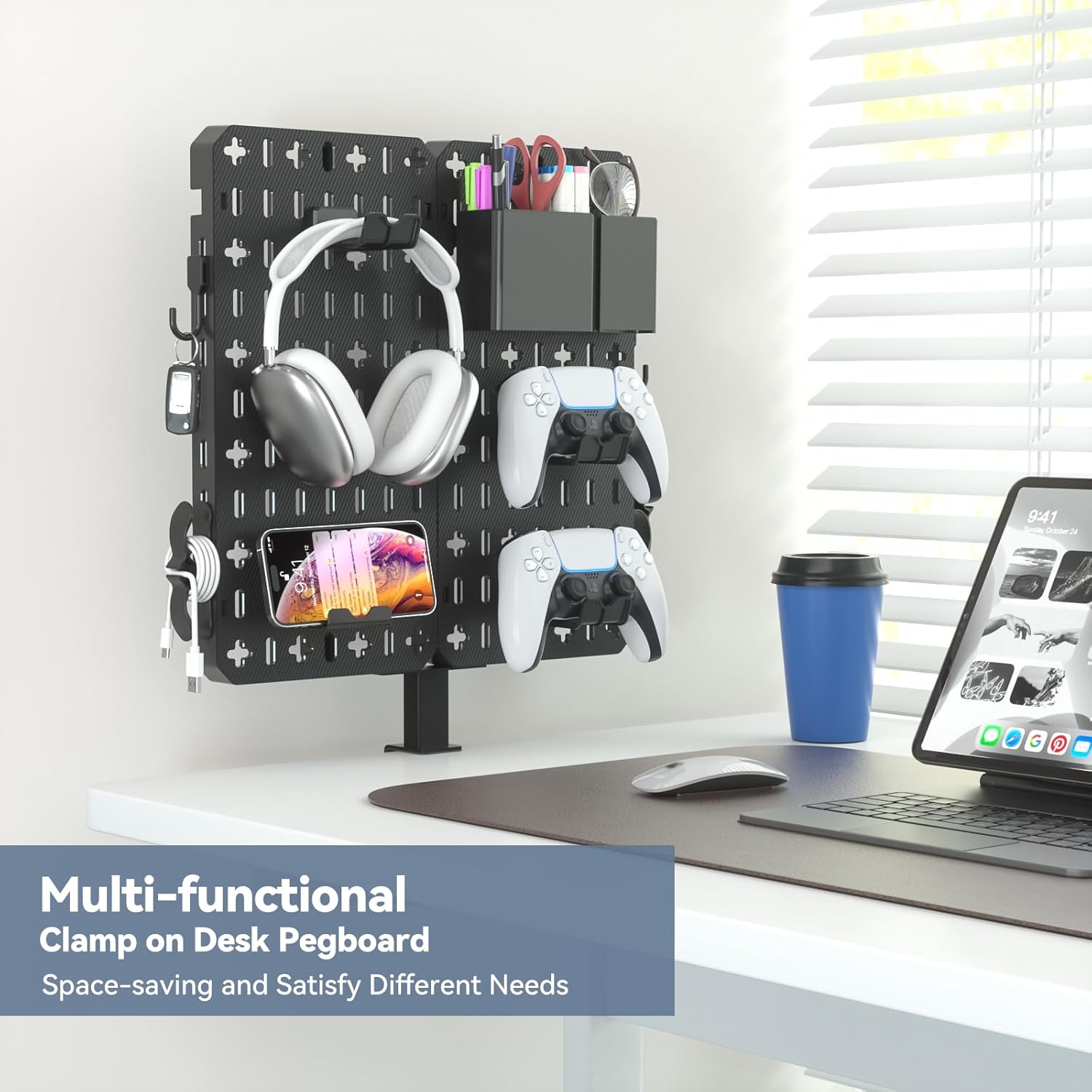
Image: The KDD 7-in-1 Clamp-on Desk Pegboard in use, showcasinанын уюштуруучулук мүмкүнчүлүктөрү.
Продукт компоненттери
Before assembly, please verify that all components listed below are included in your package:

Сүрөт: деталдуу view камтылган бардык компоненттер жана алардын болжолдуу өлчөмдөрү.
- Pegboard Panels (x2)
- Bottom Fixed Clamp (x1)
- Headphone/Controller Hangers (x3)
- Сактоо кутучасы (x1)
- Phone Storage Box (x1)
- Cell Phone Stand (x1)
- Илгичтер (x5)
- Кабель клиптери (x2)
- Backboard Hook Buckles (x6)
- Backboard Buckle (x3)
- Бурамалар (x2)
- Бурағыш (x1)
Орнотуу нускамалары
Follow these steps to assemble and install your KDD Clamp-on Desk Pegboard:
- Attach the Bottom Fixed Clamp: Secure the bottom fixed clamp to the lower edge of one pegboard panel using the provided screws and screwdriver. Ensure it is firmly attached.
- Connect Pegboard Panels (Optional): If using both pegboard panels, align the connection points on the sides of the panels. Insert the backboard buckles to securely join the two panels.
- Install Backboard Hook Buckles: Attach the backboard hook buckles to the desired slots on the pegboard panels. These will be used to hang accessories.
- Иш столуна орнотуу: Position the assembled pegboard on your desk. The clamp can be attached to the top surface or the side edge of your desk. Tighten the handle of the clamp until the pegboard is stable. Ensure your desk thickness is less than 2 inches (6 cm) for proper fit. The clamp includes protective pads to prevent scratches on your desk surface.
- Аксессуарларды уюштуруу: Place the phone stand, storage boxes, headphone/controller hangers, hooks, and cable clips into the pegboard slots as desired. The modular design allows for flexible arrangement.

Image: Product dimensions and clamp specifications, highlighting the maximum desk thickness.
Video Guide: KDD 7-in-1 Clamp-on Desk Pegboard for Office & Home
Video: Official KDD video demonstrating the assembly and various uses of the desk pegboard.
Иштөө нускамалары
The KDD 7-in-1 Clamp-on Desk Pegboard is designed for maximum versatility and organization. Utilize the various accessories to customize your workspace:
- Телефон стенд: Use the dedicated phone stand to keep your smartphone upright and easily accessible for calls, notifications, or video viewing.
- Сактоочу кутулар: The two different-sized storage boxes are ideal for pens, pencils, scissors, small tools, or other office supplies.
- Headphone & Controller Hangers: Hang your headphones and gaming controllers on the designated hangers to keep them off your desk surface and prevent clutter.
- Илгичтер: The five hooks can be used for keys, cables, small bags, or other lightweight items you need to keep within reach.
- Кабелдик клиптер: Use the cable clips to manage and organize charging cables or other wires, preventing tangles and maintaining a neat appearance.
The detachable design allows you to reconfigure the pegboard layout as your needs change, making it suitable for various environments such as study areas, game rooms, or offices.
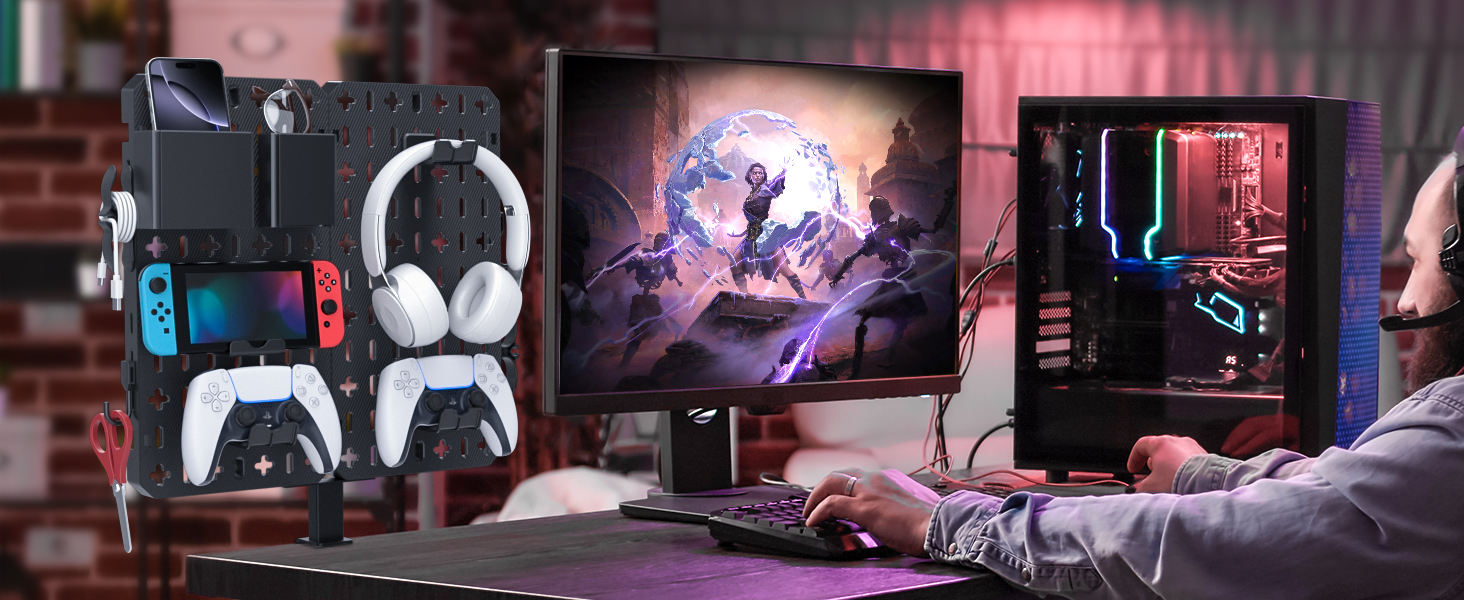
Сүрөт: Мисamples of the pegboard's application in various settings, including study, game room, and office.
Техникалык тейлөө
To ensure the longevity and appearance of your KDD Desk Pegboard, follow these simple maintenance guidelines:
- Тазалоо: Wipe the pegboard and accessories with a soft, damp кездеме. Абразивдүү тазалагычтарды же катуу химиялык заттарды колдонуудан алыс болуңуз, анткени алар пластикалык материалга зыян келтириши мүмкүн.
- Текшерүү: Periodically check the desk clamp and screw connections to ensure they remain tight and secure. Re-tighten if necessary.
- Салмак чеги: Do not overload the pegboard or its accessories. Distribute weight evenly to maintain stability.
Проблемаларды чечүү
If you encounter any issues with your KDD Desk Pegboard, please refer to the following common solutions:
- Accessories are difficult to insert into slots: The clips and hooks are designed for a snug fit to ensure stability. Apply firm, even pressure when inserting them. If a clip breaks, please contact customer support for replacements.
- Pegboard feels unstable or wobbly: Үстөлдүн clamp is fully tightened. Verify that the desk thickness is within the specified limit (less than 2 inches / 6 cm). If using two panels, confirm that the backboard buckles are securely engaged. Avoid placing excessively heavy items on one side.
- Desk surface is scratched by the clamp: Clamp is equipped with protective pads. Ensure these pads are correctly positioned between the clamp and your desk surface during installation.
Техникалык шарттар
| Өзгөчөлүк | Деталь |
|---|---|
| Бренд | KDD |
| Модель номери | 9-KDD-763 |
| Материал | Plastic (Polypropylene) |
| Түс | Кара |
| Продукциянын өлчөмдөрү | 8.19"D x 3.07"W x 16.14"H (20.8cm D x 7.8cm W x 41cm H) |
| Элемент Салмагы | 2.94 фунт (1.34 кг) |
| Өзгөчө өзгөчөлүк | Adjustable, Detachable, No-Drill Installation |
| Бөлүмдөрдүн саны | 3 (Storage Box, Phone Storage Box, Cell Phone Stand) |
Кепилдик жана колдоо
KDD stands behind the quality of its products. For warranty information, product support, or to inquire about replacement parts, please contact KDD customer service through the retailer where you purchased the product or visit the official KDD store online. Please have your model number (9-KDD-763) and purchase date available when contacting support.
Кошумча маалымат жана өнүмдөр үчүн, баш багыңыз KDD Store on Amazon.