1. Киришүү
Thank you for choosing the Hy-T26 X15 Pro Wireless Bluetooth Earbuds. These earbuds are designed to provide an immersive audio experience with advanced features like Bluetooth 5.4 connectivity, intelligent noise reduction, and an IPX5 waterproof rating. This manual will guide you through the features, setup, and maintenance of your new earbuds to ensure optimal performance and longevity.
2. Пакеттин мазмуну
Пакетиңизде бардык буюмдар бар экенин текшериңиз:
- Hy-T26 Headphones for Sports Earbuds (1 pair)
- Lanyard (1)
- Зымсыз кубаттоочу куту (1)
- Type-C заряддоо кабели (1)
- Колдонуучунун колдонмосу (1)

Image: Hy-T26 X15 Pro Earbuds, their wireless charging case, and included lanyards.
3. Техникалык шарттар
| Өзгөчөлүк | Description |
|---|---|
| Bluetooth версиясы | 5.4 |
| Байланыш технологиясы | Зымсыз (Bluetooth) |
| Заряддоо убактысы | Болжол менен 1 саат |
| Суу өткөрбөйт деңгээл | IPX5 (Resistant to sweat, splashes, and light rain) |
| Кулак жайгаштыруу | Out-of-Ear / Over Ear (Ear Hook Design) |
| Башкаруу түрү | Медиа башкаруу, алыстан |
| Шайкеш түзмөктөр | Bluetooth-enabled devices (phones, laptops, etc.) |
| Аудио драйвер түрү | Динамикалык драйвер |
4. Орнотуу
4.1 Кулакчындарды жана кутучаны заряддоо
Before first use, fully charge your earbuds and the charging case. Connect the provided Type-C charging cable to the charging port on the case and plug the other end into a USB power source. The charging time is approximately 1 hour.
4.2 Кулакчындарды тагынуу
The Hy-T26 X15 Pro earbuds feature an ergonomic ear loop design for a comfortable and secure fit. Gently place the earbud over your ear, ensuring the speaker portion is positioned correctly for optimal sound without entering the ear canal.

Сүрөт: Жакын план view of the earbud's non-in-the-ear design, highlighting its comfortable fit.
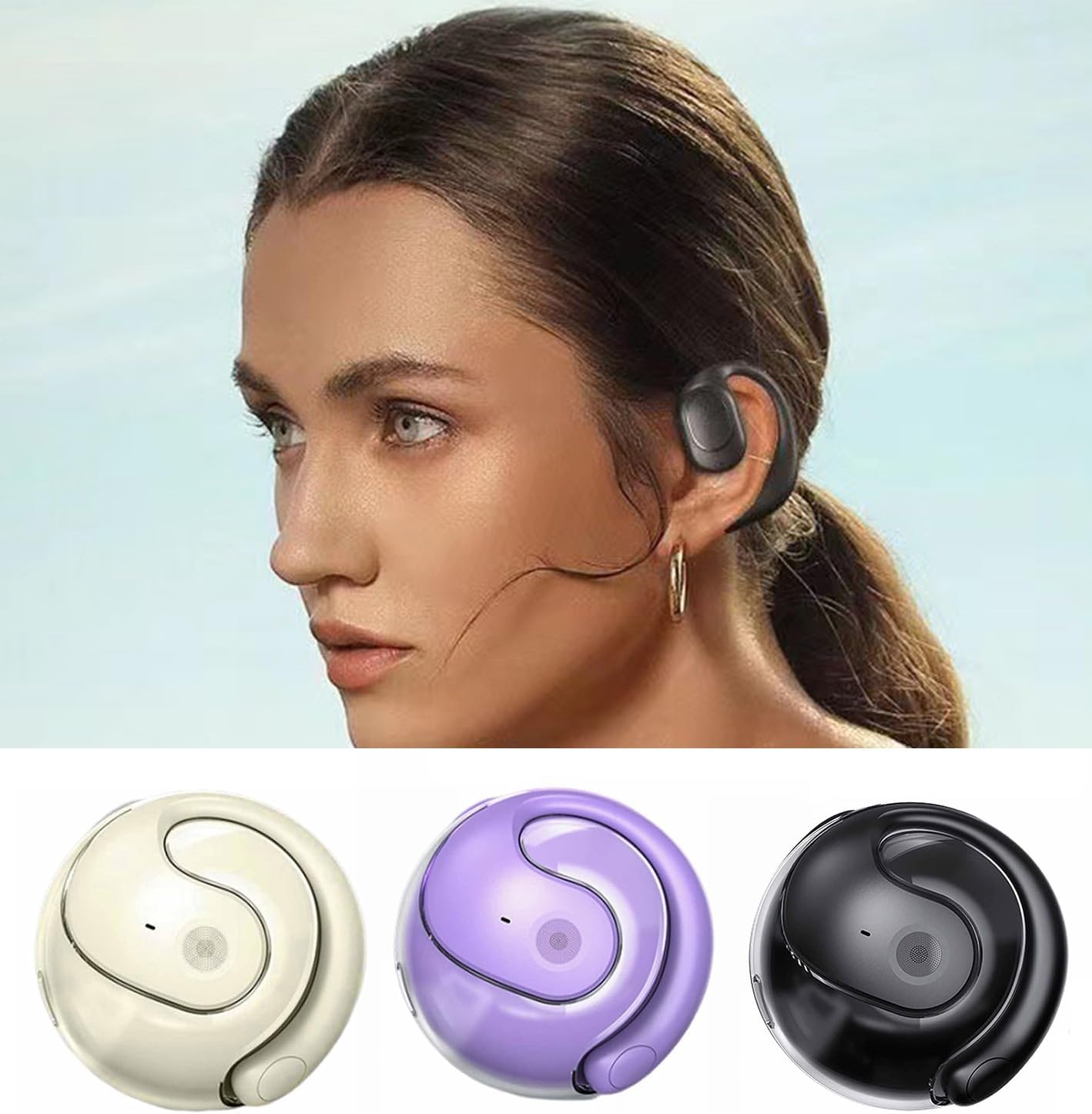
Image: A person wearing the Hy-T26 X15 Pro earbud, demonstrating its secure and discreet placement.
4.3 Bluetooth жупташтыруу
- Кулакчындар кубатталганын жана күйүп турганын текшериңиз.
- Open the Bluetooth settings on your device (smartphone, tablet, laptop).
- Издөө available devices. The earbuds should appear as "Hy-T26" or similar.
- Select the earbuds to pair. A voice prompt will confirm successful connection.
- Once paired, the earbuds will automatically connect to your device when taken out of the case and within range.
5. Иштөө нускамалары
5.1 Негизги башкаруу каражаттары
The Hy-T26 X15 Pro earbuds feature intuitive touch or button controls for media playback and call management. Refer to the specific control layout on your earbuds for precise functions:
- Ойнотуу/тындыруу: Кулакчындарды бир жолу таптаңыз.
- Кийинки трек: Оң кулакчынды эки жолу таптаңыз.
- Мурунку трек: Сол кулакчынды эки жолу таптаңыз.
- Үнүн жогорулатуу/төмөндөтүү: Specific gestures or buttons may vary. Consult the quick start guide for detailed instructions.
5.2 Чалууларды башкаруу
Enjoy clear, noise-free calls thanks to the intelligent noise reduction technology.
- Чалууга жооп берүү/аяктоо: Кулакчындарды бир жолу таптаңыз.
- Чакырууну четке кагуу: Кулакчындардын биринде 2 секунд басып туруңуз.

Image: An earbud resting on a record player, symbolizing its capability for high-definition, noise-free calls.
5.3 Аудио тажрыйбасы
The earbuds deliver 360° high-fidelity stereo sound, providing an immersive audio experience for music, movies, and calls.

Image: A woman smiling while wearing the Hy-T26 X15 Pro earbuds, indicating a pleasant user experience.
6. Техникалык тейлөө
6.1 Тазалоо
Оптималдуу иштөөнү жана гигиенаны сактоо үчүн, кулакчындарыңызды жана кубаттоочу кутучаңызды дайыма тазалап туруңуз. Беттерин сүртүү үчүн жумшак, кургак, түксүз чүпүрөктү колдонуңуз. өжөр кир үчүн, бир аз гamp cloth can be used, but ensure no moisture enters the speaker grilles or charging ports.
6.2 Сактоо
When not in use, store the earbuds in their charging case to protect them from dust, scratches, and accidental damage. Store the case in a cool, dry place away from direct sunlight and extreme temperatures.
6.3 Сууга туруктуулук (IPX5)
The earbuds are IPX5 rated, meaning they are resistant to sweat, splashes, and light rain. They are not designed for submersion in water. Do not expose them to strong jets of water or wear them while swimming or showering. If they get wet, wipe them dry immediately before placing them back in the charging case.
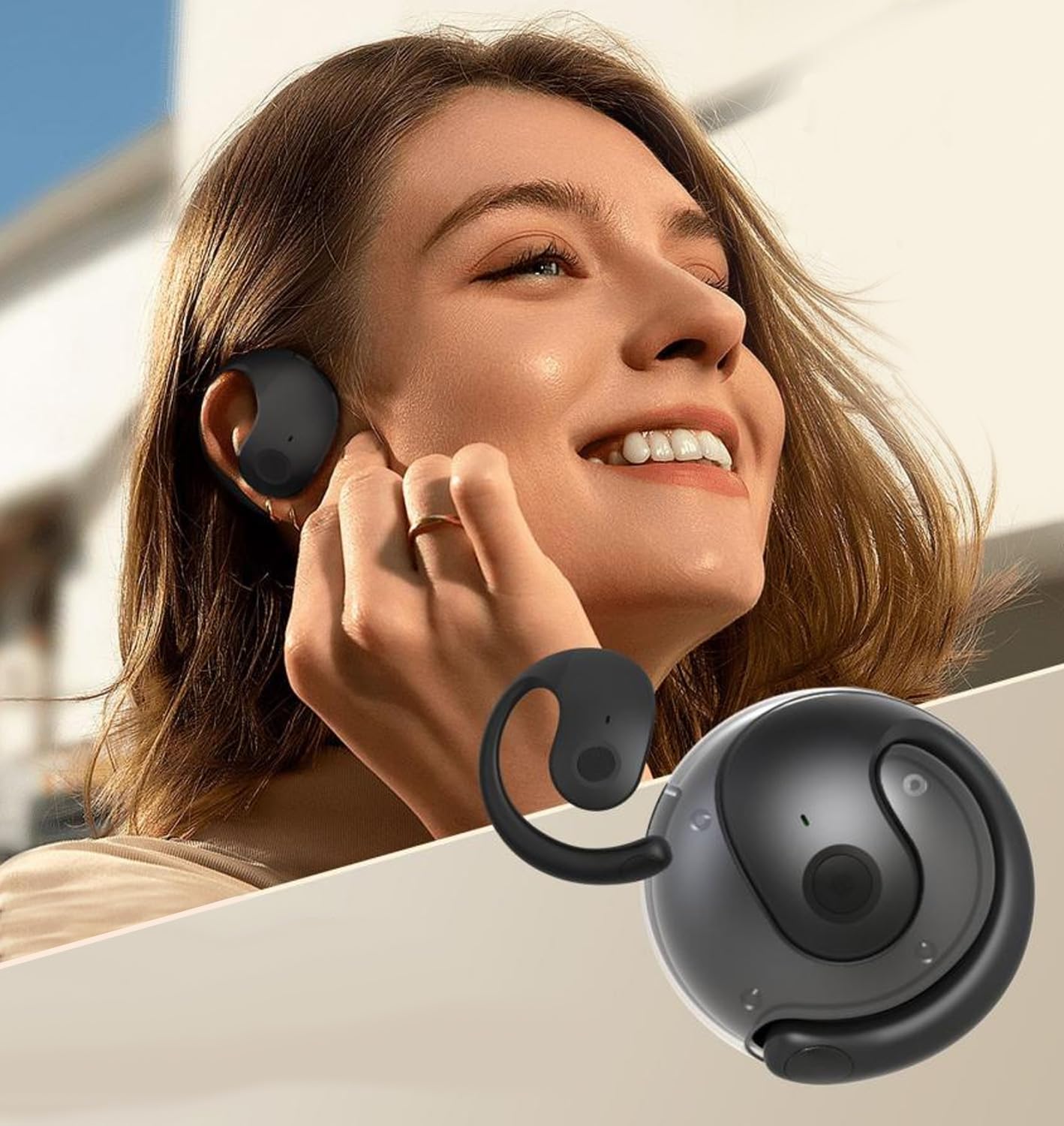
Image: Visual representation of the earbud's design, internal structure, and IPX5 water resistance.
7. Кыйынчылыктарды
If you encounter any issues with your Hy-T26 X15 Pro earbuds, please refer to the following common solutions:
- Кулакчындар кубатталбай жатат: Кубаттоочу кабелдин корпуска да, кубат булагына да бекем туташтырылганын текшериңиз. Кулакчындардын жана корпустун ичиндеги кубаттоочу контакттар таза жана таштандылардан тазаланганын текшериңиз.
- Бир гана кулакчын иштейт: Try placing both earbuds back into the charging case, close the lid, wait a few seconds, and then take them out again. Re-pair the earbuds with your device.
- Түзмөк менен жупташтыруу мүмкүн эмес: Make sure Bluetooth is enabled on your device and the earbuds are in pairing mode. Ensure the earbuds are fully charged. If issues persist, try forgetting the device in your Bluetooth settings and re-pairing.
- Үн сапатынын начардыгы/байланыштын үзүлүшү: Ensure the earbuds are within the effective Bluetooth range of your device (typically 10 meters/33 feet). Avoid obstacles between the earbuds and your device.
- Үн жок: Түзмөгүңүздөгү жана кулакчындардын үнүнүн деңгээлин текшериңиз. Кулакчындар түзмөгүңүзгө туура туташтырылганын текшериңиз.
Бул кадамдарды жасагандан кийин көйгөй чечилбесе, кардарларды колдоо менен байланышыңыз.
8. Кепилдик жана колдоо
Your Hy-T26 X15 Pro Wireless Bluetooth Earbuds come with a standard manufacturer's warranty. Please refer to the warranty card included in your package for specific terms and conditions. For technical support, troubleshooting assistance, or warranty claims, please contact the seller or manufacturer through the platform where you purchased the product.
We are committed to providing you with a high-quality product and excellent customer service.