
Маанилүү коопсуздук нускамалары
Before using this elliptical trainer, please read all instructions carefully. Keep this manual for future reference.
- Кандайдыр бир көнүгүү программасын баштоодон мурун дарыгер менен кеңешиңиз.
- Колдонуу учурунда балдарды жана үй жаныбарларын жабдуулардан алыс кармаңыз.
- Place the elliptical on a level surface with adequate clearance around it.
- Тийиштүү көнүгүү кийимин жана спорттук бут кийимди кийиңиз.
- Колдонуучунун максималдуу салмагы 113 кг (250 фунт) ашпаңыз.
- Ар бир колдонуудан мурун жабдуунун эскирген же бош тетиктерин текшериңиз. Бузулган болсо, колдонбоңуз.
- Бардык болттор менен гайкалардын бекем бекемделгенин текшериңиз.
- Эгер алсырап, башыңыз айланса же ооруса, көнүгүүлөрдү дароо токтотуңуз.
- Use the elliptical only for its intended purpose as described in this manual.
Пакеттин мазмуну
Монтаждоону баштоодон мурун бардык компоненттердин бар экендигин текшериңиз:
- Консол
- Колдонуучунун Колдонмосу (бул документ)
- Tool Kit
- Flywheel чогултуу
- Негизги кадр компоненттери
- Pedals and Arms
- Стабилизаторлор
Эгерде кандайдыр бир бөлүктөрү жок же бузулуп калса, дароо кардарларды колдоо менен байланышыңыз.
Орнотуу жана чогултуу
Assembly typically requires two people. Follow the detailed instructions provided in the included assembly guide. The tool kit contains necessary wrenches and an Allen key. A Phillips head screwdriver (not included) may also be required.
- Пакеттен чыгаруу: Carefully remove all components from the packaging. Place them on a clear, level surface. Retain packaging materials until assembly is complete.
- Стабилизаторду орнотуу: Берилген болтторду жана шайбаларды колдонуп, алдыңкы жана арткы стабилизаторлорду негизги рамага бекитиңиз.
- Тик чогултуу: Secure the upright post to the main frame. Ensure all wiring connections are properly routed and connected as per the assembly guide.
- Pedal Arms and Pedals: Attach the pedal arms to the flywheel mechanism and then secure the foot pedals to the pedal arms. Pay attention to left and right markings.
- Консоль тиркемеси: Connect the console wiring to the upright post's wiring. Mount the console securely to the upright post.
- Акыркы текшерүү: Before first use, ensure all bolts, nuts, and connections are tight and secure. Test the movement of the pedals and handlebars for smooth operation.

Image: The ProForm Sport Elliptical fully assembled, illustrating its compact design and key structural components. Dimensions are approximately 150 cm (length) x 65 cm (width) x 156 cm (height).

Image: A user tilting the elliptical to engage the front transport wheels, demonstrating how to easily move the machine for storage or repositioning.
Иштөө нускамалары
Console Overview
The console features a 5-inch LCD display, resistance control buttons, and a device holder. It provides real-time workout data and allows for iFIT integration.

Сүрөт: деталдуу view of the console, highlighting the 5-inch (12.7 cm) LCD display, resistance buttons (1-20), tablet holder, and integrated 2-inch (5 cm) Bluetooth enabled speakers.
Каршылыкты тууралоо
The ProForm Sport Elliptical features 20 levels of digital magnetic resistance. This Silent Magnetic Resistance (SMR) system provides a smooth and quiet workout.
- Кол менен тууралоо: Use the '+' and '-' buttons on the console to increase or decrease the resistance level during your workout.
- Тез каршылык көрсөтүү баскычтары: The console also features quick-select buttons (1-20) to jump directly to a desired resistance level.
Using iFIT
The elliptical is designed for seamless integration with the iFIT platform, offering a personalized training experience.
- Түзмөгүңүздү туташтыруу: Place your smartphone or tablet on the integrated device holder. Connect your device to the elliptical via Bluetooth.
- iFIT App: Download and open the iFIT app on your device. An iFIT membership is required to access the full library of workouts.
- Personalized Workouts: iFIT offers over 10,000 on-demand workouts led by expert trainers. The SmartAdjust™ technology automatically adjusts the elliptical's resistance to match the workout intensity and your fitness level.
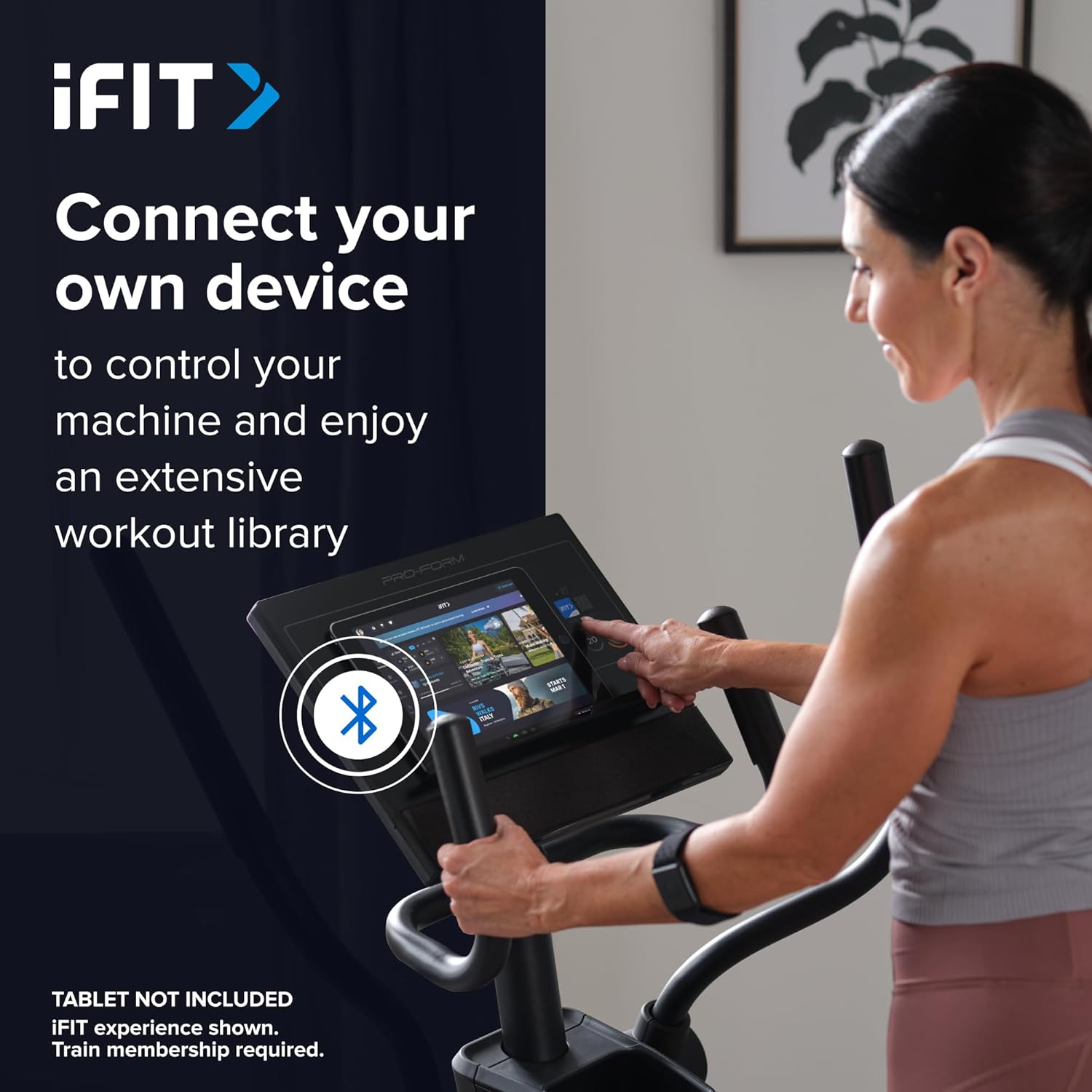
Image: A user connecting a tablet to the elliptical's console, demonstrating how to use a personal device to control the machine and access the iFIT workout library.
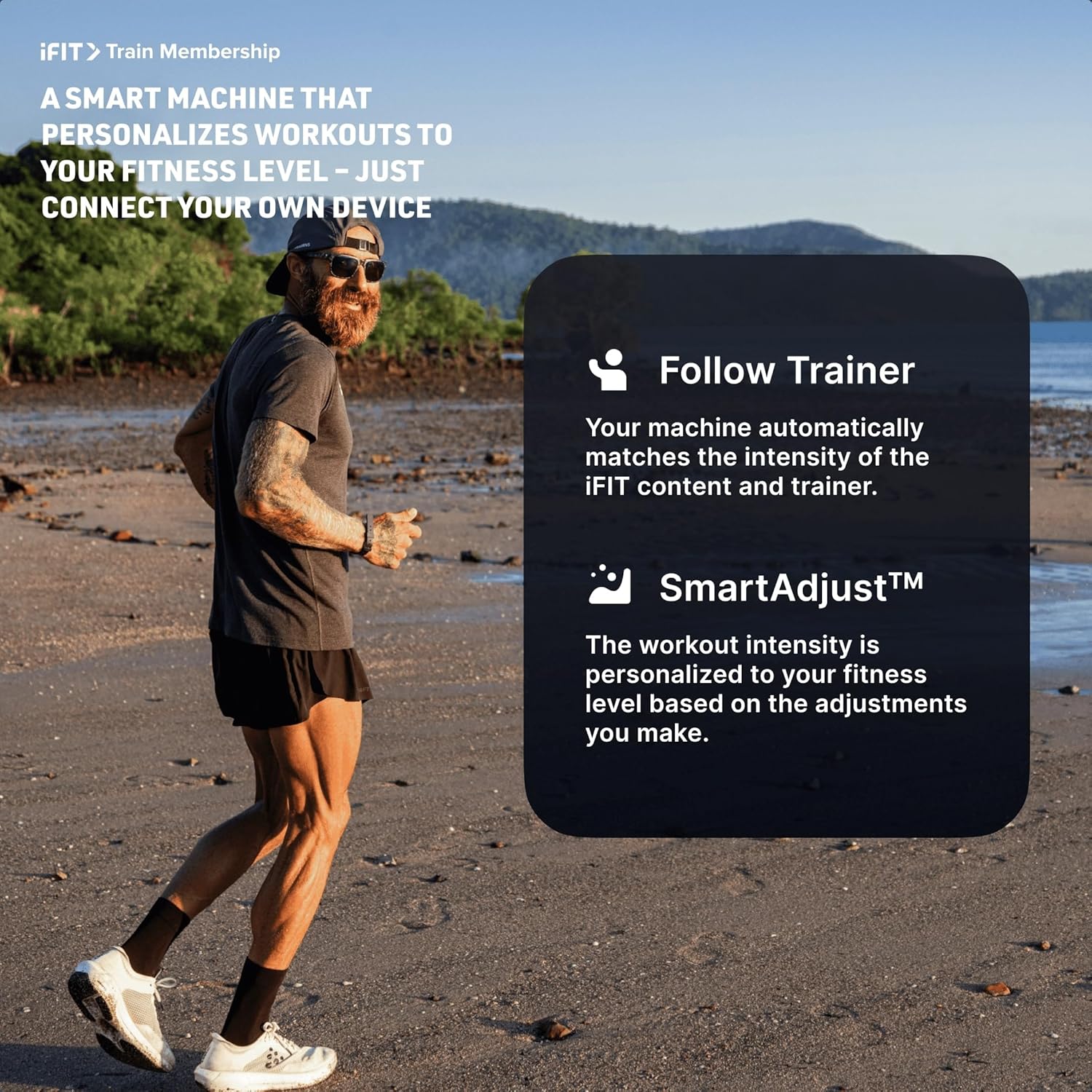
Image: An illustration detailing iFIT Train Membership benefits, including the 'Follow Trainer' feature where the machine adjusts to match trainer intensity, and 'SmartAdjust™' for personalized workout intensity based on fitness level.
Bluetooth байланышы
The elliptical's console includes Bluetooth-enabled speakers. You can connect your personal device to play audio directly through the elliptical's speakers.
- Жупташтыруу: Түзмөгүңүздө Bluetooth'ду иштетиңиз. Издөө the elliptical's Bluetooth name (usually "ProForm Elliptical" or similar) and pair.
- Аудио ойнотуу: Once paired, audio from your device will play through the elliptical's 2-inch (5 cm) speakers.
Техникалык тейлөө
Regular maintenance ensures the longevity and optimal performance of your ProForm Sport Elliptical.
- Тазалоо: Wipe down the elliptical after each use with a damp терди жана чаңды тазалоо үчүн кездеме. Абразивдүү тазалагычтардан же эриткичтерден качыңыз.
- Текшерүү: Periodically check all bolts, nuts, and moving parts for tightness and wear. Tighten any loose fasteners. Replace worn parts immediately.
- Майлоо: Refer to the detailed assembly guide for specific lubrication points and recommended lubricants, if any.
- Сактагыч: Store the elliptical in a dry, clean environment away from extreme temperatures and direct sunlight.
Проблемаларды чечүү
| Көйгөй | Мүмкүн себеп | Чечим |
|---|---|---|
| Консол күйбөйт. | Power adapter not connected; power outlet issue; console wiring loose. | Ensure power adapter is fully plugged into the elliptical and a working outlet. Check console wiring connections. |
| Elliptical makes noise during use. | Loose bolts or components; parts requiring lubrication; worn bearings. | Inspect and tighten all visible bolts and nuts. Refer to the assembly guide for lubrication points. If noise persists, contact customer support. |
| Каршылык өзгөрбөйт. | Console malfunction; internal resistance mechanism issue. | Ensure console is properly connected. If using iFIT, check app connection. If problem persists, contact customer support. |
| Bluetooth аудио туташпай жатат. | Device Bluetooth off; elliptical not in pairing mode; interference. | Ensure Bluetooth is enabled on your device. Restart both device and elliptical. Try pairing again. Move closer to the elliptical. |
Техникалык шарттар
| Модель аты: | ProForm Sport Elliptical |
| Модель номери: | PFEL54925-INT |
| Бренд: | ProForm |
| Өлчөмдөрү (L x W x Y): | 150 см x 65 см x 156 см (59.1 дюйм x 25.6 дюйм x 61.4 дюйм) |
| Элемент Салмагы: | 52.7 кг (116.2 фунт) |
| Максималдуу колдонуучу салмагы: | 113 кг (250 фунт) |
| Каршылык көрсөтүү механизми: | Magnetic (Silent Magnetic Resistance - SMR) |
| Каршылык деңгээли: | 20 санариптик деңгээл |
| Кадам узундугу: | 40.6 см (16 дюйм) |
| Дисплей: | 5 дюймдук LCD |
| Байланыш: | Bluetooth (for iFIT and audio) |
| Камтылган компоненттер: | Console, User Manual, Tool Kit, Flywheel |
Кепилдик маалымат
Your ProForm Sport Elliptical is covered by the following warranty:
- кадр: 8 years contractual warranty (total 10 years).
- Бөлүктөр жана эмгек: 2 years legal warranty.
*The extended frame warranty is valid only if the product registration is completed on https://ifitsupport.eu/it/product-registration продукт жеткирилгенден кийин 28 күндүн ичинде.
Кепилдик дооматтары үчүн сатып алганыңыздын далилин сактап коюңуз.
Кардарларды колдоо
For technical assistance, warranty claims, or to order replacement parts, please contact ProForm customer support.
Refer to the contact information provided with your purchase or visit the official ProForm website for support details in your region.
When contacting support, please have your model number (PFEL54925-INT) and serial number ready.