
Ninkear N16 PRO
Ninkear N16 Pro Gaming ноутбугунун колдонуучу колдонмосу
Модел: N16 PRO | Бренд: Ninkear
1. Киришүү
Welcome to the comprehensive user manual for your Ninkear N16 Pro Gaming Laptop. This guide provides essential information to help you set up, operate, maintain, and troubleshoot your device. Please read this manual thoroughly to ensure optimal performance and longevity of your laptop.
The Ninkear N16 Pro is designed for high-performance computing, featuring a 13th Gen Intel Core i7-13620H processor, a vibrant 16-inch 2.5K 120Hz IPS display, 32GB DDR4 RAM, and a 1TB PCIe SSD. It also includes advanced features like WiFi 6 and face recognition for enhanced connectivity and security.
2. Орнотуу колдонмосу
2.1 Ноутбугуңузду кутудан чыгаруу
Carefully remove all components from the packaging. Ensure you have the laptop, power adapter, wired mouse, mouse pad, and quick start guide. The packaging is designed to protect your device during transit.
Official Ninkear N16 Pro Unboxing View. This video demonstrates the unboxing process and contents of the laptop package.
Пакетке төмөнкүлөр кирет:
- Ninkear N16 Pro Laptop
- Кубат адаптери (USB-C)
- Зымдуу чычкан
- Mouse Pad
- Quick Start Guide
2.2 Баштапкы күйгүзүү жана заряддоо
Before first use, ensure the laptop is fully charged. Connect the provided USB-C power adapter to the laptop's Type-C charging port and a power outlet. The charging indicator light will illuminate. Once charged, press the power button located on the keyboard to turn on the laptop.

The Ninkear N16 Pro laptop, showcasing its sleek design and high-resolution display.

An overview of the Ninkear N16 Pro's core features, including its display, processor, memory, storage, and connectivity options.
3. Иштөө нускамалары
3.1 Дисплей жана визуалдык тажрыйба
The N16 Pro features a 16-inch 2.5K (2560x1600) IPS display with a 120Hz refresh rate. This provides a sharp, vibrant, and smooth visual experience, ideal for gaming, graphic design, and video editing. You can adjust display settings through Windows Дисплей орнотуулары.

The laptop's 2.5K display offers exceptional clarity and detail for an immersive visual experience.
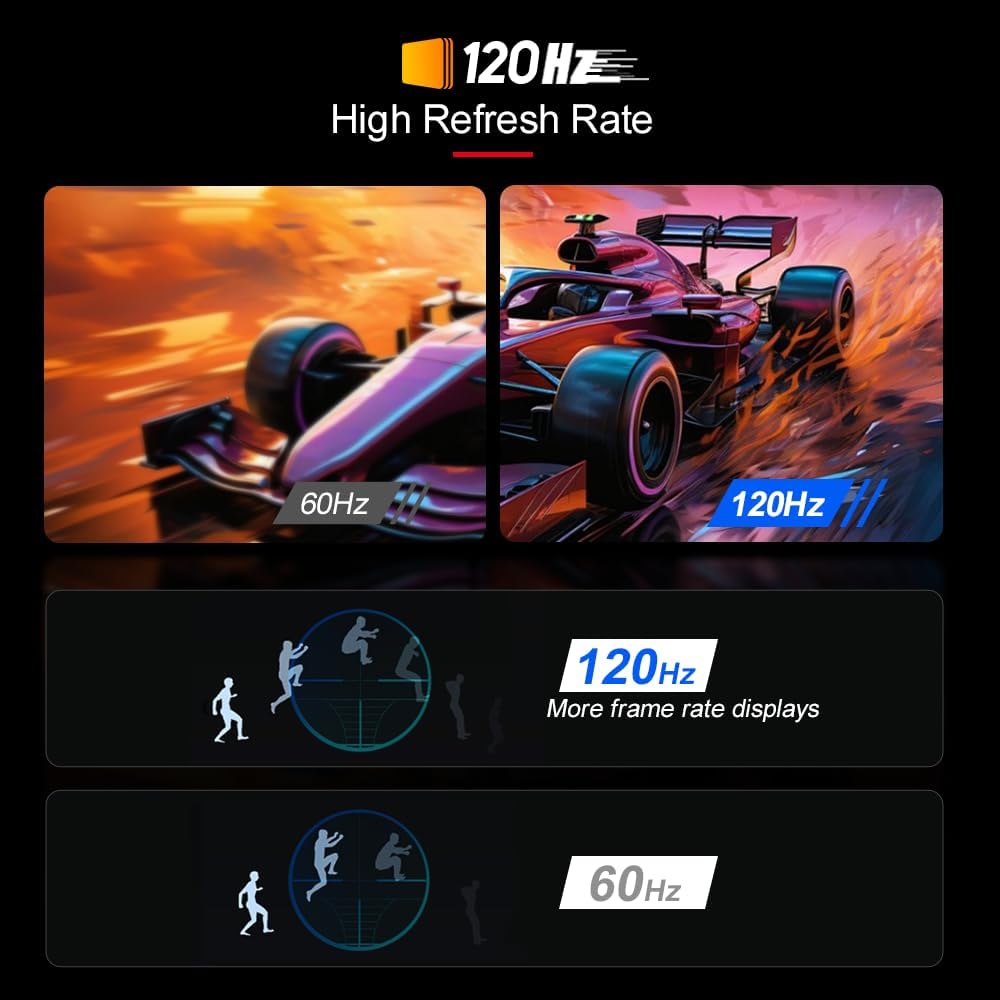
Experience ultra-smooth visuals with the 120Hz high refresh rate, reducing motion blur and enhancing responsiveness.
3.2 Баскычтоп жана киргизүү
The N16 Pro features a backlit keyboard for comfortable typing in various lighting conditions. It also includes a numeric keypad for efficient data entry. The large touchpad supports multi-touch gestures for intuitive navigation.

The backlit keyboard provides visibility in low-light environments, enhancing usability.
3.3 Face Recognition Login
Utilize the integrated face recognition feature for quick and secure login. Set up Windows Hello in your system settings to enable this convenient biometric authentication.

Secure and fast login using the integrated face recognition technology.
3.4 Connectivity (Wi-Fi 6 and Ports)
The N16 Pro supports Wi-Fi 6 (802.11ax) for faster and more stable wireless connections. It also offers a variety of ports for connecting external devices:
- HDMI: For external displays.
- USB 3.0 (x2): жогорку ылдамдыктагы маалыматтарды берүү үчүн.
- USB 2.0 (x1): For standard peripherals.
- Type-C (Full-Featured): Supports charging, data transfer, and video output.
- RJ45: Зымдуу Ethernet туташуусу үчүн.
- Кулакчын порту: Аудио чыгаруу үчүн.

Деталдаштырылган view of the N16 Pro's versatile port selection for all your connectivity needs.
3.5 Эстутумду жана сактагычты кеңейтүү
The N16 Pro features a dual-channel design, allowing for DIY expansion of RAM up to 64GB and SSD storage up to 4TB. This flexibility ensures the laptop can meet demanding performance and storage requirements for various applications.

Ички view highlighting the dual-channel DDR4 memory and expandable PCIe SSD slots.
4. Техникалык тейлөө
4.1 Тазалоо жана кам көрүү
To maintain your laptop's appearance and functionality, regularly clean the screen and keyboard with a soft, lint-free cloth. For stubborn marks, use a specialized electronic cleaning solution. Avoid harsh chemicals or abrasive materials.
4.2 Батареяга кам көрүү
The N16 Pro is equipped with a 5500mAh (62.70Wh) lithium-ion battery, providing up to 8 hours of usage. To prolong battery life, avoid fully discharging the battery frequently and store the laptop in a cool, dry place when not in use for extended periods.

The N16 Pro's high-capacity battery supports extended usage throughout the day.
4.3 Муздатуу системасы
The laptop features a dual cooling solution with copper tubes and silent fans to efficiently dissipate heat. Ensure the vents are clear of obstructions to maintain optimal airflow and prevent overheating, especially during intensive tasks.

The efficient dual cooling system ensures stable performance by effectively managing heat.
5. Кыйынчылыктарды
If you encounter issues with your Ninkear N16 Pro, please refer to the following common solutions:
- Кубат жок: Кубат адаптери бекем туташып турганын жана розетка иштеп турганын текшериңиз. Башка розеткадан аракет кылып көрүңүз.
- Дисплей маселелери: If the screen is blank or flickering, try connecting an external monitor to check if the issue is with the laptop's display or graphics. Update display drivers.
- Wi-Fi туташуусу: Windows жөндөөлөрүндө Wi-Fi иштетилгенин текшериңиз. Роутериңизди жана ноутбукту өчүрүп күйгүзүңүз. Айдоочулардын жаңыртылганын текшериңиз.
- Жай аткаруу: Close unnecessary applications. Check for background processes consuming high resources. Consider upgrading RAM or SSD if performance remains consistently slow.
- Ашыкча ысып кетүү: Ensure vents are clear. Use the laptop on a hard, flat surface. Consider a cooling pad if necessary.
For more complex issues, please contact Ninkear customer support.
6. Техникалык шарттар
| Өзгөчөлүк | Спецификация |
|---|---|
| Бренд | Ninkear |
| Модель аты | N16 PRO |
| Screen Size | 15.98 дюйм |
| Screen Resolution | 2560 x 1600 пиксел (2.5K) |
| Жаңыртуу ылдамдыгы | 120Hz |
| Процессор | 13-муундагы Intel Core i7-13620H (4.9 ГГц чейин) |
| RAM | 32 GB DDR4 (Expandable to 64GB) |
| Катуу диск | 1 TB PCIe SSD (Expandable to 4TB) |
| Графикалык сопроцессор | 13-муундагы Intel процессорлору үчүн Intel UHD графикасы |
| Зымсыз түрү | 802.11ax (WiFi 6), Bluetooth |
| Операция системасы | Windows 11 Pro |
| Батареянын иштөө мөөнөтү | Up to 8 Hours (5500mAh) |
| Порттар | 1x USB 2.0, 2x USB 3.0, 1x HDMI, 1x Full-Featured Type-C, 1x RJ45, 1x Earphone Port |
| Элемент Салмагы | 7.7 фунт |
| Түс | Silver |
7. Кепилдик жана колдоо
Ninkear provides customer support for your N16 Pro laptop. If you have any questions, require technical assistance, or need to inquire about warranty services, please contact us via email:
Электрондук почта: Ninkear.Service@gmail.com
Please include your order number when contacting support for faster service.
Ask a question about this manual
Ask about setup, troubleshooting, compatibility, parts, safety, or missing instructions. Manuals+ will review the question and use this page’s manual context to help answer it.