
Introduction
Welcome to the user manual for your Maxcom Celin FW27 Smartwatch. This guide provides essential information on how to set up, operate, and maintain your device. The FW27 combines elegant design with advanced technology, offering features such as health monitoring, sports tracking, and smart notifications. Please read this manual thoroughly to ensure proper use and to maximize your smartwatch experience.
Пакеттин мазмуну
Upon opening your Maxcom Celin FW27 Smartwatch package, please verify that all the following items are included:
- Maxcom Celin FW27 Smartwatch
- Заряддоо кабели
- Колдонуучунун Колдонмосу (бул документ)
- Additional Fabric Strap
- Extra Glass Protector
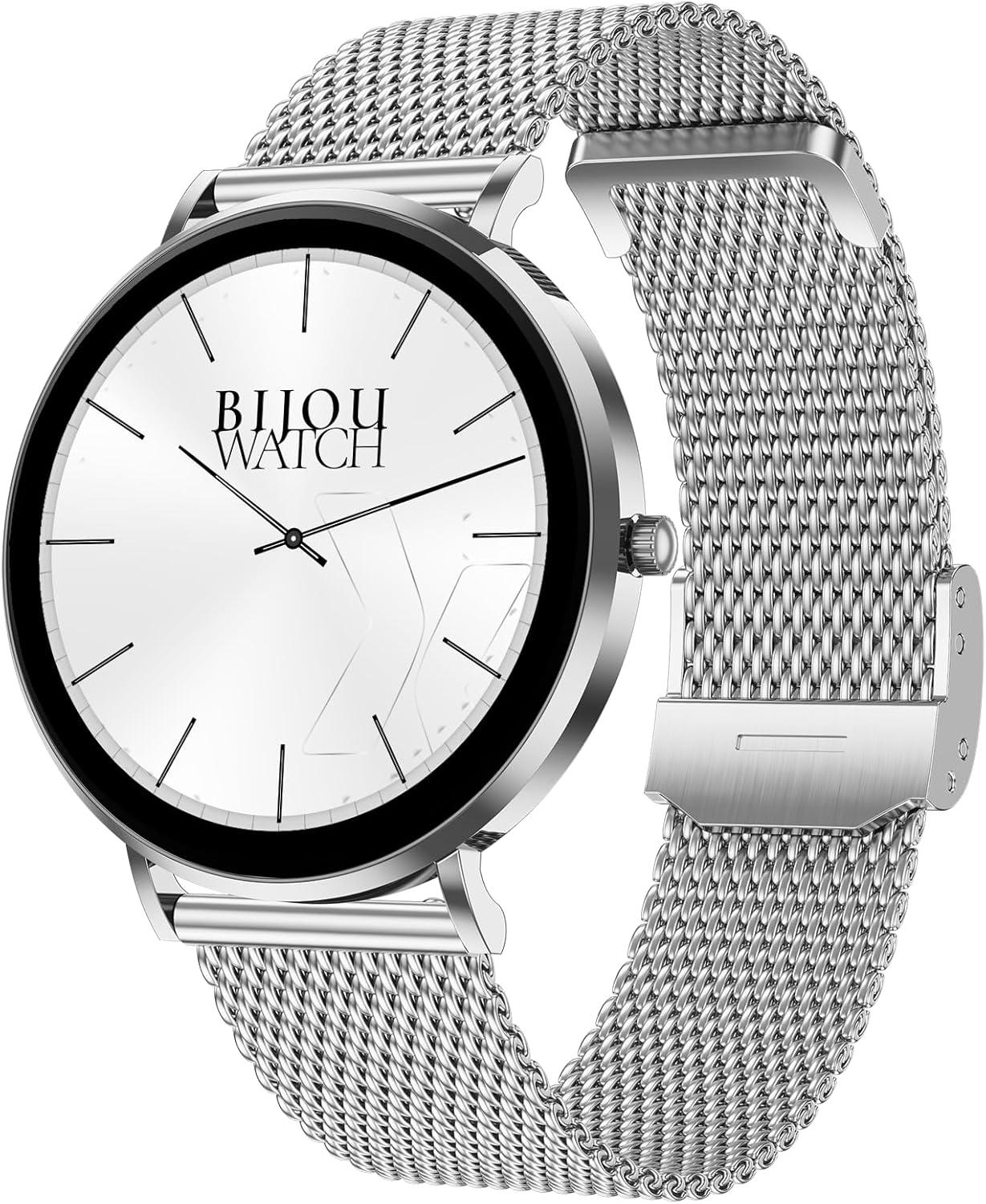
Image: The Maxcom Celin FW27 Smartwatch with its elegant silver mesh strap.
Продукт бүттүview
The Maxcom Celin FW27 Smartwatch features a sleek, ultra-slim stainless steel design with a vibrant AMOLED display. It is designed for comfort and durability, making it suitable for daily wear and various activities.
Негизги компоненттер:
- AMOLED дисплей: High-resolution 1.35-inch screen (466x466 pixels) for clear visuals and vibrant colors, supporting Always-On Display (AOD).
- Каптал баскычы/Таажысы: Навигация, күйгүзүү/өчүрүү жана менюларга кирүү үчүн колдонулат.
- Сенсорлор: Located on the back for heart rate, blood oxygen, and blood pressure monitoring.
- Заряддоо байланыштары: Magnetic contacts on the back for connecting the charging cable.
- Динамик/микрофон: Bluetooth чалуу функциясы үчүн.

Image: The smartwatch displaying a digital watch face with time.
Жайгашуу
1. Акылдуу саатты заряддоо
Биринчи жолу колдонуудан мурун, акылдуу саатыңызды толугу менен кубаттаңыз.
- Кубаттоочу кабелди USB кубат адаптерине (кошулмада жок) же компьютердин USB портуна туташтырыңыз.
- Кубаттоочу кабелдин магниттик төөнөгүчтөрүн акылдуу сааттын арткы бетиндеги кубаттоочу контакттар менен тегиздеңиз. Кабель ордуна кесилип түшөт.
- Сааттын дисплейинде кубаттоо индикатору көрсөтүлөт. Толук кубаттоо үчүн болжол менен 2 саат күтө туруңуз.
2. Күйгүзүү / Өчүрүү
- Күйгүзүү: Maxcom логотиби пайда болгонго чейин капталдагы баскычты бир нече секунд басып туруңуз.
- Өчүрүү: From the watch face, swipe down to access quick settings, or navigate to the settings menu. Select "Power Off" and confirm. Alternatively, press and hold the side button and select "Power Off".
3. Installing the Da Fit App
To unlock the full potential of your smartwatch, download and install the "Da Fit" app on your smartphone.
- Scan the QR code provided in the quick start guide (if available) or search for "Da Fit" in your smartphone's app store (App Store for iOS, Google Play Store for Android).
- Колдонмону орнотуп, керектүү уруксаттарды бериңиз.
4. Смартфонуңуз менен жупташуу
- Смартфонуңузда Bluetooth иштетилгенин текшериңиз.
- "Da Fit" колдонмосун ачыңыз.
- Follow the on-screen instructions to add a new device. The app will search for your FW27 smartwatch.
- Select "FW27" from the list of available devices to pair.
- Смартфонуңузда да, акылдуу саатыңызда да жупташтыруу өтүнүчүн ырастаңыз.
- For calling functionality, you may need to pair the watch a second time via your phone's Bluetooth settings (look for "FW27_CALL" or similar).
Акылдуу саатты иштетүү
Негизги навигация
- Өйдө серпүү: Эскертмелерге кирүү.
- Төмөн сүрүү: Access quick settings (brightness, DND, battery, settings).
- Солго/Оңго сүрүү: Виджеттер арасында айланып өтүңүз (активдүүлүк, жүрөктүн кагышы, аба ырайы, музыканы башкаруу ж.б.).
- Каптал баскычын басыңыз: Return to the watch face from any screen, or open the app menu from the watch face.
- Узак басуу менен сааттын бети: Сааттардын жүзүн өзгөртүү.
Ден соолук жана фитнеске көз салуу
The FW27 smartwatch is an effective health and sports tracker. It monitors various metrics to help you stay informed about your well-being.
- Жүрөктүн кагышын көзөмөлдөө: Continuously tracks your heart rate. Access this feature from the app menu or a dedicated widget.
- Кандагы кычкылтектин (SpO2) мониторинги: Сиздин кандын кычкылтек менен каныккандыгын өлчөйт.
- Кан басымынын мониторинги: Кан басымыңыздын болжолдуу көрсөткүчтөрүн берет.
- Уйкуга көз салуу: Automatically monitors your sleep patterns, including deep sleep, light sleep, and wake times.
- Активдүүлүккө көз салуу: Күн бою жасалган кадамдарды, басып өткөн аралыкты жана күйгөн калорияларды жазып алат.
- Спорт режимдери: Supports over 70 sports modes, including cycling, running, yoga, and cardio training. Select a mode before starting your workout to track specific metrics.

Image: The smartwatch displaying a watch face with step count and battery status.
Customization (Watch Faces)
The Celin FW27 offers exclusive watch faces that can be changed to match your outfit, occasion, or mood.
- On-Watch: Long-press the watch face and swipe left/right to select from pre-installed faces.
- Da Fit колдонмосу аркылуу: Open the "Da Fit" app, navigate to the "Watch Faces" section. Choose from over 100 free watch faces or customize your own using personal photos.

Image: The smartwatch displaying an analog watch face with additional health metrics like steps and heart rate.
Calling and Notifications
With the FW27, you can answer and make calls directly from your watch. It also keeps you informed of new messages and app notifications.
- Чалууларды кабыл алуу/жооп берүү: Ensure the watch is properly paired for calls (refer to Setup section). You can dial numbers or answer incoming calls directly on the watch.
- Эскертмелер: The watch will alert you to new messages and app notifications (e.g., WhatsApp). Manage which app notifications appear on your watch through the "Da Fit" app settings.
Батареянын иштөө мөөнөтү
The Maxcom Celin FW27 Smartwatch offers an extended battery life. With average use, the smartwatch can provide up to 10 days of operation on a single charge. This reduces the need for frequent charging.
Техникалык тейлөө
Тазалоо
- Сааттын экранын жана корпусун жумшак, түксүз чүпүрөк менен сүртүңүз.
- өжөр кир үчүн, бир аз гampчүпүрөктү суу менен. Катуу химиялык заттарды же абразивдүү материалдарды колдонуудан алыс болуңуз.
- Натыйжалуу заряддоону камсыз кылуу үчүн заряддоо контакттарын үзгүлтүксүз тазалап туруңуз.
Боону багуу
- The metal mesh strap can be cleaned with a soft brush and mild soapy water, then rinsed and dried thoroughly.
- The fabric strap can be hand-washed with mild soap and water, then air-dried.
- Ensure straps are completely dry before reattaching to the watch.
Сууга туруктуулук (IP68)
The FW27 smartwatch has an IP68 rating, meaning it is resistant to dust and can withstand immersion in water up to 1.5 meters for up to 30 minutes.
- It is suitable for daily use, such as hand washing or light rain.
- Avoid using it in hot water, saunas, or during diving, as steam and high pressure can compromise the seal.
- After exposure to water, wipe the watch dry before charging or operating buttons.
Проблемаларды чечүү
| Көйгөй | Мүмкүн чечим |
|---|---|
| Саат күйбөйт. | Саат толук заряддалганын текшериңиз. Аны заряддагычка кеминде 30 мүнөт туташтырыңыз. |
| Смартфон менен жупташтыруу мүмкүн эмес. |
|
| Билдирмелер алынган жок. |
|
| Туура эмес ден соолук маалыматы. |
|
Техникалык шарттар
| Өзгөчөлүк | Деталь |
|---|---|
| Модель номери | YG01010000262 |
| Бренд | Maxcom |
| Дисплей түрү | AMOLED |
| Screen Size | 1.35 дюйм |
| Резолюция | 466 x 466 пиксель |
| Байланыш | Bluetooth |
| Суу каршылык | IP68 |
| Өзгөчөлүктөр | Notifications, Health Tracking (Heart Rate, SpO2, Blood Pressure), Sports Modes, Bluetooth Calling, Always-On Display (AOD) |
| Батареянын иштөө мөөнөтү | Up to 10 days (average use) |
| Материал | Stainless Steel (case) |
| Форма | Тегерек |
Кепилдик жана колдоо
Кепилдик жөнүндө маалымат жана кардарларды колдоо үчүн, сатып алууңузга тиркелген документтерди караңыз же расмий Maxcom веб-сайтына кириңиз. webсайт. Кепилдик дооматтар үчүн сатып алганыңыздын далилин сактаңыз.
If you encounter any issues not covered in the troubleshooting section, please contact Maxcom customer service for assistance.