
Introduction
Thank you for choosing the Yoidesu Portable Bluetooth Speaker. This device combines a vintage aesthetic with modern audio technology, featuring Bluetooth 5.3 connectivity, a dynamic lyrics display, a clock, and a calendar function. This manual provides detailed instructions for setup, operation, and maintenance to ensure optimal performance and longevity of your speaker.
Кутуда эмне бар
- 1 x Yoidesu Portable Bluetooth Speaker
- 1 x USB заряддоо кабели
Продукт бүттүview
The Yoidesu Portable Bluetooth Speaker features a compact design with intuitive controls and a clear display. Familiarize yourself with the components below.

The Yoidesu Portable Bluetooth Speaker features a vintage TV-inspired design, making it a stylish addition to any desktop.

Its compact size and lightweight design ensure easy portability for use at home or on the go.
Башкаруу каражаттары жана порттор

The speaker features simple controls including an ON/OFF switch and a MODE button for switching between functions.

The rear of the speaker houses the charging port and a slot for a Micro SD card.
Жайгашуу
1. Динамикти кубаттоо
Before first use, fully charge the speaker. Connect the provided USB cable to the speaker's charging port and a compatible USB power adapter (not included). The charging indicator will show the charging status.
2. Күйгүзүү/өчүрүү
- To power on: Slide the КҮЙГҮЗҮҮ/ӨЧҮРҮҮ "ON" абалына которуңуз.
- To power off: Slide the КҮЙГҮЗҮҮ/ӨЧҮРҮҮ 'OFF' абалына которуу.
3. Bluetooth Жупташтыруу
The speaker utilizes Bluetooth V5.3 for stable wireless connection.
- Ensure the speaker is powered on and in Bluetooth mode (indicated on the display).
- Смартфонуңузда же башка түзмөгүңүздө Bluetooth'ду иштетиңиз.
- Издөө available devices and select "Yoidesu Speaker" (or similar name) from the list.
- Once connected, the speaker will emit a confirmation sound, and the display will show the Bluetooth icon.
The speaker connects wirelessly to your device using Bluetooth 5.3 technology for a stable audio experience.
4. Time and Date Synchronization
After connecting to Bluetooth, the speaker will automatically synchronize the time, date, and week from your connected device. No manual adjustment is typically required.
Иштөө нускамалары
1. Которуу режими
басыңыз РЕЖИМ button to cycle through available playback modes: Bluetooth mode and Micro SD card playback mode.
2. Музыканы ойнотуу (Bluetooth режими)
Once paired via Bluetooth, simply start playing music on your connected device. The audio will stream to the speaker.
3. Music Playback (Micro SD Card)
Insert a Micro SD card (up to 128GB, not included) containing MP3 audio files into the designated slot. Switch to Micro SD card mode using the РЕЖИМ button. The speaker will automatically begin playing music from the card.
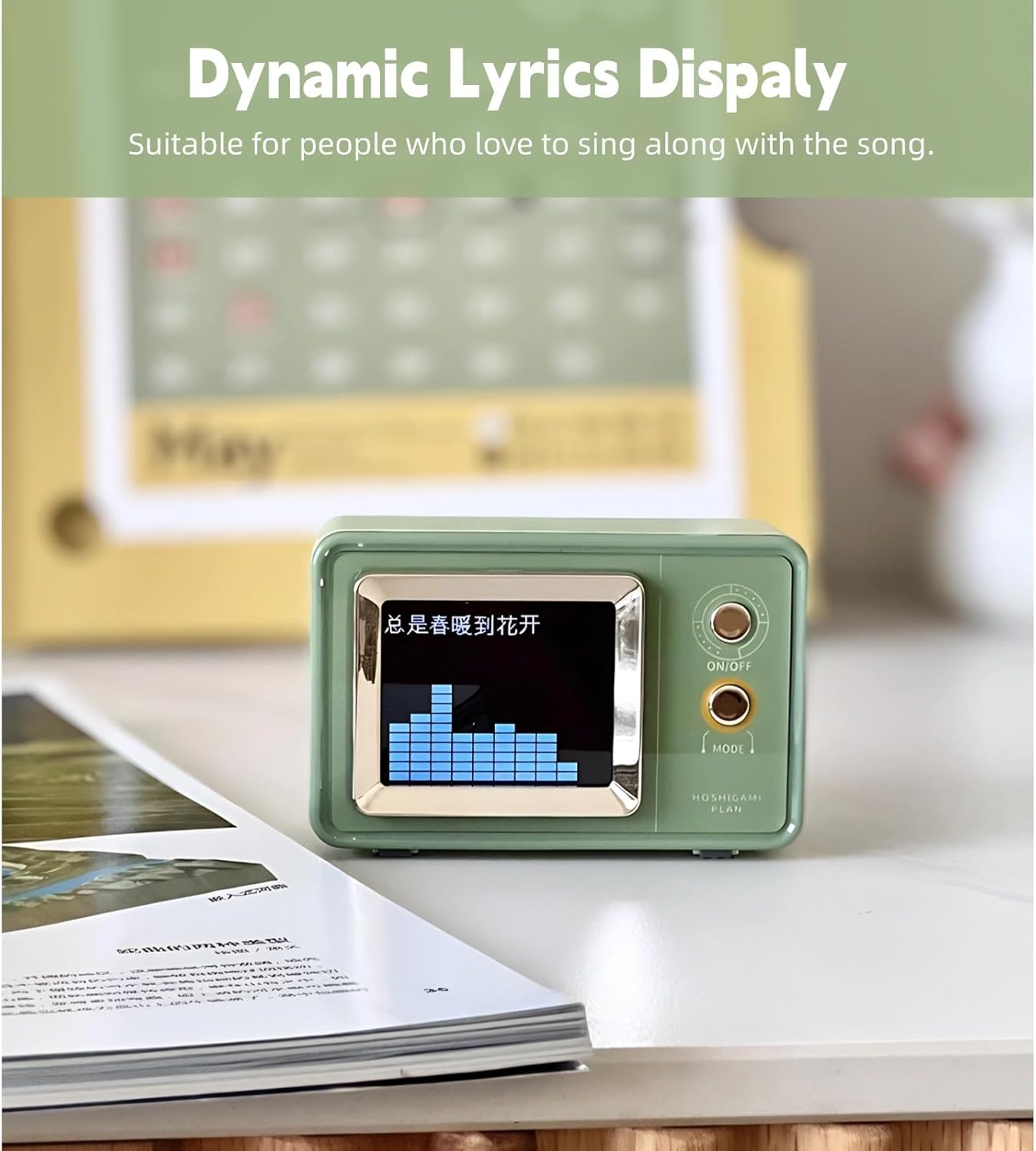
4. Dynamic Lyrics Display
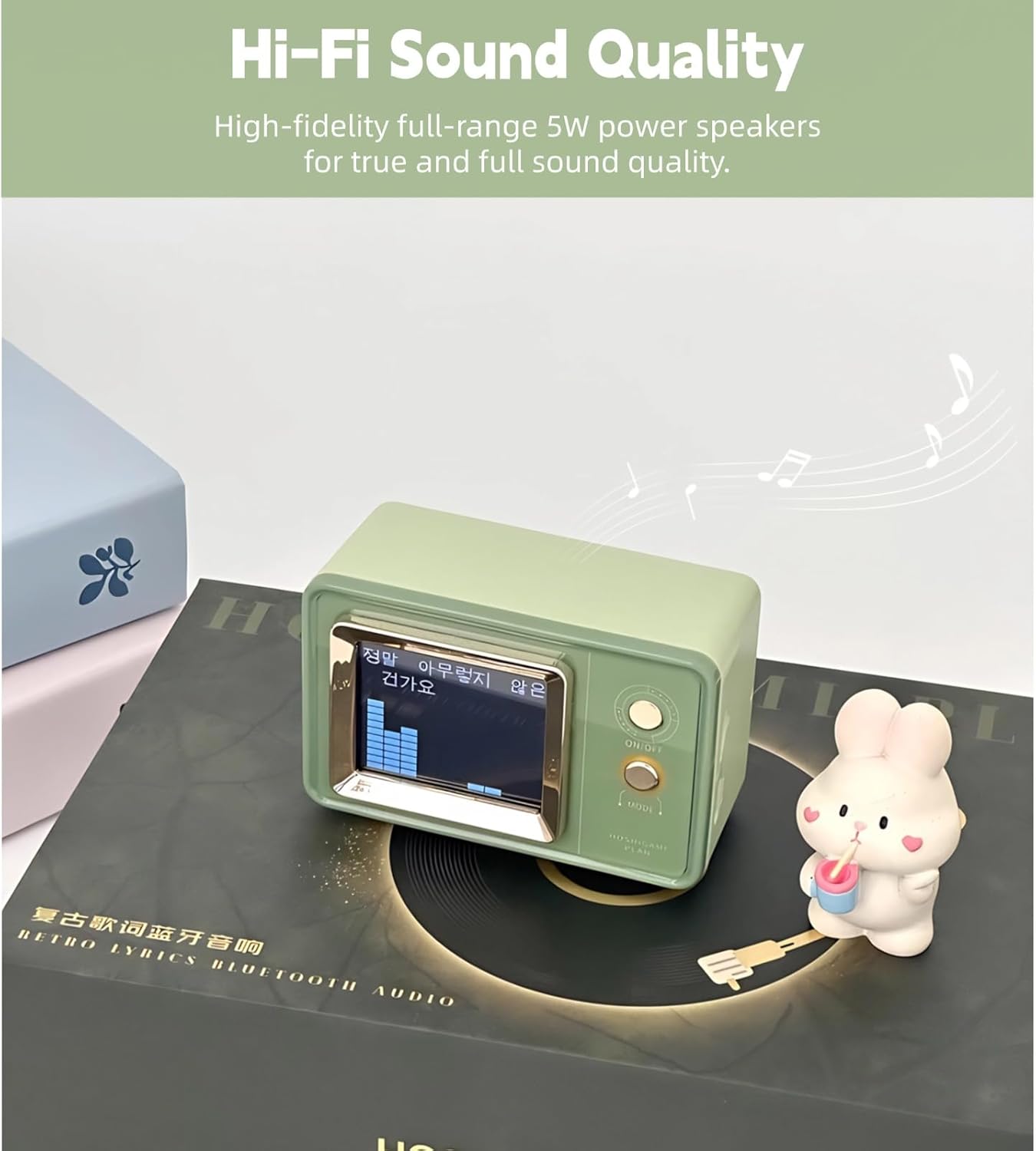
When playing music that includes embedded lyrics data (e.g., from certain music apps or files), the speaker's display can show dynamic lyrics, enhancing the listening experience.

The dynamic lyrics display function allows you to follow along with your favorite songs.

Experience high-fidelity sound with a visual representation of the audio on the speaker's display.
5. Clock and Calendar Function
The speaker's display shows the current time, date, and day of the week, automatically synchronized via Bluetooth.
The multi-function display automatically synchronizes time, date, and day of the week when connected to your phone.
6. Үндү башкаруу
Volume is typically controlled directly from your connected Bluetooth device. Ensure both the speaker and your device's volume are adjusted to a comfortable level.
Техникалык тейлөө
Тазалоо
Wipe the speaker with a soft, dry cloth. Do not use abrasive cleaners, alcohol, or solvents, as these may damage the surface. Avoid getting moisture into any openings.
Сактагыч
When not in use for extended periods, store the speaker in a cool, dry place away from direct sunlight and extreme temperatures. It is recommended to charge the battery periodically to maintain its health.

The built-in 600mAh lithium-ion battery provides extended playback time, reducing the need for frequent charging.
Проблемаларды чечүү
| Көйгөй | Мүмкүн себеп | Чечим |
|---|---|---|
| Динамик күйбөйт. | Батарея түгөнүп калды. | Берилген USB кабелин колдонуп динамикти заряддаңыз. |
| Bluetooth аркылуу жупташтыруу мүмкүн эмес. | Bluetooth is not enabled on device or speaker is not in pairing mode. | Ensure Bluetooth is active on both devices. Restart both devices and try pairing again. Move devices closer. |
| Үн жок же үнү төмөн. | Volume levels are too low on speaker or connected device. | Increase volume on both the speaker and the connected device. Ensure the speaker is not muted. |
| Lyrics display not working. | Музыка file does not contain embedded lyrics data. | Ensure the music source provides lyrics data. Not all music files or streaming services support this feature. |
Техникалык шарттар
- Бренд: Yoidesu
- Модель номери: Yoidesuoz2fxcv0i7
- Байланыш технологиясы: Bluetooth V5.3
- Динамиктин максималдуу чыгаруу күчү: 5 Ватт
- Аудио чыгаруу режими: Стерео
- Коргоо материалы: Акрилонитрил бутадиен стирол (ABS)
- Кубат булагы: Батарея менен иштейт
- Батарея сыйымдуулугу: 600 миллионamp Саат
- Ойнотуу режими: Bluetooth, Micro SD Card (up to 128GB)
- Башкаруу ыкмасы: Сенсордук баскычтар
- Элементтин өлчөмдөрү (D x W x Y): 8.26" x 5.11" x 2.36"
- Элемент Салмагы: 311 грамм
- Шайкеш түзмөктөр: Смартфон, Планшет, MP3 ойноткуч, Ноутбук
Кепилдик маалымат
This product comes with a limited warranty. Please refer to the product packaging or contact Yoidesu customer support for specific warranty terms and conditions.
Колдоо
For further assistance, technical support, or warranty claims, please contact Yoidesu customer service through the retailer where the product was purchased or visit the official Yoidesu webсайт.