
TIEJUS MA3
TIEJUS MA3 3MP 2.4G/5G Outdoor Security Camera Instruction Manual
Модели: MA3
1. Киришүү
This manual provides detailed instructions for the installation, operation, and maintenance of your TIEJUS MA3 3MP 2.4G/5G Outdoor Security Camera. Please read this manual thoroughly before using the product to ensure proper function and safety. Keep this manual for future reference.

Image 1.1: TIEJUS MA3 Outdoor Security Camera and its mobile application interface.
2. Пакеттин мазмуну
Таңгагыңызда бардык буюмдар бар экенин текшериңиз. Эгерде кандайдыр бир буюмдар жок болсо же бузулуп калса, кардарларды тейлөө кызматына кайрылыңыз.
- TIEJUS MA3 3MP Outdoor Security Camera
- Power Adapter (with 10ft USB charging cable)
- Mounting Kit (screws and wall anchors)
- User Manual
3. Камера бүткөнview
Familiarize yourself with the various components of your TIEJUS MA3 security camera.
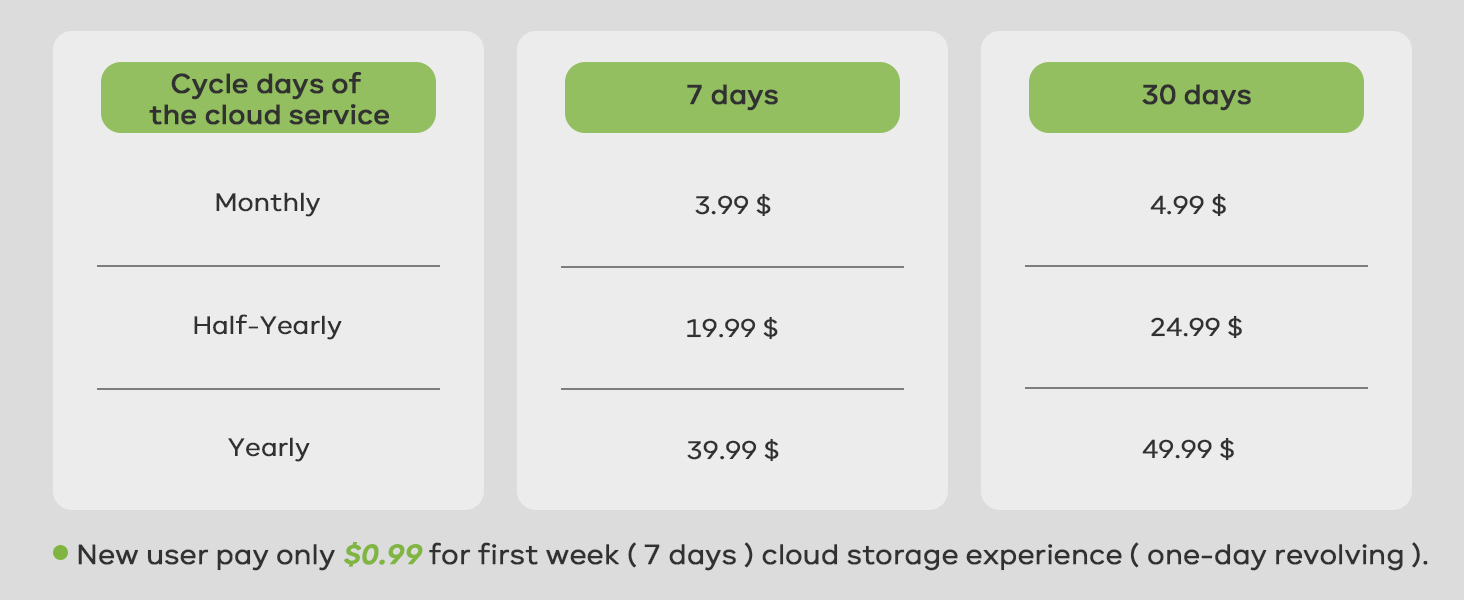
Image 3.1: Detailed diagram of the TIEJUS MA3 camera components.
- Объектив: Video foo тартатtage.
- Photosensitive Element: Detects light levels for automatic day/night mode switching.
- Микрофон: Эки тараптуу байланыш жана жаздыруу үчүн аудио жаздырат.
- Infrared + White Light: Provides illumination for night vision (infrared for black & white, white light for color night vision).
- Баяндамачы: Эки тараптуу байланыш жана ойготкучтар үчүн аудио чыгарат.
- Калыбына келтирүү баскычы: Камераны заводдук жөндөөлөргө кайтаруу үчүн колдонулат.
- TF карта уячасы: For local storage using a microSD card (16-256GB, not included).
- USB-A: Кубат киргизүү порту.
- кашаа: Камераны орнотуу үчүн.
- Wi-Fi антеннасы: Зымсыз тармак туташуусу үчүн.
4. Орнотуу
4.1 Физикалык орнотуу
The TIEJUS MA3 camera is designed for outdoor wall mounting. Ensure the installation location has a stable Wi-Fi signal and access to a power outlet.
- Каалаган орнотууну камсыз кылган ылайыктуу жерди тандаңыз viewing angle and is within reach of the power cable.
- Дубалдагы бургулоочу тешиктерди белгилөө үчүн шаблон катары орнотуу кронштейнин колдонуңуз.
- Тешиктерди бургула жана зарыл болсо, дубал анкерлерин салгыла.
- Берилген бурамалар аркылуу монтаждык кронштейнди дубалга бекитиңиз.
- Камераны монтаждоо кронштейнине бекитиңиз.
- Connect the power adapter to the camera's USB-A port and plug it into a power outlet. The camera will power on.
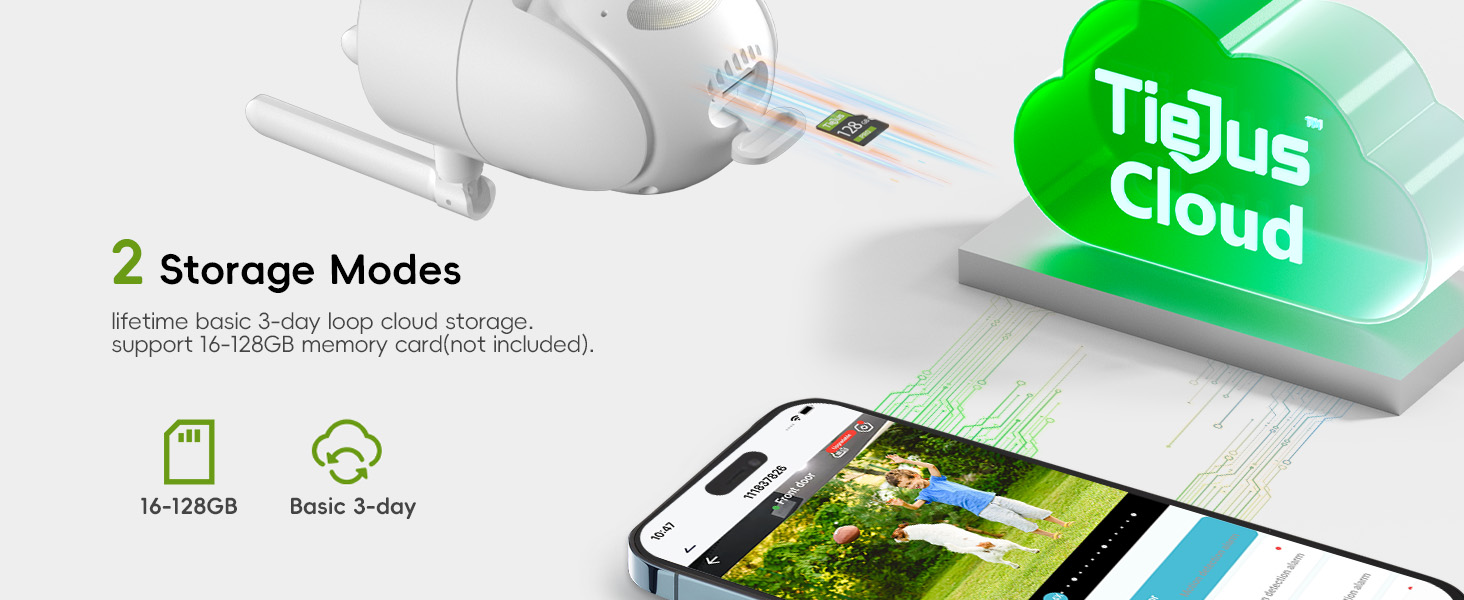
Image 4.1: Installation options for the TIEJUS MA3 camera.
4.2 App Download and Camera Pairing
The TIEJUS MA3 camera operates with a dedicated mobile application. Издөө the app on your smartphone's app store (App Store for iOS, Google Play for Android).
- Смартфонуңузга коштоочу колдонмону жүктөп алып, орнотуңуз.
- Жаңы аккаунтка катталыңыз же сизде мурунтан эле бар болсо кириңиз.
- Follow the in-app instructions to add a new device. This typically involves scanning a QR code displayed on the camera or generated by the app.
- Connect the camera to your Wi-Fi network. The camera supports both 2.4GHz and 5GHz Wi-Fi bands for enhanced connectivity.
- Once connected, the camera will appear in your app's device list, and you can access the live view.

Image 4.2: Step-by-step guide for connecting the camera via the mobile application.
5. Иштөө нускамалары
5.1 Live View жана панорамалоо/кыйшайтуу башкаруусу
Access the live video feed from your camera through the mobile app. You can remotely control the camera's viewбурч.
- From the app's main screen, select your camera to view жандуу тоют.
- Use the on-screen controls to pan (355° horizontal) and tilt (90° vertical) the camera lens to adjust the viewаймак.

Image 5.1: The camera offers a wide field of view with 355° pan and 90° tilt.
5.2 Эки тараптуу аудио
Камерада орнотулган микрофон жана динамик бар, бул эки тараптуу байланышты камсыз кылат.
- Түз эфирде view, камеранын динамиги аркылуу сүйлөө үчүн колдонмодогу микрофон сүрөтчөсүн таптаңыз.
- Камеранын микрофоны көзөмөлдөнгөн аймактан аудиону жаздырып алат.

Image 5.2: Two-way audio allows direct communication through the camera.
5.3 Кыймылды аныктоо жана көзөмөлдөө
The camera utilizes PIR motion detection with a "Human Detection Only" feature to minimize false alerts and can automatically track detected movement.
- Колдонмонун жөндөөлөрүнөн кыймылды аныктоону иштетиңиз.
- Activate "Human Detection Only" for more precise alerts.
- The camera can automatically track detected human movement within its 360° surveillance range.
- Receive instant alerts via the app and email when suspicious activity is detected.
- Customize detection sensitivity and set specific alarm schedules to avoid frequent notifications.
- Define custom non-detection areas to mask off unnecessary detection zones.

Image 5.3: Instant alerts and customizable alarm options.
5.4 Түнкү көрүнүш
The camera provides 2K HD resolution with advanced color night vision for clear visuals in low-light conditions.
- Камера аз жарыкта автоматтык түрдө түнкү көрүү режимине өтөт.
- Infrared LEDs provide black and white night vision up to 33 ft.
- White light LEDs enable full-color night vision when activated or triggered by motion.

Image 5.4: Comparison of infrared and full-color night vision capabilities.
5.5 Жазуу жана сактоо
The TIEJUS MA3 supports continuous 24/7 recording and event-based recording with flexible storage options.
- MicroSD карта сактагычы: Insert a 16-256GB microSD card (not included) into the TF card slot for 24/7 continuous recording.
- Булуттагы сактагыч: The camera supports a loop cloud storage service for event recording. Refer to the app for subscription details.

Image 5.5: The camera supports both local microSD card and cloud storage options.
5.6 Көп колдонуучу менен бөлүшүү
Share access to your camera's live feed with family and friends.
- Through the app, you can share device access with other users.
- 4 колдонуучуга чейин болот view түз эфир бир эле учурда.

Image 5.6: The camera supports multi-user sharing for convenient access.
5.7 Amazon Alexa интеграциясы
Камераны башкарыңыз жана view its feed using Amazon Alexa-enabled devices.
- Enable the TIEJUS skill in the Alexa app.
- Link your TIEJUS account with Alexa.
- "Alexa, мага алдыңкы эшиктин камерасын көрсөт" сыяктуу үн буйруктарын колдонуңуз view the live feed on compatible devices.
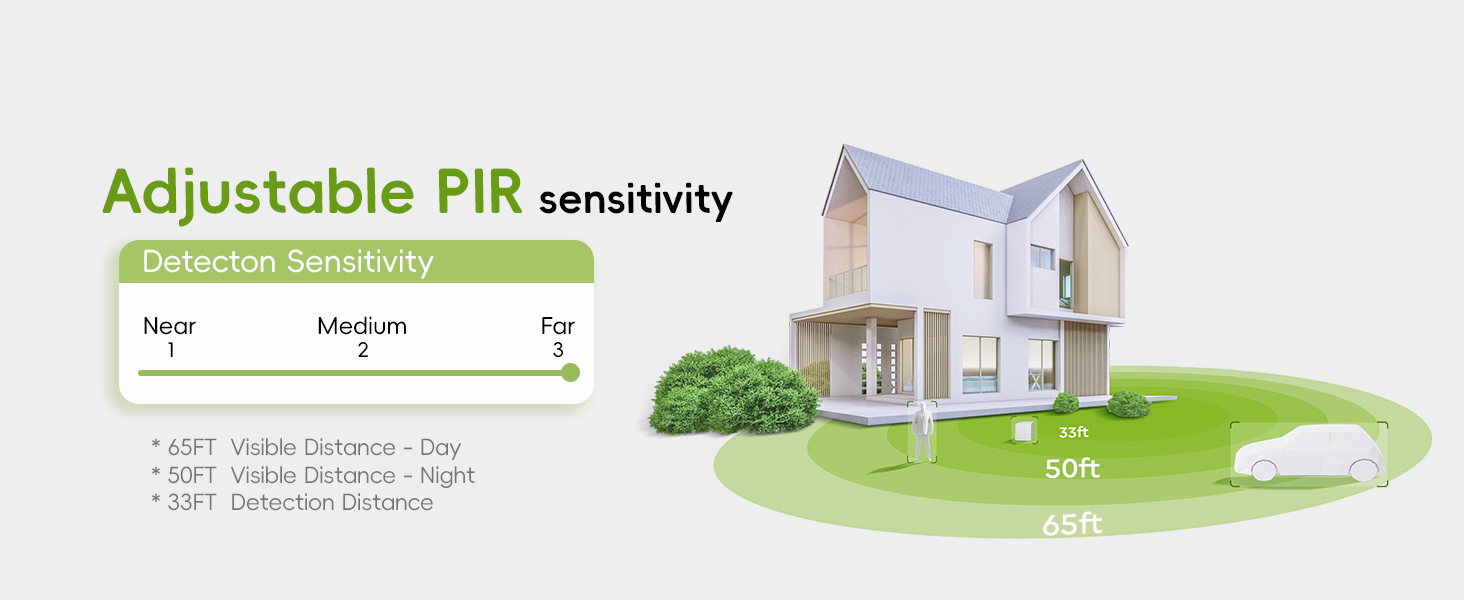
Image 5.7: The camera is compatible with Amazon Alexa for voice control and viewing.
6. Техникалык тейлөө
6.1 Тазалоо
- Gently wipe the camera lens with a soft, dry cloth to remove dust or smudges.
- Do not use harsh chemicals or abrasive cleaners, as they may damage the lens or camera body.
6.2 Айлана-чөйрөнү коргоо
The TIEJUS MA3 camera has an IP66 waterproof rating, ensuring effective operation in various weather conditions.
- Operating temperature range: -10°C to 55°C (14°F to 131°F).
- Ensure the power connection is protected from direct water exposure, although the camera itself is waterproof.

Image 6.1: The IP66 waterproof design ensures reliable performance in diverse weather.
7. Кыйынчылыктарды
Эгер камераңызда көйгөйлөргө туш болсоңуз, төмөнкү жалпы көйгөйлөрдү жана чечимдерди караңыз:
| Көйгөй | Мүмкүн чечим |
|---|---|
| Камера Wi-Fi'га туташпай жатат | Ensure your Wi-Fi password is correct. Check if the camera is within range of your router. Try restarting the camera and your router. Verify your Wi-Fi is 2.4GHz or 5GHz compatible. |
| Жандуу эмес view колдонмодо | Check your internet connection. Ensure the camera is powered on. Restart the app. If the issue persists, try re-pairing the camera. |
| Motion alerts are too frequent/infrequent | Adjust the motion detection sensitivity in the app. Enable "Human Detection Only" to reduce false alarms. Set custom detection zones or alarm schedules. |
| Night vision is unclear | Ensure the camera lens is clean. Check for obstructions blocking the infrared or white lights. Verify there are no strong light sources directly facing the camera at night. |
| SD карта жаздырылбай жатат | Ensure the SD card is inserted correctly and is between 16-256GB. Format the SD card through the app. Check if the recording settings are enabled for continuous recording. |
| Эки тараптуу аудио иштебейт | Check the microphone and speaker settings in the app. Ensure your phone's volume is up. Verify there are no physical obstructions to the camera's microphone or speaker. |
For further assistance, please contact TIEJUS customer support.
8. Техникалык шарттар
| Өзгөчөлүк | Деталь |
|---|---|
| Модель номери | MA3 |
| Ички/тышкы колдонуу | Сыртта |
| Видео тартуунун резолюциясы | 1920p (3MP) |
| Натыйжалуу Video Resolution | 2K |
| Байланыш технологиясы | Зымдуу (кубат), Wi-Fi (маалымат) |
| Зымсыз байланыш технологиясы | Wi-Fi (2.4 ГГц/5 ГГц кош тилкелүү) |
| Power Source | Электр зымдары |
| Viewбурч | 360 Degrees (355° Horizontal, 90° Vertical) |
| Түнкү көрүү диапазону | 33 Фут |
| Төмөн жарык технологиясы | Түнкү түс |
| Эл аралык коргоо рейтинги | IP66 (Суу өткөрбөйт) |
| Иштөө температурасы | -10°Cден 55°Cге чейин (14°Fтен 131°Fге чейин) |
| Сактагыч | MicroSD Card (16-256GB, not included), Cloud Storage |
| Controller Type | Amazon Alexa, колдонмо |
| Аудио-визуалдык жаздыруу мүмкүнчүлүктөрү | Video, Two-Way Audio |
| Эскертүү түрү | Motion Only (Human Detection) |
| Продукциянын өлчөмдөрү | 4 x 2.99 x 6 дюйм |
| Элемент Салмагы | 14.9 унция |
| UPC | 768771274395 |

Image 8.1: Physical dimensions of the TIEJUS MA3 camera.
9. Кепилдик жана колдоо
9.1 Кепилдик маалыматы
Please refer to the product packaging or the official TIEJUS website for detailed warranty information. Keep your purchase receipt as proof of purchase for warranty claims.
9.2 Кардарларды колдоо
For technical assistance, troubleshooting, or any product-related inquiries, please contact TIEJUS customer support:
- Онлайн чат: Available 8 AM - 11 PM EST
- Телефон: (+1) 2692189888 (8 AM - 11 PM EST)
- Электрондук почта: Tech@tiejus.com
Image 9.1: TIEJUS Customer Service contact information.
Ask a question about this manual
Ask about setup, troubleshooting, compatibility, parts, safety, or missing instructions. Manuals+ will review the question and use this page’s manual context to help answer it.