
1. Продукт бүтүп калдыview
The EBTOOLS Head Mounted Video Camera is a compact and versatile device designed for capturing high-quality video and photos. Featuring a high-sensitivity CMOS sensor, it records 4K video at up to 60 frames per second and captures stunning 42MP photos. Its 120° wide-angle lens, coupled with EIS Anti-Shake technology, ensures stable and clear footage. The camera supports mobile app control via Wi-Fi for real-time viewing and editing, and offers various mounting options for diverse activities.
2. Пакеттин мазмуну
- 1 x EBTOOLS Head Mounted Video Camera
- 1 x Headband Bracket
- 1 x Тазалоочу чүпүрөк
- 2 x чаптама чаптамалар
- 6 x Mounting Accessories (various types)
- 1 x Instruction Manual

Figure 2.1: The EBTOOLS Head Mounted Video Camera and its complete set of accessories.
3. Техникалык шарттар
- Элемент түрү: Head Mounted Video Camera
- Материал: ABS
- Продукт өлчөмү: Болжол менен 103x29x27мм / 4.1x1.1x1.1 дюйм
- Сүрөт сенсору: CMOS High Sensitivity Sensor
- Объектив: 120° Large Wide Angle HD Lens
- Видеонун чечилиши: 4K (30/60fps), Backward Compatible
- Сүрөттүн чечими: 42M, 30M, 25M, etc., Backward Compatible
- Иштөө режими: Physical Keys, Mobile APP Operating
- Зымсыз туташуу: Built-in Wi-Fi Hotspot
- Аудио: Built-in Speaker, Built-in Microphone
- Видео формат: MP4 H.264 Protocol
- Жарык булагы жыштыгы: 50Гц/60Гц
- Сактагычты кеңейтүү: External Small Memory Card (Maximum Support 8-512GB, Чыгарылган)
- USB интерфейси: C түрү
- Батарея түрү: 2200mAh Li-Ion Battery (Built-in)
- Үзгүлтүксүз видео жазуу: Approximately 5 hours (6-7 hours without Wi-Fi)
- Колдоого алынган системалар: For Windows, For OS X, For Linux
4. Баштоо (Орнотуу)
- Камераны заряддоо: Connect the camera to a power source using the provided Type-C USB cable. The indicator light will show charging status.
- Эстутум картасын салыңыз: Locate the memory card slot (supports 8-512GB, not included). Gently insert a compatible micro SD card until it clicks into place.
- Күйгүзүү: Press and hold the power button for a few seconds until the indicator light illuminates.
- Attach Mounting Accessories: Choose the appropriate mounting accessory for your activity. For head-mounted use, attach the camera to the headband bracket. For other uses, utilize the various GoPro-compatible mounts or adhesive stickers.

Figure 4.1: The camera attached to the headband for hands-free recording.
5. Иштөө нускамалары
5.1 Негизги операция
- Күйгүзүү/өчүрүү: Кубат баскычын басып, кармап туруңуз.
- Жазууну баштоо/Токтотуу: Press the record button once to start, press again to stop.
- Сүрөткө тартуу: While in standby or recording mode, short press the photo button to capture an image.
5.2 Mobile App Connection (Wi-Fi)
The camera features a built-in Wi-Fi hotspot for seamless connection to its dedicated mobile application. This allows for real-time viewing, remote control, video editing, and sharing.
- Download the official camera app from your device's app store.
- Камераны күйгүзүңүз.
- On your mobile device, go to Wi-Fi settings and connect to the camera's Wi-Fi hotspot (SSID usually starts with 'H88_').
- Open the camera app. The app should automatically detect and connect to the camera.

Figure 5.1: Real-time video preview and control via the mobile app.
5.3 Video and Photo Modes
- 4K 60FPS Video: Capture ultra-high-definition video for crisp, detailed footage.
- 42MP сүрөттөр: High-resolution still images for clear and vibrant shots.
- Time-lapse Video Recording: Condense long events into short, engaging videos.
- Жай кыймыл видеосу: Capture fast-paced action in smooth slow motion (2X/4X/8X options available).
- Цикл жаздыруу: Эскилерин автоматтык түрдө кайра жазуу files when the memory card is full, ideal for continuous recording.
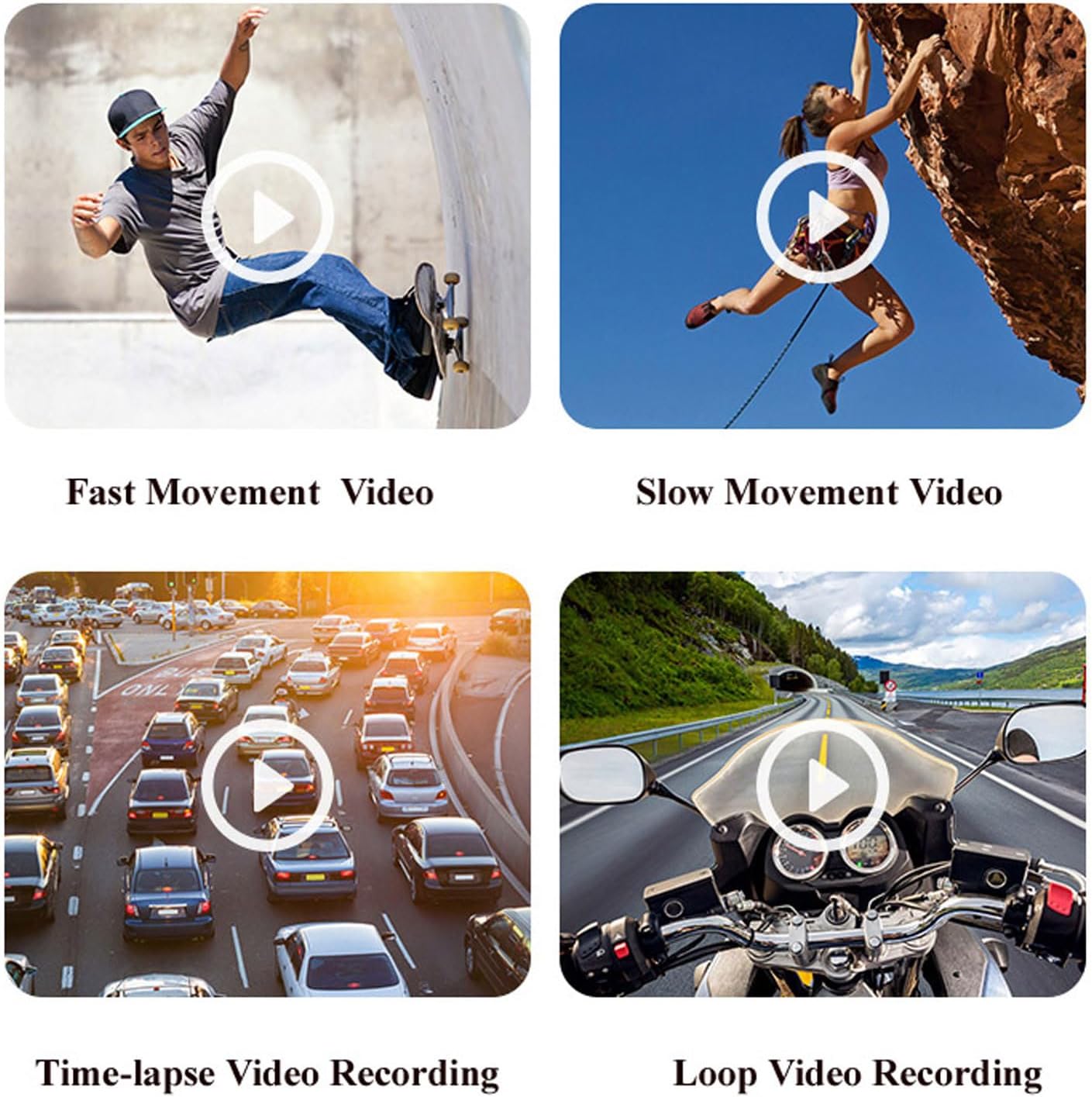
5.2-сүрөт: Мисamples of various video recording modes.
5.4 EIS Anti-Shake Function
The camera features EIS (Electronic Image Stabilization) with a 2-axis stabilizer to deliver stable and smooth video, even during dynamic activities. This technology intelligently detects and corrects jitter, providing clear footage comparable to professional stabilization systems.

5.3-сүрөт: Азык-түлүктөрдү визуалдык салыштырууtage with and without EIS Anti-Shake.
5.5 Horizontal and Vertical Screen Switching
Through the mobile app, you can easily switch between horizontal and vertical screen orientations, adapting your content for various short video platforms.
5.6 Видеорегистратордун функциялары
The camera can be used as a dash cam, offering features like collision sensing which automatically locks current recording video when a collision is detected. It supports continuous power via Type-C USB for extended use in a vehicle.
6. Батареянын иштөө мөөнөтү жана заряддоо
The camera is equipped with a built-in 2200mAh Li-Ion battery, providing approximately 5 hours of continuous video recording. Without Wi-Fi enabled, the battery life can extend to about 6-7 hours. It supports Type-C fast charging and can be charged using external mobile power banks or laptops, allowing for simultaneous charging and recording.

Figure 6.1: The camera's battery capacity and approximate usage time.
7. Media Examples
Төмөндө эксamples of the camera's capabilities in various scenarios.
Video 7.1: A short demonstration of the Head Mounted Video Camera in action, capturing outdoor activities.
Video 7.2: Footage demonstrating the camera's performance in low-light conditions and its anti-shake capabilities while moving.
8. Техникалык тейлөө жана кам көрүү
- Тазалоо: Use the provided cleaning cloth to gently wipe the lens and camera body. Avoid harsh chemicals or abrasive materials.
- Сактагыч: Камераны салкын, кургак жерде күндүн тике тийген нурунан жана экстремалдык температурадан алыс сактаңыз.
- Батареяга кам көрүү: Батареянын иштөө мөөнөтүн оптималдаштыруу үчүн, аны тез-тез толук зарядсыздандырбаңыз. Аны көпкө чейин колдонбосоңуз да, үзгүлтүксүз заряддап туруңуз.
- Суу өткөрбөй турган кап: If using the waterproof case, ensure it is properly sealed before submerging the camera in water. Regularly check the seals for wear and tear.
9. Кыйынчылыктарды
- Камера күйбөй жатат: Батарея заряддалганын текшериңиз. Кубат булагына туташып, кайра аракет кылыңыз.
- Колдонмого туташуу мүмкүн эмес: Verify the camera's Wi-Fi is enabled and your mobile device is connected to the camera's Wi-Fi network. Restart both the camera and the app.
- Видеонун сапаты начар: Check the selected video resolution in the app settings. Ensure the lens is clean and free from smudges.
- Эстутум картасынын катасы: Ensure the memory card is properly inserted and is not full. Try formatting the card (this will erase all data) or using a different compatible card.
- Кыска батареянын иштөө мөөнөтү: Ensure Wi-Fi is turned off when not in use, as it consumes more power. Reduce video resolution if extended recording time is needed.
10. Кепилдик жана колдоо
For warranty information, technical support, or service inquiries, please refer to the contact details provided by the manufacturer, EBTOOLS, or your retailer. Keep your purchase receipt as proof of purchase for warranty claims.