
SuperRC L500 Pro
SuperRC L500 Pro 4K GPS дрон колдонуучусунун колдонмосу
Модели: L500 Pro
1. Киришүү
This manual provides essential instructions for the safe operation and maintenance of your SuperRC L500 Pro 4K GPS Drone. Please read this manual thoroughly before operating the drone to ensure proper usage and to prevent damage or injury. Keep this manual for future reference.
2. Коопсуздук боюнча көрсөтмөлөр
Operating a drone requires responsibility. Adhere to all local regulations and guidelines for drone usage. Failure to do so may result in legal penalties or property damage.
- Учуу алдында текшерүү: Always inspect the drone, remote controller, and batteries for any damage before each flight. Ensure propellers are securely attached.
- Учуу чөйрөсү: Fly in open areas, away from people, animals, buildings, and power lines. Avoid flying in strong winds, rain, or fog. Maintain a clear line of sight with the drone.
- Батареянын коопсуздугу: Use only approved batteries and chargers. Do not overcharge or puncture batteries. Discontinue use if batteries show signs of swelling or damage.
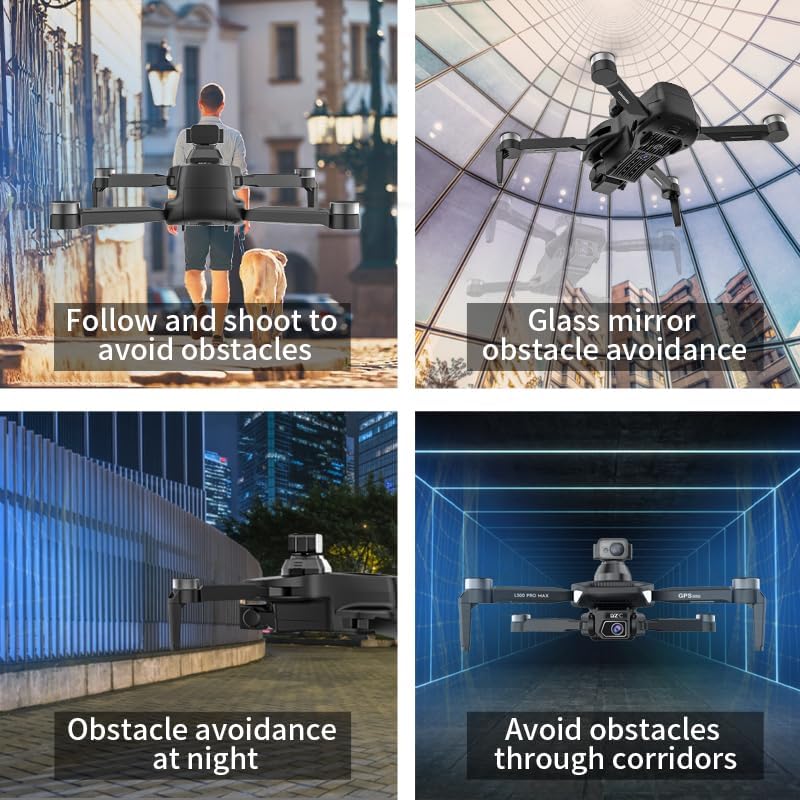
- Тоскоолдуктан качуу: While the drone features 360° laser obstacle avoidance, it is not foolproof. Always exercise caution and maintain awareness of your surroundings.
- Жашы боюнча сунуш: This product is intended for adults.
3. Пакеттин мазмуну
Пакетиңизде бардык буюмдар бар экенин текшериңиз:
- SuperRC L500 Pro Drone
- Remote Controller
- Ташуу кутусу
- Propellers (Spare set included)
- Бурамалар
- Screwdriver
- USB Type-C кабели
- Lithium Ion Batteries (2 included)
- Колдонуучунун колдонмосу (бул документ)

4. Drone Components
Familiarize yourself with the key parts of your SuperRC L500 Pro drone:
- Бүктөлүүчү курал: Компакт сактоо жана ташуу үчүн.
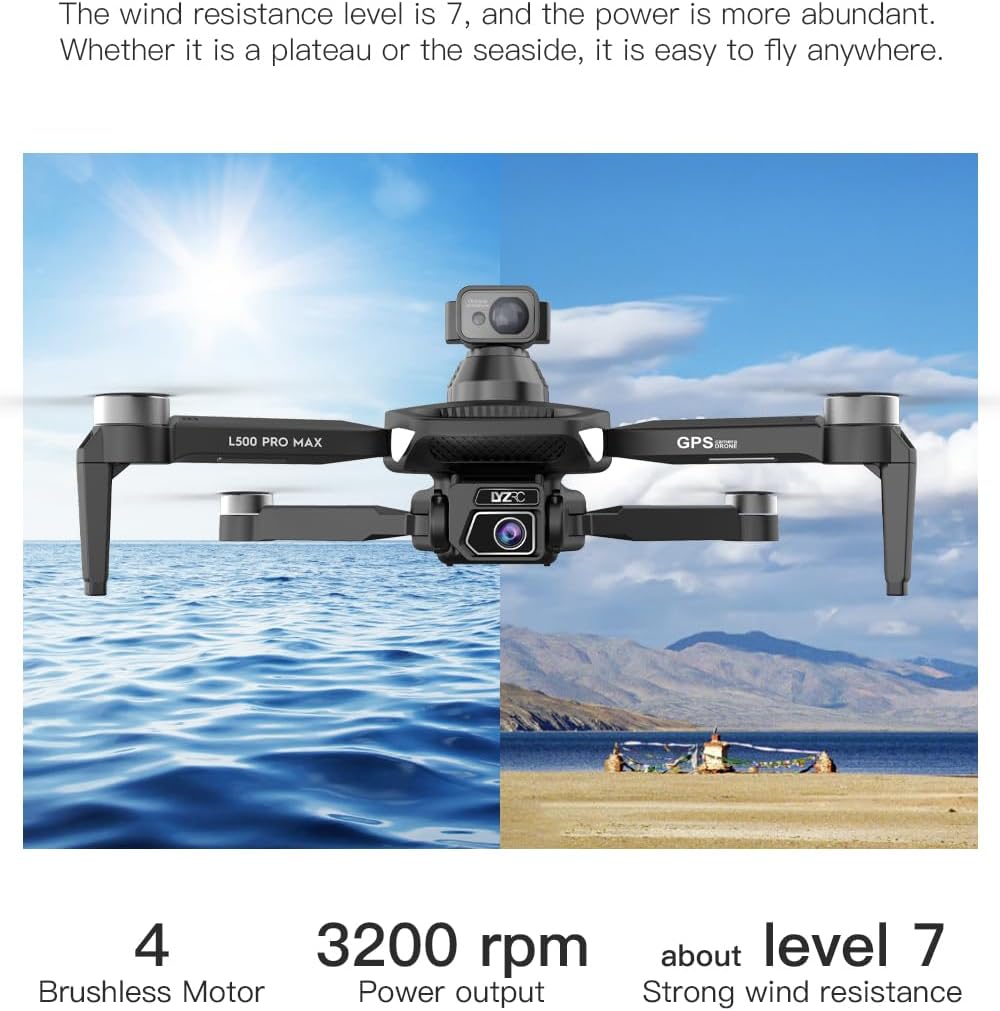
- Brushless Motors: Provide stable and quiet flight.
- Пропеллер: Generate lift for flight.
- 4K HD кош камералар: Front-facing and downward-facing cameras for aerial photography and video. Electrically adjustable shooting angles.
- 360° Laser Obstacle Avoidance Sensor: Detects obstacles in all directions.
- GPS модулу: Enables precise outdoor positioning and intelligent flight modes.
- Оптикалык агым сенсору: Provides stable hovering for indoor flight.
- Модулдук батарея: Easy to install and replace.


5. Алыстан башкаргыч
The remote controller allows you to operate the drone and access its features. It features a smartphone holder for live video feed and app control.
Refer to the included quick start guide for a detailed diagram of the remote controller buttons and their functions.

6. Батареяны орнотуу жана заряддоо
6.1 Дрондун батареясы
- Insert the modular battery into the drone's battery compartment until it clicks into place.
- Батареяны алып салуу үчүн, бошотуу баскычын (эгер бар болсо) басып, аны сууруп алыңыз.
- Charge the battery using the provided USB Type-C cable and a compatible USB power adapter (not included). The charging indicator will show the charging status.
6.2 Remote Controller Battery
The remote controller typically uses internal rechargeable batteries or standard AA batteries. Refer to the remote controller's specific instructions for battery type and charging/installation procedures.
7. Баштапкы орнотуу
- Батареяларды заряддоо: Ensure both drone and remote controller batteries are fully charged.
- Unfold Drone: Carefully unfold the drone arms until they lock into position.
- Пропеллерлерди орнотуу: If not pre-installed, attach propellers according to the markings (A/B) on the propellers and motor arms. Ensure they are secure.
- Күйгүзүү: Place the drone on a flat, level surface. Power on the drone, then power on the remote controller.
- Жупташтыруу: The drone and remote controller should automatically pair. If not, follow the pairing instructions in the quick start guide.
- Колдонмо туташуусу: Download the SuperRC drone app to your smartphone. Connect your phone to the drone's Wi-Fi network (usually named "SuperRC-XXXX"). Open the app to view жандуу лента жана өркүндөтүлгөн мүмкүнчүлүктөрдү пайдалануу.
- GPS калибрлөө: For outdoor flights, ensure the drone acquires sufficient GPS satellites before takeoff. Perform compass calibration as instructed by the app or quick start guide.
8. Иштөө нускамалары
8.1 Негизги учуу
- Бир баскычтуу учуу/конуу: Press the dedicated button on the remote or in the app for automatic takeoff and landing.
- Кол менен башкаруу: Use the joysticks on the remote controller to control altitude, direction, and rotation.
- GPS Mode (Outdoor): Provides stable flight and precise positioning, resisting wind.
- Optical Flow Mode (Indoor): Uses a downward-facing camera for stable hovering in environments without GPS signal.
8.2 Тоскоолдуктарды болтурбоо
The 360° laser obstacle avoidance system helps prevent collisions by detecting objects in front, rear, left, and right directions. The drone will automatically adjust its flight path to avoid detected obstacles.
8.3 Камеранын иштеши
- 4K HD кош камералар: Switch between the front and bottom cameras via the remote controller or app.
- Electrically Adjustable Angles: Adjust the camera's tilt angle remotely for optimal shots.
- Сүрөт/Видео тартуу: Use the dedicated buttons on the remote or in the app to take photos or start/stop video recording.
8.4 Учуунун интеллектуалдык режимдери
- Жол көрсөткүч навигациясы: Plan a custom flight path by tapping points on the map in the app. The drone will follow the designated route.
- GPS Follow/Smart Follow: The drone can automatically follow a moving subject (e.g., a person or vehicle) using GPS and visual tracking.
- Орбитага учуу: The drone will circle a designated point or subject, capturing 360° footage.
- Image Track: Similar to follow mode, but focuses on tracking a specific image or object.
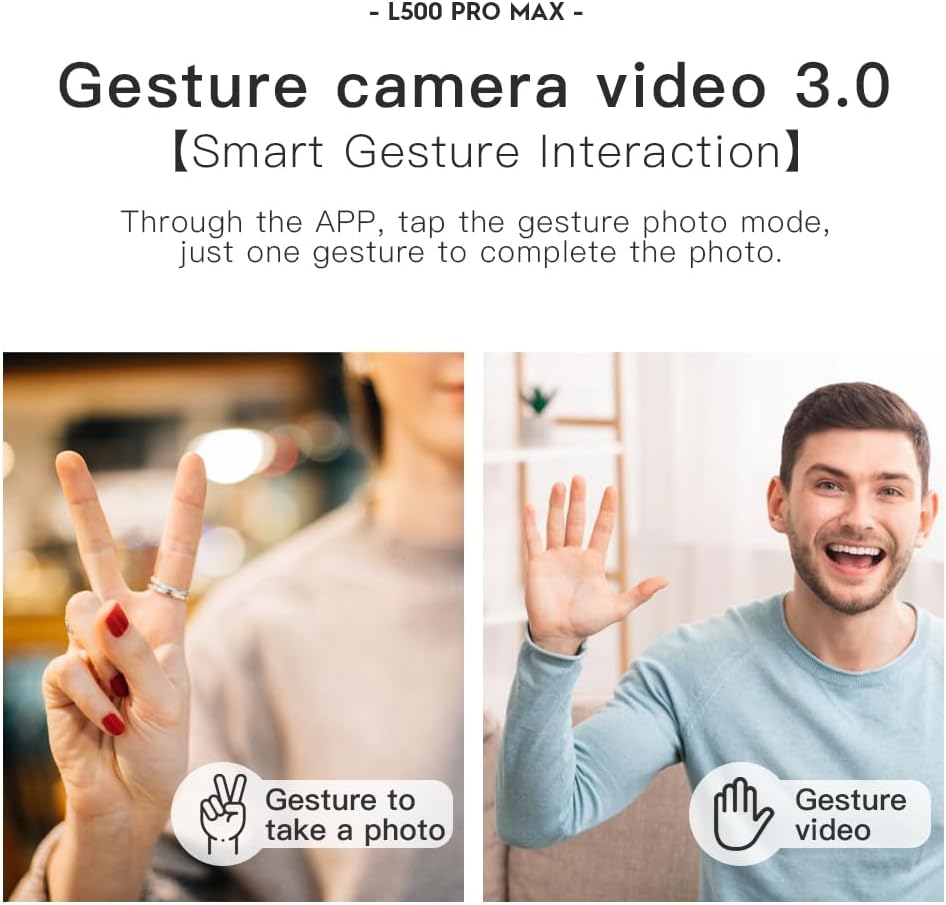
- Жаңсоо башкаруу: Use specific hand gestures to trigger photo or video capture.
- 4 Intelligent Return Modes:
- Жоголгон сигналдын кайтып келиши: Drone returns to takeoff point if signal is lost.
- Батареяны аз кайтаруу: Drone returns automatically when battery is low.
- Over-Distance Return: Drone returns if it flies beyond the set range.
- One-Tap Return: Manually initiate return to home with a single button press.
9. Техникалык тейлөө
- Тазалоо: Use a soft, dry cloth to clean the drone and remote controller. Avoid water or harsh chemicals.
- Пропеллер текшерүү: Regularly check propellers for cracks, bends, or damage. Replace damaged propellers immediately using the provided screwdriver and spare parts.
- Сактагыч: Store the drone and accessories in the carrying case in a cool, dry place, away from direct sunlight. Remove batteries if storing for extended periods.
- Батареяга кам көрүү: Do not store batteries fully charged or completely depleted. Charge them to about 50-60% for long-term storage.
10. Кыйынчылыктарды
| Көйгөй | Мүмкүн себеп | Чечим |
|---|---|---|
| Дрон күйбөйт. | Батарея заряддалган эмес же туура эмес орнотулган. | Батарея толук заряддалганын жана туура салынганын текшериңиз. |
| Дрон пультка жооп бербейт. | Not paired, low remote battery, or interference. | Re-pair drone and remote. Charge remote battery. Move to an area with less interference. |
| Unstable flight/Drifting. | Improper calibration, strong wind, or damaged propellers. | Perform compass calibration. Fly in calm conditions. Check and replace damaged propellers. |
| Түз эфирдеги видео агым жок. | Phone not connected to drone Wi-Fi, or app issue. | Connect phone to drone's Wi-Fi. Restart app and drone. |
| Тоскоолдуктардан качуу иштебейт. | Sensor blocked or system malfunction. | Ensure sensors are clean and unobstructed. Contact support if issue persists. |
11. Техникалык шарттар
| Өзгөчөлүк | Деталь |
|---|---|
| Бренд | SuperRC |
| Модель аты | L500Pro |
| Видео тартуунун резолюциясы | 1080p (Output), 4K HD (Camera) |
| Байланыш технологиясы | Wi-Fi (5G Intelligent System) |
| Башкаруу түрү | Алыстан башкаруу, Колдонмо башкаруу |
| Өзгөчөлүктөр | 360° Laser Obstacle Avoidance, Dual Camera, Brushless Motor, GPS Auto Return, Optical Flow Positioning |
| Элемент Салмагы | 211.6 грамм (7.5 унция) |
| Батарея сыйымдуулугу | 2200 миллионamp Сааттар (литий-ион) |
| Учуу убактысы | Up to 25 minutes (approx.) |
| Продукциянын өлчөмдөрү | 12.5"L x 11.4"W x 3.9"H |
| Материал | Пластик |
12. Кепилдик жана колдоо
For warranty information, technical support, or service inquiries, please refer to the contact information provided with your purchase or visit the official SuperRC webсайт. Кепилдик дооматтар үчүн сатып алганыңыздын далилин сактаңыз.
Сиз да зыярат кылсаңыз болот SuperRC Store on Amazon кошумча продукт маалымат жана колдоо ресурстар үчүн.
Ask a question about this manual
Ask about setup, troubleshooting, compatibility, parts, safety, or missing instructions. Manuals+ will review the question and use this page’s manual context to help answer it.