
1. Киришүү
The MiBOXER K3S Rotating Wheel Remote provides intuitive control over LED lighting systems, allowing for precise adjustment of both color temperature and brightness. Utilizing 2.4GHz wireless technology, this remote ensures stable and responsive operation. Its ergonomic design facilitates easy handling and accurate adjustments, making it suitable for various lighting applications.
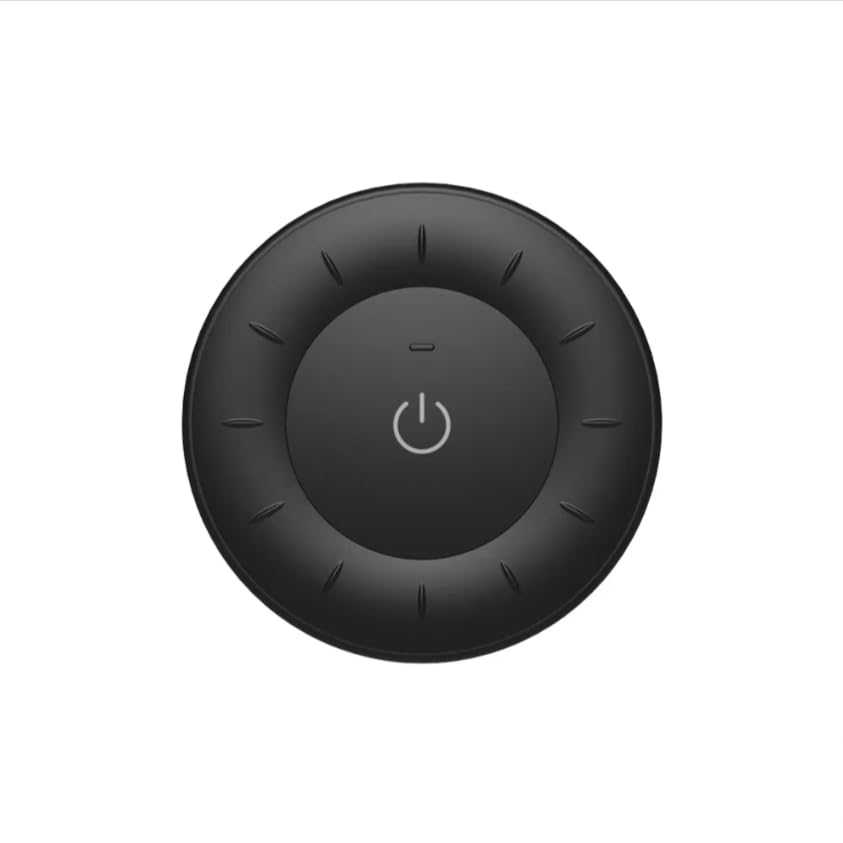
Image 1.1: MiBOXER K3S Rotating Wheel Remote (Black)
This image displays the MiBOXER K3S remote control in black, highlighting its circular design and central power button.
2. Продукциянын өзгөчөлүктөрү
- Жөнгө салынуучу жарыктык жана түс температурасы: Allows fine-tuning of lighting intensity and warmth.
- Rotating Wheel Design: Provides smooth and intuitive control for easy adjustments.
- 2.4 ГГц зымсыз технология: Ensures stable, interference-free connectivity with compatible devices.
- Эргономикалык дизайн: Кармоого жана иштетүүгө ыңгайлуу.
- Multi-Environment Compatibility: Suitable for various settings including homes, offices, and commercial spaces.
3. Пакеттин мазмуну
Пакетти ачканда, бардык компоненттер бар экенин текшериңиз:
- MiBOXER K3S Айлануучу дөңгөлөк пульту
- User Manual
Note: CR2032 battery is purchased separately and is not included in the package.
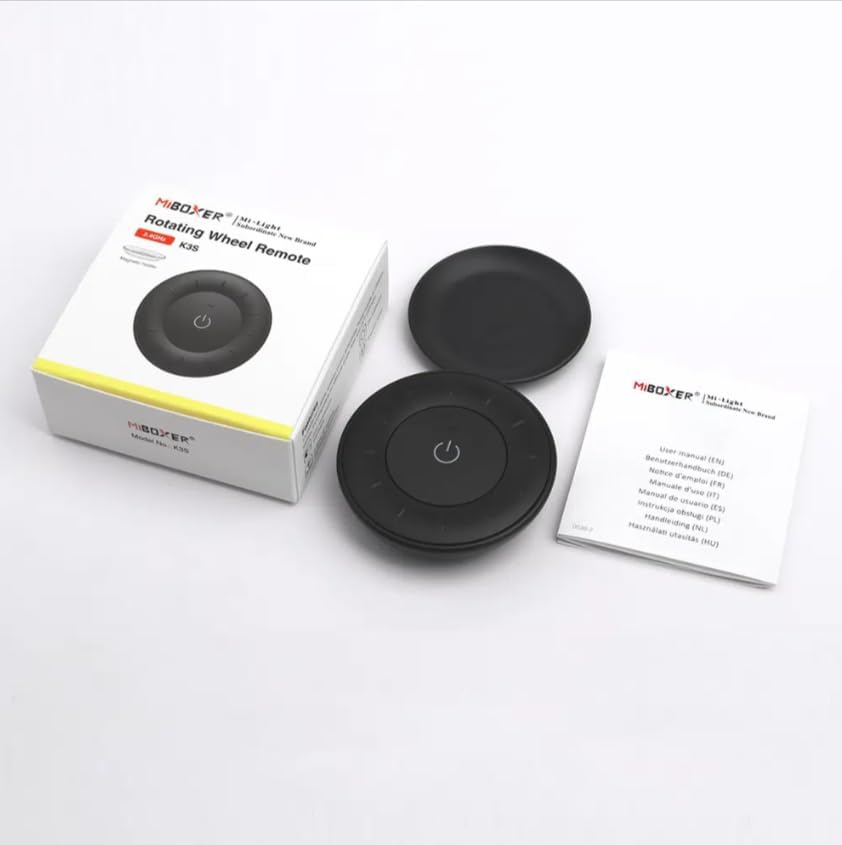
Сүрөт 3.1: Таңгактын ичиндегилер бүттүview
This image shows the MiBOXER K3S remote, its packaging box, and the included user manual, laid out on a surface.
4. Продукциянын диаграммасы

Image 4.1: Remote Control Components
This diagram illustrates the main components of the MiBOXER K3S remote, including the ON/OFF button, brightness/color temperature rotating wheel, and the battery compartment with Link/Unlink button.
- ON/OFF баскычы: Central button to power the connected light on or off.
- Brightness / Color Temperature Rotating Wheel: The outer ring used to adjust brightness by default. Long press the ON/OFF button for 3 seconds to switch to color temperature adjustment mode.
- Link / Unlink Button: Located inside the battery compartment, used for pairing the remote with compatible lighting devices.
5. Орнотуу
5.1 Батареяны орнотуу
- Пульттун артындагы батарея отсегин табыңыз.
- Батарея уясынын капкагын ачыңыз.
- Туура полярдуулукту (+/-) текшерип, бир CR2032 батарейкасын салыңыз.
- Батарея уясынын капкагын бекем жабыңыз.
Image 5.1: Battery Installation Area
This image shows the underside of the remote, indicating the location for the CR2032 battery and the Link/Unlink button.
5.2 Linking / Unlinking the Remote
The K3S remote uses 2.4GHz RF wireless technology to communicate with compatible MiBOXER lighting devices.
Linking Procedure:
- Ensure the light fixture you wish to control is powered off.
- Power on the light fixture.
- Within 3 seconds of powering on the light, press the "Link/Unlink" button (located inside the battery compartment) on the K3S remote үч жолу.
- Жарык үч жолу жай күйүп, ийгиликтүү байланышты көрсөтүп турушу керек.
Unlinking Procedure:
- Ensure the light fixture you wish to unlink is powered off.
- Power on the light fixture.
- Within 3 seconds of powering on the light, press the "Link/Unlink" button (located inside the battery compartment) on the K3S remote беш жолу.
- Жарык он жолу тез күйүп-жанышы керек, бул байланышты ийгиликтүү ажыратууну көрсөтүп турат.
6. Иштөө нускамалары
6.1 Кубатты КҮЙГҮЗҮҮ/ӨЧҮРҮҮ
- Борбордук баскычты басыңыз ⏻ (ON/OFF) button once to turn the connected light on or off.
6.2 Жарыктыкты жөндөө
- By default, rotating the outer wheel adjusts the brightness of the light.
- Жарыктыкты жогорулатуу үчүн сааттын жебеси боюнча айлантыңыз.
- Rotate counter-clockwise to decrease brightness.
6.3 Түс температурасын жөндөө
- To switch to color temperature adjustment mode, узак басуу the central ⏻ (ON/OFF) button for 3 seconds.
- Once in color temperature mode, rotate the outer wheel to adjust the color temperature.
- Rotate clockwise for cooler (bluer) light.
- Rotate counter-clockwise for warmer (yellower) light.
- To switch back to brightness adjustment, long press the ⏻ (ON/OFF) button for another 3 seconds.
7. Техникалык шарттар
| Модель аты | K3S |
| Бренд | MiBOXER |
| Байланыш технологиясы | 2.4G RF зымсыз |
| Башкаруу түрү | Жарыктык, Түс температурасы |
| Максималдуу диапазон | 30 метр |
| Батарея түрү | CR2032 (purchased separately) |
| Өлчөмдөрү (Диаметри x Бийиктиги) | Ø60mm x 15mm (approx.) |
| Weight (Gross Weight per box) | 0.05 KGS (approx.) |

Image 7.1: Remote Control Dimensions
This diagram provides the physical dimensions of the MiBOXER K3S remote, showing a diameter of 60mm and a thickness of 15mm (or 19.5mm with the base).
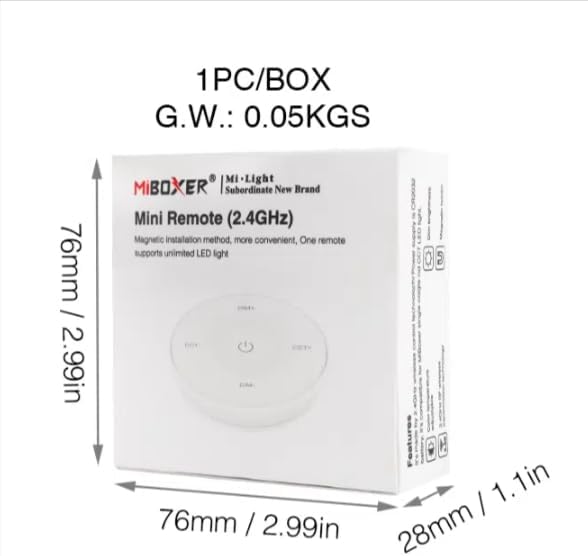
Image 7.2: Packaging Dimensions
This image displays the dimensions of the product packaging, indicating it is 76mm x 76mm x 28mm with a gross weight of 0.05 KGS.
8. Техникалык тейлөө
- Алыстан башкаруу пультун таза кармаңыз, аны жумшак, кургак чүпүрөк менен сүртүңүз.
- Avoid exposing the remote to moisture, extreme temperatures, or direct sunlight.
- If the remote is not used for an extended period, remove the battery to prevent leakage.
- Replace the battery when the remote's performance degrades or it stops responding.
9. Кыйынчылыктарды
| Көйгөй | Мүмкүн себеп | Чечим |
|---|---|---|
| Алыстан жооп бербей жатат | Батарея аз же өлүп калды | CR2032 батареясын алмаштырыңыз. |
| Light not linking | Incorrect linking procedure or light not compatible | Ensure the light is powered on within 3 seconds of pressing the link button. Verify light compatibility with MiBOXER 2.4G RF remotes. |
| Чектелген диапазон | Тоскоолдуктар же кийлигишүүлөр | Reduce distance between remote and light. Remove obstructions. Avoid areas with strong 2.4GHz interference. |
| Brightness/Color Temp adjustment not working | Алыстан башкаруу туура эмес режимде | Long press the ON/OFF button for 3 seconds to switch between brightness and color temperature adjustment modes. |
10. Кепилдик жана колдоо
The product comes with a manufacturer's warranty. For specific warranty details and duration, please refer to the documentation included with your purchase or contact MiBOXER customer support.
For technical support or inquiries, please visit the official MiBOXER webсайтка же кардарларды тейлөө бөлүмүнө кайрылыңыз.
Өндүрүүчү: Miboxer