1. Киришүү
This manual provides detailed instructions for the assembly, operation, maintenance, and troubleshooting of your TOPUTURE TP1 Exercise Bike. Please read this manual thoroughly before using the product to ensure safe and effective operation. This exercise bike is designed for home use, offering a quiet and efficient workout experience with magnetic resistance and app connectivity.
2. Коопсуздук боюнча маанилүү маалымат
Please adhere to the following safety guidelines to prevent injury and ensure proper use of the exercise bike:
- This machine is intended for home use only.
- Children should not use this machine without adult supervision.
- To avoid injury, do not place hands or any objects into the belt or flywheel area when the machine is in operation.
- Individuals with heart disease or lung conditions should consult a medical professional before using this exercise bike.
- Ар бир колдонуудан мурун бардык болттор менен гайкалардын бекем тартылышын текшериңиз.
- Велосипедди тегиз, туруктуу жерге коюңуз.
- Тийиштүү көнүгүү кийимин жана бут кийимди кийиңиз.

Image: Warning label indicating safety precautions for the exercise bike.
3. Продукт бүтүп калдыview жана компоненттер
The TOPUTURE TP1 Exercise Bike is designed for effective indoor cycling, featuring a robust build and user-friendly functions.

Сүрөт: Толук view of the TOPUTURE Exercise Bike, highlighting its design and app connectivity.
Негизги өзгөчөлүктөрү:
- 100% Magnetic Resistance: Provides smooth, quiet, and consistent resistance for varied workout intensities.
- Ultra-Quiet Belt Drive: Ensures a silent operation, ideal for home environments without disturbing others.
- ЖК монитор: Tracks essential workout data including time, speed, distance, calories, odometer, and pulse.
- Колдонмо туташуусу: Compatible with popular fitness apps like Z-Sport, Zwift, and Kinomap for interactive training.
- Жогорку Салмагы: Supports users up to 330 lbs (150 kg).
- Жөнгө салынуучу компоненттер: Seat and handlebars are adjustable for various user heights and preferences.
Негизги компоненттер:
- Жөнгө салынуучу руль: Offers multiple grip positions for comfort during different cycling postures.
- Жөнгө салынуучу отургуч: Can be adjusted horizontally and vertically to fit various body types.
- Магниттик тормоз системасы: Provides smooth and precise resistance control.
- Суу бөтөлкө кармоочу: Машыгуу учурунда суусундук ичүү үчүн ыңгайлуу жайгашкан.
- Anti-Slip Footrests (Pedals): Designed for secure foot placement during intense cycling.
- Транспорт дөңгөлөктөрү: Located at the front base for easy relocation of the bike.

Image: Visual breakdown of key components including adjustable handlebar, seat, magnetic brake, bottle holder, anti-slip footrests, and transport wheel.

Image: Illustration of the ultra-quiet belt drive system, emphasizing low noise operation.

Сүрөт: деталдуу view of the magnetic resistance adjustment knob, showing various resistance levels.

Image: Exercise bike highlighting its heavy-duty steel construction and 330 lbs (150 kg) weight capacity.

Image: User engaged in a cycling session, simulating an outdoor experience with virtual scenery.
4. Орнотуу жана чогултуу
The TOPUTURE TP1 Exercise Bike is designed for straightforward assembly. All necessary tools are included in the package.
Чогултуу кадамдары:
- Unpack all components from the box and verify against the parts list (refer to the included assembly guide for a complete list).
- Attach the front and rear stabilizers to the main frame using the provided bolts and wrenches.
- Install the pedals, ensuring they are tightened securely. Note that pedals are often marked 'L' for left and 'R' for right, and may have different threading directions.
- Mount the seat post and seat, adjusting to your preferred height and position.
- Attach the handlebar post and handlebars, securing them firmly.
- Connect the LCD monitor cables and mount the monitor onto the handlebar assembly.
- Perform a final check to ensure all connections are secure and the bike is stable.

Сүрөт: Side profile of the fully assembled exercise bike, showcasing анын компакттуу дизайны.
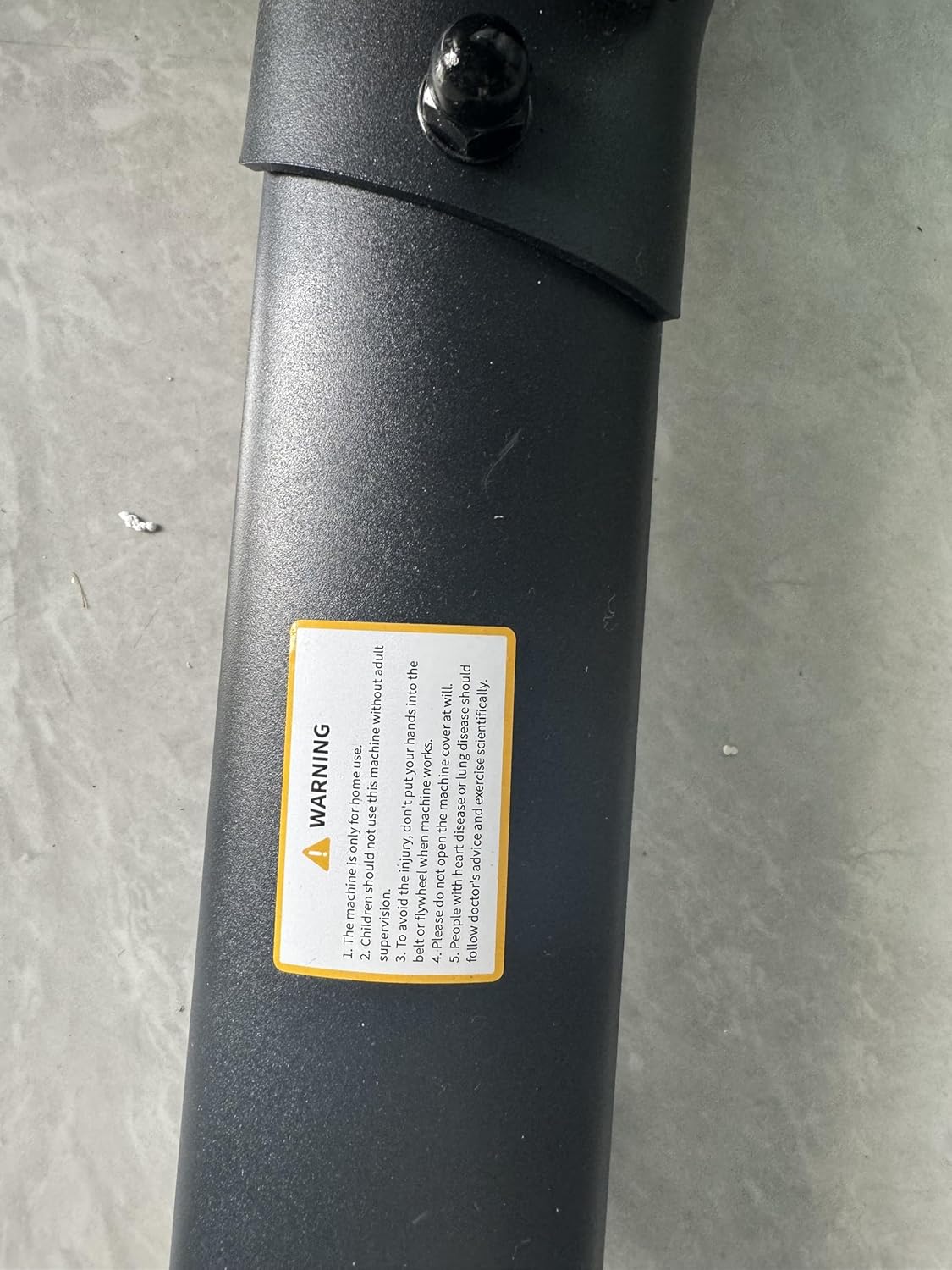
Image: Opposite side profile of the assembled exercise bike, providing another angle of its structure.
5. Иштөө нускамалары
Велосипедди жөнгө салуу:
- Орундукту жөндөө: Loosen the adjustment knob under the seat to move it forward or backward. Loosen the knob on the seat post to adjust the height. Tighten securely after adjustment.
- Рулду тууралоо: Loosen the adjustment knob on the handlebar post to adjust the height. Tighten securely.
- Каршылык жөнгө салуу: Turn the red knob located on the frame clockwise to increase magnetic resistance and counter-clockwise to decrease it.
- Шашылыш токтотуу: Авариялык тормозду иштетүү жана маховикти дароо токтотуу үчүн кызыл каршылык баскычын бекем басыңыз.

Image: Diagram illustrating the adjustable ranges for the seat and handlebars, along with recommended user height.
LCD мониторун колдонуу:
The integrated LCD monitor displays your workout metrics. It typically operates on AAA batteries.
- Функциялары: The monitor cycles through SCAN, TIME, SPD (Speed), DST (Distance), CAL (Calories), ODO (Odometer), and PULSE (Heart Rate).
- MODE баскычы: Press to select a specific display mode or hold to reset values.
- Жүрөктүн кагышын көзөмөлдөө: Place your hands on the heart rate sensors on the handlebars to display your pulse.
- Түзмөк кармоочу: A convenient holder is provided for your smartphone, tablet, or iPad, allowing you to watch videos or use fitness apps during your workout.

Сүрөт: View of the LCD monitor and the integrated holder for electronic devices, with icons representing various metrics.
Колдонмо туташуусу:
Connect your exercise bike to compatible fitness applications via Bluetooth for an enhanced training experience.
- Download the Z-Sport, Zwift, or Kinomap app from your device's app store.
- Enable Bluetooth on your device and within the app.
- Follow the in-app instructions to pair your TOPUTURE TP1 Exercise Bike.
- Enjoy virtual rides, track detailed progress, and engage with online communities.
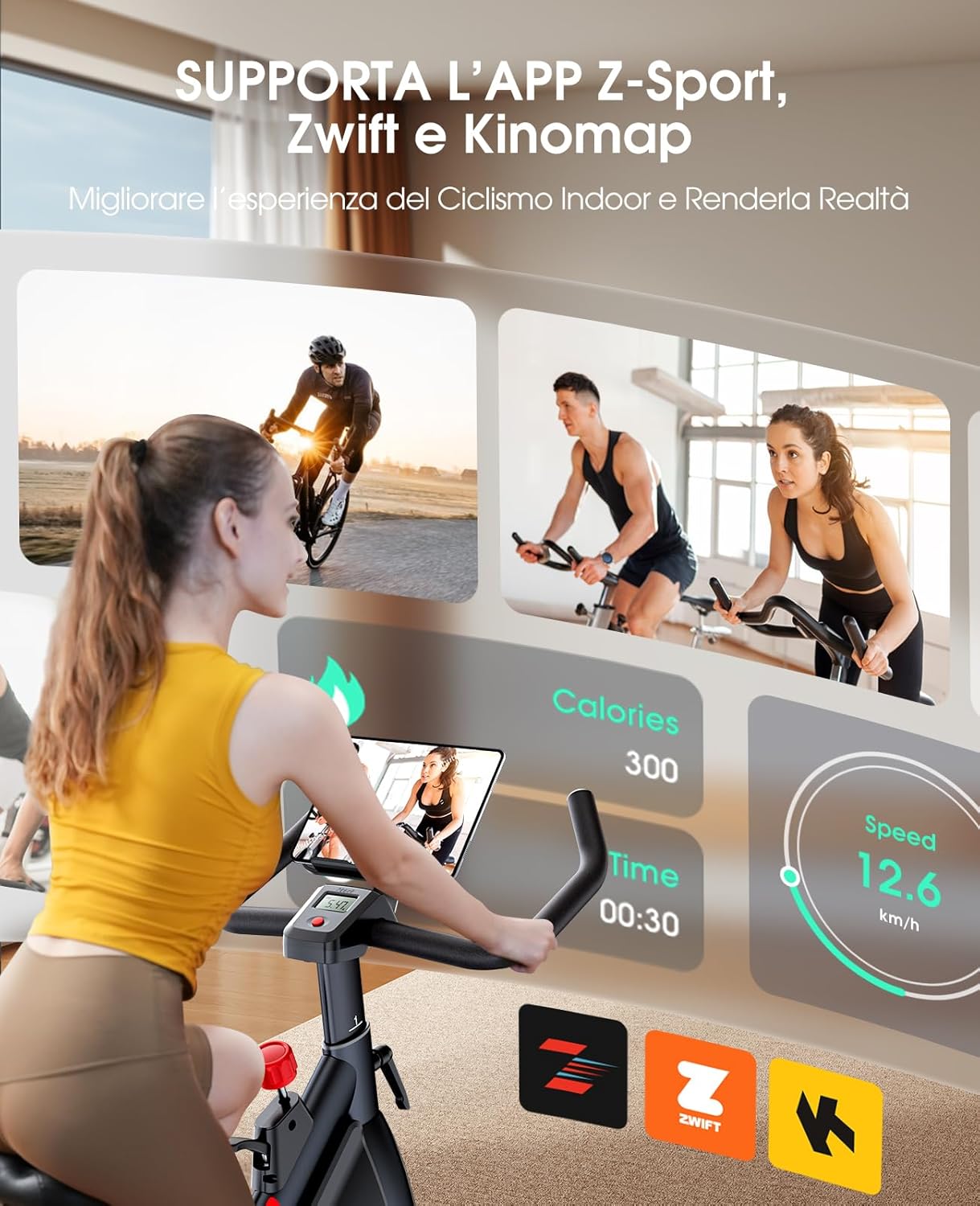
Image: A user on the exercise bike, with a screen displaying app integration for Z-Sport, Zwift, and Kinomap.
6. Техникалык тейлөө
Үзгүлтүксүз техникалык тейлөө тренажердук велосипедиңиздин узак жана оптималдуу иштешин камсыз кылат.
- Тазалоо: Велосипедди жарнама менен сүртүңүзamp терди жана чаңды кетирүү үчүн ар бир колдонуудан кийин чүпүрөк менен сүртүңүз. Абразивдүү тазалагычтардан алыс болуңуз.
- Майлоо: Periodically check for any squeaking noises. Apply a small amount of silicone-based lubricant to moving parts, such as the handlebar and seat posts, if needed.
- Болт текшерүү: Regularly inspect and tighten all bolts and nuts to ensure the bike remains stable and safe.
- Белдик текшерүү: While the belt drive is low maintenance, occasionally check for any signs of wear or damage.
7. Кыйынчылыктарды
Бул жерде сиз кабылышы мүмкүн болгон жалпы маселелерди чечүү жолдору бар:
| Көйгөй | Мүмкүн себеп | Чечим |
|---|---|---|
| LCD Monitor Not Working | Өлгөн батареялар; Бошоң байланыш. | Replace AAA batteries. Check that all monitor cables are securely connected. |
| Колдонуу учурундагы чыйылдаган үн | Loose bolts; Lack of lubrication on moving parts. | Tighten all visible bolts and nuts. Apply silicone-based lubricant to the seat post, handlebar post, and pedal axles if the noise persists. |
| Unstable Bike | Uneven floor; Loose stabilizers. | Ensure the bike is on a flat surface. Adjust the leveling feet on the stabilizers. Tighten all stabilizer bolts. |
| Каршылык өзгөрбөйт | Magnetic brake system issue. | Каршылык баскычы туура орнотулганын текшериңиз. Эгерде көйгөй чечилбесе, кардарларды колдоо кызматына кайрылыңыз. |
8. Техникалык шарттар
| Өзгөчөлүк | Деталь |
|---|---|
| Бренд | TOPUTURE |
| Модель номери | TP1 |
| Элемент Салмагы | 30 килограмм |
| Материал | Темир |
| Максималдуу салмак боюнча сунуш | 330 фунт (150 кг) |
| Элементтин өлчөмдөрү (LxWxH) | 42.91 x 23.23 x 46.46 дюйм |
| Минималдуу колдонуучунун бийиктиги | 150 сантиметр |
| Колдонуучунун максималдуу бийиктиги | 185 сантиметр |
| Каршылык түрү | Магниттик |
| Drive System | Belt Drive |
9. Кепилдик жана колдоо
For warranty information or technical assistance, please contact TOPUTURE customer support. Details for contacting support are typically found on the product packaging or the official TOPUTURE webсайт.
If you encounter any issues not covered in this manual, or require replacement parts, please reach out to our dedicated support team for prompt assistance.