
SONICAKE QKP-10
Sonicake QKP-10 Digital Electronic Piano Keyboard User Manual
Model: QKP-10
1. Киришүү
Welcome to the user manual for your new SONICAKE QKP-10 Portable Digital Electronic Piano Keyboard. This manual provides essential information for setting up, operating, and maintaining your instrument. Please read it thoroughly to ensure proper use and to maximize your musical experience.
2. Продукт бүтүп калдыview
The SONICAKE QKP-10 is a versatile 61-key digital keyboard designed for beginners and aspiring musicians. It offers a wide array of features to enhance learning and creativity.
- Vast Range of Tones and Features: Includes 300 tones, 300 rhythms, and 80 demo songs, providing diverse sound options.
- Stereo Experience: Equipped with two built-in speakers and Bluetooth connectivity.
- Headphone Connectivity: Allows for private practice without disturbing others.
- Жаздыруу жана ойнотуу: Built-in function to record and review your performances.
- Практикалык функциялар: Features vibrato, sustain, transpose, Dual-tone mode, 2 chord modes, and Split function.
- Көчүрүү мүмкүнчүлүгү: Can be powered by six AA batteries (not included) or a 5V 1A USB connection for use anywhere.

Figure 2.1: ашыкview of the SONICAKE QKP-10 Digital Electronic Piano Keyboard with music rest.
3. Орнотуу
3.1 Баскычтопту иштетүү
The QKP-10 keyboard can be powered in two ways:
- AC адаптери: Connect the included 5V 1A USB power adapter to the USB-C port on the back of the keyboard and plug it into a standard wall outlet.
- Батареялар: For portable use, insert six AA batteries (not included) into the battery compartment located on the underside of the keyboard. Ensure correct polarity.

Figure 3.1: Keyboard dimensions and included power adapter and USB cable.
3.2 Аксессуарларды туташтыруу
- Наушник: Connect standard 3.5mm headphones to the "PHONES" jack on the rear panel for private listening.
- Туруктуу педаль: Connect an optional sustain pedal (not included) to the "SUSTAIN" jack for extended note decay.

Figure 3.2: Rear panel showing Sustain, Phones, and USB-C ports.
4. Иштөө нускамалары
4.1 Негизги операция
- Күйгүзүү/өчүрүү: басыңыз КҮЧ баскычтопту күйгүзүү же өчүрүү үчүн.
- Үндү көзөмөлдөө: колдонуу MAIN VOL + / - жалпы үндү тууралоо үчүн баскычтар.

Figure 4.1: User interacting with the keyboard and its control panel.
4.2 Обондор жана ритмдер
The QKP-10 features 300 tones and 300 rhythms.
- Обондорду тандоо: басыңыз ООН button, then use the number pad (0-9) to enter the desired tone number.
- Ритмдерди тандоо: басыңыз РИТМ button, then use the number pad (0-9) to enter the desired rhythm number.
- Ритмдин көлөмү: Adjust rhythm volume using RHYTHM VOL + / - баскычтар.
- Темп: Adjust the tempo of rhythms and demo songs using TEMPO + / - баскычтар.
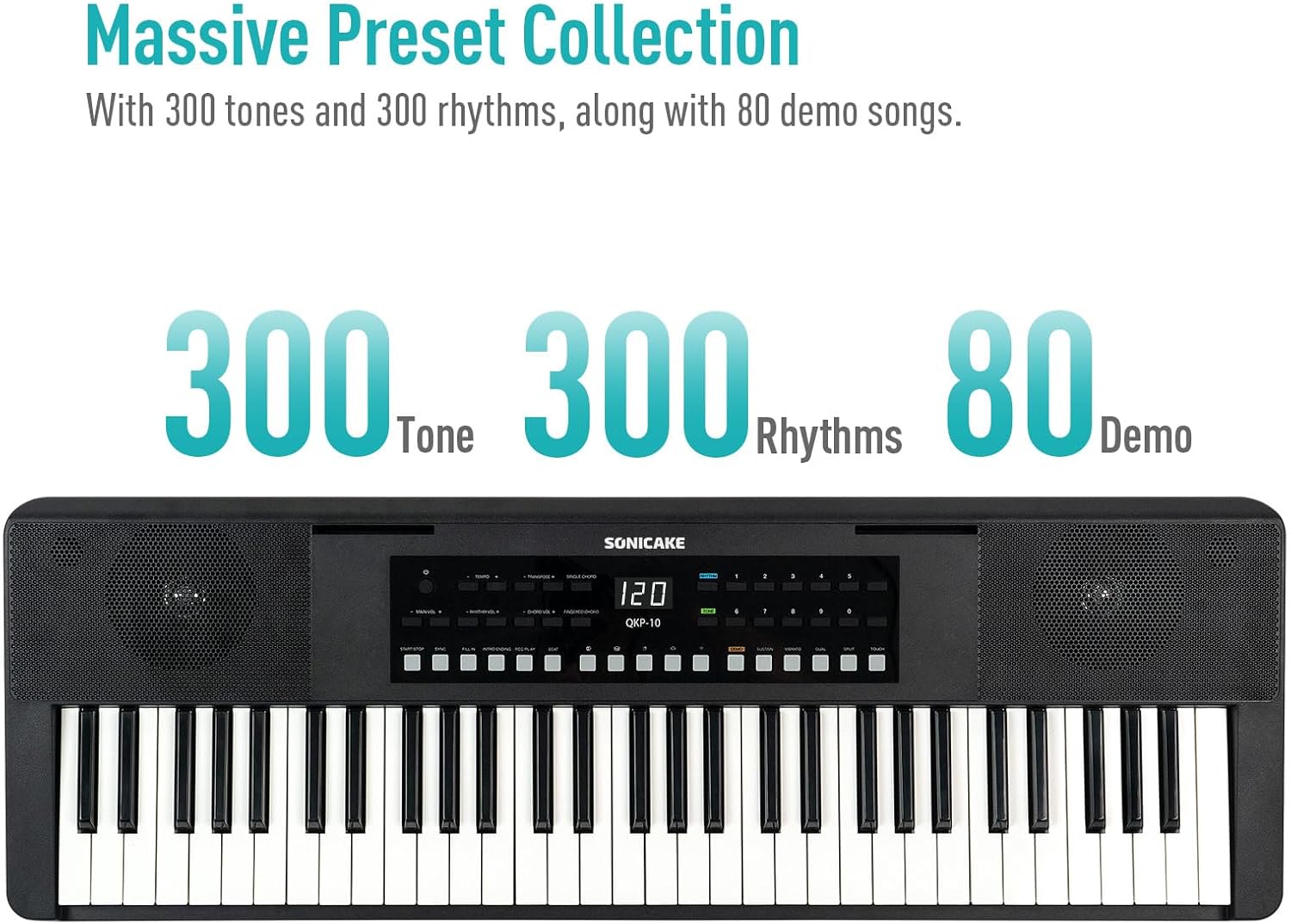
Figure 4.2: Control panel highlighting the 300 Tones, 300 Rhythms, and 80 Demo songs available.
4.3 демо ырлар
Клавиатурада угуу жана үйрөнүү үчүн 80 демо ыр камтылган.
- Playing Demos: басыңыз DEMO button to cycle through the demo songs.
4.4 Жазуу жана ойнотуу
Көрсөтүүлөрүңүздү жаздырып, кайра ойнотуңузview сиздин прогресс.
- Жаздыруу: басыңыз REC button to start recording. Play your desired melody.
- Жаздырууну токтотуу: Басыңыз ОЙНОО or ТОКТОТ жазууну токтотуу.
- Ойнотуу: басыңыз ОЙНОО Жазылган аткарууңузду угуу үчүн баскычты басыңыз.
4.5 Bluetooth байланышы
Connect your smartphone or tablet via Bluetooth to play along with your favorite songs or accompaniment audio.
- Bluetooth иштетүү: Ensure Bluetooth is enabled on your external device.
- Жупташтыруу: The keyboard will appear as "SONICAKE QKP-10" (or similar) in your device's Bluetooth settings. Select it to pair.
- Ойнотуу: Once paired, audio from your device will play through the keyboard's speakers.

Figure 4.3: Illustrates Bluetooth playback support, showing a smartphone wirelessly connected to the keyboard.
4.6 Өркүндөтүлгөн функциялар
Explore these functions to expand your musical expression:
- Vibrato: Adds a slight pitch variation to notes. Press ВИБРАТО.
- Туруктуу: Extends the decay of notes. Press ТОКТОЙТ.
- Которуу: Shifts the pitch of the entire keyboard up or down. Use Транспозициялоо + / -.
- Dual-tone Mode: Layers two different tones simultaneously. Press ДУАЛ.
- Бөлүү функциясы: Divides the keyboard into two sections, each with a different tone. Press Сплит.
- Аккорд режимдери: Includes Single Chord and Fingered Chord modes.

4.4-сүрөт: Детальдуу view of the control panel, showing buttons for various functions like Tempo, Transpose, Chord modes, Demo, Sustain, Vibrato, Dual, Split, and Touch.
5. Техникалык тейлөө
Туура кам көрүү клавиатураңыздын узак мөөнөттүү иштешин жана жакшы иштешин камсыздайт.
- Тазалоо: Баскычтоптун бетин сүртүү үчүн жумшак, кургак чүпүрөктү колдонуңуз. өжөр кир үчүн, бир аз гampкездемени суу жана жумшак жуучу каражат менен сүртүп, андан кийин дароо кургатыңыз. Абразивдүү тазалоочу каражаттардан же эриткичтерден алыс болуңуз.
- Сактагыч: Клавиатураны күн нурунан, өтө температурадан жана жогорку нымдуулуктан алыс, салкын, кургак жерде сактаңыз.
- Колдонуу: Баскычтопту түшүрүүдөн же катуу соккулардан сактаныңыз. Анын үстүнө оор нерселерди коюуга болбойт.
- Батареяга кам көрүү: If not using the keyboard for an extended period, remove the batteries to prevent leakage.
6. Кыйынчылыктарды
If you encounter any issues with your keyboard, please refer to the following common problems and solutions:
| Көйгөй | Мүмкүн себеп | Чечим |
|---|---|---|
| Динамиктерден/наушниктерден үн чыкпайт. | Volume too low; power issue; headphones not fully inserted. | Increase MAIN VOL. Check power connection/batteries. Ensure headphones are fully plugged in. |
| Баскычтоп күйбөйт. | No power supply; dead batteries; faulty adapter. | Check power adapter connection. Replace batteries. Try a different USB power source. |
| Bluetooth байланышы көйгөйлөрү. | Keyboard not in pairing mode; device too far; interference. | Ensure Bluetooth is enabled on both devices. Move devices closer. Restart both devices. |
| Ачкычтар жооп бербей жатат. | Keyboard frozen; internal issue. | Turn the keyboard off and on again. If problem persists, contact customer support. |
7. Техникалык шарттар
| Өзгөчөлүк | Деталь |
|---|---|
| Модель аты | QKP-10 |
| Ачкычтардын саны | 61 |
| Обондор | 300 |
| Ритмдер | 300 |
| Демо ырлар | 80 |
| Байланыш | Bluetooth, USB |
| Туташтыргыч түрү | USB Type A, 3.5mm Jack |
| Наушник уясы | 3.5 мм Jack |
| Power Source | Battery Powered (6x AA), 5V 1A USB |
| Элемент Салмагы | 10.47 фунт (болжол менен 4.75 кг) |
| Пакеттин өлчөмдөрү | 38.19 x 14.37 x 5.91 дюйм (болжол менен 97 x 36.5 x 15 см) |
| Түс | Кара |
| Өндүрүүчү | SONICAKE |
8. Кепилдик жана колдоо
For warranty information and customer support, please refer to the documentation included with your purchase or visit the official SONICAKE webсайт. Ар кандай кепилдик дооматтары үчүн сатып алганыңыздын далилин сактаңыз.
If you require further assistance or have questions not covered in this manual, please contact SONICAKE customer service.
Ask a question about this manual
Ask about setup, troubleshooting, compatibility, parts, safety, or missing instructions. Manuals+ will review the question and use this page’s manual context to help answer it.