
Introduction
This manual provides detailed instructions for the proper use and maintenance of your ACEFAST H2 Wireless Headset. Designed with advanced Active Noise Cancelling (ANC) technology and Bluetooth 5.3 connectivity, these headphones offer a high-quality audio experience. Please read this manual thoroughly before using the product to ensure optimal performance and longevity.
Пакеттин мазмуну
- ACEFAST H2 Wireless Headset
- USB-C заряддоо кабели
- 3.5 мм Aux кабели
- Колдонуучунун Колдонмосу (бул документ)
Продукт бүттүview
Familiarize yourself with the components and controls of your ACEFAST H2 headset.
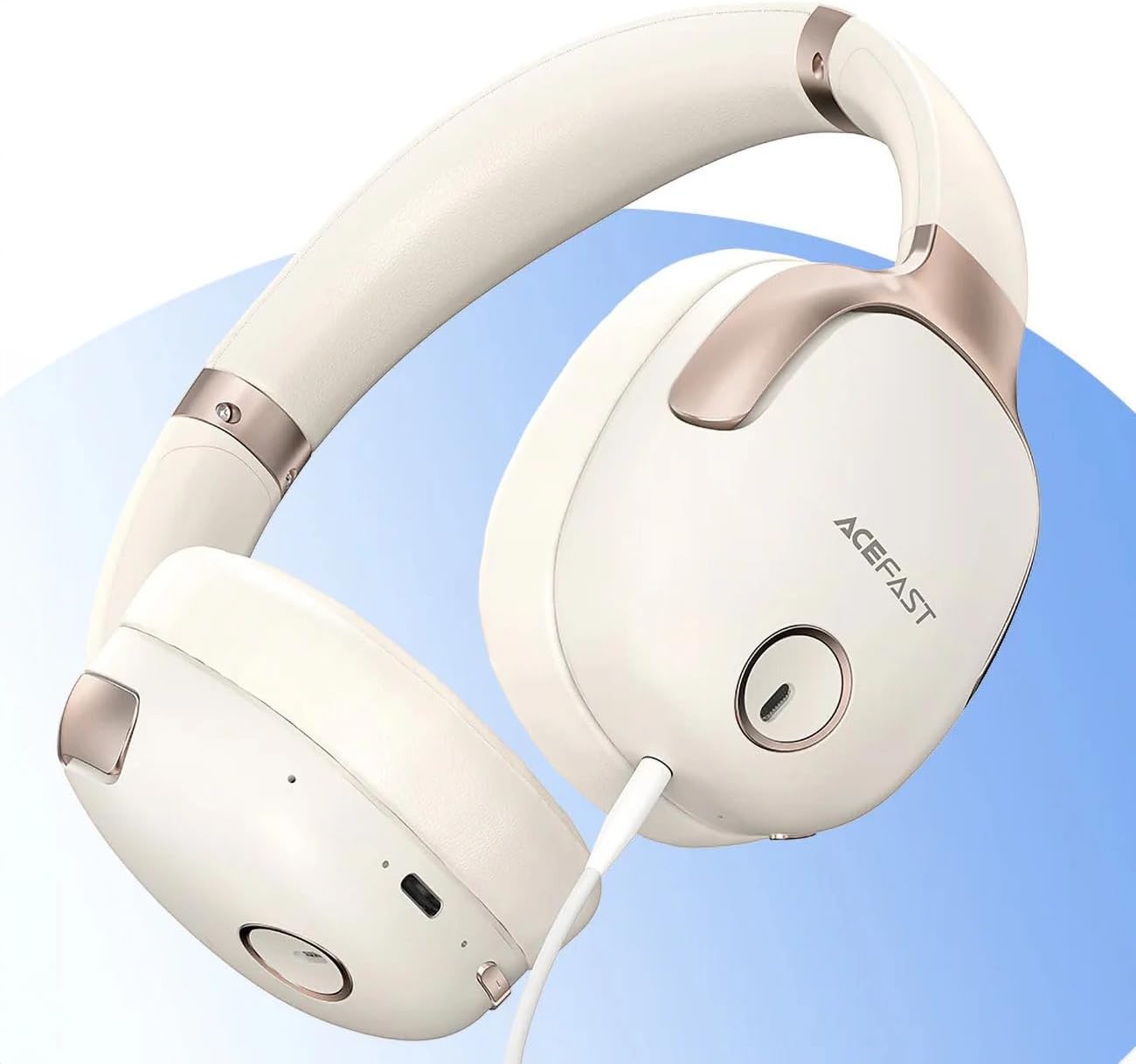
1-сүрөт: ACEFAST H2 Headset showing USB-C charging port, 3.5mm audio jack, and control buttons.
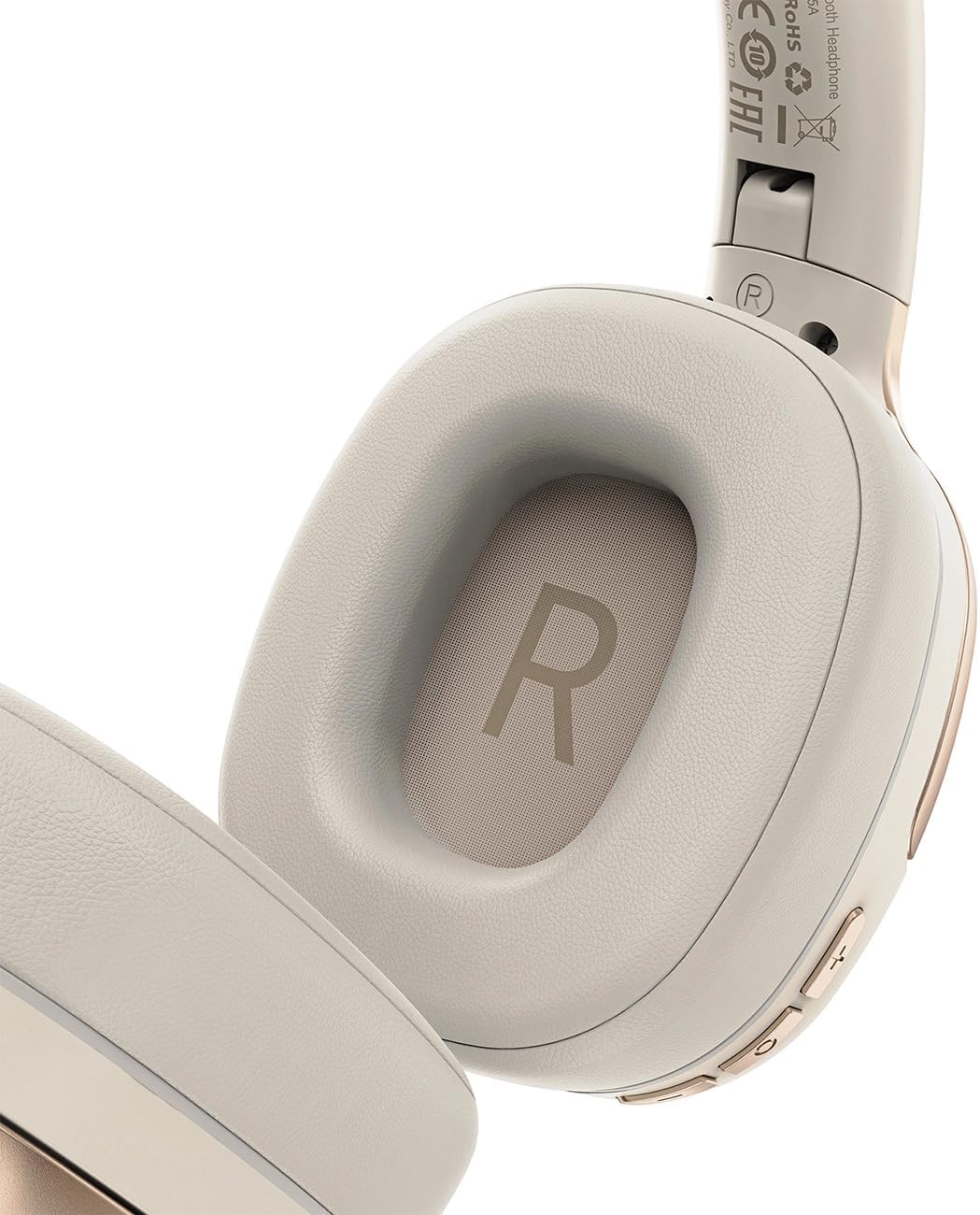
2-сүрөт: Interior of the right earcup, indicating proper orientation for wearing.

3-сүрөт: Headband adjustment mechanism and ear cup swivel for comfortable fit.

4-сүрөт: The foldable design of the headset for easy storage and transport.
Негизги компоненттер:
- Күйгүзүү/Көп функциялуу баскыч: Used for power on/off, play/pause, answer/end calls.
- Үнүн жогорулатуу/Кийинки трек баскычы: Үнүн жогорулатуу үчүн басыңыз, кийинки трекке чейин кармап туруңуз.
- Үндү азайтуу/Мурунку трек баскычы: Үнүн азайтуу үчүн басыңыз, мурунку трек үчүн кармап туруңуз.
- ANC баскычы: Активдүү ызы-чууну жокко чыгарууну иштетет же өчүрөт.
- USB-C заряддоо порту: Гарнитураны заряддоо үчүн.
- 3.5 мм аудио уячасы: For wired connection using the Aux cable.
- Микрофон: Built-in for calls.
- LED көрсөткүчү: Кубаттоо, кубаттоо жана жупташтыруу абалын көрсөтөт.
Жайгашуу
1. Гарнитураны заряддоо
- Connect the provided USB-C charging cable to the headset's USB-C port.
- Кабелдин экинчи учун USB кубат адаптерине (кошумча эмес) же компьютердин USB портуна туташтырыңыз.
- LED индикатору кубаттоо абалын көрсөтөт (мисалы, кубаттоо учурунда кызыл, толук кубатталганда көк).
- A full charge takes approximately 2 hours and provides up to 80 hours of music playback.
2. Күйгүзүү / Өчүрүү
- Күйгүзүү үчүн: Press and hold the Power/Multi-function button for approximately 3 seconds until the LED indicator flashes.
- Өчүрүү үчүн: LED индикатору өчкөнгө чейин Кубат/Көп функциялуу баскычты болжол менен 5 секунд басып туруңуз.
3. Bluetooth Жупташтыруу
- Гарнитура өчүрүлгөнүн текшериңиз.
- Press and hold the Power/Multi-function button for about 5-7 seconds until the LED indicator flashes red and blue alternately, indicating pairing mode.
- Түзмөгүңүздө (смартфон, планшет, компьютер) Bluetooth иштетип, жеткиликтүү түзмөктөрдү издеңиз.
- Select "ACEFAST H2" from the list of found devices.
- Жупташкандан кийин LED индикатору жай көк түстө күйөт.
- The headset will automatically connect to the last paired device when powered on, if within range.
4. Зымдуу туташуу (Aux режими)
- Connect one end of the 3.5mm Aux cable to the headset's 3.5mm audio jack.
- Экинчи учун аудио булагыңыздын 3.5 мм аудио чыгышына туташтырыңыз.
- In wired mode, the headset functions passively, and Bluetooth features are disabled. ANC may still be active if powered on.
Иштөө нускамалары
Музыканы ойнотуу
- Ойнотуу/тындыруу: Күйгүзүү/Көп функциялуу баскычты кыска басыңыз.
- Көлөмү: Үндү жогорулатуу баскычын кыска басыңыз.
- Үнүн азайтуу: Үндү азайтуу баскычын кыска басыңыз.
- Кийинки трек: Үндү жогорулатуу баскычын көпкө басыңыз.
- Мурунку трек: Үндү азайтуу баскычын көпкө басыңыз.
Телефон чалуулар
- Чалууга жооп берүү/аяктоо: Күйгүзүү/Көп функциялуу баскычты кыска басыңыз.
- Чакырууну четке кагуу: Күйгүзүү/Көп функциялуу баскычты көпкө басыңыз.
- Үн жардамчысы: Кубат/Көп функциялуу баскычты эки жолу басыңыз (эгер түзмөгүңүз колдосо).
Активдүү Шумду Жоюу (ANC)
- ANCти иштетүү/өчүрүү: Press the dedicated ANC button. The LED indicator will change to confirm status.
- ANC reduces ambient noise up to -40dB, providing a quieter listening environment.
Техникалык тейлөө
- Тазалоо: Гарнитураны тазалоо үчүн жумшак, кургак чүпүрөктү колдонуңуз. Абразивдүү тазалагычтарды же эриткичтерди колдонбоңуз.
- Сактагыч: Store the headset in a cool, dry place away from direct sunlight and extreme temperatures. When not in use, it is recommended to fold the headset for compact storage.
- Суу каршылык: The headset is IPX4 water-resistant, meaning it is protected against splashing water from any direction. It is not designed for submersion or exposure to heavy rain. Avoid exposing the charging port and audio jack to moisture.
- Батареяга кам көрүү: To preserve battery life, charge the headset fully before long periods of storage and recharge it at least once every three months.
Проблемаларды чечүү
| Көйгөй | Мүмкүн себеп | Чечим |
|---|---|---|
| Гарнитура күйбөйт. | Батарея аз. | Гарнитураны толук заряддаңыз. |
| Түзмөк менен жупташтыруу мүмкүн эмес. | Гарнитура жупташтыруу режиминде эмес; түзмөк Bluetooth өчүк; аппараттан өтө алыс. | Ensure headset is in pairing mode (flashing red/blue). Turn on device Bluetooth. Move headset closer to device (within 10 meters). |
| Үн жок же аудио сапаты начар. | Volume too low; headset not connected; interference; incorrect audio output selected. | Adjust volume on headset and device. Re-pair headset. Move away from sources of interference. Check device's audio output settings. |
| АНК эффективдүү иштебей жатат. | ANC иштетилген эмес; туура эмес туураланган. | Press the ANC button to activate. Adjust headset for a snug fit over your ears. |
Техникалык шарттар
| Модель аты | H2 |
| Байланыш технологиясы | Зымсыз (Bluetooth 5.3) / Зымдуу (3.5 мм Aux) |
| Bluetooth диапазону | 10 метрге чейин |
| Noise Control | Active Noise Cancellation (ANC) up to -40dB, Environmental Noise Cancelling (ENC) for microphone |
| Батареянын иштөө мөөнөтү | 80 саатка чейин (музыканы ойнотуу) |
| Заряддоо убактысы | Болжол менен 2 саат (USB-C аркылуу) |
| Суу каршылык | IPX4 (чачууга туруктуу) |
| Кулак жайгаштыруу | On Ear |
| Материал | Акрилонитрил бутадиен стирол (ABS) |
| Түс | Беж |

5-сүрөт: Illustration of the dynamic HiFi audio driver components.
Кепилдик маалымат
The ACEFAST H2 Wireless Headset comes with a 6 айлык өндүрүүчүнүн кепилдиги сатып алынган күндөн тартып. Бул кепилдик кадимки колдонуудагы өндүрүштүк кемчиликтерди жана чеберчиликти камтыйт. Туура эмес колдонуудан, кырсыктардан, уруксатсыз өзгөртүүлөрдөн же кадимки эскирүүдөн келип чыккан зыянды камтыбайт. Кепилдик дооматтары үчүн сатып алганыңызды тастыктаган документти сактап коюңуз.
Колдоо
For further assistance, technical support, or warranty inquiries, please refer to the contact information provided by your retailer or visit the official ACEFAST website. Ensure you have your product model number (H2) and proof of purchase ready when contacting support.