
Introduction
Thank you for choosing the KTC H25X7 24.5-inch FHD 400Hz Fast IPS Gaming Monitor. This manual provides essential information for the proper setup, operation, and maintenance of your new monitor. Please read it thoroughly before use to ensure optimal performance and longevity of the product.
The KTC H25X7 monitor is designed to deliver a superior visual experience with its Full HD 1920 x 1080p resolution and wide 178° viewing angles, ensuring consistent image quality. Its impressive 400Hz refresh rate and ultra-fast 1ms response time are engineered to reduce input latency, providing a smooth and responsive gaming experience. With HDR400 support, 400cd/m² brightness, and 128% sRGB color gamut, the monitor produces rich, detailed, and vibrant images. Connectivity is versatile with two HDMI 2.0 and two DisplayPort 1.4 interfaces, supporting up to 240Hz via HDMI and 400Hz via DisplayPort. The ergonomic design allows for tilt adjustment and supports 100x100mm VESA wall mounting for personalized viewсооронуч.
Жайгашуу
Follow these steps to set up your KTC H25X7 monitor:
- Пакеттен чыгаруу: Carefully remove all components from the packaging. Ensure you have the 24.5-inch FHD Monitor, Tilt Adjustable Stand, DP Cable, Adapter, and Screwdriver.
- Стендди чогултуу: Attach the tilt adjustable stand to the monitor using the provided screwdriver and screws. Ensure it is securely fastened.
- Туташуу кубаты: Connect the power adapter to the monitor's DC input port and then plug it into a power outlet.
- Баштапкы түзмөккө туташуу: Use the provided DisplayPort (DP) cable to connect your monitor to your computer's graphics card for optimal performance (up to 400Hz refresh rate). Alternatively, you can use an HDMI cable (not included) to connect to devices supporting HDMI 2.0 (up to 240Hz refresh rate). The monitor features two HDMI 2.0 ports and two DisplayPort 1.4 ports.
- Optional VESA Mounting: For VESA mounting, detach the stand and use a compatible 100x100mm VESA mount (not included) to secure the monitor to a wall or monitor arm.
- Күйгүзүү: Аны күйгүзүү үчүн монитордогу кубат баскычын басыңыз.

Figure 1: KTC H25X7 Monitor Overview

Figure 2: Monitor Connectivity Ports (DC, HDMI x2, DP x2, USB 2.0, Earphone) and VESA Mount
Иштөө нускамалары
Your KTC H25X7 monitor offers various features to enhance your viewоюн жана оюн тажрыйбасы:
- Жогорку жаңылануу ылдамдыгы: The monitor supports up to 400Hz refresh rate via DisplayPort 1.4 and up to 240Hz via HDMI 2.0. To utilize the highest refresh rates, ensure your graphics card and cables support the necessary bandwidth. Adjust refresh rate settings in your computer's display settings.
- Тез жооп берүү убактысы: Experience ultra-fast 1ms MPRT (Moving Picture Response Time) for minimal motion blur and ghosting, crucial for fast-paced gaming.
- HDR400 and Color Performance: The monitor supports HDR400, providing enhanced contrast and vibrant colors. With 400cd/m² brightness and 128% sRGB color gamut, images are rendered with exceptional detail and accuracy.
- FreeSync/G-Sync Compatibility: The monitor is compatible with AMD FreeSync and NVIDIA G-Sync technologies, which synchronize the monitor's refresh rate with your GPU's frame rate. This eliminates screen tearing and stuttering for a smoother gaming experience. Enable this feature in your graphics card's control panel.
- Көзгө кам көрүү режими: The monitor features Flicker-Free technology and a Low Blue Light mode to reduce eye strain during prolonged use. These settings can be adjusted via the On-Screen Display (OSD) menu.
- Экрандык менюнун навигациясы: Use the buttons located on the monitor (typically on the back or bottom right) to access and navigate the On-Screen Display (OSD) menu. This menu allows you to adjust various settings such as brightness, contrast, color temperature, input source, and more.

Figure 3: High Refresh Rate Performance

Figure 4: 1ms MPRT Response Time
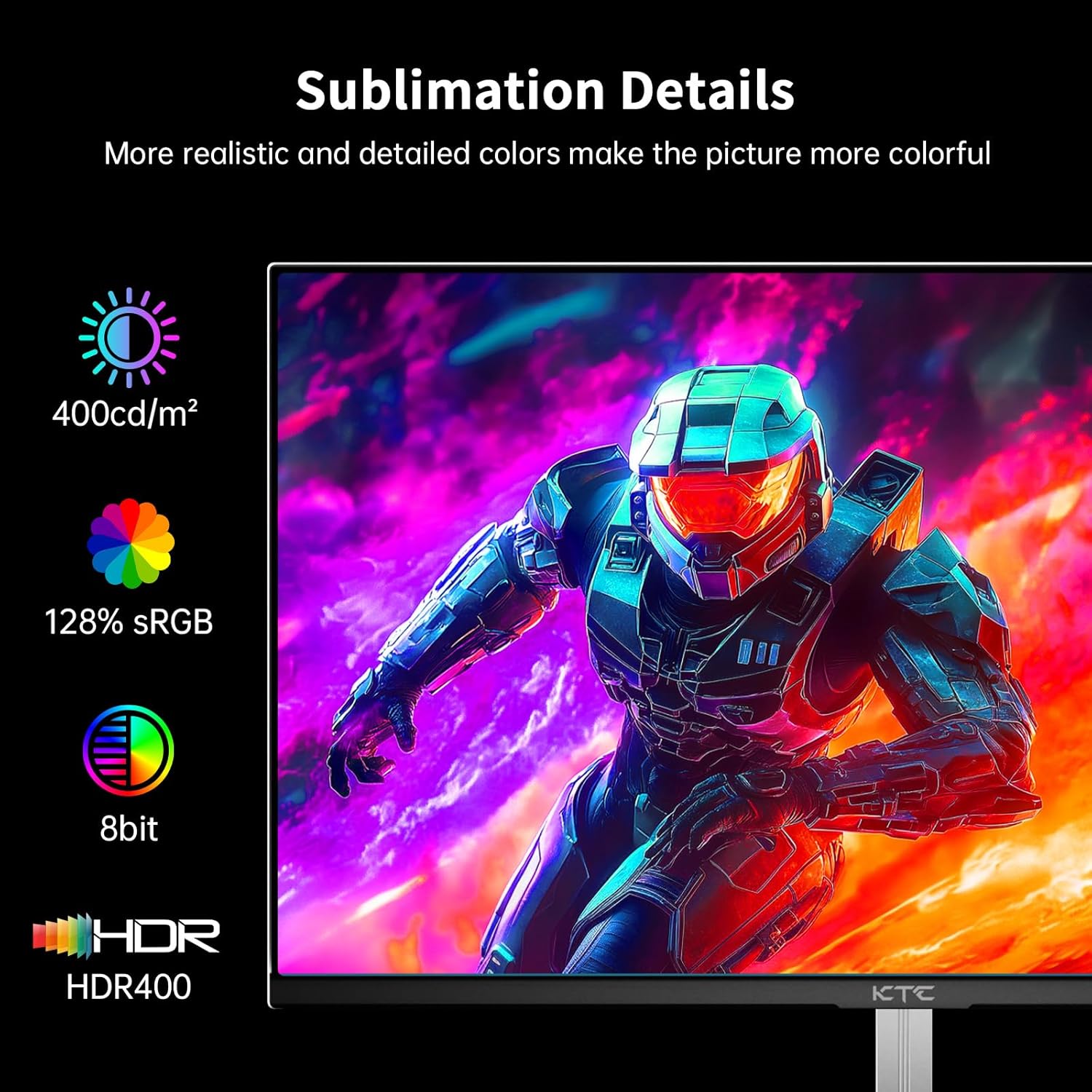
Figure 5: Enhanced Color and Brightness

Figure 6: FreeSync/G-Sync Compatibility

Figure 7: Eye Care Features
Техникалык тейлөө
Туура тейлөө мониторуңуздун узак мөөнөттүү жана оптималдуу иштешин камсыз кылат:
- Экранды тазалоо: Экранды жумшак, түксүз чүпүрөк менен акырын сүртүңүз. өжөр белгилери үчүн, жеңил гampкездемени суу же абразивдүү эмес экран тазалагыч менен сүртүңүз. Эч качан суюктукту экранга түз чачпаңыз.
- Тазалоо Casing: Мониторду тазалоо үчүн жумшак, кургак чүпүрөктү колдонуңуз casinг. Күчтүү жуугучтарды же абразивдүү тазалагычтарды колдонуудан алыс болуңуз.
- Вентиляция: Монитордогу желдетүү тешиктери бүтөлүп калбаганын текшериңиз. Жетиштүү аба агымы ысып кетүүнүн алдын алат.
- Сактагыч: Эгерде мониторду узак убакытка сактап жатсаңыз, аны электр тармагынан сууруп, салкын, кургак жерде, мүмкүн болсо, баштапкы таңгагында сактаңыз.
- Түздөн-түз күндүн нурунан качуу: Do not expose the monitor to direct sunlight or excessive heat, as this can damage the display panel.
Проблемаларды чечүү
If you encounter issues with your KTC H25X7 monitor, refer to the following common problems and solutions:
| Көйгөй | Мүмкүн себеп | Чечим |
|---|---|---|
| Экранда сүрөт жок | Power cable disconnected; Video cable disconnected or loose; Incorrect input source selected. | Check power connections; Ensure video cable (DP/HDMI) is securely connected to both monitor and computer; Select the correct input source via the OSD menu. |
| Сүрөт бүдөмүк же бурмаланган | Туура эмес чечилиш же жаңыртуу ылдамдыгы; Графикалык карта драйверлериндеги көйгөйлөр. | Set the display resolution to 1920 x 1080 pixels and the desired refresh rate (e.g., 400Hz for DP) in your computer's display settings; Update your graphics card drivers. |
| Экран жыртылуу же кекечтенүү | FreeSync/G-Sync not enabled or not compatible. | Ensure FreeSync/G-Sync is enabled in the monitor's OSD and your graphics card's control panel. Verify compatibility. |
| No sound from monitor speakers/earphone jack | Audio output not selected; Volume too low. | Ensure the monitor is selected as the audio output device in your computer's sound settings; Increase the volume via the OSD menu or computer's volume control. |
| Монитор жаркылдап турат | External interference; Faulty cable; Power supply issue. | Check for nearby electronic devices causing interference; Try a different video cable; Ensure power supply is stable. |
If the problem persists after trying these solutions, please contact KTC customer support for further assistance.
Техникалык шарттар
| Өзгөчөлүк | Деталь |
|---|---|
| Бренд | KTC |
| Модель номери | H25X7 |
| Screen Size | 24.5 дюйм |
| Резолюция | FHD 1080p (1920 x 1080 пиксел) |
| Аспект катышы | 16:9 |
| Жаңыртуу ылдамдыгы | Up to 400Hz (DisplayPort), Up to 240Hz (HDMI) |
| Жооп убактысы | 1 мс MPRT |
| Панел түрү | Ыкчам IPS |
| Жарыктык | 400 Candela/m² |
| Түс гаммасы | 128% sRGB |
| HDR колдоо | HDR400 |
| Viewбурч | 178° (горизонталдуу/вертикалдуу) |
| Байланыш | 2x HDMI 2.0, 2x DisplayPort 1.4, 1x USB 2.0, 1x Earphone Jack |
| VESA шайкештиги | 100x100мм |
| Продукциянын өлчөмдөрү | 4 x 24 x 18 дюйм |
| Элемент Салмагы | 9.75 фунт |
| Тtage | 12 вольт |
| Screen Surface Description | Мт |
Кепилдик жана колдоо
Your KTC H25X7 monitor comes with a warranty card included in the box. Please refer to this card for detailed information regarding your product's warranty period and terms. KTC is committed to providing high-quality products and excellent customer service.
For technical support, troubleshooting assistance beyond what is provided in this manual, or warranty claims, please contact KTC customer support through the platform where you purchased the product. When contacting support, please have your model number (H25X7) and purchase details readily available.
You can typically find customer support contact information on the seller's page or within your order details. The seller for this product is KTC-Official.