
Introduction
Thank you for choosing the AWEI T28 Wireless Earbuds. This manual provides detailed instructions for setting up, operating, and maintaining your earbuds to ensure optimal performance and longevity. Please read this manual thoroughly before using the product.
Пакеттин мазмуну
Пакетиңизде бардык буюмдар бар экенин текшериңиз:
- Wireless Bluetooth Headset (Left and Right Earbuds)
- Wireless Bluetooth Headset Charging Case
- USB-C заряддоо кабели
- User Instructions (This Manual)
Продукт бүттүview
The AWEI T28 Wireless Earbuds are designed for a comfortable in-ear fit, offering high-fidelity audio and clear call performance. They feature Bluetooth 5.3 technology for stable connectivity and touch controls for easy operation.

1-сүрөт: AWEI T28 Wireless Earbuds and Charging Case. This image displays the white earbuds resting inside their open charging case, highlighting their compact and sleek design.

2-сүрөт: Earbuds and Charging Case. The image shows the earbuds removed from the charging case, which is open, illustrating the product's design and indicating its readiness for use or charging.
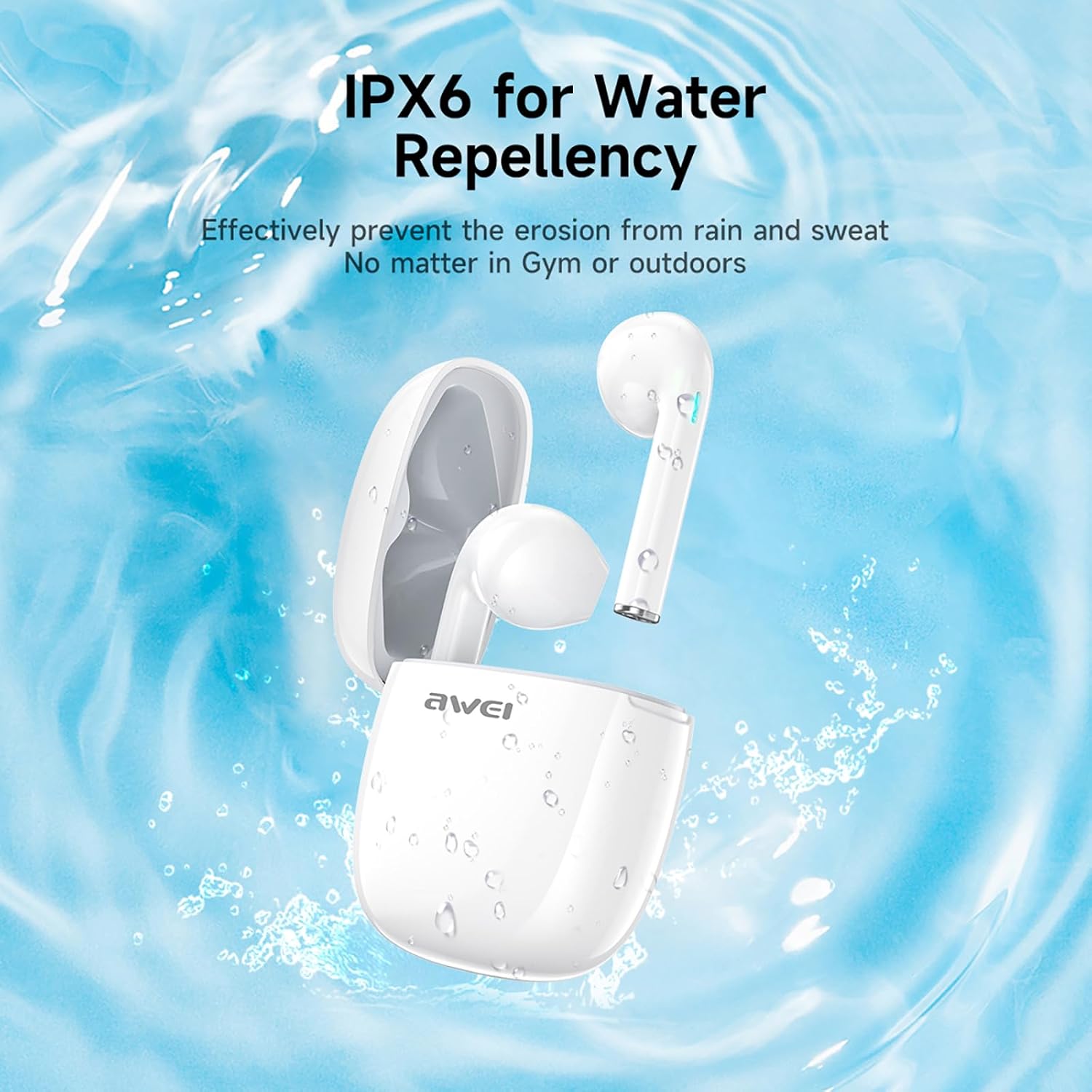
3-сүрөт: IPX6 Water Repellency. This image depicts the earbuds and charging case with water splashes, visually representing their IPX6 waterproof rating, suitable for use during exercise or in light rain.
Жайгашуу
1. Кулакчындарды жана кутуну кубаттоо
- Баштапкы төлөм: Биринчи колдонуудан мурун, кулакчындарды жана заряддоо кутучасын толук заряддаңыз.
- Ишти заряддоо: Connect the provided USB-C charging cable to the charging port on the case and to a USB power source. The charging time for the case is approximately 1.5 hours.
- Кулакчындарды заряддоо: Place the earbuds into the charging case. They will automatically begin charging. The earbuds provide approximately 7 hours of continuous use per charge. The charging case extends total playback time to 35 hours in dual-ear mode, or up to 70 hours in single-ear mode by alternating earbuds.
- Батарея көрсөткүчтөрү: Refer to the LED indicators on the case and earbuds for charging status.
2. Түзмөк менен жупташтыруу
- Күйгүзүү: Заряддоо кутучасын ачыңыз. Кулакчындар автоматтык түрдө күйүп, жупташтыруу режимине өтөт.
- Bluetooth иштетүү: On your smartphone, tablet, or other Bluetooth-enabled device, go to the Bluetooth settings and turn on Bluetooth.
- Түзмөктү тандоо: Look for "AWEI T28" in the list of available devices and select it to connect.
- Ырастоо: Once connected, you will hear an audio prompt from the earbuds, and the device's Bluetooth settings will show "AWEI T28" as connected.
- Автоматтык кайра туташуу: After the initial pairing, the earbuds will automatically connect to the last paired device when removed from the charging case, provided Bluetooth is enabled on the device.
Иштөө нускамалары
Touch Controls
The AWEI T28 earbuds feature smart touch controls on each earbud for convenient management of audio playback and calls.
- Ойнотуу/тындыруу: Кулакчындарды бир жолу таптаңыз.
- Кийинки ыр: Оң кулакчынды эки жолу таптаңыз.
- Мурунку ыр: Сол кулакчынды эки жолу таптаңыз.
- Көлөмү: Оң кулакчынды үч жолу таптаңыз.
- Үнүн азайтуу: Сол кулакчынды үч жолу таптаңыз.
- Чалууга жооп берүү/аяктоо: Кирүүчү чалуу учурунда гарнитураны бир жолу таптаңыз.
- Чакырууну четке кагуу: Кирүүчү чалуу учурунда кулакчындын бирин 2 секунд басып туруңуз.
- Үн Жардамчысын жандыруу: Press and hold either earbud for 3 seconds (functionality may vary by device).
Monaural and Binaural Mode
The earbuds support both monaural (single earbud) and binaural (both earbuds) modes. You can seamlessly switch between modes:
- Бинауралдык режим: Remove both earbuds from the charging case. They will automatically connect to each other and then to your device.
- Монауралдык режим: Remove only one earbud from the charging case. It will connect to your device independently. You can place the other earbud back in the case or keep it off.
- Которулууда: If using one earbud, simply remove the other from the case to automatically switch to binaural mode. If using both, place one back in the case to switch to monaural mode.
Техникалык тейлөө
Proper maintenance ensures the longevity and performance of your AWEI T28 Wireless Earbuds.
- Тазалоо: Кулакчындарды жана заряддоо кутусун жумшак, кургак, түксүз чүпүрөк менен дайыма тазалап туруңуз. Абразивдүү тазалагычтарды же эриткичтерди колдонбоңуз.
- Кулак кеңештери: If applicable, gently remove ear tips and clean them with mild soap and water, then dry thoroughly before reattaching.
- Заряддоо байланыштары: Туура кубаттоону камсыз кылуу үчүн кулакчындардын жана кутучанын ичиндеги заряддоочу контакттардын таза жана таштандылардан таза экенин текшериңиз.
- Суу каршылык: The earbuds are IPX6 waterproof, meaning they are resistant to strong jets of water. However, they are not designed for swimming or submersion. Ensure they are dry before placing them back in the charging case.
- Сактагыч: Колдонулбаганда, кулакчындарды чаңдан жана бузулуудан коргоо үчүн кубаттоочу кутуга салып сактаңыз. Салкын, кургак жерде, экстремалдык температурадан алыс сактаңыз.
Проблемаларды чечүү
If you encounter issues with your AWEI T28 Wireless Earbuds, refer to the following common solutions:
- Кулакчындар түзмөк менен жупташкан жок:
- Эки кулакчындын тең кубатталганын текшериңиз.
- Түзмөгүңүздөгү Bluetooth'ду өчүрүп, кайра күйгүзүңүз.
- Forget "AWEI T28" from your device's Bluetooth list and attempt to pair again.
- Ensure the earbuds are in pairing mode (usually indicated by flashing LED lights).
- Түзмөккө тиешелүү маселелерди болтурбоо үчүн башка түзмөк менен жупташып көрүңүз.
- Бир гана кулакчын иштейт:
- Place both earbuds back into the charging case, close the lid, wait a few seconds, then open the lid and remove both earbuds simultaneously.
- Эки кулакчындын тең кубатталганын текшериңиз.
- Check if the earbuds are connected in monaural mode. If so, try re-pairing both earbuds.
- Кулакчындар кубатталбай жатат:
- Заряддоо кутучасы заряддалганын текшериңиз.
- Check that the charging contacts on the earbuds and inside the case are clean and free of obstructions.
- Кулакчындардын кубаттоо кутучасына туура орнотулгандыгын текшериңиз.
- Башка USB-C кабелин же кубат адаптерин колдонуп көрүңүз.
- Көлөмү төмөн же үн сапаты начар:
- Түзмөгүңүздөгү жана гарнитураңыздагы үндү тууралаңыз.
- Кулакчындар жакшы мөөр басуу үчүн кулагыңызга туура орнотулганын текшериңиз.
- Кулакчын түтүкчөлөрүндөгү бардык кулагын же калдыктарын тазалаңыз.
- Try playing different audio sources to determine if the issue is with the earbuds or the audio file.
- Байланыш тез-тез үзүлөт:
- Ensure there are no significant obstacles (walls, large electronic devices) between the earbuds and your connected device.
- Keep the earbuds within the 10-meter Bluetooth range of your device.
- Avoid environments with high Wi-Fi or other wireless interference.
Техникалык шарттар
| Модел | T28 |
| Бренд | Awei |
| Байланыш технологиясы | Зымсыз (Bluetooth 5.3) |
| Кулак жайгаштыруу | Кулакта |
| Башкаруу түрү | Touch Control |
| Сууга туруктуулук деңгээли | IPX6 суу өткөрбөйт |
| Батареянын орточо иштөө мөөнөтү (кулакчындар) | 7 саат |
| Заряддоо кутусу менен жалпы ойноо убактысы | Up to 35 Hours (Dual-ear), 70 Hours (Single-ear) |
| Заряддоо убактысы (капка) | 1.5 саат |
| Материал | Силикон |
| Элемент Салмагы | 150 г |
| Шайкеш түзмөктөр | Смартфондор, компьютерлер, телевизорлор |
Кепилдик жана колдоо
For warranty information and customer support, please refer to the documentation provided with your purchase or contact the retailer where you purchased the AWEI T28 Wireless Earbuds. Keep your proof of purchase for any warranty claims.
For further assistance, you may also visit the official Awei webсайтка же түздөн-түз кардарларды тейлөөгө кайрылыңыз.


