
1. Киришүү
This manual provides essential information for the safe and effective use of your Longer 30W Laser Engraver Module. Please read it thoroughly before installation and operation to ensure optimal performance and safety.
2. Коопсуздук маалыматы
Laser engraving involves high-power lasers that can cause serious injury if not handled properly. Adhere to all safety guidelines.
- Көздү коргоо: Always wear appropriate laser safety goggles when operating the laser module. The module is equipped with a panoramic filter glass protective cover designed to filter 97% of ultraviolet rays, but additional eye protection is recommended.
- Вентиляция: Operate the laser engraver in a well-ventilated area to avoid inhaling fumes and particles produced during engraving and cutting.
- Өрт коркунучу: Laser engraving can ignite flammable materials. Never leave the machine unattended during operation. Keep a fire extinguisher nearby.
- Материалдык шайкештик: Only engrave or cut materials specified as safe. Avoid reflective, transparent, or unknown materials that can scatter or transmit the laser beam unpredictably.
- Балдар жана үй жаныбарлары: Балдарды жана үй жаныбарларын операциядан алыс кармаңыз.
- Электр камсыздоо: Use only the provided power adapter. Ensure proper grounding.

3. Пакеттин мазмуну
Төмөндө тизмеленген нерселердин баары пакетиңизде бар экенин текшериңиз:
- Longer 30W Laser Engraver Module
- Кубаттуу адаптер
- Туташуу кабелдери
- Mounting Hardware (screws, wrenches)
- Монтаждоо плитасы
- Air Assist Nozzle (if included)

4. Орнотуу
4.1 Installation on Compatible Engravers (e.g., RAY5)
- Өчүрүү: Ensure your laser engraver is powered off and unplugged from the power source.
- Remove Existing Module: Carefully detach and remove the existing laser module from your engraver according to its specific instructions.
- Монтаждоо плитасын бекитүү: Secure the provided mounting plate to the new 30W laser module using the appropriate screws.
- Жаңы модулду орнотуу: Attach the 30W laser module with the mounting plate to the engraver's gantry. Ensure it is firmly secured and aligned.
- Кабелдерди туташтыруу: Connect the power cable and data cable from the 30W module to the corresponding ports on your engraver's control board. Refer to your engraver's manual for specific port locations.
- Күйгүзүү: Plug in and power on your engraver.
4.2 Фокусту баштапкы тууралоо
The laser module requires proper focusing for optimal performance. Consult your engraver's software or control panel for focus adjustment procedures. Typically, this involves lowering the laser head until the laser spot is at its smallest point on the material surface.
5. Иштөө нускамалары
5.1 Материалды даярдоо
- Place the material to be engraved or cut securely on the working surface.
- Ensure the material is flat and properly aligned.
- Verify that the laser focus is correctly set for the material thickness.
5.2 Программалык камсыздоонун иштеши
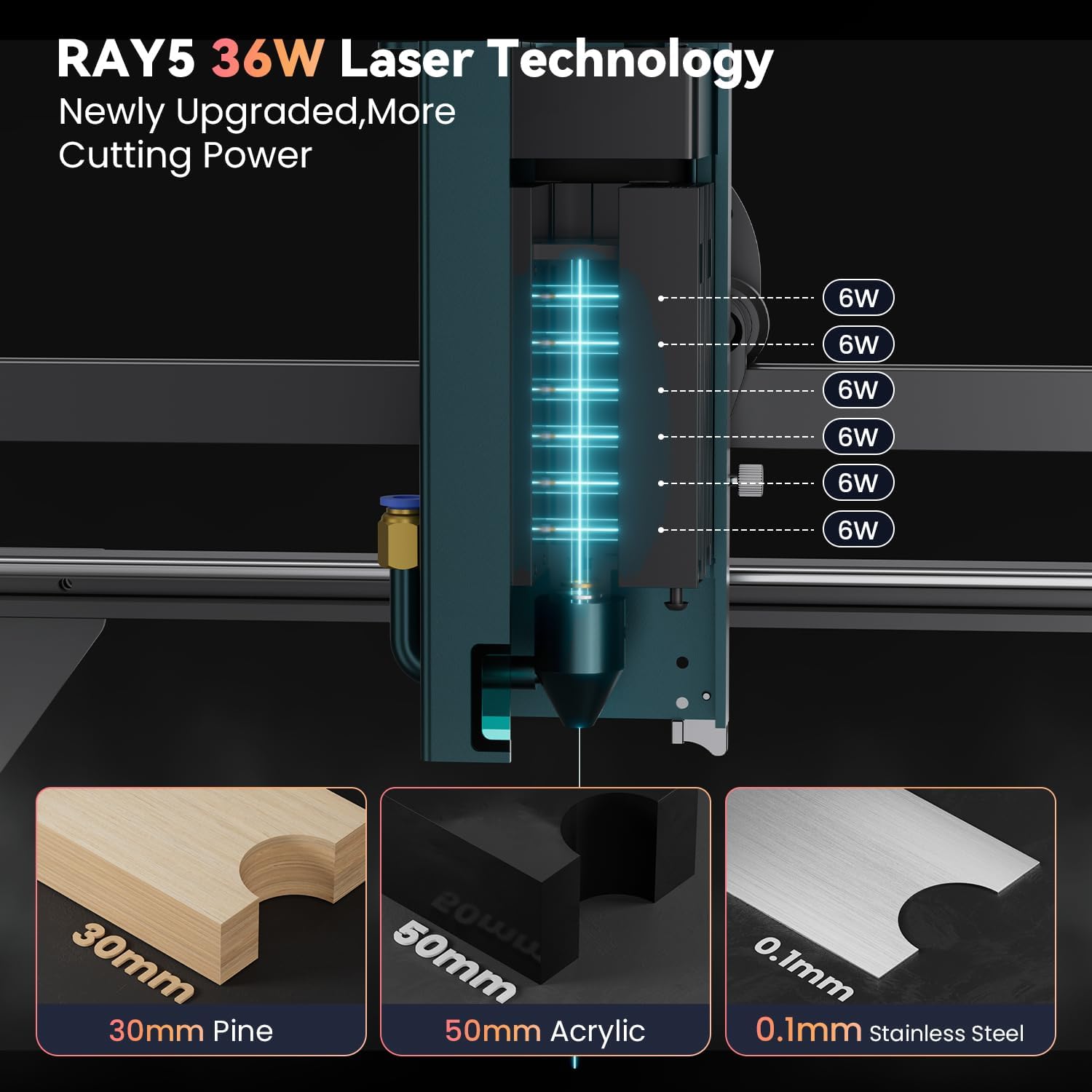
Use compatible laser control software (e.g., LightBurn, LaserGRBL) to prepare your design and set engraving/cutting parameters. The 30W module offers significant power, allowing for faster processing and deeper cuts.
- Кубат орнотуулары: Adjust laser power according to the material and desired effect. Start with lower power settings and gradually increase as needed.
- Ылдамдык жөндөөлөрү: Adjust engraving/cutting speed. Slower speeds generally result in deeper cuts or darker engravings.
- Өтүүлөр: For thicker materials, multiple passes may be required.


5.3 Колдонулуучу материалдар
The Longer 30W Laser Engraver Module supports a wide range of materials:
- Гравюра материалдары: All wood types, paper, plastic, leather, PCB board, aluminum oxide, non-reflective plating, lacquered metal.
- Кесүүчү материалдар: Cardboard, non-woven fabric, light wood, acrylic material, thin plastic board.
- Materials Unable to Engrave: Blue, purple, white, transparent materials, aluminum without an oxide layer.

6. Техникалык тейлөө
Regular maintenance ensures the longevity and performance of your laser module.
- Линзаны тазалоо: Periodically clean the laser lens with a soft, lint-free cloth and lens cleaning solution to prevent residue buildup, which can affect laser performance.
- Чаңды тазалоо: Keep the module and surrounding area free of dust and debris. Use compressed air to clean cooling fins and fan blades.
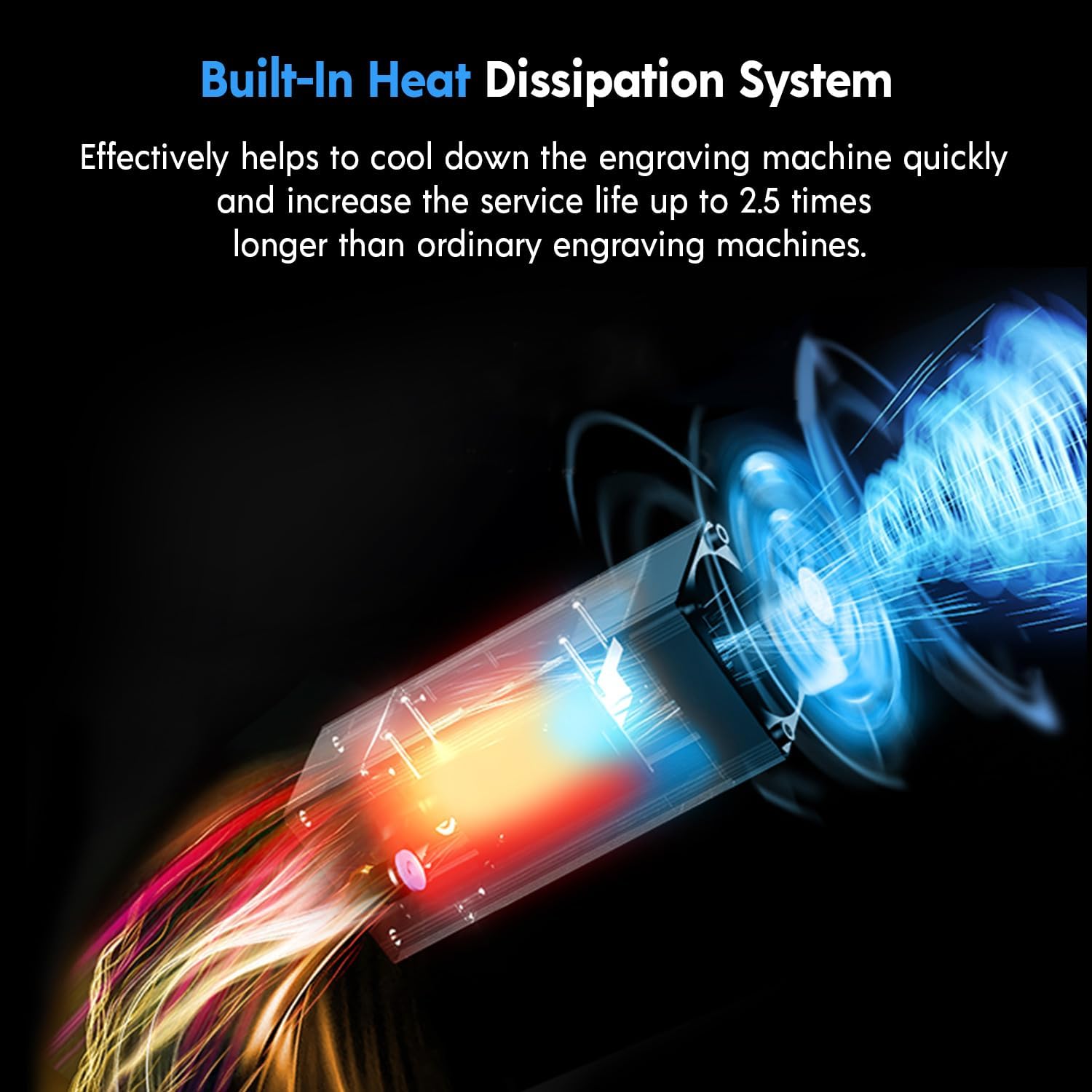
- Жылуулук таркатылышы: The module features a built-in heat dissipation system. Ensure airflow is not obstructed to maintain optimal operating temperature and extend service life.
7. Кыйынчылыктарды
Эгер көйгөйлөргө туш болсоңуз, төмөнкү жалпы көйгөйлөрдү жана чечимдерди караңыз:
| Көйгөй | Мүмкүн себеп | Чечим |
|---|---|---|
| Лазер иштебейт же алсыз чыгаруу | Incorrect focus, dirty lens, low power setting, loose cable connection. | Adjust focus, clean lens, increase power setting in software, check all cable connections. |
| Uneven engraving/cutting | Material not flat, gantry not level, inconsistent focus, material defects. | Ensure material is flat, check engraver's gantry for levelness, verify focus across the work area. |
| Модулдун ысып кетиши | Obstructed airflow, prolonged high-power operation. | Clear any obstructions from cooling vents, reduce power or allow cool-down periods. |
For further assistance, contact Longer customer support.
8. Техникалык шарттар
| Өзгөчөлүк | Деталь |
|---|---|
| Модел | 30W Laser Engraver Module |
| Чыгуу күчү | 36 Вт чейин |
| Гравюра тактыгы | 0.01мм |
| Лазердик толкун узундугу | 450-460 нм |
| Көздү коргоо | Panoramic filter glass protective cover (filters 97% UV) |
| Кызмат мөөнөтү | Болжол менен 20,000 саат |
| Пакеттин өлчөмдөрү | 10.91 x 10.16 x 5.55 дюйм |
| Элемент Салмагы | 4.11 фунт |
| Өндүрүүчү | УЗАК |
9. Кепилдик маалыматы
Longer products typically come with a manufacturer's warranty. Specific warranty terms and duration may vary. Please retain your proof of purchase for warranty claims. For detailed warranty information, refer to the official Longer webсайтка же кардарларды колдоо менен байланышыңыз.
Note: Misuse, unauthorized modifications, or failure to follow safety guidelines may void your warranty.
10. Кардарларды колдоо кызматы
For technical assistance, troubleshooting, or warranty inquiries, please contact Longer customer support through the following channels:
- Электрондук почта: Refer to the official Longer webэң акыркы электрондук почта дареги үчүн сайт.
- Жандуу чат: Available on the official Longer webсайт.
- Телефон: Consult the official Longer webбайланыш номерлери үчүн сайт.
- Онлайн Коомчулук: Join the official Longer Facebook group for peer support and updates.
