
1. Киришүү
The Insoma Wifi Automatic Sprinkler Timer (Model: BSPT-Hub-EU) is designed to provide smart and efficient irrigation for your garden, lawn, and other watering needs. This system allows for remote control and scheduling via a smartphone application, offering convenience and water conservation. It integrates with a Wi-Fi Hub for extended range and stable connectivity, and is compatible with voice assistants like Amazon Alexa and Google Assistant.
This manual provides detailed instructions for the installation, operation, and maintenance of your Insoma Wifi Automatic Sprinkler Timer. Please read it thoroughly before use to ensure proper functionality and longevity of the device.
2. Коопсуздук маалыматы
- Do not use the timer in temperatures below 40.1°F (4.5°C) to prevent freezing and potential damage to the unit.
- During winter months or when temperatures are expected to drop below freezing, disconnect the timer from the hose bib and store it indoors in a dry, protected area.
- Ensure all connections to the hose bib and hose are secure to prevent leaks. Use rubber washers and thread seal tape if necessary.
- Use only 1.5V AAA alkaline batteries (sold separately) for the timer. Do not mix old and new batteries, or different types of batteries.
- Keep the Wi-Fi Hub in a dry, indoor location. It is not waterproof.
- This device is designed for outdoor watering applications. Do not use it for purposes other than its intended use.
3. Пакеттин мазмуну
Пакетиңизде бардык буюмдар бар экенин текшериңиз:
- Insoma Wifi Automatic Sprinkler Timer
- Таймердин аксессуарлары (мисалы, туташтыргычтар, шайбалар)
- Wi-Fi борбору
- Колдонуучунун Колдонмосу (бул документ)
4. Орнотуу
4.1. Батареяны орнотуу
- Ensure the timer is dry before opening the battery compartment.
- Locate and open the battery compartment on the timer unit.
- Insert two (2) 1.5V AAA alkaline batteries (not included), observing the correct polarity (+/-).
- Securely close the battery compartment to maintain the IPX5 waterproof rating.
4.2. Физикалык орнотуу
- Кранга туташуу: Screw the Insoma Sprinkler Timer onto your outdoor hose bib. Hand-tighten firmly. If leaks occur, add a rubber washer or thread seal tape.
- Туташтыруу шланг: Attach your garden hose or irrigation system to the outlet of the timer. Hand-tighten firmly.
- Ensure the faucet is always turned ON for the timer to function correctly.

Image: The Insoma Wifi Automatic Sprinkler Timer installed on a faucet, ready for operation. The image also shows the Wi-Fi hub and a smartphone displaying the control app.
4.3. Wi-Fi хабын орнотуу
- Plug the Wi-Fi Hub into a standard indoor power outlet.
- Ensure the Wi-Fi Hub is within 3-10 meters (approximately 10-33 feet) of your router and the sprinkler timer for optimal connection. The hub supports 2.4GHz Wi-Fi networks only.

Image: The Wi-Fi Hub connected to a power outlet, facilitating remote control of the sprinkler timer via the smartphone application.
4.4. Колдонмону орнотуу жана жупташтыруу
- жүктөп алыңыз Smart Life смартфонуңуздун колдонмолор дүкөнүнөн колдонмо (iOS жана Android үчүн жеткиликтүү).
- Smart Life аккаунтуңузга катталыңыз же кириңиз.
- In the app, add the Wi-Fi Hub as a new device. Follow the on-screen instructions to connect the hub to your 2.4GHz Wi-Fi network.
- Once the Wi-Fi Hub is connected, add the Insoma Sprinkler Timer through the hub. The app will guide you through the pairing process. The timer connects to the gateway via RFID technology, providing a stable signal up to 196 feet from the hub.
- Note: The Smart Life app is not compatible with tablets.
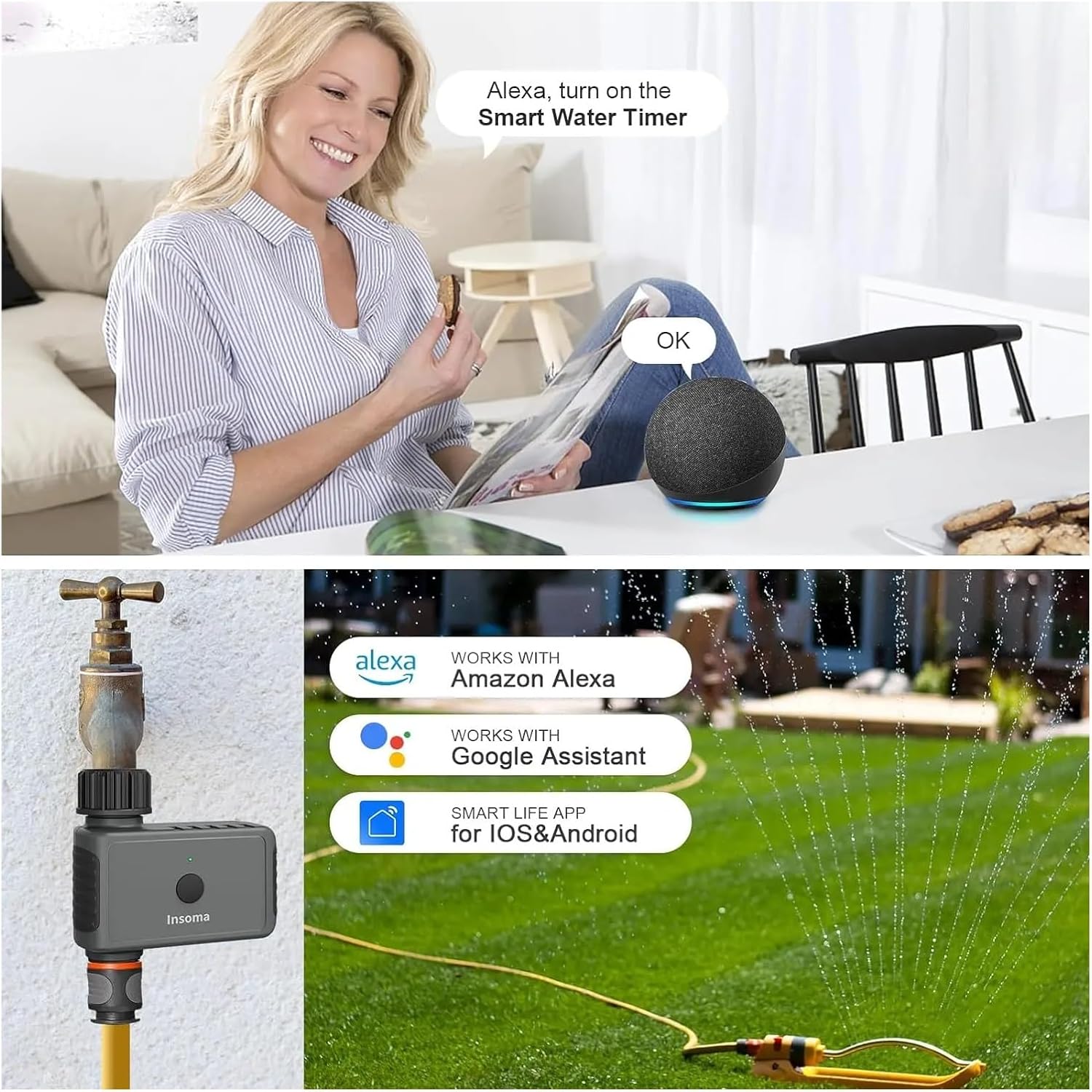
Image: The Insoma Sprinkler Timer is compatible with Amazon Alexa and Google Assistant, controllable via the Smart Life app.
5. Иштөө нускамалары
The Insoma Sprinkler Timer offers two primary watering modes and a manual override function, all controllable via the Smart Life app.
5.1. Сугаруу режимдери
You can set up to 20 different watering schedules using the following modes:
- Убакыт менен сугаруу режими: Set specific start times, watering duration (minutes/hours), and days of the week for irrigation.
- Циклдик сугаруу режими: Set a cycle for watering, for example, water for 20 minutes every 3 hours. This mode is useful for specific plant needs or drip irrigation systems.

Image: The Smart Life app displays options for setting up Timed and Cyclical Irrigation schedules.
5.2. Кол менен сугаруу
To perform manual watering without interrupting your set schedules, you can activate the manual mode through the app. This allows you to use the hose bib for other tasks for a duration ranging from 1 minute to 23 hours and 59 minutes.
5.3. Жамгырдын кечиктирүү функциясы
The rain delay feature allows you to temporarily pause your watering schedules for 1 to 7 days. This function helps conserve water and electricity by preventing unnecessary watering during rainy periods. The schedule will automatically resume after the set delay period.

Image: The Rain Delay function can be set via the app to pause watering for up to 7 days, saving water during wet weather.
5.4. Monitoring and Notifications
The Smart Life app provides real-time watering records, allowing for visualized watering management. You will receive activity notifications directly on your smartphone, offering detailed information about your garden plants and lawn's watering status.
6. Техникалык тейлөө
6.1. Фильтрди тазалоо
The internal filter can trap dirt particles from the water supply. Regularly inspect and clean the filter to ensure optimal water flow and prevent blockages. If the filter appears worn or damaged, replace it.
6.2. Батареяны алмаштыруу
When the low battery indicator appears on the timer's display or in the app, replace the batteries promptly. Ensure the timer unit is dry before opening the battery compartment and replacing the two (2) 1.5V AAA alkaline batteries.
6.3. Кышкы сактоо
To prevent damage from freezing temperatures, disconnect the Insoma Sprinkler Timer from the hose bib before the first frost. Store the unit indoors in a dry, protected environment until temperatures consistently rise above 40.1°F (4.5°C).
7. Кыйынчылыктарды
- Суу агымы жок:
- Кран толугу менен ачык экенин текшериңиз.
- Check if the timer's batteries are dead or low. Replace if necessary.
- Фильтрдин бүтөлүп калганын текшерип, тазалаңыз.
- Сугаруу графиги активдүү экенин же кол менен сугаруу башталганын текшериңиз.
- Байланыштардан агып чыгуулар:
- Бардык байланыштар кол менен бекем бекемделгенин текшериңиз.
- Check for damaged or missing rubber washers. Replace if needed.
- Apply thread seal tape to the hose bib threads if leaks persist.
- Колдонмонун туташуу маселелери:
- Confirm your Wi-Fi network is 2.4GHz. The system does not support 5GHz Wi-Fi.
- Ensure the Wi-Fi Hub is plugged in and within range of your router and the sprinkler timer (3-10 meters).
- Restart your Wi-Fi router, the Wi-Fi Hub, and the Smart Life app.
- Check if the timer's batteries are low, as this can affect communication.
- Таймер жооп бербей жатат:
- Батареяларды алмаштырыңыз.
- Ensure the timer is not exposed to temperatures below 40.1°F (4.5°C).
8. Техникалык шарттар
| Өзгөчөлүк | Деталь |
|---|---|
| Модель номери | BSPT-Hub-EU (SGW02W) |
| Кубат булагы (таймер) | 2 x 1.5V AAA щелочтуу батарейкалар (кошулган эмес) |
| Bluetooth Range (Timer to Hub) | Up to 49.2 feet (15 meters) in open area |
| Wi-Fi Hub Connectivity | 2.4 ГГц Wi-Fi гана |
| Wi-Fi Hub to Timer Range | Up to 196 feet (60 meters) via RFID technology |
| Иштеп жаткан суунун басымы | 7.25 - 116 psi |
| Иштөө температурасы | 40.1°F - 113°F (4.5°C - 45°C) |
| Суу өткөрбөйт рейтинги | IPX5 |
| Материал | Пластик |
| Колдонмонун шайкештиги | Smart Life (iOS & Android, not for tablets) |
| Voice Assistant шайкештиги | Amazon Alexa, Google Жардамчысы |

Image: The Insoma Sprinkler Timer is versatile for various watering applications.
9. Кепилдик жана колдоо
For warranty information and technical support, please refer to the contact details provided at the point of purchase or visit the official Insoma webсайт. Сатып алуу квитанциясын кепилдик дооматтары үчүн сатып алуунун далили катары сактаңыз.