
Introduction
This manual provides detailed instructions for the installation, operation, and maintenance of your YEOIZO Wireless Backup Camera System, Model INCH5. This system is designed to enhance visibility and safety for various vehicles, including trucks, RVs, campers, and trailers, through its wireless connectivity, magnetic mounting, and solar charging capabilities.

Image: YEOIZO Wireless Backup Camera System with 5-inch HD Monitor and magnetic base.
Кутуда эмне бар
Орнотууну улантуудан мурун бардык компоненттер бар экенин текшериңиз.
- Зымсыз камера
- C түрүндөгү кубаттоочу кабель
- User Manual
- 5DB Antenna (x2)
- Expansion Antenna (x1)
- 5 дюймдук монитор
- Cigarette Lighter Switch

Image: All components included in the YEOIZO Wireless Backup Camera System package.
Орнотуу жана орнотуу
1. Камераны заряддоо
Before initial use, fully charge the camera using the provided Type-C charging cable. The camera features an ultra-low power consumption chip and a 5W solar panel for extended battery life. A full 6-hour USB charge provides 18-20 hours of operation. Solar charging can supplement power during sunny conditions, providing approximately 2 hours of power for every 8 hours of direct sunlight.
Important: Use only the charging cable that came with your camera. Other cables may not be compatible and could prevent proper charging.

Image: The camera unit highlighting solar and USB charging capabilities.

Image: Visual representation of various charging methods for the camera.
2. Magnetic Installation
The camera features a strong magnetic base for easy, drill-free, and wire-free installation on any metal surface. The magnetic contact surface is designed with a soft rubber material to protect your vehicle's paint from wear and tear. Installation typically takes around 3 minutes.

Image: The camera demonstrating strong magnetic installation on a vehicle.
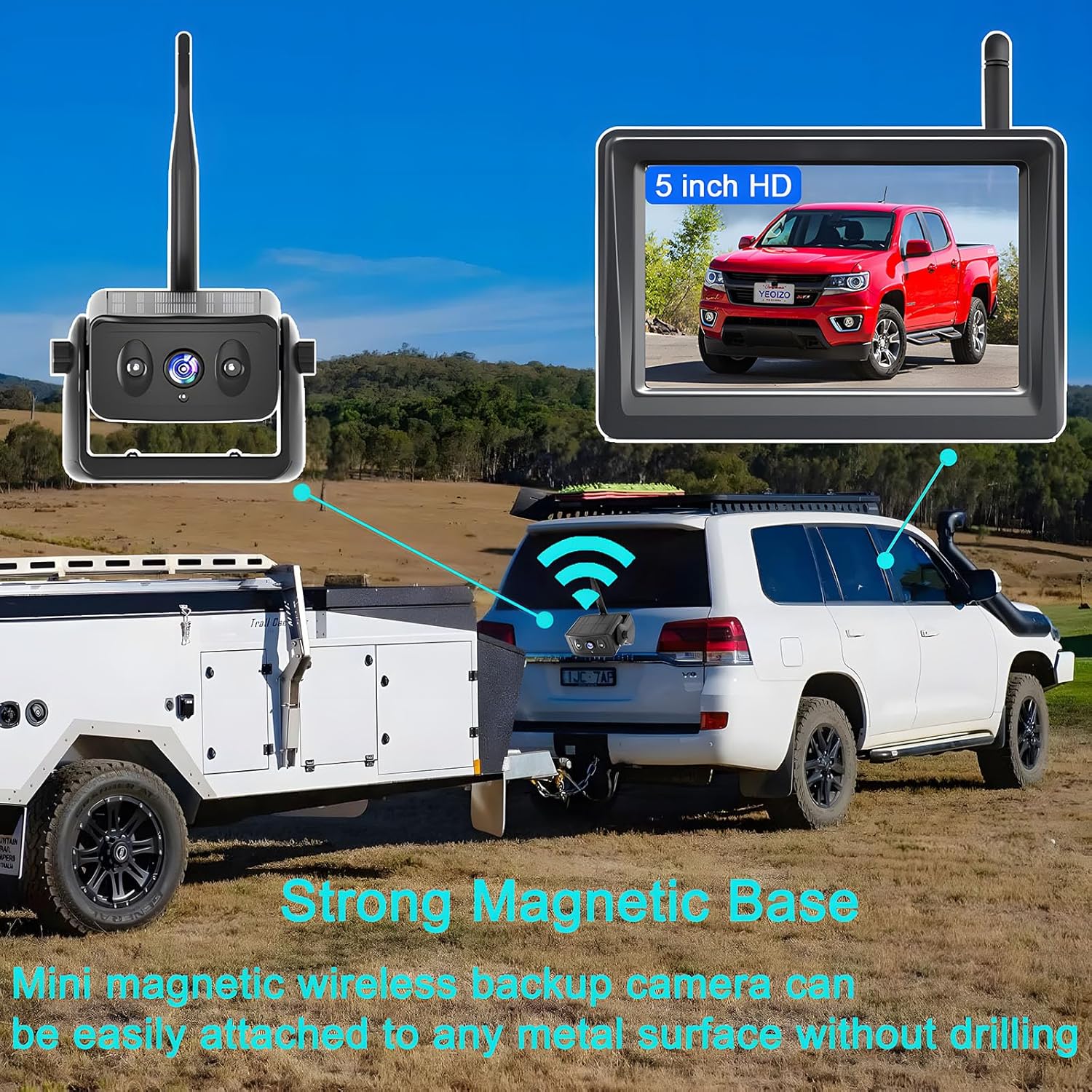
Image: Close-up of the camera's magnetic base attached to a vehicle.
3. Antenna Installation (Optional for Extended Range)
For extra-long vehicles or to boost signal strength, an extended antenna can be used. This antenna should be installed on the top or side of the vehicle for optimal performance.

Image: Illustration of extended antenna placement on a vehicle.

Image: The camera with its signal enhancement antenna and solar panel.
4. Pairing the Camera and Monitor
To establish a connection between the camera and the 5-inch HD monitor, follow these pairing steps:
- Ensure the camera is fully charged and powered on. The blue indicator light should flash normally.
- On the monitor, navigate to the menu and select "Camera Pair."
- The monitor will begin searching.
- Quickly press the power button on the camera three times to enter pairing mode.
- Once the camera is in pairing mode, wave your hand above the gesture sensing position on the camera to successfully pair.
- Alternatively, search for the camera's Wi-Fi name (e.g., "Car-Cam 08bd08") on the monitor and select it to pair.
- The monitor will display "Pairing is successful" and restart.
Video: Demonstrates the steps for pairing the YEOIZO Wireless Backup Camera with the 5-inch HD Monitor.
Иштөө нускамалары
1. Gesture Control for Screen Activation
When the camera and monitor are in standby or energy-saving sleep mode, you can activate the display screen and camera by waving your hand three times within 4 inches of the camera's gesture control startup position.
Image: Illustrates the gesture control feature for waking up the camera and monitor.
2. Energy-Saving Auto Sleep Mode
The system is designed with an energy-saving sleep mode. If the screen is not needed, it will automatically turn off, and the camera will enter sleep mode after approximately 10 seconds. This feature reduces power consumption and extends battery life. To turn off the monitor completely, use the cigarette lighter plug or USB plug switch.
3. Күндүзгү жана түнкү көрүү
The 5-inch HD monitor provides a clear 1280x720P resolution with a 150° viewing angle. Automatic infrared night vision lights (IR LEDs) and an auto light sensor ensure clear images in low light conditions or at night, effectively suppressing glare and restoring true colors for safer driving.
Видео: Бүттүview of the YEOIZO Wireless Backup Camera System, demonstrating daytime and nighttime visibility.

Image: The camera highlighting its infrared night vision feature.
Техникалык тейлөө
1. Заряддоо
Regularly charge the camera using the provided Type-C cable. While the solar panel extends battery life, it is a supplementary charging method. Ensure the camera receives adequate sunlight for solar charging when possible.
2. Аба ырайына туруктуулук
The camera is IP68 waterproof rated and designed to operate in extreme temperatures ranging from -10°F to 140°F. This ensures reliable performance in various weather conditions. Periodically clean the camera lens and solar panel to maintain optimal performance.

Image: The camera highlighting its IP68 waterproof feature.

Image: The camera illustrating its resistance to high and low temperatures.
Проблемаларды чечүү
| Көйгөй | Мүмкүн себеп | Чечим |
|---|---|---|
| Монитордо сүрөт жок | Camera or monitor not powered on; Camera and monitor not paired; Weak signal. | Ensure both devices are powered on. Re-pair the camera and monitor (refer to Pairing section). Check for obstructions or excessive distance. Consider using the extended antenna. |
| Камера заряддалбай жатат | Incorrect charging cable; Faulty cable/adapter; Insufficient sunlight for solar charging. | Use only the provided Type-C charging cable. Ensure the cable and adapter are functional. For solar charging, position the camera in direct sunlight. |
| Intermittent signal or image freeze | Interference from other wireless devices; Excessive distance; Physical obstructions. | Minimize interference from other 2.4GHz devices. Reduce the distance between the camera and monitor. Ensure a clear line of sight. Install the extended antenna if necessary. |
| Жаңсоолорду башкаруу жооп бербей жатат | Hand too far from sensor; Incorrect gesture. | Ensure your hand is within 4 inches of the gesture sensing position. Wave your hand three times clearly. |
Техникалык шарттар
| Өзгөчөлүк | Деталь |
|---|---|
| Модель номери | INCH5 |
| Продукциянын өлчөмдөрү | 1.6"L x 1.2"W x 1.8"H |
| Элемент Салмагы | 2.17 фунт |
| Дисплей технологиясы | LCD |
| Screen Size | 5 дюйм |
| Оптикалык сенсор технологиясы | CMOS |
| Линзанын түрү | Wide Angle |
| Чыныгы бурч View | 150 градус |
| Байланыш | Wifi |
| Орнотуу түрү | Беттик орнотуу (магниттик) |
| Тtage | 5V |
| Батареялар | 1 Литий Полимердик батарейка (кошулган) |
| Түс | Кара |
Колдоо
For further assistance or technical support, please refer to the contact information provided with your product packaging or visit the official YEOIZO website. Ensure you have your product model number (INCH5) available when contacting support.