
Introduction
This manual provides comprehensive instructions for the installation, operation, and maintenance of your Abysm Gaming Oceanic 360 White ARGB Liquid Cooling System. This advanced cooling solution features a customizable 2.8-inch LCD display for real-time monitoring of critical system parameters such as CPU temperature, fan speed, and more. Please read this manual thoroughly before installation and use to ensure optimal performance and longevity of your product.
Орнотуу колдонмосу
1. Пакеттин мазмуну
Орнотууну баштоодон мурун, пакетте бардык компоненттер бар экенин текшериңиз:
- Oceanic 360 Liquid Cooler (Radiator, Pump with LCD Display, and Fans pre-attached or separate)
- Mounting hardware for compatible CPU sockets (AMD AM5, AM4; Intel LGA 2066 / 2011 / 1156 / 1155 / 1151 / 1150 / 1200 / 1700 / 1851)
- Колдонуучунун Колдонмосу (бул документ)

Figure 1: Abysm Gaming Oceanic 360 White ARGB Liquid Cooling System. This image shows the complete liquid cooling unit, including the radiator, three ARGB fans, and the pump block with its integrated LCD display.
2. Орнотуу кадамдары (Жалпы)
Төмөнкү кадамдар жалпы жыйынтык беретview of the installation process. Refer to the detailed diagrams and instructions included with your physical product for specific mounting procedures for your CPU socket type.
- CPU розеткасын даярдаңыз: Install the appropriate backplate and standoffs for your motherboard's CPU socket (AMD or Intel).
- Термикалык пастаны колдонуу: Apply a thin, even layer of thermal paste to the center of your CPU's integrated heat spreader (IHS).
- Mount the Pump Block: Carefully place the pump block onto the CPU, aligning it with the standoffs. Secure it with the provided thumb screws or mounting brackets.
- Радиаторду орнотуу: Mount the radiator to an available fan mounting location in your PC case (e.g., top, front, or rear). Ensure adequate airflow.
- Install the Fans: Attach the 120mm ARGB PWM fans to the radiator. The fans feature a click system for efficient cable management.
- Кабелдерди туташтыруу:
- Connect the pump's 3-pin connector to the CPU_FAN or AIO_PUMP header on your motherboard.
- Connect the fans' 4-pin PWM connectors to available fan headers on your motherboard or a fan controller.
- Connect the ARGB lighting cables to a compatible 5V ARGB header on your motherboard or an ARGB controller.
- Кабелдик башкаруу: Route all cables neatly to ensure proper airflow within the case.

Figure 2: Radiator Fins. This image provides a detailed view of the radiator's aluminum fins, designed for efficient heat dissipation.
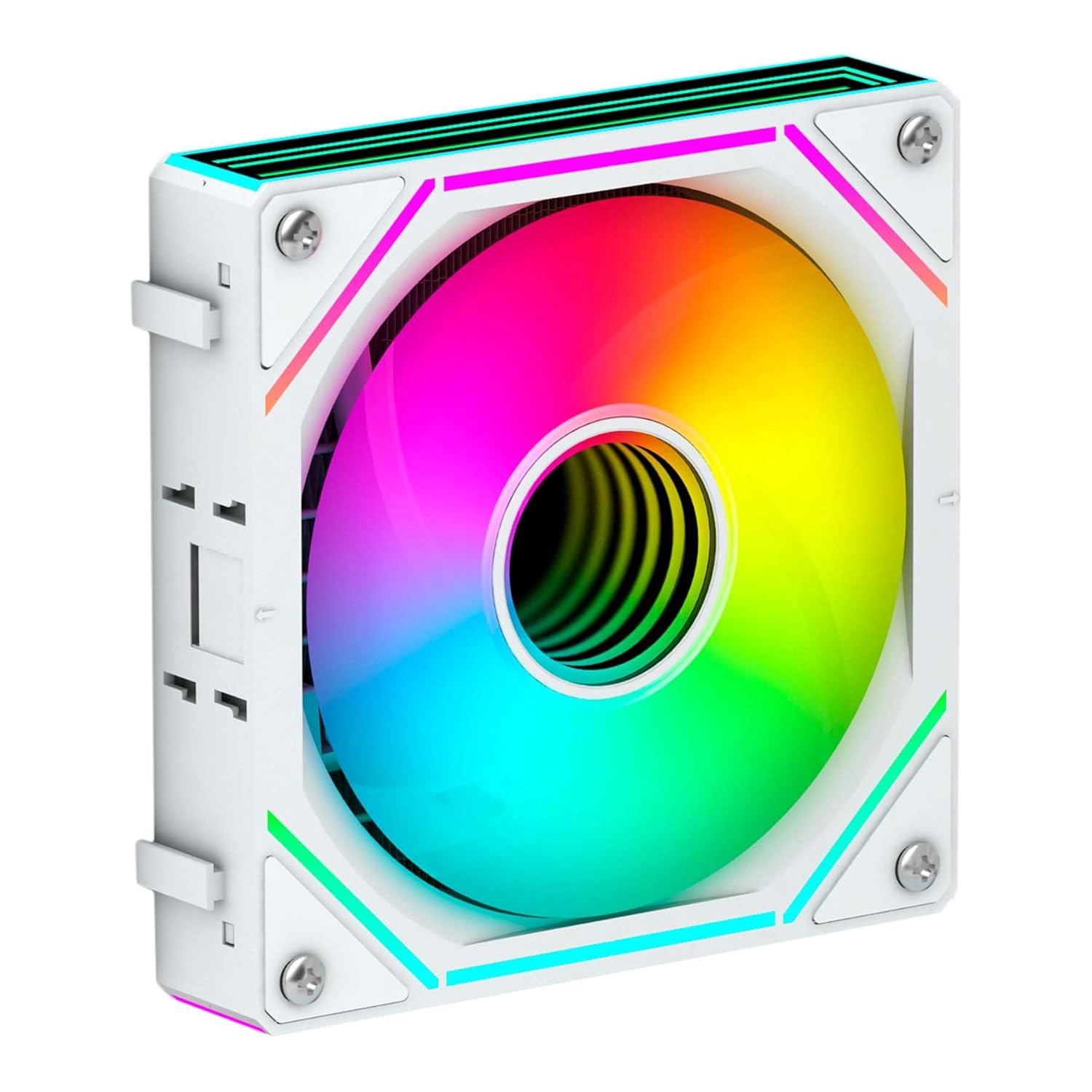
Figure 3: ARGB Fan. This image shows a single 120mm ARGB fan, highlighting its design and lighting capabilities.
Иштөө нускамалары
1. Баштапкы күйгүзүү
Upon initial power-on, the LCD display on the pump block will activate. It will typically show default system information such as CPU temperature and fan speed. Ensure all fans are spinning and the pump is operating silently.
2. Customizable LCD Display
The 2.8-inch IPS LCD display is a key feature, allowing for real-time monitoring and personalization.
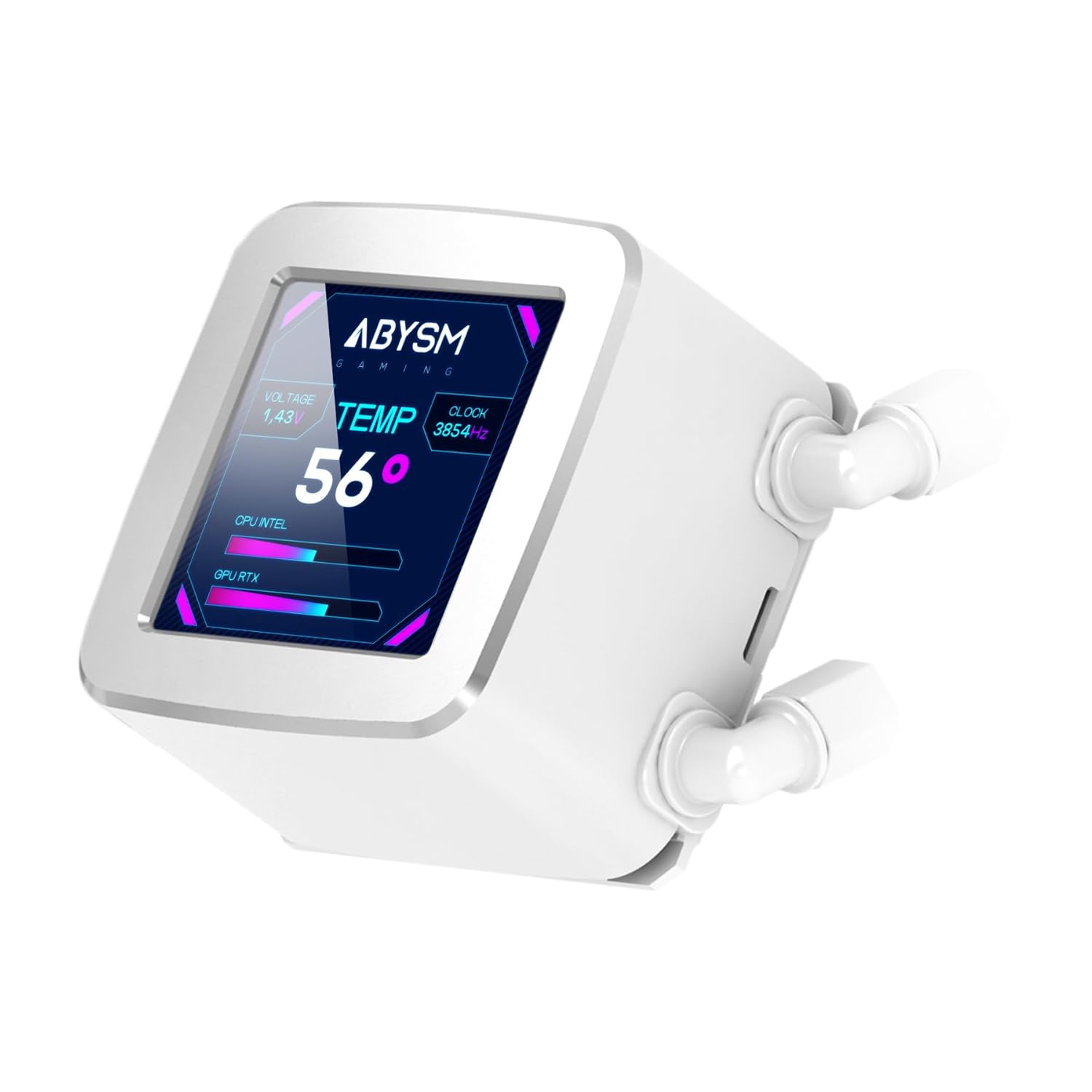
Figure 4: LCD Display. This image highlights the customizable 2.8-inch LCD screen on the pump, displaying real-time system information like CPU temperature, voltage, and clock speed.
- Мониторинг параметрлери: The display can show various PC hardware parameters, including:
- CPU температурасы
- GPU Load
- CPU жүктөө
- Fan Speed
- Тармак ылдамдыгы
- Тtage
- Саат ылдамдыгы
- Ыңгайлаштыруу: The screen supports displaying custom content such as:
- Сүрөттөр
- Анимацияланган GIF сүрөттөрү
- Логотиптер
- MP4 videos
To customize the display, you will need to download and install the dedicated software from the Abysm Gaming official website. Follow the software's instructions for uploading and managing custom content and selecting monitoring layouts.
3. ARGB жарыкты башкаруу
The ARGB fans can be controlled via your motherboard's ARGB software (if connected to a compatible header) or a dedicated ARGB controller. This allows for synchronization with other ARGB components in your system.
Техникалык тейлөө
Regular maintenance ensures optimal performance and extends the lifespan of your liquid cooling system.
- Чаңды тазалоо: Аба агымына жана муздатуу эффективдүүлүгүнө тоскоол боло турган чаңдын топтолушуна жол бербөө үчүн радиатордун канаттарын жана желдеткичтин бычактарын мезгил-мезгили менен тазалап туруңуз. Кысылган абаны же жумшак щетканы колдонуңуз.
- желдеткич текшерүү: Check fan blades for any obstructions or signs of wear. The FDB (Fluid Dynamic Bearing) fans are designed for durability and quiet operation.
- Түтүктөрдү текшерүү: Inspect the Teflon-coated tubes for any kinks, leaks, or damage. While designed for durability, regular checks are recommended.
- Насостун иштеши: Listen for any unusual noises from the pump, which could indicate an issue. The pump is designed for quiet operation.
- Термикалык паста: Reapplying thermal paste every few years, or if the cooler is re-seated, can help maintain optimal thermal transfer.
Проблемаларды чечүү
If you encounter issues with your Abysm Gaming Oceanic 360 liquid cooler, refer to the following common problems and solutions:
- Жогорку CPU температурасы:
- Ensure the pump is running and connected correctly to the motherboard's CPU_FAN or AIO_PUMP header.
- Verify that fans are spinning and oriented correctly for airflow (pushing air through the radiator).
- Check if the pump block is securely seated on the CPU with adequate thermal paste.
- Clean any dust buildup on the radiator and fans.
- Желдеткичтер айланбай жатат же ARGB күйбөй жатат:
- Бардык желдеткич жана ARGB кабелдик байланыштарын энелик платага же контроллерге текшериңиз.
- Ensure the motherboard's ARGB header is enabled in the BIOS/UEFI.
- Verify that the ARGB software is installed and configured correctly.
- LCD Display Not Working or Showing Incorrect Information:
- Ensure the display's power and data cables are securely connected.
- Install or update the Abysm Gaming display software.
- Check for any software conflicts with other monitoring utilities.
- Адаттан тыш насостун үнү:
- Ensure the pump is receiving stable power.
- Check for air bubbles in the loop (often resolves itself after some operation).
- If noise persists and performance is affected, contact customer support.
Техникалык шарттар
| Модель номери | AB336012 |
| Бренд | Abysm Gaming |
| Продукциянын өлчөмдөрү | 15.63"L x 2.05"W x 4.72"H |
| Элемент Салмагы | 4.84 фунт |
| Муздатуу ыкмасы | Суюктук |
| Шайкеш түзмөктөр | CPU |
| Материал | Алюминий (радиатор) |
| Максималдуу айлануу ылдамдыгы | 1800 RPM (күйөрмандар) |
| Ызы-чуу деңгээли | 19 децибел |
| Кубат туташтыргычынын түрү | 3-пин (насос), 4-пин PWM (күйөрмандары) |
| Тtage | 12 вольт |
| Ватtage | 3 ватт (насос) |
| LCD дисплей | 2.8-inch IPS, Customizable |
| Tube материалдар | Teflon-coated |
Кепилдик жана колдоо
For warranty information, please refer to the documentation included with your product or visit the official Abysm Gaming website. The manufacturer, Abysm Gaming, provides support for this product.
If you require technical assistance or have questions not covered in this manual, please contact Abysm Gaming customer support through their official channels.