
1. Киришүү
This manual provides detailed instructions for the setup, operation, and maintenance of your TUINYO WH-819 Wireless Over-Ear Bluetooth Headphones. Please read this manual thoroughly before using the product to ensure proper function and longevity.
2. Продукт бүтүп калдыview
The TUINYO WH-819 headphones offer high-fidelity stereo sound, comfortable over-ear design, and versatile connectivity options. They are designed for extended listening periods, featuring a long-lasting battery and a foldable structure for portability.
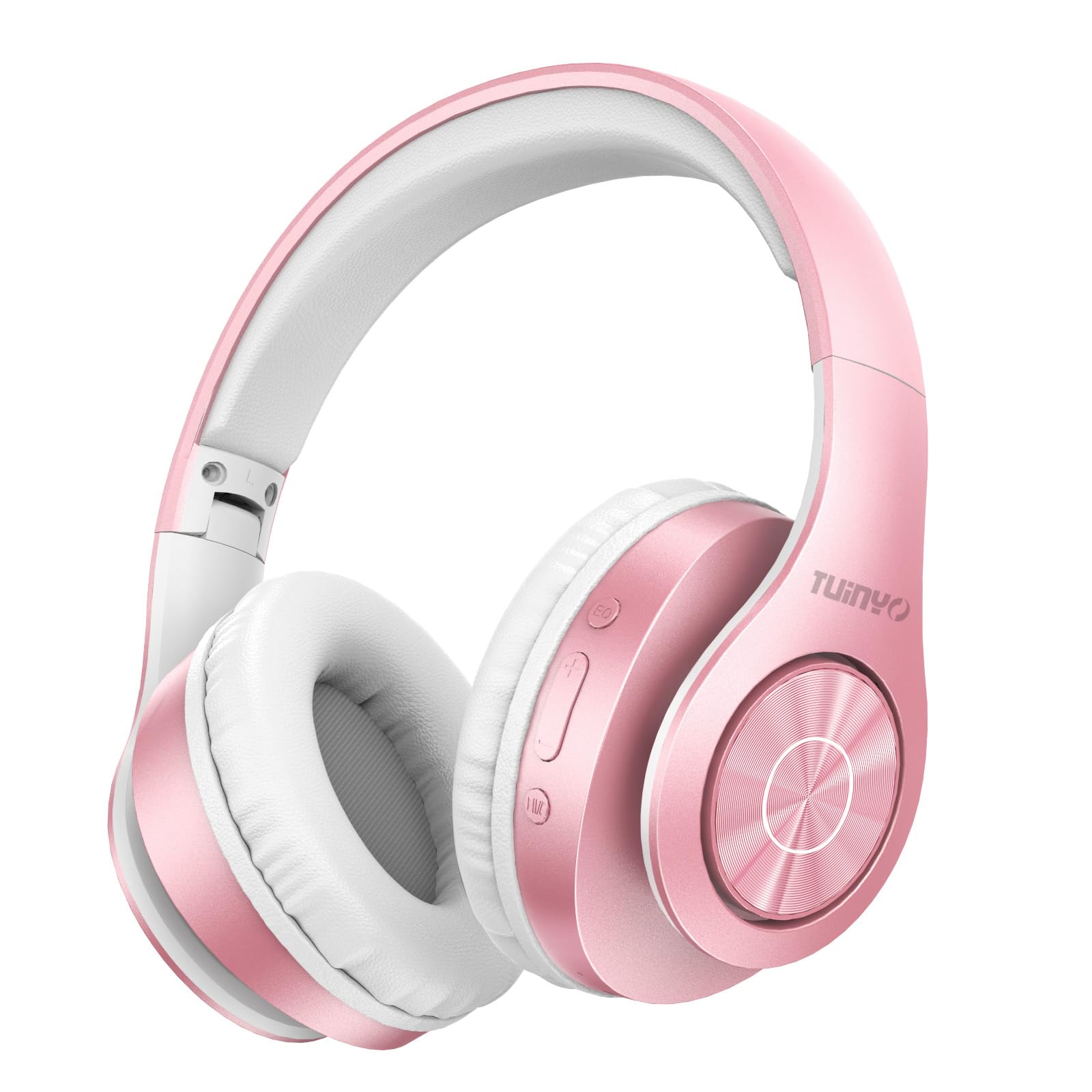
Figure 2.1: TUINYO WH-819 Rose Gold Wireless Over-Ear Bluetooth Headphones.
Видео 2.1: Бүттүview of the TUINYO wireless Bluetooth headphones, highlighting their design and features.
3. Пакеттин мазмуну
Пакетте бардык буюмдар бар экенин текшериңиз:
- TUINYO WH-819 Wireless Over-Ear Bluetooth Headphones
- USB заряддоо кабели
- 3.5 мм аудио кабель
- Protective Premium Case
- User Manual

Figure 3.1: Included accessories with the TUINYO WH-819 headphones.
4. Башкаруу каражаттары жана порттор
Familiarize yourself with the headphone controls and ports:
- Кубат баскычы: Күйгүзүү/өчүрүү үчүн көпкө басыңыз. Музыканы ойнотуу/тындыруу же чалууларга жооп берүү/аяктоо үчүн кыска басыңыз.
- Үнүн жогорулатуу/Кийинки трек баскычы: Үнүн жогорулатуу үчүн кыска басыңыз. Кийинки трекке көпкө басыңыз.
- Үндү азайтуу/Мурунку трек баскычы: Үнүн азайтуу үчүн кыска басыңыз. Мурунку трек үчүн көпкө басыңыз.
- EQ баскычы: Press to cycle through different equalizer modes (Normal, Rock, Pop, Classic, Jazz, Country).
- 3.5 мм аудио уячасы: Зымдуу туташуу үчүн.
- USB кубаттоо порту: Наушниктерди заряддоо үчүн.
- MicroSD картасынын уячасы: For direct music playback from a MicroSD card.

4.1-сүрөт: Детальдуу view кулакчындарды башкаруу элементтери жана функциялары.
Video 4.1: A demonstration of the TUINYO headphones' folding mechanism and button controls.
5. Орнотуу
5.1 Наушниктерди заряддоо
- Connect the USB charging cable to the headphone's charging port.
- USB кабелинин экинчи учун туура келген USB кубат булагына туташтырыңыз (мисалы, компьютер, дубал адаптер).
- LED индикатору кубаттоо абалын көрсөтөт (мисалы, кубаттоо үчүн кызыл, толук заряддалган үчүн көк).
- Толук кубаттоо адатта 2-2.5 саатка созулат.
5.2 Bluetooth жупташтыруу
- Наушниктердин толук заряддалганын текшериңиз.
- Long press the Power button until the LED indicator flashes blue and red, indicating pairing mode.
- Түзмөгүңүздө (смартфон, планшет, ноутбук) Bluetooth иштетиңиз жана жеткиликтүү түзмөктөрдү издеңиз.
- Select "WH-819" from the list of devices.
- Once connected, the LED indicator will flash blue slowly, and a voice prompt will confirm successful pairing.
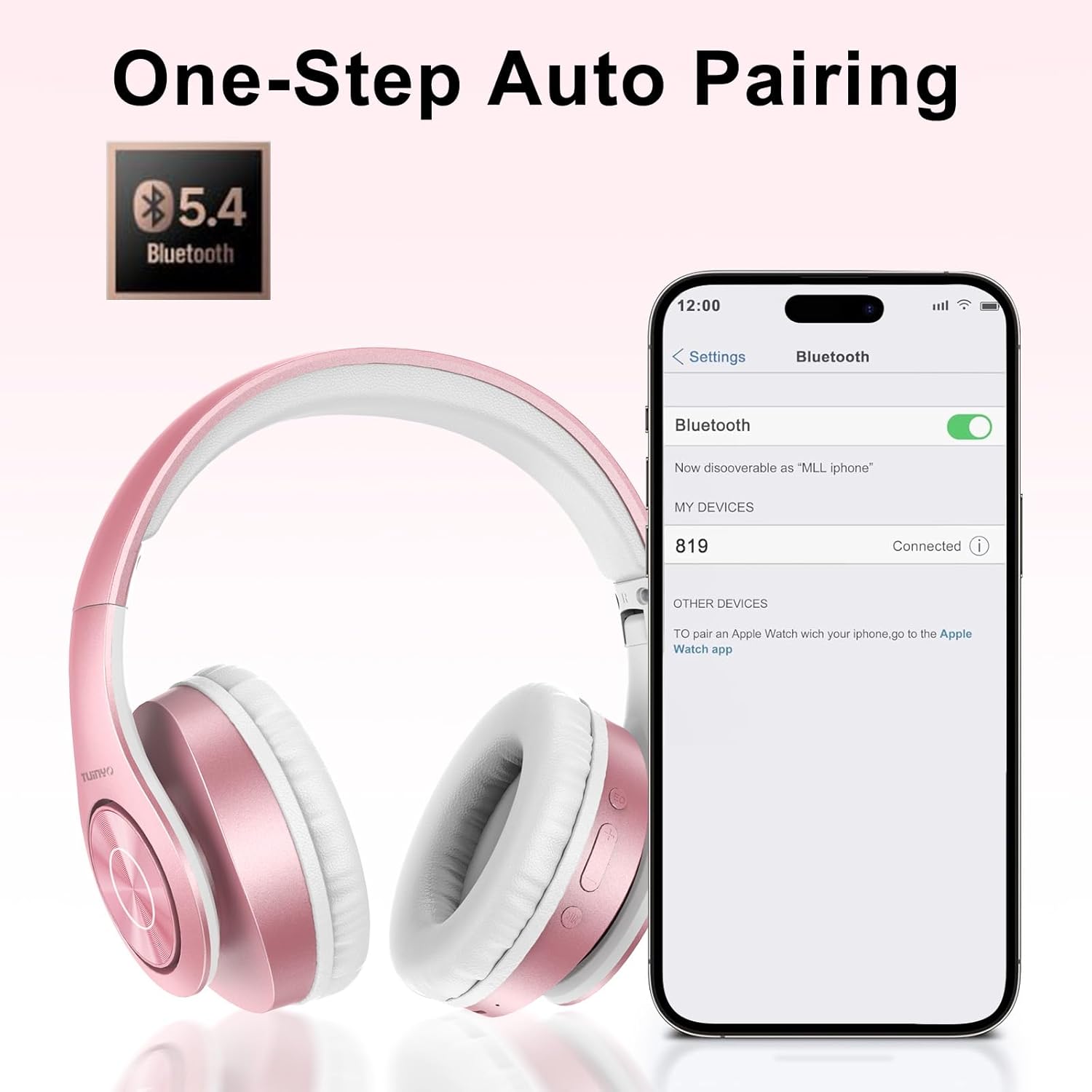
5.1-сүрөт: Смартфондогу Bluetooth жупташтыруу процесси.
6. Иштөө нускамалары
6.1 Күйгүзүү/өчүрүү
- Күйгүзүү: Long press the Power button until the LED indicator lights up blue.
- Өчүрүү: Long press the Power button until the LED indicator turns off.
6.2 Музыканы ойнотуу
- Ойнотуу/тындыруу: Кубат баскычын кыска басыңыз.
- Кийинки трек: Үндү жогорулатуу баскычын көпкө басыңыз.
- Мурунку трек: Үндү азайтуу баскычын көпкө басыңыз.
- Үндү тууралоо: Short press the Volume Up or Volume Down buttons.
6.3 Чалууларды башкаруу
- Чалууга жооп берүү/аяктоо: Кубат баскычын кыска басыңыз.
- Чакырууну четке кагуу: Кубат баскычын көпкө басып туруңуз.
6.4 Эквалайзер режими
- Press the EQ button to switch between different sound equalizer modes (Normal, Rock, Pop, Classic, Jazz, Country) to optimize your listening experience.
6.5 Зымдуу режим
- Insert the 3.5mm audio cable into the headphone's audio jack and the other end into your audio device.
- The headphones will automatically switch to wired mode, and Bluetooth functionality will be disabled.
6.6 MicroSD картасын ойнотуу
- Insert a MicroSD card with MP3 audio fileMicroSD карта уячасына салыңыз.
- The headphones will automatically detect the card and begin playing music.
- Use the music playback controls (Play/Pause, Next/Previous Track, Volume) to manage your audio.
7. Техникалык тейлөө
- Наушниктерди дайыма жумшак, кургак чүпүрөк менен тазалап туруңуз.
- Абразивдүү тазалагычтарды же эриткичтерди колдонуудан алыс болуңуз.
- Наушниктердин бузулушуна жол бербөө үчүн колдонулбаган учурда коргоочу капкасында сактаңыз.
- Ашыкча температурадан жана нымдуулуктан алыс болуңуз.
8. Кыйынчылыктарды
| Көйгөй | Чечим |
|---|---|
| Кулакчындар күйбөйт. | Наушниктердин заряддалганын текшериңиз. Кубат булагына туташып, кайра аракет кылыңыз. |
| Bluetooth аркылуу жупташтыруу мүмкүн эмес. | Кулакчындар жупташтыруу режиминде экенин текшериңиз (LED көк/кызыл түстө күйүп-өчүп турат). Түзмөгүңүздөгү Bluetooth'ду өчүрүп, күйгүзүңүз. Түзмөккө жакыныраак жылыңыз. |
| Bluetooth режиминде үн жок. | Check volume levels on both headphones and connected device. Ensure headphones are successfully paired. |
| Зымдуу режимде үн жок. | Ensure the 3.5mm audio cable is fully inserted into both the headphones and the audio device. Check the audio source. |
| MicroSD card not playing. | Ensure the MicroSD card is inserted correctly and contains compatible MP3 audio files. |
9. Техникалык шарттар
| Өзгөчөлүк | Деталь |
|---|---|
| Модель аты | WH-819 |
| Байланыш технологиясы | Зымсыз (Bluetooth), Зымдуу (3.5 мм уяча) |
| Зымсыз байланыш технологиясы | Bluetooth 4.0 |
| Аудио драйвер түрү | Dynamic Driver (40mm neodymium) |
| Батареянын иштөө мөөнөтү | Up to 40 hours of music time (800mAh battery) |
| Заряддоо убактысы | 2-2.5 саат |
| Наушник формасы | Ашыкча кулак |
| Материал | Plastic, Memory-Protein Earmuffs |
| Салмагы | 13.4 унция |
| Өлчөмдөр | 8.5 x 6.22 x 4.25 дюйм (Пакет) |
| Шайкеш түзмөктөр | Tablets, Laptops, Desktops, Smartphones, Bluetooth-enabled devices |
| Сууга туруктуулук деңгээли | Сууга чыдамдуу эмес |
10. Кепилдик жана колдоо
Your TUINYO WH-819 headphones are covered by a 30-day warranty from the date of purchase. For any product inquiries, technical support, or warranty claims, please refer to the contact information provided with your purchase or visit the official TUINYO webсайт.