
iKF iKF Solo
iKF Solo Wireless Over-Ear Headphones User Manual
Model: iKF Solo
Бренд: iKF
Introduction
Thank you for choosing the iKF Solo Wireless Over-Ear Headphones. These headphones are designed to provide a superior audio experience with advanced features such as Active Noise Cancellation (ANC), HiFi stereo sound, and extended playback time. This manual will guide you through the setup, operation, and maintenance of your new headphones to ensure optimal performance and longevity.

Image: iKF Solo Wireless Over-Ear Headphones, showcasinжылмакай дизайн жана кулактын үстүнөн кийилүүчү форма фактору.
Пакеттин мазмуну
Сураныч, төмөнкү нерселер үчүн кутучаны белгилеңиз:
- iKF Solo Wireless Over-Ear Headphones
- Заряддоо кабели (Type-C)
- User Manual
- Detachable External Microphone
- Сактоочу баштык
Продукт бүттүview
Башкаруу каражаттары жана көрсөткүчтөр

Сүрөт: каптал view of the iKF Solo headphones, highlighting the location of the control buttons for volume, power, and mode selection.
Familiarize yourself with the buttons and indicators on your iKF Solo headphones:
- Кубат баскычы: Күйгүзүү/өчүрүү үчүн басып туруңуз. Ойнотуу/тындыруу үчүн кыска басыңыз.
- Үнүн жогорулатуу (+): Үнүн жогорулатуу.
- Үнүн төмөндөтүү (-): Үнүн азайтуу.
- ANC/Айкындуулук режиминин баскычы: Toggle between Active Noise Cancellation, Transparency Mode, and Normal Mode.
- LED көрсөткүчү: Displays power status, pairing status, and charging status.
- Тип-C Port: Кубаттоо жана зымдуу аудио туташуу үчүн.
- Микрофон Джек: For connecting the detachable external microphone.
Жайгашуу
Наушниктерди заряддоо
Before first use, fully charge your iKF Solo headphones. A full charge takes approximately 2 hours.
- Берилген Type-C кубаттоо кабелин кулакчындардын кубаттоо портуна туташтырыңыз.
- Кабелдин экинчи учун USB кубат булагына туташтырыңыз (мисалы, компьютердин USB порту, дубал адаптери).
- Заряддоо учурунда LED индикатору кызыл түстө күйүп, толук заряддалганда өчөт.
Эскертүү: Avoid using chargers with power exceeding 24 watts or fast chargers unless verified compatible, as this may damage the headphones.

Image: Graphic illustrating the impressive battery life of the iKF Solo headphones, up to 130 hours in normal mode and 95 hours with ANC enabled.
Bluetooth Жупташтыруу
Pair your iKF Solo headphones with your Bluetooth-enabled device (smartphone, tablet, laptop).
- Наушниктердин өчүрүлгөнүн текшериңиз.
- Press and hold the Power Button for approximately 3-5 seconds until the LED indicator flashes blue and red, indicating pairing mode.
- Түзмөгүңүздө Bluetooth жөндөөлөрүнө өтүп, Bluetooth'ду иштетиңиз.
- Select "iKF Solo" from the list of available devices.
- Туташтырылгандан кийин, LED индикатору көк түскө айланат же жай күйөт.
Эгер түзмөктүн Bluetooth функциясы активдүү болсо жана анын жеткиликтүүлүк аралыгында болсо, кулакчындар күйгүзүлгөндө акыркы жупташтырылган түзмөккө автоматтык түрдө кайра туташат.
Иштөө нускамалары
Активдүү ызы-чууну жокко чыгаруу (ANC) жана ачыктык режими
The iKF Solo headphones feature hybrid ANC technology to reduce ambient noise and a Transparency Mode to hear your surroundings.
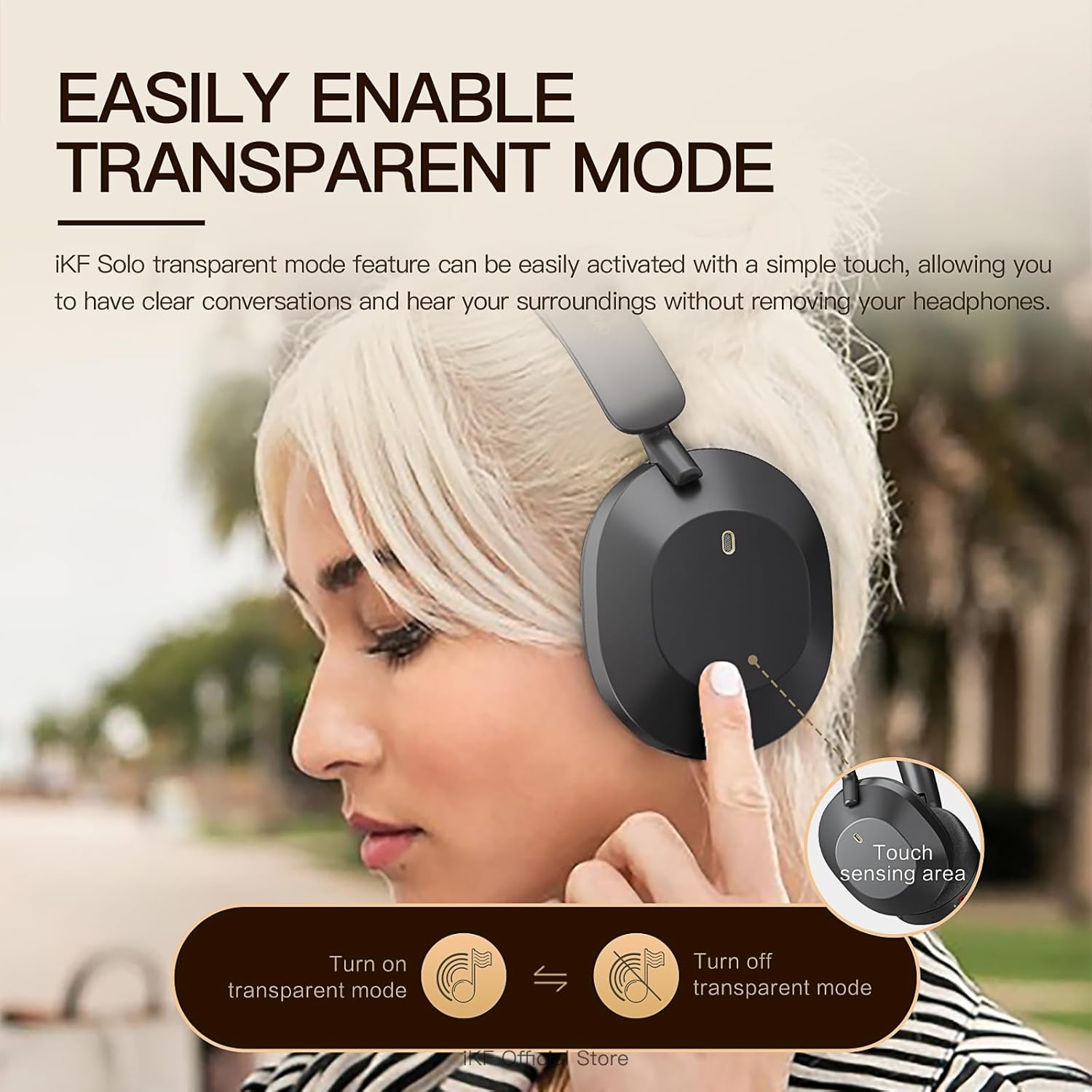
Image: A user demonstrating the activation of the transparent mode by touching the sensing area on the headphone.
- басыңыз ANC/Transparency Mode Button айлануу үчүн:
- Active Noise Cancellation (ANC) On: Reduces external noise by up to 52dB. Ideal for travel or noisy environments.
- Ачыктык режими: Allows you to hear your surroundings clearly without removing the headphones. Useful for conversations or announcements.
- Normal Mode (ANC Off): ызы-чууну жокко чыгаруу же ачыктык жок стандарттуу аудио ойнотуу.
Audio Modes (Movie and Game)
The headphones offer specialized audio modes for an enhanced experience.

Image: Depiction of users enjoying the iKF Solo headphones in various scenarios, illustrating the multi-mode functionality including noise reduction, transparent, and movie modes.
- Кино режими: Provides immersive 3D surround sound, enhancing the cinematic experience.
- Оюн режими: Offers ultra-low latency (35ms) for competitive gaming, ensuring synchronized audio and visuals.
- Refer to the iKF App for specific controls to switch between these modes.
Музыка ойнотуу жана чалуулар
- Ойнотуу/тындыруу: Кубат баскычын кыска басыңыз.
- Үндү көзөмөлдөө: Үндү катуулатуу (+) жана үндү азайтуу (-) баскычтарын колдонуңуз.
- Кийинки трек: Double-press the Volume Up (+) button.
- Мурунку трек: Double-press the Volume Down (-) button.
- Чалууга жооп берүү/аяктоо: Кубат баскычын кыска басыңыз.
- Чакырууну четке кагуу: Кубат баскычын 2 секунд басып туруңуз.
- Үн Жардамчысын жандыруу: Triple-press the Power Button.
The detachable microphone ensures clear voice pickup during calls and gaming.
iKF App Customization
Enhance your experience by downloading the iKF app. The app allows you to:
- Adjust ANC strength.
- Switch between listening modes (e.g., Movie, Game).
- Control Equalizer (EQ) settings.
- Enable dual device pairing for seamless switching between devices.
Техникалык тейлөө
Proper care will extend the life of your iKF Solo headphones.
- Тазалоо: Наушниктерди тазалоо үчүн жумшак, кургак чүпүрөктү колдонуңуз. Катуу химиялык заттарды же абразивдүү материалдарды колдонбоңуз.
- Сактагыч: Колдонулбай турган учурда, кулакчындарды чаңдан жана чийиктен коргоо үчүн берилген сактоочу баштыкка салыңыз. Бүктөлүүчү дизайны аларды сактоо үчүн компакттуу кылат.
- Батареяга кам көрүү: Avoid exposing the headphones to extreme temperatures. For long-term storage, charge the battery to about 50% every few months to prevent deep discharge.
- Суу таасири: Бул кулакчындар суу өткөрбөйт. Суунун же ашыкча нымдуулуктун таасиринен алыс болуңуз.

Image: The iKF Solo headphones in their folded position, demonstrating their portable and travel-friendly design.
Проблемаларды чечүү
If you encounter issues with your headphones, refer to the following table for common solutions.
| Көйгөй | Мүмкүн себеп | Чечим |
|---|---|---|
| Кулакчындар күйбөйт. | Батарея аз. | Наушниктерди толук заряддаңыз. |
| Bluetooth аркылуу жупташтыруу мүмкүн эмес. | Кулакчындар жупташтыруу режиминде эмес; Түзмөктүн Bluetooth өчүк; Түзмөктөн өтө алыс. | Ensure headphones are in pairing mode (flashing blue/red LED). Turn on device Bluetooth. Move headphones closer to device. Forget "iKF Solo" on device and re-pair. |
| No sound or choppy sound. | Not connected; Volume too low; Interference. | Ensure headphones are connected. Increase volume on headphones and device. Move away from other wireless devices. Try restarting both headphones and device. |
| АНК эффективдүү иштебей жатат. | ANC not activated; Improper fit. | Иштетүү үчүн ANC баскычын басыңыз. Кулакчындарды кулагыңызга бекем тууралаңыз. |
| Микрофон иштебей жатат. | Microphone not properly connected; Device settings. | Ensure the detachable microphone is securely plugged in. Check microphone input settings on your device. |
Техникалык шарттар
Detailed technical specifications for the iKF Solo Wireless Over-Ear Headphones:
| Өзгөчөлүк | Description |
|---|---|
| Модель аты | iKF Solo |
| Noise Control | Активдүү ызы-чууну жокко чыгаруу, үн изоляциясы |
| Байланыш технологиясы | Bluetooth, Wired (Type-C) |
| Зымсыз байланыш | Bluetooth |
| Аудио драйверинин өлчөмү | 40 миллиметр |
| Импеданс | 32 Ом |
| Заряддоо убактысы | Болжол менен 2 саат |
| Playback Time (Normal) | 130 саатка чейин |
| Ойнотуу убактысы (ANC күйүк) | 95 саатка чейин |
| Форма фактору | Кулак үстүндө |
| Материал | Пластик |
| Башкаруу түрү | Control Button |
| Шайкеш түзмөктөр | Tablets, Cellphones/iPhone, Smart Watch, Laptops/iPad/Macbook |

Сүрөт: жарылган view диаграмма showcasing the 40mm speaker drivers and internal components responsible for the HiFi audio quality.
Кепилдик жана колдоо
iKF provides a standard warranty for its products. For detailed warranty information, please refer to the warranty card included in your package or visit the official iKF webсайт.
If you require further assistance, technical support, or have questions not covered in this manual, please contact iKF customer service through their official channels. Contact information can typically be found on the product packaging or the brand's official webсайт.
Ask a question about this manual
Ask about setup, troubleshooting, compatibility, parts, safety, or missing instructions. Manuals+ will review the question and use this page’s manual context to help answer it.