
Introduction
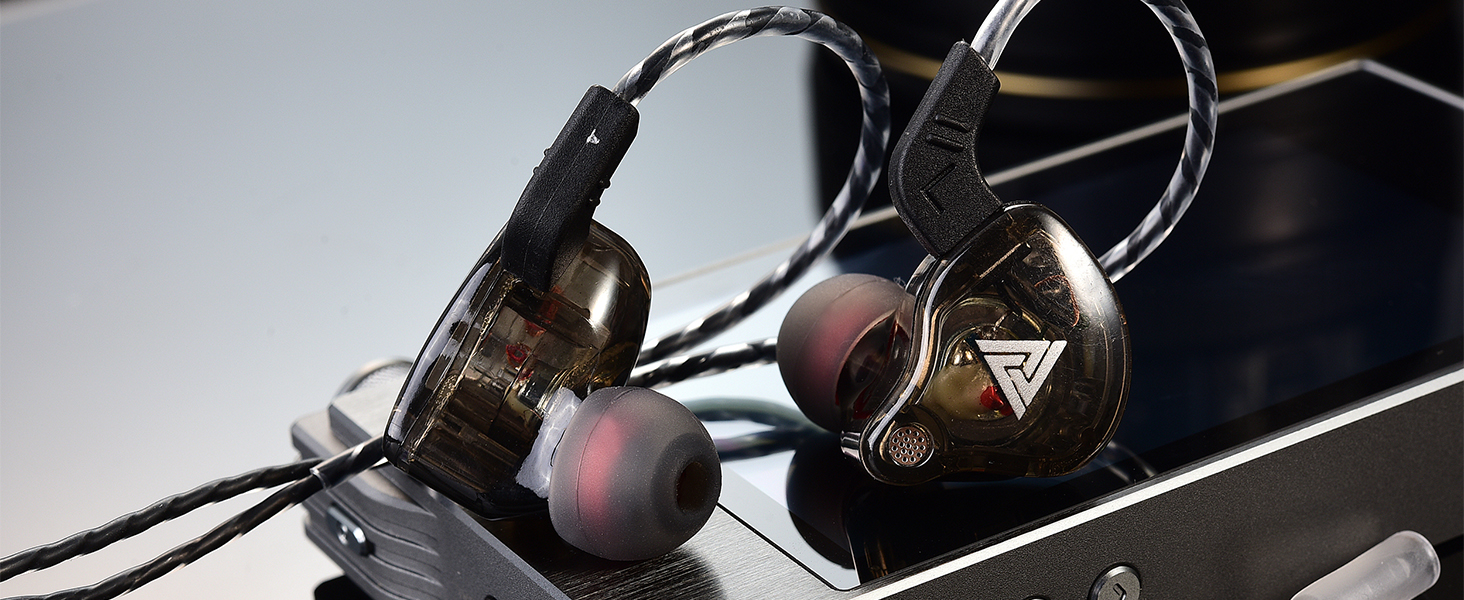
The Yeabomy QKZ-AK6 Wired Gaming Earbuds are designed to provide a high-fidelity audio experience with comfort and versatility. These in-ear headphones feature a 3.5mm jack, an integrated microphone, and noise-canceling capabilities, making them suitable for gaming, music, sports, and communication.
Негизги өзгөчөлүктөрү
- Ыңгайлуу эргономикалык дизайн: Lightweight cavity, soft fit, and PU memory ear hook for stable wear and reduced external noise.
- Мыкты үн сапаты: Features a 10mm dynamic driver for rich, vigorous performance across bass, midrange, and treble frequencies. Independent sound channels prevent distortion.
- Effective Noise Canceling: Blocks approximately 90% of ambient noise, allowing for immersive listening during various activities.
- Ар тараптуу колдонуу: Ideal for gaming, music, phone calls, podcasting, video conferencing, and sports.
Кутуда эмне бар
Your Yeabomy QKZ-AK6 package includes:
- 1 pair of QKZ AK6 headphones headset
- 1 наушник кабели
- 3 жуп кулак учтары (S, M, L)
- 1 Колдонуучунун колдонмосу

This image displays the contents of the QKZ AK6 earbud package. It shows the two earbud units, the detachable audio cable, and three pairs of silicone ear tips in different sizes (Small, Medium, Large) to ensure a comfortable fit.
Жайгашуу
Кабелди туташтыруу
The QKZ-AK6 earbuds feature a detachable cable for easy replacement or storage.
- Identify the left (L) and right (R) earbud units and the corresponding connectors on the cable.
- Align the cable connector with the earbud's port and gently push until it clicks into place. Ensure a secure connection.

This close-up image demonstrates how to attach the audio cable to the earbud unit. The cable connector is being inserted into the earbud's port, highlighting the secure connection mechanism.
Кулакчын тагынуу
For optimal sound and comfort, wear the earbuds correctly.
- Сол (L) жана оң (R) кулакчындарды аныктаңыз.
- Кулакчынды кулак каналына салыңыз.
- Guide the ear hook portion of the cable over the top of your ear, ensuring it sits comfortably and securely behind your ear.
- Adjust the earbud and cable for a snug fit that minimizes external noise.

This image shows a person wearing the QKZ AK6 earbuds. The earbud is inserted into the ear canal, and the cable is looped over the ear, providing a secure and comfortable fit.
This video demonstrates the process of wearing the QKZ AK6 earbuds, showing how to insert them into the ear and secure the cable over the ear for a comfortable and stable fit.
Иштөө нускамалары
Интернеттеги алыстан башкаруу пульту
The QKZ-AK6 earbuds feature an in-line remote with a condenser microphone for easy control of audio playback and calls.
This diagram details the functions of the in-line remote. It shows that a short press answers calls or pauses/plays music, a press again hangs up calls, a long press rejects calls, a double click skips to the next song, and a triple click goes to the previous song.
- Кыска басуу: Answer incoming calls / Play or Pause music.
- Press Again (during call): Hang up call.
- Узак басуу: Кирүүчү чалууларды четке кагуу.
- Эки жолу басуу: Кийинки ырга өтүү.
- Үч жолу басуу: Мурунку ырга өтүңүз.
Үндү көзөмөлдөө
Adjust the volume directly from your connected device. The in-line remote does not include dedicated volume buttons.
Техникалык тейлөө
- Кулак тазалоо боюнча кеңештер: Силикон кулак учтарын жумшак, d менен үзгүлтүксүз алып салып, тазалаңызamp кездеме. Кайра жабыштыруудан мурун алар толугу менен кургатылганын текшериңиз.
- Кабельге кам көрүү: Зыяндын алдын алуу үчүн кабелди курч ийилүүдөн же ашыкча тартуудан качыңыз.
- Сактагыч: When not in use, store the earbuds in a clean, dry place, preferably in a protective case, to prevent tangling and damage.
- Суу каршылык: The earbuds are rated as waterproof. However, avoid prolonged submersion or exposure to high-pressure water.
Проблемаларды чечүү
| Маселе | Мүмкүн себеп | Чечим |
|---|---|---|
| Үн жок | Туура эмес байланыш | Ensure the 3.5mm jack is fully inserted into the device and the cable is securely connected to the earbuds. |
| Үн жок | Device volume too low | Туташкан түзмөгүңүздүн үнүн катуулатыңыз. |
| Начар үн сапаты | Loose ear tips or improper fit | Ensure ear tips are securely attached and the earbuds fit snugly in your ear. Try different sized ear tips. |
| Начар үн сапаты | Бузулган кабель | Inspect the cable for any visible damage. If damaged, consider replacing the cable. |
| Микрофон иштебейт | Microphone muted on device | Микрофондун үнү өчүрүлбөгөнүн текшерүү үчүн түзмөгүңүздүн жөндөөлөрүн текшериңиз. |
| Микрофон иштебейт | Туура эмес байланыш | 3.5 мм уячасы аппаратка толугу менен киргизилгенин текшериңиз. |
Техникалык шарттар
| Өзгөчөлүк | Деталь |
|---|---|
| Бренд | Yeabomy |
| Модель аты | QKZ-AK6 |
| Байланыш технологиясы | Зымдуу |
| Наушник уясы | 3.5 мм Джек |
| Noise Control | Активдүү ызы-чууну жокко чыгаруу |
| Аудио драйвер түрү | Динамикалык драйвер |
| Наушник формасы | Кулак ичинде |
| Материал | Металл, пластик |
| Элемент Салмагы | 1.58 унция (0.05 килограмм) |
| Сууга туруктуулук деңгээли | Суу өткөрбөйт |
| Камтылган компоненттер | Cable, Eartip, User Manual |
| Шайкеш түзмөктөр | Laptops, Desktops, Gaming Consoles, Tablets, Telephones, Cellphones |
| Продукт үчүн атайын колдонуу | Gaming, Sport, Music, Phone Calling, Podcasting, Video Conferencing |
Кепилдик жана колдоо
For warranty information or technical support, please refer to the documentation included in your product packaging or contact Yeabomy customer service directly.