
1. Киришүү
Thank you for choosing the MEETION BTM011 Ergonomic Wireless Bluetooth Vertical Mouse. This device is designed to provide a comfortable and efficient computing experience by promoting a natural hand position, reducing wrist strain. It offers versatile connectivity options for multiple devices and adjustable precision to suit various tasks.

The ergonomic design of the MEETION vertical mouse helps maintain a natural hand and wrist posture, reducing discomfort compared to traditional mice.
2. Пакеттин мазмуну
- MEETION BTM011 Ergonomic Wireless Bluetooth Vertical Mouse
- USB 2.4G Receiver (stored in the mouse battery compartment)
- USB-Aдан USB-C адаптерге чейин
- User Manual
3. Продукт бүтүп калдыview
Familiarize yourself with the various components and buttons of your MEETION BTM011 mouse.

Деталдаштырылган view of the mouse components, including the Mode Switching Button, Power Switch (ON/OFF), Low Battery Indicator, Charging Indicator, DPI Speed Switch Button, 2.4G Connection Indicator, Bluetooth 1 Connection Indicator, and Bluetooth 2 Connection Indicator.
- Сол баскыч: Стандарттык сол чыкылдатуу функциясы.
- Оң баскыч: Стандарттык оң баскычты чыкылдатуу функциясы.
- Жылдыруу дөңгөлөгү: For scrolling up and down.
- Алга баскычы: Алга карай жылдырат web браузерлер же file изилдөөчүлөр.
- Артка баскычы: Артка карай багыт алат web браузерлер же file изилдөөчүлөр.
- DPI которуу баскычы: Курсордун сезгичтигин тууралайт.
- Режимди которуу баскычы: Switches between 2.4G, Bluetooth 1, and Bluetooth 2 modes.
- Кубат өчүргүч (КҮЙГҮЗҮҮ/ӨЧҮРҮҮ): Чычканды күйгүзөт же өчүрөт.
- Батарея бөлүмү: Located at the bottom, for 1x AA battery and USB receiver storage.
4. Орнотуу нускамалары
4.1 Батареяны орнотуу
The mouse requires one AA battery (not included).
- Чычкандын астыңкы жагынан батарея бөлүмүнүн капкагын табыңыз.
- Капкакты жылдырыңыз.
- Туура полярдуулукту (+/-) камсыз кылуу менен бир AA батареясын салыңыз.
- Батарея уясынын капкагын бекем жабыңыз.

Insert one AA battery into the compartment. The USB receiver is also stored here.
4.2 Күйгүзүү/өчүрүү
Slide the power switch located on the bottom of the mouse to the "ON" position to turn it on. Slide to "OFF" to conserve battery when not in use.
4.3 Байланыш режимдери
The MEETION BTM011 mouse supports three connection modes: 2.4GHz wireless (via USB receiver) and two independent Bluetooth 5.3 channels (BT1 and BT2). You can connect to up to three devices simultaneously and switch between them.

The mouse supports 2.4G wireless and two Bluetooth 5.3 connections for seamless switching between devices.
4.4 2.4GHz USB Connection
- Чычкандын батарея бөлүмүнөн USB кабыл алгычты алып чыгыңыз.
- Insert the USB receiver into an available USB-A port on your computer. If your computer only has USB-C ports, use the provided USB-A to USB-C adapter.
- Чычканды өчүргүчтү колдонуп күйгүзүңүз.
- Press the Mode Switching Button until the 2.4G Connection Indicator (green light) lights up. The mouse should now be connected.
4.5 Bluetooth туташуусу (BT1 / BT2)
- Чычканды өчүргүчтү колдонуп күйгүзүңүз.
- Press the Mode Switching Button to select either Bluetooth 1 (BT1) or Bluetooth 2 (BT2). The corresponding blue indicator light will blink, indicating pairing mode.
- On your device (computer, laptop, tablet, smartphone), go to Bluetooth settings.
- Издөө new devices. You should find "Meetion_MS_BT1" or "Meetion_MS_BT2".
- Select the device to pair. Once paired, the blue indicator light will stop blinking and remain solid for a few seconds.

Visual guide for connecting the mouse via 2.4G USB receiver and Bluetooth modes.
5. Иштөө нускамалары
5.1 DPI жөндөө
The mouse features 4 adjustable DPI levels: 1200, 1600, 2400, and 3200. Press the DPI Switch Button (located behind the scroll wheel) to cycle through these settings. Each press changes the cursor speed, allowing you to select the precision suitable for your task.
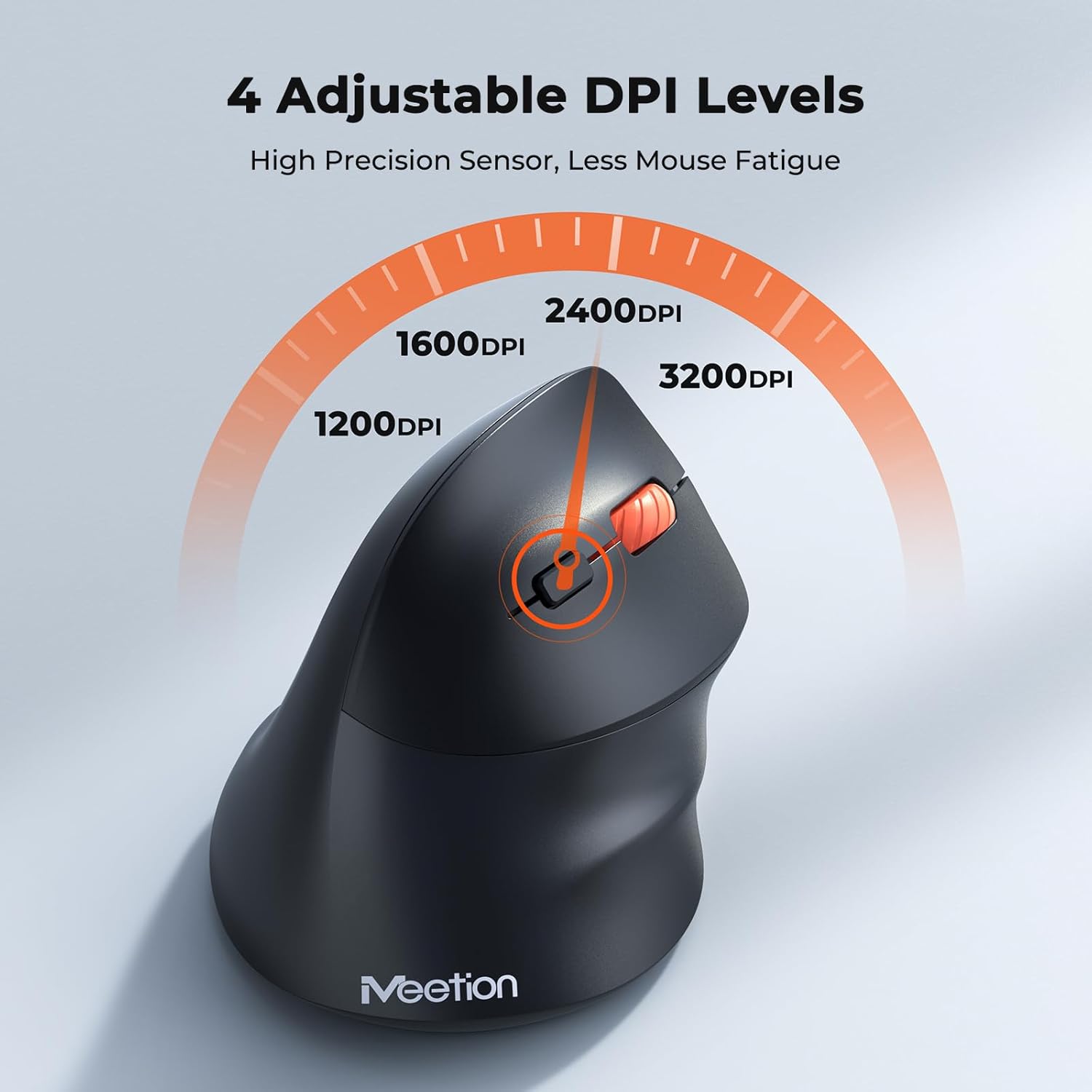
Adjust the DPI to match your preference for cursor speed and precision.
5.2 Көп түзмөктү которуу
To switch between connected devices, simply press the Mode Switching Button located on the bottom of the mouse. The corresponding indicator light (green for 2.4G, blue for BT1/BT2) will illuminate to show the active connection.
5.3 Forward/Back Buttons
Use the Forward and Back buttons, conveniently located on the side of the mouse, for quick navigation in web браузерлер, file explorers, and other applications that support these functions.
6. Электр энергиясын башкаруу
6.1 Auto-Sleep Mode
To conserve battery life, the mouse will automatically enter sleep mode after 20 minutes of inactivity. This intelligent feature helps extend the battery's operational time.
6.2 Waking the Mouse
To wake the mouse from sleep mode, simply press any button. It will instantly reconnect to the last active device.
6.3 Батареянын иштөө мөөнөтү
With typical usage, a single AA battery can power the mouse for up to 3 months. Actual battery life may vary based on usage patterns and battery quality.
7. Техникалык тейлөө
To ensure optimal performance and longevity of your mouse, follow these maintenance guidelines:
- Тазалоо: Чычкандын бетин жумшак, кургак чүпүрөк менен сүртүңүз. Өжөр кир үчүн бир аз сүртүңүзamp кездемени колдонсо болот, бирок түзмөккө ным кирбешин текшериңиз. Катуу химиялык заттарды же абразивдүү тазалоочу каражаттарды колдонбоңуз.
- Батареяны алмаштыруу: Replace the AA battery when the low battery indicator lights up or when mouse performance degrades. Always dispose of used batteries responsibly.
- Сактагыч: When not in use for extended periods, turn off the mouse and store it in a dry, cool place.
8. Кыйынчылыктарды
If you encounter issues with your MEETION BTM011 mouse, refer to the following solutions:
| Көйгөй | Чечим |
|---|---|
| Чычкан жооп бербей жатат |
|
| Курсордун кыймылы туура эмес же жай |
|
| Bluetooth аркылуу туташуу мүмкүн эмес |
|
| Forward/Back buttons not working |
|
9. Техникалык шарттар
| Өзгөчөлүк | Деталь |
|---|---|
| Модел | BTM011 |
| Байланыш | 2.4GHz Wireless, Bluetooth 5.3 (BT1, BT2) |
| DPI деңгээли | 1200 / 1600 / 2400 / 3200 |
| Buttons | 7 (Left, Right, Scroll Wheel, Forward, Back, DPI Switch, Mode Switch) |
| Power Source | 1x AA батарейкасы (кошулбаган) |
| Автоматтык уйку | 20 мүнөт аракетсиздиктен кийин |
| Шайкештик | Windows, Mac OS, Linux, Android, iOS (for iPad/iPhone) |
| Материал | Пластик |
| Өлчөмдөрү (болжол менен) | 4.4 x 3.29 x 2.74 дюйм (11.18 x 8.36 x 6.96 см) |
10. Кепилдик жана колдоо
10.1 Кепилдик маалыматы
MEETION products are designed and manufactured to the highest quality standards. This product is covered by a limited warranty against defects in materials and workmanship. Please retain your proof of purchase for warranty claims. Specific warranty terms may vary by region; refer to your local retailer or the official MEETION webчоо -жайын билүү үчүн сайт.
10.2 Кардарларды колдоо
For technical assistance, troubleshooting, or general inquiries, please contact MEETION customer support:
- Электрондук почта: service@meetion.com
- Webсайт: Visit the official MEETION webКөп берилүүчү суроолор жана кошумча ресурстар үчүн сайт.