
Introduction
Thank you for choosing the iKF Metal Wireless Bluetooth Over-Ear Headphones. These headphones are designed to provide a high-quality audio experience with advanced features such as Active Noise Cancellation (ANC), Hi-Res 40mm drivers, 5-Mic Environmental Noise Cancellation (ENC) for clear calls, and extended playback time. This manual will guide you through the setup, operation, and maintenance of your new headphones.
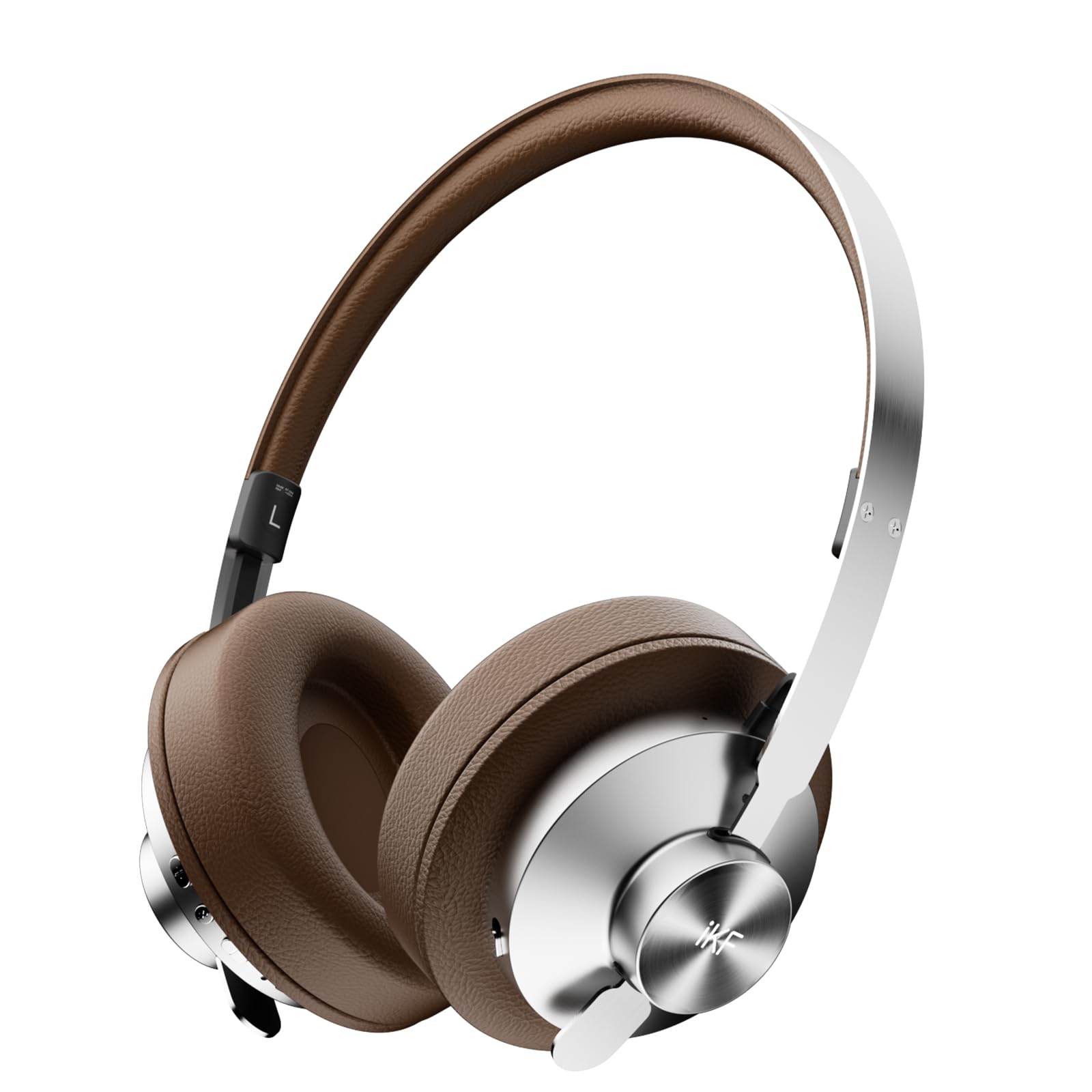
Image: iKF Metal Wireless Bluetooth Over-Ear Headphones, showcasing алардын дизайны.
Кутуда эмне бар
- iKF Metal Wireless Bluetooth Over-Ear Headphones
- Заряддоо кабели
- User Manual
Продукт бүттүview
Familiarize yourself with the various components and controls of your iKF Metal headphones.
Video: How to use iKF Metal Headphones. This video demonstrates the key display and functions of the headphones.
Башкаруу каражаттары жана порттор:
- Кубат баскычы: Кулакчындарды күйгүзүү/өчүрүү үчүн колдонулат.
- Көмөкчү порт: For wired audio connection using a 3.5mm cable.
- Заряддоо порту: Кулакчындарды кубаттоо үчүн USB-C порту.
- MFB (көп функциялуу баскыч): Controls playback, calls, and mode switching.
- '+' баскычы: Volume up, Next track.
- '-' баскычы: Volume down, Previous track.

Image: Close-up of the headphone earcup, highlighting the replaceable earcups and metal construction.
Жайгашуу
First-Time Bluetooth Pairing
- Кулакчыныңыз кубатталганын текшериңиз.
- Slide the Power Button to the 'ON' position. You will hear an audible prompt indicating the headphones are powered on and ready for pairing.
- On your mobile device, navigate to the Bluetooth settings and enable Bluetooth.
- Издөө available devices and select "iKF Metal" from the list.
- Туташкандан кийин, сиз ырастоо эскертүүсүн угасыз.
For a visual guide on first-time pairing, refer to the video below (segment 0:08 - 0:22).
Video: Demonstrates the initial Bluetooth pairing process for the iKF Metal headphones.
Иштөө нускамалары
Күйгүзүү/өчүрүү
- Күйгүзүү: Slide the Power Button to 'ON'.
- Өчүрүү: Slide the Power Button to 'OFF'.
See the video for a demonstration (segment 0:23 - 0:34).
Медиа функциялары
- Көлөмү: Single tap the '+' button.
- Үнүн азайтуу: Single tap the '-' button.
- Кийинки трек: Long press the '+' button for 2 seconds.
- Мурунку трек: Long press the '-' button for 2 seconds.
- Ойнотуу/тындыруу: MFBди бир жолу таптаңыз.
Refer to the video for a visual guide on media controls (segment 0:35 - 0:51).
Чакыруу функциялары
- Кирүүчү чалууга жооп берүү: MFBди бир жолу таптаңыз.
- Чакырууну аяктоо: MFBди бир жолу таптаңыз.
- Чакырууну четке кагуу: MFB баскычын 2 секунд басып туруңуз.
The video demonstrates call functions (segment 0:52 - 1:05).
Mode Switching (Noise Reduction & Audio Modes)
- Noise Reduction Mode Cycle: Long press the MFB to cycle through ANC Mode, Transparent Mode, and Anti-wind Noise Mode.
- Adaptive Noise Reduction On/Off: Көп функциялуу дискти эки жолу басыңыз.
- Audio Mode Switching: Triple tap the MFB to loop switch between Movie Mode (2 prompt tones), Game Mode (3 prompt tones), and Music Mode (1 prompt tone).
Watch the video for a demonstration of mode switching (segment 1:06 - 1:31).
Video: Demonstrates various operating functions including power, media, calls, and mode switching.

Image: iKF Metal headphones with a smartphone displaying the companion app for personalized sound control.
Техникалык тейлөө
- Тазалоо: Наушниктерди тазалоо үчүн жумшак, кургак чүпүрөктү колдонуңуз. Абразивдүү тазалагычтарды же эриткичтерди колдонбоңуз.
- Сактагыч: Кулакчындарды салкын, кургак жерде, күн нуру түз тийбеген жана өтө жогорку температурадан алыс сактаңыз.
- Батареяга кам көрүү: Батареянын иштөө мөөнөтүн узартуу үчүн, кулакчындарды тез-тез толук зарядсыздандырбаңыз. Аларды үзгүлтүксүз кубаттап туруңуз.
- Суу каршылык: Бул кулакчындар суу өткөрбөйт. Суюктуктарга тийгизбеңиз.
Проблемаларды чечүү
Жалпы маселелер жана чечимдер:
- Кулакчындар күйбөйт: Кулакчындардын заряддалганын текшериңиз. Аларды кубаттоочу кабель аркылуу кубат булагына туташтырыңыз.
- Bluetooth аркылуу жупташтырылбай жатат:
- Түзмөгүңүздө Bluetooth иштетилгенин жана гарнитура жупташтыруу режиминде экенин текшериңиз.
- Наушниктерди түзмөгүңүзгө жакыныраак жылдырыңыз.
- Түзмөгүңүздөгү мурунку Bluetooth туташууларын тазалап, кайра аракет кылыңыз.
- Perform a reset operation (see below).
- Үн жок же үнү төмөн:
- Наушниктердин жана туташкан түзмөгүңүздүн үнүнүн деңгээлин текшериңиз.
- Наушниктердин Bluetooth же AUX кабели аркылуу туура туташтырылганын текшериңиз.
- Башка булактан же тиркемеден аудиону ойнотуп көрүңүз.
- Чалуу сапаты начар:
- Микрофондун тоскоол болбогонун текшериңиз.
- Move to an environment with less background noise.
- Түзмөгүңүздүн чалуу жөндөөлөрүн текшериңиз.
Ишти кайра орнотуу
If you experience persistent issues, you can reset the headphones to clear Bluetooth pairing information:
- In the power-on state, long press the '+' button and '-' button simultaneously for 5 seconds.
- The headphones will clear all previous Bluetooth pairing information and enter re-pairing state.
A visual demonstration of the reset operation is available in the video (segment 1:32 - 1:42).
Техникалык шарттар
| Өзгөчөлүк | Деталь |
|---|---|
| Модель аты | iKF Metal |
| Noise Control | Активдүү ызы-чууну жокко чыгаруу, үн изоляциясы |
| Байланыш технологиясы | Bluetooth, зымдуу (3.5 мм уяча) |
| Зымсыз байланыш технологиясы | Bluetooth 5.4 |
| Аудио драйверинин өлчөмү | 40 миллиметр |
| Батареянын иштөө мөөнөтү | 75 саат |
| Заряддоо убактысы | 2 саат |
| Башкаруу түрү | Button Control/App Control |
| Микрофон | 5-Mic Array with ENC |
| Материал | Булгаары, металл, пластик |
| Элемент Салмагы | 1.6 фунт |
| Сууга туруктуулук деңгээли | Сууга чыдамдуу эмес |
| Өзгөчөлүктөр | Adjustable Headband, Detachable Cable, Microphone Included, Multipoint Pairing, Noise Cancellation |

Image: Illustrates the impressive battery life of the iKF Metal headphones, with 75 hours of playback (ANC off) and 40 hours (ANC on).
Кепилдик жана колдоо
For warranty information and customer support, please refer to the documentation included with your product packaging or visit the official iKF website. The included user manual typically contains specific warranty terms and contact details for support.
Сиз да зыярат кылсаңыз болот iKF Official Store on Amazon кошумча продукт маалымат жана колдоо ресурстар үчүн.