
1. Киришүү
This manual provides detailed instructions for the proper use and maintenance of your iKF R2 Pro Retro Wireless Headphones. Please read this manual thoroughly before using the product to ensure optimal performance and longevity.

The iKF R2 Pro headphones feature a retro design with metal and leather elements, offering both wireless Bluetooth 5.4 and wired 3.5mm AUX connectivity. They include Active Noise Cancellation (ANC) up to -45dB, 40mm HiFi drivers, and customizable lighting via the iKF app.
2. Кутуда эмне бар
Бардык буюмдар кутудан чыгарылганда бар экенин текшериңиз:
- iKF R2 Pro Wireless Headphones
- Заряддоо кабели
- 3.5 мм AUX аудио кабели
- Колдонуучунун Колдонмосу (бул документ)
3. Орнотуу
3.1. Наушниктерди заряддоо
Before first use, fully charge the headphones. Connect the provided charging cable to the charging port on the headphones and a compatible USB power source. A full charge typically takes approximately 2 hours. The LED indicator will change to show charging status.
3.2. Bluetooth Жупташтыруу
- Наушниктердин өчүрүлгөнүн текшериңиз.
- Күйгүзүү баскычын LED индикатору көк жана кызыл түстө күйүп-өчкөнгө чейин 3 секунд басып туруңуз, бул жупташтыруу режимин көрсөтөт.
- Түзмөгүңүздө (смартфон, планшет, компьютер) Bluetooth иштетип, жеткиликтүү түзмөктөрдү издеңиз.
- Select "iKF R2 Pro" from the list of devices.
- Туташкандан кийин LED индикатору моделге жараша көк түскө айланат же өчүп калат.
3.3. iKF App Installation and Connection
For enhanced features like customizable lighting and equalizer settings, download the official iKF app from your device's app store. Follow the in-app instructions to connect your headphones.

The iKF app allows users to personalize sound profiles with various equalizer presets (Default, Popular, Bass, Rockin, Downy, Classical) and create custom settings. It also provides control over the headphone's lighting effects.
4. Иштөө нускамалары
4.1. Негизги башкаруу элементтери
Наушниктерде кулакчындарда жайгашкан интуитивдик башкаруу элементтери бар:

This diagram illustrates the location and function of the various control buttons on the iKF R2 Pro headphones, including volume, power, and NC buttons.
- Кубат баскычы:
- Press and hold for 3 seconds: Turn on/off.
- Басыңыз: Ойнотуу/Тыныгуу.
- Double Click: Activate Voice Assistant.
- Click: Answer/Hang Up Call.
- Press and hold for 2 seconds: Reject Call.
- Volume Button (+/-):
- Click '+': Volume Up.
- Click '-': Volume Down.
- Press and hold '+': Next Song.
- Press and hold '-': Previous Song.
- NC баскычы:
- Click: Cycle through ANC / Transparency / Normal modes.
- Triple-click: Switch between Movie/Game/Music Mode.
- Long Press: Turn Atmosphere Lights on/off.
4.2. Активдүү ызы-чууну жокко чыгаруу (ANC) жана тунуктук режими
The NC button allows you to switch between different listening modes:
- ANC режими: Reduces external noise by up to -45dB, ideal for focused listening in noisy environments.
- Ачыктык режими: Allows you to hear your surroundings while still enjoying your audio, useful for awareness in urban settings or conversations.
- Кадимки режим: Standard audio playback without noise cancellation or transparency features.

This image shows a user experiencing the benefits of both Active Noise Cancellation (ANC) for quiet listening and Transparency Mode for environmental awareness with the iKF R2 Pro headphones.
4.3. Төмөн күтүү режими
Activate Game Mode via the iKF app for ultra-low audio latency (35 milliseconds), providing a synchronized audio-visual experience for gaming or video playback.

The headphones are shown alongside a smartphone, highlighting their low latency feature which is beneficial for gaming and synchronized media consumption.
4.4. Зымдуу туташуу (AUX)
For a wired audio experience or when battery is depleted, connect the provided 3.5mm AUX cable to the headphone's audio jack and your device's audio output.
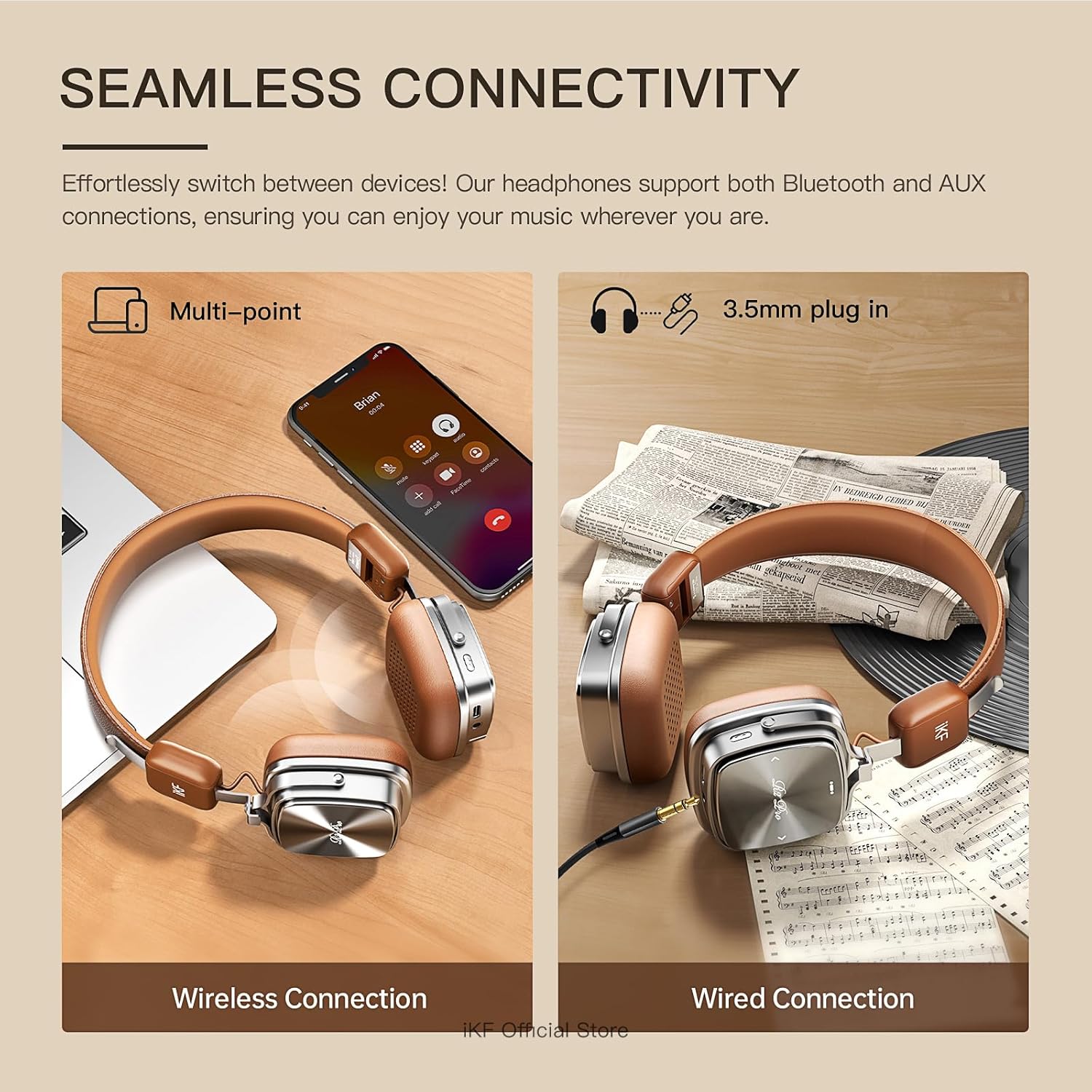
This image demonstrates the flexibility of the iKF R2 Pro headphones, showcasing both Bluetooth wireless connection to a laptop and a wired 3.5mm AUX connection to an audio source.
4.5. Көп чекиттүү туташуу
The headphones support multi-point Bluetooth connectivity, allowing them to be simultaneously connected to two devices. This enables seamless switching between audio sources, such as a phone and a laptop.
5. Техникалык тейлөө
5.1. Жалпы кам көрүү
Handle your headphones with care. Avoid dropping them or exposing them to extreme temperatures. The headphones are constructed with leather, metal, and plastic components.
5.2. Тазалоо
Wipe the headphones with a soft, dry cloth. For the leather parts, use a specialized leather cleaner if necessary. Do not use harsh chemicals or abrasive materials. The detachable ear pads can be gently cleaned as per their material type.
5.3. Сактоо
When not in use, store the headphones in a cool, dry place, away from direct sunlight and moisture. The foldable design allows for compact storage, reducing space when traveling.

This image highlights the adjustable headband and foldable earcups of the iKF R2 Pro, making them convenient for storage and travel.
5.4. Сууга туруктуулук
The iKF R2 Pro headphones are rated as waterproof. However, avoid prolonged submersion or exposure to high-pressure water jets to prevent damage.
6. Кыйынчылыктарды
Эгер гарнитураңызга байланыштуу көйгөйлөргө туш болсоңуз, төмөнкү жалпы чечимдерди караңыз:
| Көйгөй | Мүмкүн себеп | Чечим |
|---|---|---|
| Күйгүзүлбөй жатат | Батарея аз | Наушниктерди толук заряддаңыз. |
| Bluetooth аркылуу жупташтыруу мүмкүн эмес | Кулакчындар жупташтыруу режиминде эмес; түзмөктүн Bluetooth'у өчүрүлгөн; тоскоолдуктар бар | Ensure headphones are in pairing mode (flashing blue/red LED). Turn device Bluetooth off and on. Move closer to the device. |
| Үн жок | Volume too low; incorrect audio source; loose AUX cable | Increase volume on headphones and device. Check device's audio output settings. Re-insert AUX cable firmly. |
| ANC эффективдүү эмес | Incorrect mode; earcups not sealed | Ensure ANC mode is active via the NC button. Adjust headphones for a snug fit over your ears. |
For further assistance, refer to the iKF app or contact customer support.
7. Техникалык шарттар
- Модель аты: iKF R2 Pro
- Байланыш технологиясы: Bluetooth 5.4, 3.5 mm Jack
- Ызы-чууну көзөмөлдөө: Active Noise Cancellation (-45dB), Sound Isolation
- Аудио драйверинин өлчөмү: 40 Millimeters (Bio-fiber composite drivers)
- Аудио кечигүү: 35 миллисекунд (Оюн режими)
- Батареянын иштөө мөөнөтү: 75 саатка чейин (ANC өчүрүлгөн), 40 саатка чейин (ANC күйүк)
- Заряддоо убактысы: Болжол менен 2 саат
- Башкаруу түрү: Touch Control
- Материал: Булгаары, металл, пластик
- Элемент Салмагы: 0.9 фунт (14.4 унция)
- Сууга туруктуулук деңгээли: Суу өткөрбөйт
- Импеданс: 32 Ом
- Шайкеш түзмөктөр: iPhone/iPad/Macbook and other Bluetooth-enabled devices
8. Кепилдик жана колдоо
For warranty information, please refer to the documentation provided at the time of purchase or contact the seller directly. iKF offers customer support for product inquiries and technical assistance.
You can visit the official iKF store for more information: iKF расмий дүкөнү