
Introduction
Welcome to the user manual for your Puro Sound Labs PuroQuiet-Air Active Noise Cancelling Bluetooth Earbuds. These earbuds are designed to provide a high-quality audio experience with advanced features such as active noise cancellation, transparency mode, and volume-limiting technology for safe listening. This manual provides essential information on setup, operation, maintenance, and troubleshooting to ensure optimal performance and longevity of your device.
Кутуда эмне бар
Carefully unpack your PuroQuiet-Air earbuds and ensure all components are present:
- PuroQuiet-Air Earbuds
- Зымсыз кубаттоо кутусу
- USB-C заряддоо кабели
- Three (3) Additional Sizes of Silicone Ear Tips (Small, Medium, Large)
- Колдонуучунун Колдонмосу (бул документ)

Image: The complete package contents, including the charging case, earbuds, various ear tip sizes, and the USB-C charging cable.
Продукт бүттүview
The PuroQuiet-Air earbuds combine advanced audio technology with user-friendly design. Key features include:
- Үндү чектөө: Sound levels are capped at 85dB to protect hearing.
- Активдүү ызы-чууну жокко чыгаруу (ANC): Имерсивдүү угуу тажрыйбасы үчүн айланадагы ызы-чууларды азайтат.
- Ачыктык режими: Аудио угуп жатканда айланаңызды угууга мүмкүнчүлүк берет.
- Bluetooth 5.4 туташуусу: Туруктуу жана натыйжалуу зымсыз байланышты камсыз кылат.
- Камтылган микрофон: For clear two-way communication.
- Сенсордук башкаруу каражаттары: Intuitive controls for managing playback, calls, and modes.
- Эргономикалык дизайн: Provides a secure and comfortable fit with interchangeable ear tips.
- Type-C заряддоо: For fast and convenient charging of the case and earbuds.

Image: The PuroQuiet-Air earbuds and charging case, emphasizing their design and core features.
Жайгашуу
1. Кулакчындарды жана кутуну кубаттоо
Биринчи колдонуудан мурун, кулакчындарды жана кубаттоочу кутучаны толук заряддаңыз.
- Кулакчындарды кубаттоочу кутуга салыңыз. Алардын туура орнотулганын текшериңиз; магниттик контакттар аларды ордунда кармап турат.
- Connect the provided USB-C charging cable to the Type-C port on the charging case and plug the other end into a USB power source (e.g., wall adapter, computer USB port).
- The LED indicator on the charging case will illuminate to show charging status. A full charge typically takes approximately 1 hour.
- Once fully charged, the LED indicator may change color or turn off, depending on the model. Disconnect the charging cable.
The charging case provides up to 24 extra hours of battery life, extending the earbuds' 6 hours of single-charge playtime to a total of 30 hours.

Image: The compact charging case, highlighting the Type-C charging port and the battery indicator light.
2. Bluetooth Жупташтыруу
Кулакчыныңызды Bluetooth иштетилген түзмөк менен жупташтыруу үчүн төмөнкү кадамдарды аткарыңыз:
- Заряддоо кутучасын ачыңыз. Кулакчындар автоматтык түрдө жупташтыруу режимине өтөт, бул кулакчындарда жарк эткен LED менен көрсөтүлөт.
- Түзмөгүңүздө (смартфон, планшет, ноутбук) Bluetooth жөндөөлөрүнө өтүңүз.
- Издөө available devices and select "PuroQuiet-Air" from the list.
- Once connected, a voice prompt will confirm successful pairing, and the earbud LEDs will stop flashing.
- Түзмөктө Bluetooth иштетилген болсо, кулакчындар кутудан чыгарылганда акыркы жупташтырылган түзмөккө автоматтык түрдө кайра туташат.

Image: Earbuds and case, demonstrating the extended playtime and Bluetooth connection capabilities.
3. Кулакчындарды орнотуу
Proper fit is crucial for sound quality, noise cancellation, and comfort.
- Choose the ear tips that best fit your ear canal. Experiment with the three provided sizes (Small, Medium, Large). A good fit creates a seal, enhancing bass and noise cancellation.
- Gently insert each earbud into your ear, twisting slightly until it feels secure and comfortable. The stem should point downwards.

Image: The earbuds in their charging case, showcasing their ergonomic design for a secure fit.
Кулакчындарды иштетүү
1. Башкаруу элементтерине тийүү
The PuroQuiet-Air earbuds feature intuitive touch controls on each earbud. Specific gestures may vary slightly, but common functions include:
- Ойнотуу/тындыруу: Кулакчындарды бир жолу таптаңыз.
- Кийинки трек: Оң кулакчынды эки жолу таптаңыз.
- Мурунку трек: Сол кулакчынды эки жолу таптаңыз.
- Чалууга жооп берүү/аяктоо: Кулакчындарды бир жолу таптаңыз.
- Чакырууну четке кагуу: Кулакчындардын бирин басып, кармап туруңуз.
- Үн Жардамчысын жандыруу: Кулакчындарды үч жолу таптаңыз.
- ANC/Тунук режимин которуу: Press and hold on the right earbud (refer to the next section for details).

Image: User interacting with the earbuds, illustrating the touch control area.
2. Активдүү ызы-чууну жокко чыгаруу (ANC) жана тунуктук режими
These modes allow you to adjust your listening experience based on your environment:
- ANC режими: Actively reduces external noise, ideal for noisy environments like public transport or offices.
- Ачыктык режими: Amplifies ambient sounds, allowing you to stay aware of your surroundings without removing the earbuds.
- Кадимки режим: Standard listening without active noise cancellation or transparency.
To cycle through ANC, Transparency, and Normal modes, press and hold the touch sensor on the right earbud until you hear a voice prompt indicating the mode change.
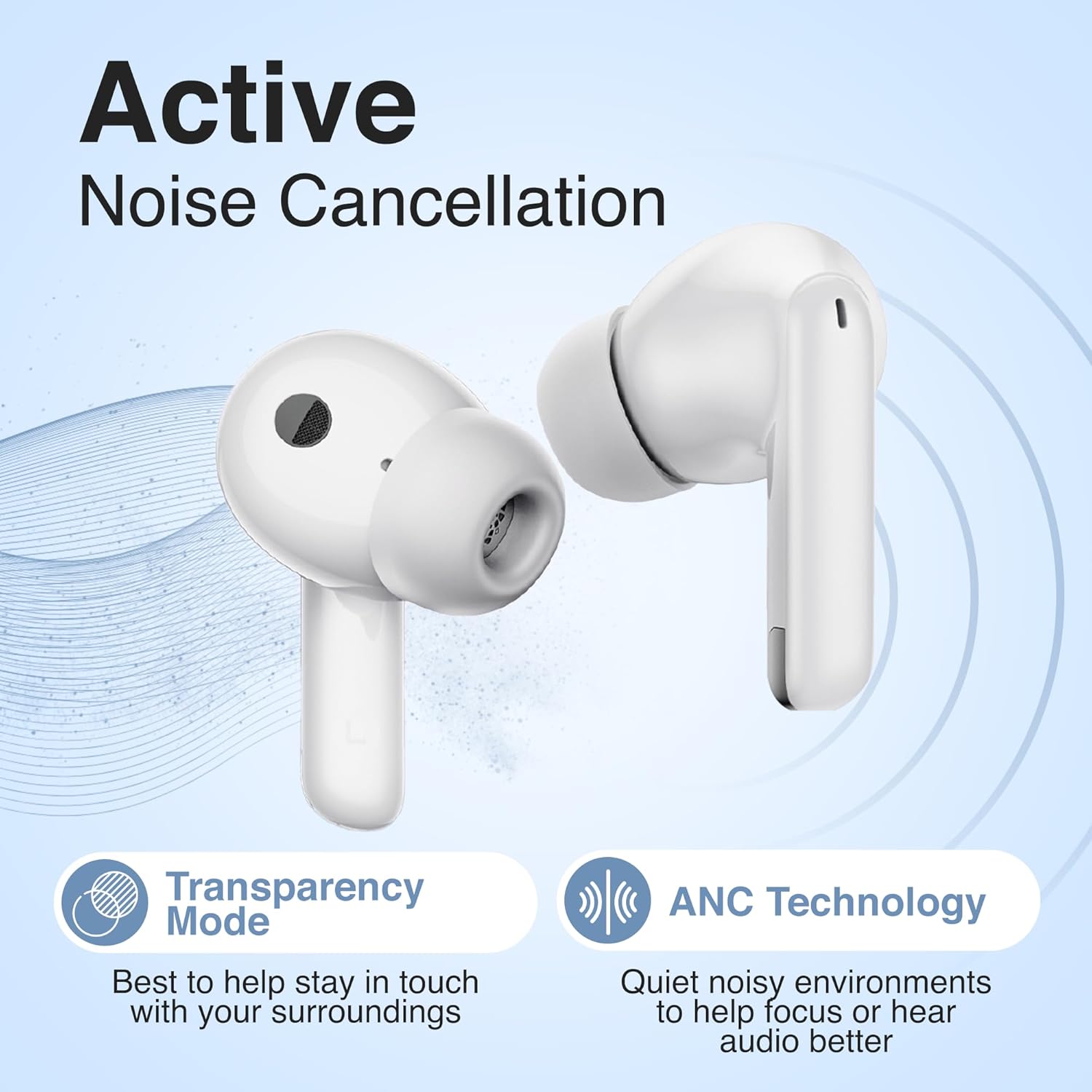
Image: Earbuds highlighting the ANC and Transparency Mode functionalities.
3. Volume Limiting for Safe Listening
The PuroQuiet-Air earbuds are engineered with Puro Sound Labs' signature volume-limiting technology, capping sound output at a safe 85dB. This feature is always active to protect your hearing, especially during extended listening periods. You do not need to enable or disable this feature; it operates automatically.

Image: Illustration of the 85dB volume limit for safe listening.
4. Using the Built-In Microphone
The integrated microphone allows for clear hands-free calls. When a call comes in, you can answer or reject it using the touch controls as described above. The microphone is optimized for voice clarity during conversations.
Техникалык тейлөө
To maintain the performance and appearance of your earbuds:
- Тазалоо: Кулакчындарды жана кубаттоочу кутуну тазалоо үчүн жумшак, кургак, түксүз чүпүрөктү колдонуңуз. Абразивдүү тазалагычтарды, спиртти же химиялык спрейлерди колдонбоңуз.
- Кулак кеңештери: Remove the silicone ear tips periodically and clean them with mild soap and water. Ensure they are completely dry before reattaching.
- Сактагыч: Колдонулбай турган учурда, кулакчындарды чаңдан жана бузулуудан коргоо үчүн ар дайым кубаттоочу кутучасында сактаңыз. Салкын, кургак жерде сактаңыз.
- Нымдуулуктан качыңыз: Do not expose the earbuds or case to excessive moisture or liquids.
Проблемаларды чечүү
If you encounter issues with your PuroQuiet-Air earbuds, try the following solutions:
| Көйгөй | Чечим |
|---|---|
| Кулакчындар жупташкан жок |
|
| Бир кулактын үнү чыкпайт |
|
| Заряддоо куту заряддалбай жатат |
|
| ANC эффективдүү эмес |
|
Техникалык шарттар
| Өзгөчөлүк | Деталь |
|---|---|
| Модель аты | PuroQuiet-Air |
| Элемент моделинин номери | AIRPQ |
| Байланыш технологиясы | Зымсыз (Bluetooth) |
| Зымсыз байланыш технологиясы | Bluetooth 5.4 |
| Bluetooth диапазону | 15 метр |
| Noise Control | Активдүү ызы-чууну жокко чыгаруу |
| Өзгөчөлүктөр | Active Noise Cancelling, Volume Limiting (85dB), Studio-Quality Sound |
| Батареянын иштөө мөөнөтү (наушник) | 6 саатка чейин |
| Case менен жалпы ойноо убактысы | 30 саатка чейин |
| Заряддоо убактысы | Болжол менен 1 саат |
| Заряддоо порту | USB Type-C |
| Жыштык диапазону | 20Гц - 20,000Гц |
| Элемент Салмагы | 4.9 унция (0.14 килограмм) |
| Камтылган компоненттер | Ear tips, Wireless Charging Case, User Manual, USB-C Cable |
Кепилдик жана колдоо
Puro Sound Labs provides a 1-year service coverage for the PuroQuiet-Air earbuds. This coverage addresses manufacturing defects and ensures a durable, high-quality listening experience.
For warranty claims, technical support, or any questions regarding your product, please contact Puro Sound Labs customer service through their official website or the retailer where the product was purchased. Please have your proof of purchase and product model number (AIRPQ) ready when contacting support.