
1. Киришүү
The TELE System TS4020 PRO is an advanced and versatile digital decoder designed for receiving both terrestrial and satellite television broadcasts. It features dual DVB-T/T2 and DVB-S/S2 tuners, supporting HEVC HD, HDR10, and HLG for high-quality video. This device allows access to a wide range of free-to-air TV and radio channels without a subscription. Additionally, its USB port enables media playback of music, photos, and videos, transforming the decoder into a home entertainment hub.
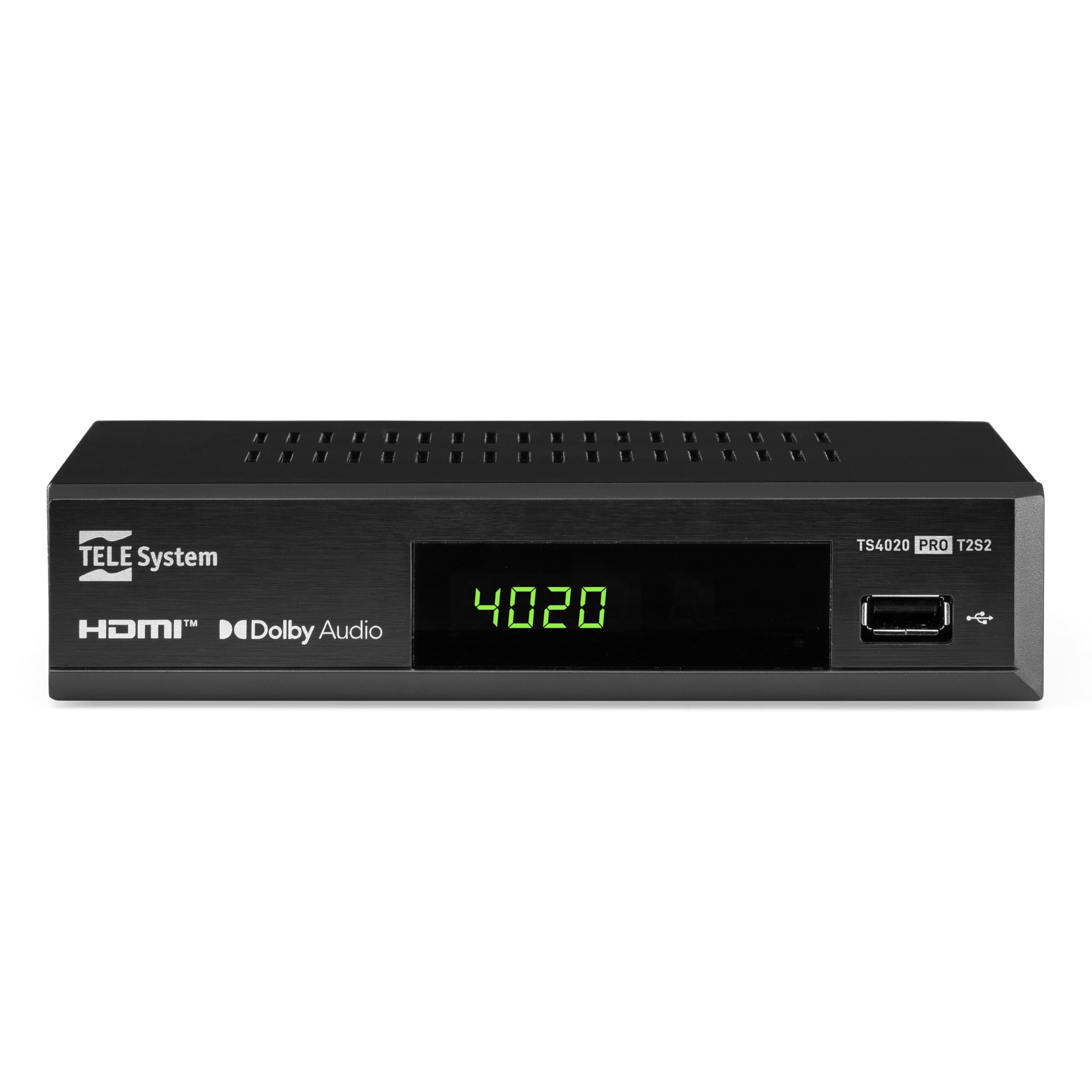
Figure 1: Tele System TS4020 PRO Decoder and included remote control.
2. Орнотуу
2.1 Пакеттен чыгаруу жана компоненттер
Бардык буюмдарды кутудан кылдаттык менен чыгарыңыз. Төмөнкү компоненттердин бар экендигин текшериңиз:
- Tele System TS4020 PRO Decoder
- Алыстан башкаруу
- Тышкы адаптер
- Колдонуучунун Колдонмосу (бул документ)
2.2 Connecting the Decoder
Follow these steps to connect your decoder to your television and antenna/satellite dish.
- Кубат туташуу: Connect the external power adapter to the DC 12V input on the back of the decoder, then plug it into a power outlet.
- HDMI туташуу: Use an HDMI cable to connect the HDMI OUT port on the decoder to an available HDMI input on your television.
- Antenna Connection (for DVB-T/T2): Сиздин жер үстүндөгү антенна кабелин туташтырыңыз RF IN port on the back of the decoder.
- Satellite Connection (for DVB-S/S2): Спутник антеннасынын кабелин төмөнкүгө туташтырыңыз SAT IN port on the back of the decoder.
- Кошумча туташуулар:
- SCART: For older televisions, connect a SCART cable from the TV SCART port on the decoder to your TV. Note that 4K resolution is not supported via SCART.
- Coaxial Audio: For digital audio output, connect a coaxial audio cable from the COAXIAL port to your audio receiver.
- USB: For media playback, insert a USB drive into the USB port on the front or back of the decoder.

Figure 2: Rear panel connections of the TS4020 PRO decoder, including SAT IN, RF IN, Coaxial, HDMI, and TV SCART ports.
2.3 Баштапкы орнотуу жана каналдарды сканерлөө
After connecting the decoder, turn on your television and select the correct HDMI input. The decoder should power on automatically or can be turned on using the remote control.
- Баштапкы орнотуу үчүн экрандагы нускамаларды аткарыңыз.
- Каалаган тилди жана аймакты тандаңыз.
- The decoder features an АВТОСКАН function for quick and easy automatic channel searching and sorting for both terrestrial and satellite channels. Initiate the scan when prompted.
- Once the scan is complete, your decoder is ready for use.
3. Иштөө нускамалары
3.1 Алыстан башкаруу функциялары
The TELE System TS4020 PRO comes with a unique remote control designed to manage both the decoder and your television. It features programmable keys for added convenience.

Figure 3: Layout of the TS4020 PRO remote control.
- Кубат баскычы: Turns the decoder on/off.
- AV/TV: Сыналгы киргизүү булагын которуштурат.
- VOL+/VOL-: Үн көлөмүн тууралайт.
- PROG+/PROG-: Каналдарды өзгөртөт.
- DTT/SAT: Switches between terrestrial and satellite modes.
- МЕНЮ: Негизги менюга кирет.
- OK: Тандоолорду ырастайт.
- Жебе баскычтары: Navigates menus and EPG.
- МААЛЫМАТ: Программа жөнүндө маалыматты көрсөтөт.
- EPG: Электрондук программалык колдонмо.
- Media Player Controls: Ойнотуу, тындыруу, токтотуу, алдыга жылдыруу, артка түрүү.
- Programmable TV Control Keys: These keys (usually at the top) can be programmed to control basic TV functions like power, volume, and input. Refer to the remote control section in the full manual for programming instructions.
3.2 канал Viewing and Selection
колдонуу PROG+ жана PROG- buttons to navigate through channels. Press OK чейин view the channel list and select a channel directly. Use the DTT/SAT button to switch between terrestrial (DVB-T/T2) and satellite (DVB-S/S2) channel lists.
3.3 USB аркылуу медиа ойнотуу
The decoder supports media playback from a USB storage device.
- Insert a USB flash drive or external hard drive into the USB port.
- Access the Media Player function from the main menu.
- Сиздин аркылуу чабыттоо files to play music, view photos, or watch videos.
3.4 HDR Quality
The TS4020 PRO is compatible with HDR10 and HLG standards, providing enhanced image quality with improved color rendering and visual depth, especially for content with high dynamic range. Ensure your television also supports HDR10 or HLG for the best viewтажрыйбасы.
4. Техникалык тейлөө
- Тазалоо: Use a soft, dry cloth to clean the decoder's exterior. Do not use liquid cleaners or abrasive materials.
- Вентиляция: Ensure the decoder has adequate ventilation. Do not block the ventilation openings.
- Программалык камсыздоо жаңыртуулары: Periodically check for available software updates through the decoder's menu (if supported). Software updates can improve performance and add new features. Information regarding guaranteed software updates is not available.
- Сактагыч: Аппаратты узак убакытка сактасаңыз, аны электр кубатынан ажыратып, салкын, кургак жерде сактаңыз.
5. Кыйынчылыктарды
If you encounter issues with your Tele System TS4020 PRO, refer to the following common problems and solutions:
| Көйгөй | Мүмкүн себеп | Чечим |
|---|---|---|
| Күч жок | Кубат адаптери туташкан эмес же туура эмес розетка. | Ensure the power adapter is securely connected to the decoder and a working power outlet. |
| Сыналгыда сүрөт/үн жок | Incorrect TV input selected, loose HDMI/SCART cable. | Select the correct HDMI/AV input on your TV. Check that the HDMI or SCART cable is securely connected at both ends. |
| No channels found or poor signal | Antenna/satellite dish not connected, misaligned, or damaged. | Check antenna/satellite cable connections. Ensure your antenna/dish is properly aligned. Perform an AUTOSCAN again. |
| Пульт иштебей жатат | Өлгөн батареялар, тоскоолдуктар же алыскы аралыктан. | Replace batteries. Ensure no obstructions between the remote and the decoder. Point the remote directly at the decoder. |
| HDMI output not compatible with TV | Specific TV model incompatibility. | If available, try using the SCART connection for video output. Note that 4K resolution is not supported via SCART. |
| Date resets to 1970 after reset | Internal clock issue or software bug. | Check for available software updates. If the issue persists, contact customer support. |
6. Техникалык шарттар
| Модель номери | 21005355 |
| Бренд | TELE системасы |
| Байланыш технологиясы | USB, Power, HDMI, SCART, RF IN, SAT IN, Coaxial |
| Аудио чыгаруу режими | Курчап |
| Жалпы HDMI порттору | 1 |
| Шайкеш түзмөктөр | Телевидение |
| Колдоого алынган аудио форматтары | Dolby Digital, DTS, AAC, MP3, PCM |
| Тtage | 12 вольт (ток) |
| Video Output токтому | 1080p |
| Колдоого алынган стандарттар | DVB-T2, DVB-S2, H.265, HDR10, HLG, MP3, AAC |
| Аспект катышы | 16:9 |
| Түс | Кара |
| Келип чыккан өлкө | Кытай |
7. Кепилдик маалыматы
The Tele System TS4020 PRO decoder comes with a 2 жылдык өндүрүүчүнүн кепилдиги. Please retain your proof of purchase for warranty claims. For specific terms and conditions, refer to the warranty card included with your product or contact Tele System customer support.
8. Кардарларды колдоо кызматы
For further assistance, technical support, or inquiries regarding your Tele System TS4020 PRO decoder, please visit the official Tele System webсайтка же кардарларды тейлөө бөлүмүнө кайрылыңыз.
Note: Information regarding the availability of spare parts for this product is currently unavailable.