
1. Продукт бүтүп калдыview
The Morpheus 360 Sanctuary ANC Wireless UC Headset is designed for professional communication and audio playback. It features Active Noise Canceling (ANC), a noise-canceling boom microphone, and Bluetooth connectivity with an included USB dongle for unified communication platforms.
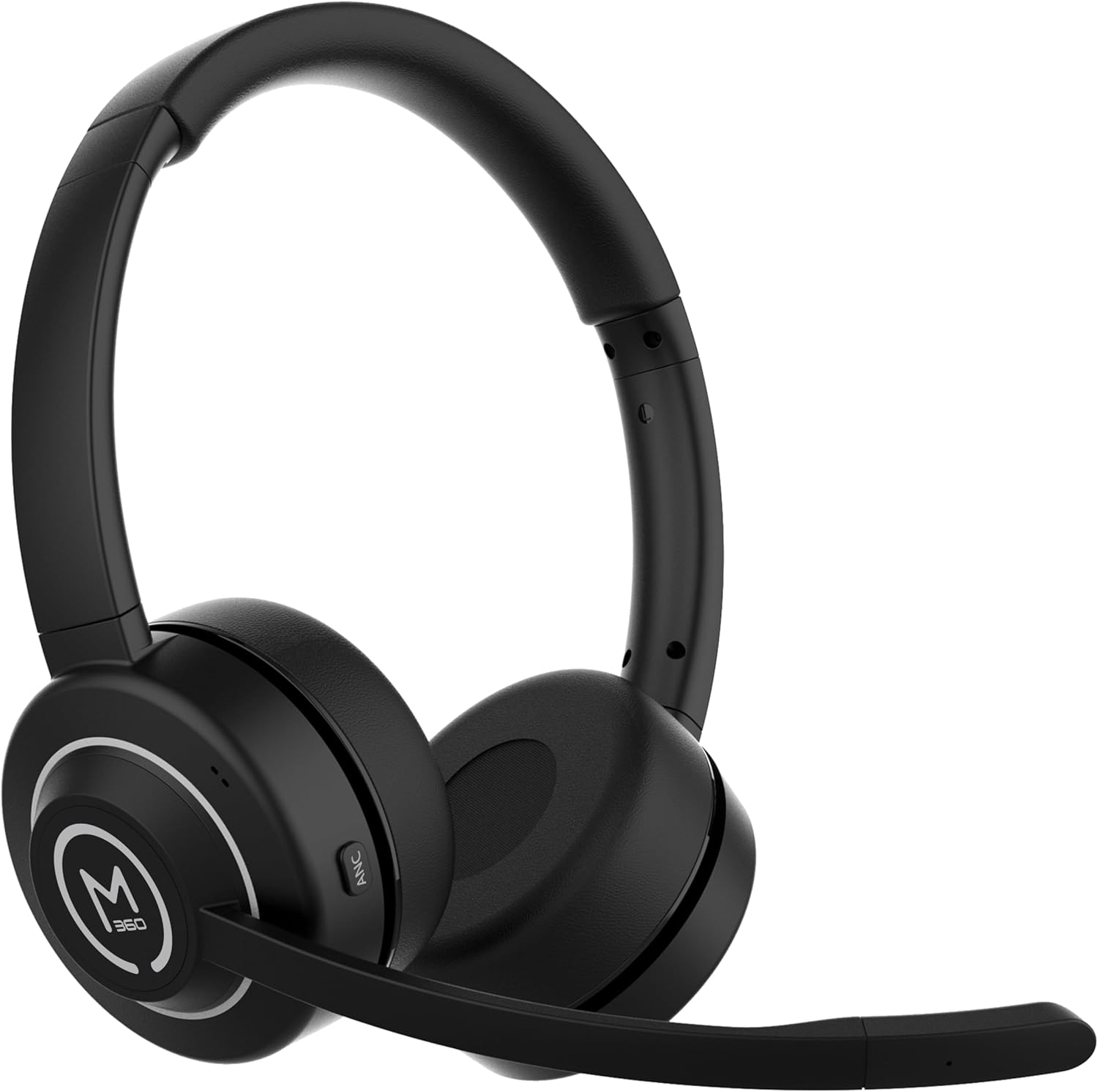
Сүрөт 1.1: Алдыңкы view of the Morpheus 360 Sanctuary ANC Wireless UC Headset.
2. Кутуда эмне бар
- Morpheus 360 Sanctuary ANC Wireless UC Headset
- USB Bluetooth Dongle
- Заряддоо стенди
- USB-C заряддоо кабели

Image 2.1: The dedicated charging stand for the headset.
3. Орнотуу
3.1 Гарнитураны заряддоо
- Connect the USB-C charging cable to the charging stand and a power source.
- Place the headset onto the charging stand, ensuring proper alignment. The headset will begin charging.
- Толук кубаттоо батареянын 55 саатка жакын иштөө мөөнөтүн камсыз кылат.
Эскертүү: The headset cannot be used while it is charging on the stand.
3.2 Түзмөктөр менен жупташтыруу
The headset can be paired via Bluetooth or using the included USB dongle.
Bluetooth жупташууда:
- Гарнитура өчүрүлгөнүн текшериңиз.
- LED индикатору жупташтыруу режимин көрсөткөн көк жана кызыл күйгүчө күйгүзүү баскычын басып, кармап туруңуз.
- On your device (smartphone, tablet), go to Bluetooth settings and select "Morpheus 360 Sanctuary" from the list of available devices.
- Туташтырылгандан кийин, LED индикатору көк түстө күйөт.
USB Dongle Pairing (for PC/Mac):
- Plug the USB Bluetooth dongle into an available USB port on your computer.
- Power on the headset. It should automatically connect to the dongle. The LED on the dongle will indicate a successful connection.
- Компьютериңиздин үн жөндөөлөрүндө гарнитура аудио киргизүү жана чыгаруу түзмөгү катары тандалып алынганын текшериңиз.
Абайлаңыз: Handle the USB dongle with care. Repeated insertion and removal, or improper handling, may cause the dongle to separate.
3.3 Гарнитураны тагынуу
- Башыңыздын үстүнкү боосун башыңызга ыңгайлуу кылып тууралаңыз.
- Position the earcups so they sit gently on your ears. The eco-leather ear cushions are designed for comfort.
- Adjust the flexible boom microphone to be near your mouth for optimal voice pickup.

Сүрөт 3.1: Каптал view of the headset highlighting the boom microphone and control buttons.
4. Гарнитураны иштетүү
4.1 Күйгүзүү/өчүрүү
- Күйгүзүү: Кубат баскычын 3 секунд басып туруңуз.
- Өчүрүү: Кубат баскычын 5 секунд басып туруңуз.
4.2 Active Noise Canceling (ANC)
The ANC feature detects and reduces background noise by up to 20dB, helping you focus. This is effective against consistent low-frequency sounds like office chatter or keyboard noise.
- ANC иштетүү: Press the ANC button located on the earcup.
- ANC өчүрүү: ANC баскычын кайрадан басыңыз.
4.3 Айкындуулук режими
Transparency Mode allows you to hear your surroundings without removing the headset, useful for quick conversations or awareness.
- Тунук режимин иштетүү/өчүрүү: Refer to the specific button on your headset (often shared with ANC or a dedicated button).
4.4 Чалууларды башкаруу
- Чалууга жооп берүү/аяктоо: Көп функциялуу баскычты бир жолу басыңыз.
- Чакырууну четке кагуу: Көп функциялуу баскычты 2 секунд басып туруңуз.
- Микрофондун үнүн басуу/ачуу: Use the dedicated mute button on the boom microphone or earcup.
The noise-canceling boom microphone uses specialized technology to filter out background noise from your voice during calls.
4.5 Музыканы ойнотуу
- Ойнотуу/тындыруу: Көп функциялуу баскычты бир жолу басыңыз.
- Кийинки трек: Үнүн жогорулатуу баскычын басып, кармап туруңуз.
- Мурунку трек: Үндү азайтуу баскычын басып, кармап туруңуз.
4.6 Үндү башкаруу
- Көлөмүн жогорулатуу: Үнүн жогорулатуу баскычын басыңыз.
- Көлөмдү азайтуу: Үндү азайтуу баскычын басыңыз.
5. Техникалык тейлөө
5.1 Тазалоо
- Wipe the headset and ear cushions with a soft, dry, lint-free cloth.
- Катуу химиялык заттарды, тазалоочу эриткичтерди же күчтүү жуучу каражаттарды колдонбоңуз.
- Ар кандай тешиктерге ным кирүүдөн сактаңыз.
5.2 Сактоо
- Гарнитураны күн нурунан жана экстремалдык температурадан алыс салкын, кургак жерде сактаңыз.
- When not in use, placing the headset on its charging stand can help keep it organized and ready for use.
5.3 Батареяга кам көрүү
- Батареянын иштөө мөөнөтүн узартуу үчүн, гарнитураны бат-баттан толук зарядсыздандырбаңыз.
- Charge the headset regularly, even if not used for extended periods.
6. Кыйынчылыктарды
6.1 Байланыш маселелери
- Гарнитура жупташпай жатат: Ensure the headset is in pairing mode (flashing blue/red LED). Check your device's Bluetooth settings.
- USB Dongle not connecting: Ensure the dongle is fully inserted into the USB port. Try a different USB port. Re-pair the headset if necessary.
- Үзгүлтүксүз туташуу: Ensure no major obstructions are between the headset and your device/dongle. Move closer to the connected device.
6.2 Аудио маселелери
- Үн жок: Check volume levels on both the headset and your connected device. Ensure the headset is selected as the audio output device.
- Микрофон иштебей жатат: Ensure the microphone is not muted. Check that the headset is selected as the audio input device in your computer's sound settings.
6.3 Active Noise Canceling (ANC) Performance
- ANC is most effective against consistent low-frequency sounds. It may not completely block out human speech or sudden loud noises.
- Ensure the earcups are properly seated on your ears for optimal ANC performance.
6.4 USB Dongle Durability
Some users have reported the USB dongle separating. To prevent this, handle the dongle gently when inserting or removing it from USB ports or the charging stand. Avoid pulling it out by the plastic casing alone.
6.5 Battery Alerts
The headset may issue 'Charge headset' warnings when the battery level is around 30%. This is normal behavior to prompt early recharging.
7. Техникалык шарттар
| Модель номери | HS6750ANC |
| Бренд | Морфей 360 |
| Түс | Кара |
| Материал | Faux Leather, Plastic, Stainless Steel |
| Батареянын иштөө мөөнөтү | 55 саатка чейин |
| Активдүү ызы-чууну жокко чыгаруу | Up to 20dB reduction |
| Микрофон | Noise Canceling Boom Microphone |
| Байланыш | Bluetooth, USB Dongle |
| UPC | 856816008590 |
8. Кепилдик маалыматы
The Morpheus 360 Sanctuary ANC Wireless UC Headset (Model HS6750ANC) comes with a 1 жыл Бөлүктөр жана эмгек warranty from the date of purchase. Please retain your proof of purchase for warranty claims.
9. Колдоо
For further assistance, technical support, or warranty inquiries, please refer to the official Morpheus 360 webсайтка же кардарларды тейлөө бөлүмүнө кайрылыңыз. Байланыш маалыматын адатта продукт таңгагынан же бренддин расмий онлайн катышуусунан тапса болот.